

Manual of product FS-C2526MFP
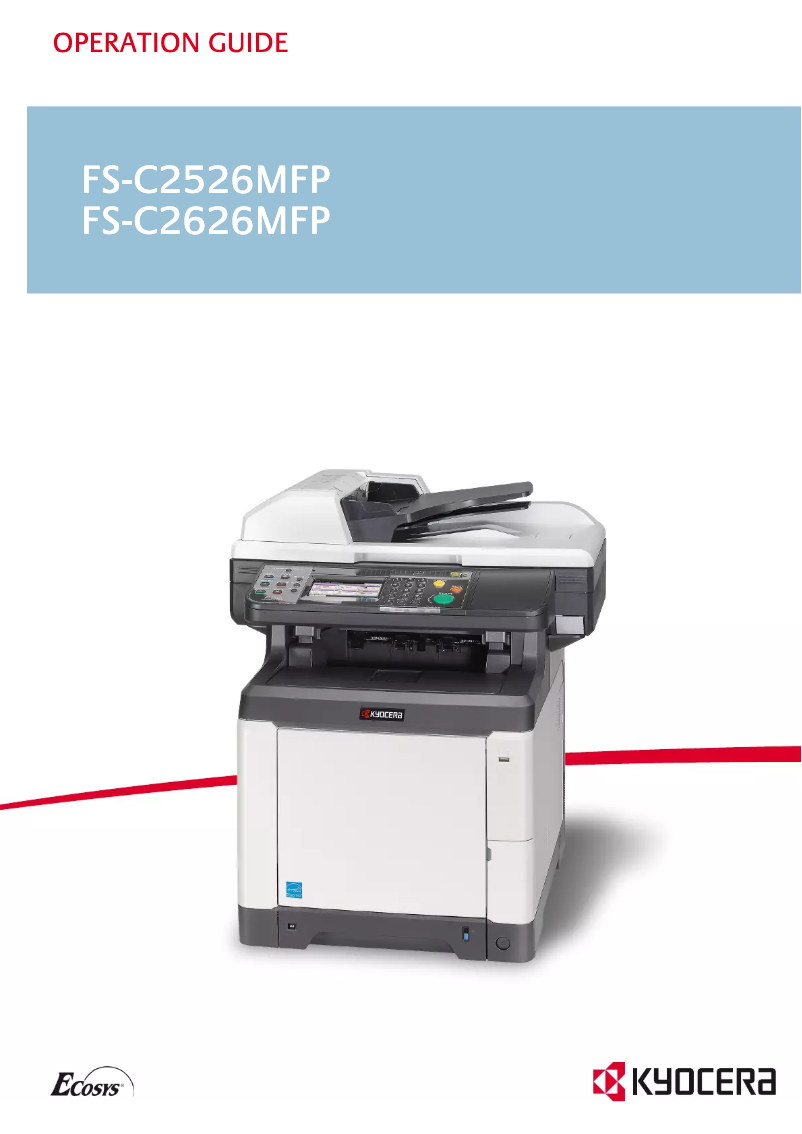
Editorial note
The Kyocera FS-C2526MFP printer stands out for its all-in-one versatility, integrating printing, copying, and scanning functions. With a printing speed of 26 pages per minute, it perfectly meets the needs of daily use in normal work environments. Its maximum resolution of 9600 x 600 DPI ensures high-quality prints, ideal for professional documents or images. However, some drawbacks must be considered. The Kyocera FS-C2526MFP does not have a fax function, which can be limiting for users needing to send documents by fax. Additionally, while its printing speed is adequate, it may not be sufficient for environments requiring higher print volumes. The lack of Wi-Fi connectivity and its weight of 38.7 kg can also pose challenges in terms of installation and usage flexibility. In terms of value, although the initial cost is reasonable, the high price of consumables can increase operating costs in the long run. Overall, despite some limitations, the Kyocera FS-C2526MFP remains a solid option for those seeking a reliable, versatile, and high-performing printer.Score details
User experience
The user experience is generally positive due to the all-in-one versatility of the printer, which combines printing, copying, and scanning.
Performance
The printing speed of 26 pages per minute is adequate for daily use, although it may be insufficient for high-volume printing environments.
Features
The printer's features, such as duplex printing and the high resolution of 9600 x 600 DPI, are excellent and enhance printing efficiency and quality.
Value for money
Although the initial cost is reasonable, the high cost of consumables could increase the long-term operating cost.
Design
The weight of 38.7 kg makes installation and moving difficult, which can be problematic in work environments where space is limited.
connectivity
The lack of Wi-Fi connectivity limits usage flexibility, requiring a connection via Ethernet or USB, which may be less convenient.
Advantages
Copying, printing, and scanning functions
Print speed up to 26 pages per minute
Maximum resolution of 9600 x 600 DPI
Double-sided printing to save paper
Connectivity via USB and standard interfaces
Disadvantages
No fax feature
Insufficient printing speed for large volumes
No Wi-Fi connectivity
Heavy weight, difficult to move
High cost of consumables
Technical Specifications FS-C2526MFP
General Information
-
ModelFS-C2526MFP
-
Brand
-
Category
-
Type
-
SKU24787
-
MPN24787
Other features
-
All-in-one functionsCopy
-
All-in-one color functionsPrint
-
Dimensions (LxWxH)Scan
-
Emulationscopy
-
Thickness of the supportprint
-
514 x 550 x 603 mm
-
PCL 6 (5c/XL), KPDL 3, PDF Direct Print, XPS Direct Print
-
0.11 mm
Print speed
-
Printing technologyLaser
-
Maximum resolution9600 x 600 DPI
-
Print speed (color, normal quality, A4/US Letter)26 ppm
-
Print speed (color, normal quality, A4/US Letter)26 ppm
-
Copy time for the first page (Black, normal)9 s
-
Copy time for the first page (color, normal)10.5 s
-
Preheating time29 s
-
PrintingColor printing
-
Double-sided printingYes
Features
-
Service cycle (Maximum)65000 pages per month
-
Digital senderNo
Copier
-
Max. resolution of copies600 x 600 DPI
-
Maximum number of copies999 copies
-
Resizing copy25 - 400 %
-
All-in-one function (N=)2, 4
-
Release time of the first print (black, normal)10 s
-
Release time of the first print (color, concept)12 s
-
CopyColor copy
Digitization
-
Optical scanning resolution600 x 600 DPI
-
Scan toE-mail, File, FTP, USB
-
Supported image formatsJPG, TIF
-
Gray levels256
-
Maximum scan areaLegal (216 x 356) mm
-
Scanner speed (black)25 ppm
-
Scanner speed (black)25 ppm
-
DigitizationMonochrome scanning
Input and output capacity
-
Total power capacity300 sheets
-
Maximum input capacity1300 sheets
-
Total output capacity150 sheets
-
Input capacity of multi-purpose trays50 sheets
-
Multifunctional trayYes
Paper management
-
Maximum print format216 x 356 mm
-
Type of paper tray supportCut sheet, Envelopes, Plain paper
-
ISO, Format Series A (A0...A9)A4, A5, A6
-
ISO, Formats Series-B (B0...B9)B5
-
Non-ISO print support sizesFolio
-
Envelope sizesDL
-
Weight of paper tray support60 - 220 g/m²
-
Support weight supported in duplex mode60 - 163 g/m²
-
Maximum ISO A series paper sizeA4
Design
-
ScreenLCD
-
Screen size4.3 "
-
Built-in screenYes
-
Built-in screenYes
-
Market positionProfessional
-
Order typeTouchscreen
Connectivity
-
Standard interfacesEthernet, USB 2.0
-
USB portYes
-
USB portYes
Network
-
Ethernet/LANYes
-
WifiNo
-
Management protocolsSNMP
Representation / realization
-
Internal memory1024 MB
-
Maximum internal memory2048 MB
-
Built-in memory card readerNo
-
Processor frequency800 MHz
-
Processor familyPowerPC
-
Sound power level (standby)30 dB
-
Sound pressure level (impression)50 dB
-
Processor model464
-
Integrated into the processorYes
Power
-
Electricity consumption (average operation)468 W
-
Energy consumption (standby mode)78 W
-
AC input frequency50 - 60 Hz
-
AC input voltage220 - 240 V
Weight and dimensions
-
Weight38700 g
Sustainability
-
Sustainability certificatesENERGY STAR
Minimum system requirements
-
Support for the Linux operating systemYes
-
Support for the Linux operating systemYes
-
Support for the Linux operating systemYes
Certificate
-
CertificationTÜV/GS
-
CE
Fax
-
FaxNo
Frequently Asked Questions
What is the weight of the Kyocera FS-C2526MFP printer?
What is the recommended method for removing paper jammed in the printer?
Why does my printer not recognize original cartridges?
What are the possible reasons for poor print quality?
How does a laser printer differ from an inkjet printer?
Why does my inkjet printer leave black streaks on prints?
What does the abbreviation DPI mean?
What are the certifications of the Kyocera FS-C2526MFP model?
What is the size of the screen on the Kyocera FS-C2526MFP printer?
Is the manual for the Kyocera FS-C2526MFP printer available in French?
Similar products


More product categories from brand Kyocera
Phones Kyocera
Other Kyocera
More product types from brand Kyocera


Presentation of product FS-C2526MFP specifications from brand Kyocera
General Information
The Kyocera FS-C2526MFP is a multifunction printer from the Kyocera brand, known for its innovation and quality in the field of office equipment. This model, referenced under the number FS-C2526MFP | 012M83NL, is designed to provide reliable performance and an optimized user experience. The EAN code 632983024188 allows for precise identification of the product in distribution systems.
Other Features
This all-in-one model, capable of copying, printing, and scanning, meets a wide range of office needs. With dimensions of 514 x 550 x 603 mm, it easily fits into various workspaces. Its emulation mode supports PCL 6, KPDL 3, PDF Direct Print, and XPS Direct Print, ensuring broad compatibility with different printing systems. The maximum thickness of accepted media is 0.11 mm, thus ensuring optimal print quality.
Print Speed
The Laser printing technology of the Kyocera FS-C2526MFP ensures exceptional print quality with a maximum resolution of 9600 x 600 DPI. It offers a print speed of 26 pages per minute, both in black and color, making it perfectly suitable for demanding work environments. The time to first page output is 9 seconds for black prints and 10.5 seconds for color prints, enhancing productivity. Additionally, the duplex printing feature allows for efficient paper use.
Specifications
The maximum service cycle of the printer is 65,000 pages per month, which is suitable for users with high printing needs. However, the Kyocera FS-C2526MFP does not have a digital sending function.
Copier
The maximum resolution of copies is 600 x 600 DPI, ensuring adequate print quality for various professional needs. The copier can make up to 999 copies and allows resizing from 25 to 400 %. The time to first copy output is 10 seconds for black and 12 seconds for color, providing a quick response to printing requests.
Scanning
The Kyocera FS-C2526MFP features an optical scanning resolution of 600 x 600 DPI. Its scanning capabilities include E-mail, File, FTP, and USB modes, allowing flexibility in protocol choices. The supported image formats are JPG and TIF, ensuring optimal image quality. The scanning speed reaches 25 pages per minute, both in color and black.
Input and Output Capacity
The total paper feed capacity is 300 sheets, with a maximum input capacity of 1300 sheets. The output capacity is 150 sheets, ensuring efficient management of print volumes. The multifunction tray accepts up to 50 sheets, offering versatile use.
Paper Management
The maximum print size is 216 x 356 mm, suitable for large documents. The paper tray supports various types of media, including plain paper, envelopes, and cut sheets. Compatibility with ISO A4, A5, A6, and B5 formats allows for wide use in office environments.
Design
The model is equipped with a 4.3-inch LCD screen, providing a clear and intuitive user interface. The touchscreen facilitates navigation through the device's various options. Primarily intended for professional use, the Kyocera FS-C2526MFP is designed to meet users' requirements for efficiency and functionality.
Connectivity
The printer is equipped with standard interfaces to ensure optimal connectivity. The USB port allows for easy connection to various devices, while the direct printing feature facilitates quick sending of documents to print.
Network
The Kyocera FS-C2526MFP is equipped with Ethernet/LAN connectivity but does not offer Wi-Fi connection, which may limit usage flexibility. The SNMP protocol allows for effective management of network devices.
Representation / Performance
With an internal memory of 1024 MB, expandable up to 2048 MB, the printer ensures smooth performance. The PowerPC processor operates at a frequency of 800 MHz, guaranteeing quick task execution. The noise level in standby is 30 dB, and the sound pressure level during printing is 50 dB, allowing for discreet use.
Power
The average power consumption during operation is 468 W, while it drops to 78 W in standby mode, thus contributing to energy efficiency. The AC input voltage is 220 - 240 V, with a frequency of 50 - 60 Hz.
Weight and Dimensions
With a weight of 38.7 kg, the Kyocera FS-C2526MFP is designed for stable installation, although its weight may make moving it difficult.
Durability
The printer is ENERGY STAR certified, ensuring compliance with energy efficiency and environmental sustainability standards.
Minimum System Requirements
The Kyocera FS-C2526MFP is compatible with Windows, Mac, and Linux operating systems, ensuring easy integration into various computing environments.
Certificate
It complies with safety and performance standards, as evidenced by its TÜV/GS and CE certifications.
Fax
This model does not have fax functionality, which may be a disadvantage for some users with specific document sending needs.


