

Manuals of product FS-C5030N
Editorial note
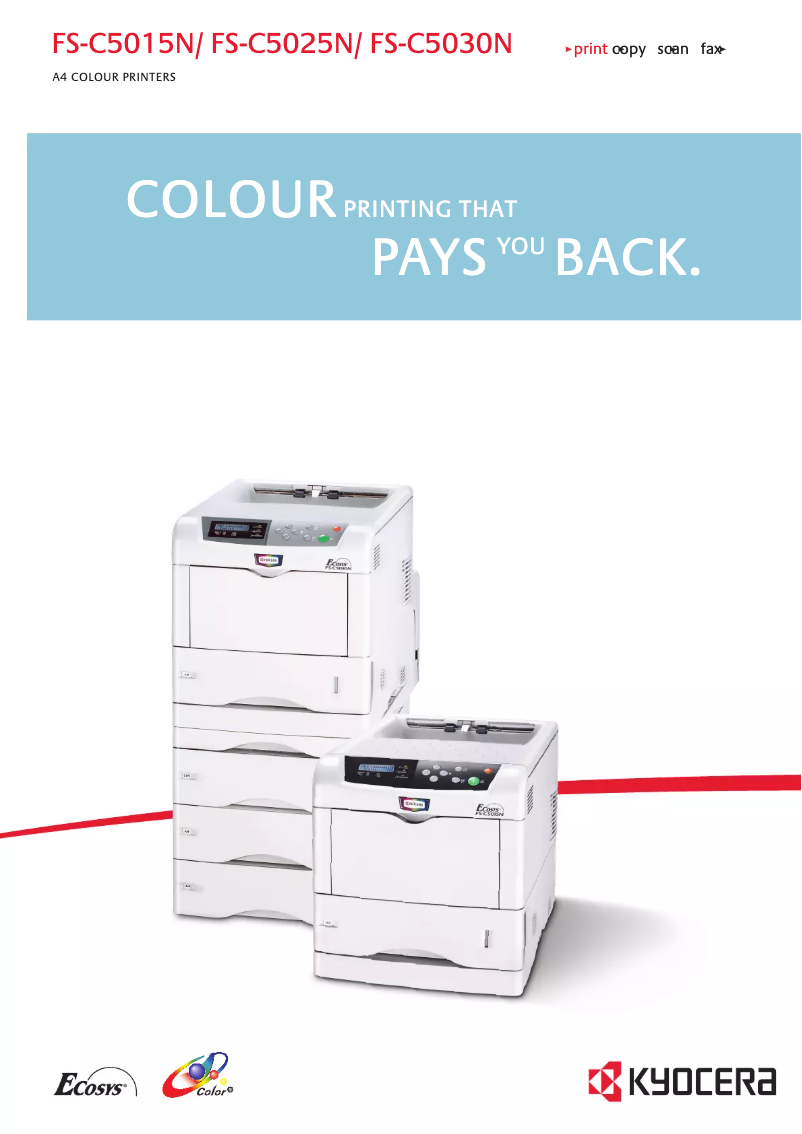
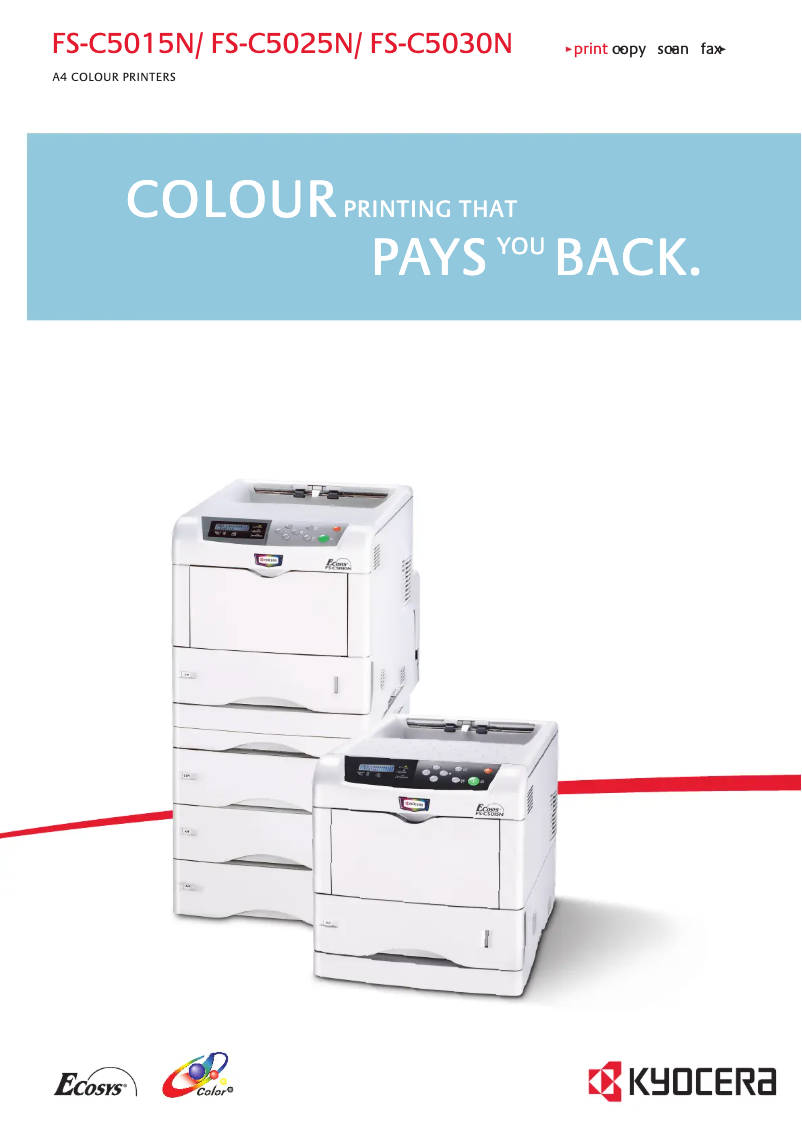
The Kyocera FS-C5030N printer stands out with its fast printing speed of 24 pages per minute, making it ideal for a dynamic office environment. Its duplex printing feature also contributes to more sustainable resource management while optimizing paper usage. Additionally, the laser printing technology ensures superior quality, even for color documents, which is an undeniable asset for demanding users. However, there are a few drawbacks to consider. The weight of 23 kg can complicate the installation and movement of the printer, especially in tight spaces. The energy consumption in operating mode is relatively high (551 W), which could translate into higher electricity costs. Furthermore, the warm-up time of 80 seconds may seem long for those seeking instant printing. Finally, the internal memory of 128 MB may not be sufficient to handle intensive printing or large files. In terms of performance, the Kyocera FS-C5030N offers a positive user experience, although some aspects, such as energy consumption and warm-up time, could be improved. The value for money is considered good, but users should be aware of the limitations regarding supported paper formats. Overall, this printer proves to be a solid choice for offices requiring fast and efficient printing while remaining vigilant about certain technical aspects.Score details
User experience
The user experience is positive thanks to a fast printing speed of 24 ppm and a duplex printing feature that optimizes paper usage.
Performance
The performance is generally good, but the 80-second warm-up time can be a drawback for those seeking instant printing.
Battery life
The power consumption in operating mode is relatively high at 551 W, which can lead to higher electricity costs.
Design
The design is functional, but the weight of 23 kg can make installation and handling difficult in tight spaces.
Features
The laser printing technology offers superior print quality, but the internal memory of 128 MB may be insufficient for intensive printing needs.
Value for money
The value for money is good considering the features, although there are limitations in terms of supported paper sizes.
Advantages
Fast printing at 24 ppm
Duplex printing that saves paper
Superior color laser quality
Duty cycle of 85,000 pages
Reliable Ethernet network connectivity
Eco mode reducing energy consumption
Disadvantages
Weight of 23 kg difficult to handle
High energy consumption during operation
Preheating time of 80 seconds
Insufficient internal memory of 128 MB
Paper formats limited to A4 and A5
Technical Specifications FS-C5030N
General Information
-
ModelFS-C5030N
-
Brand
-
Category
-
Type
-
SKU87468
-
MPN87468
Print speed
-
Double-sided printingYes
-
Print speed (black, normal quality, A4/US Letter)24 ppm
-
Preheating time80 s
-
Copy time for the first page (color, normal)12 s
-
Printing technologyLaser
-
Double-sided printingYes
Representation / realization
-
Internal memory128 MB
-
Processor modelPower PC750CXr
-
Processor frequency400 MHz
-
Integrated into the processorYes
Paper management
-
Maximum print format210 x 297 mm
-
ISO, Format Series A (A0...A9)A4, A5
-
ISO, Formats Series-B (B0...B9)B5
-
Non-ISO print support sizesLetter
-
Maximum ISO A series paper sizeA4
Weight and dimensions
-
Dimensions (LxWxH)345 x 470 x 385 mm
-
Weight23000 g
Other features
-
Network featuresEthernet 10/100 Base-TX
-
Maximum input capacity for envelopes70
-
Power requirementsAC 220 - 240 V, 50/60 Hz
-
Electricity consumption in operation551 W
Features
-
Service cycle (Maximum)85000 pages per month
Power
-
Energy consumption (eco mode)21 W
-
Energy consumption (standby mode)180 W
Design
-
CertificationGS/TÜV/CE
Frequently Asked Questions
What is the weight of the Kyocera FS-C5030N printer?
What is the best method to remove a paper jam from the printer?
Why is my printer not accepting original cartridges?
What are the possible reasons for poor print quality?
What is the difference between a laser printer and an inkjet printer?
Why is my inkjet printer leaving black streaks on prints?
What does the acronym DPI mean?
What certifications does the Kyocera FS-C5030N model have?
Is the manual for the Kyocera FS-C5030N printer available in French?
Similar products


More product categories from brand Kyocera
Phones Kyocera
Other Kyocera
More product types from brand Kyocera


Presentation of product FS-C5030N specifications from brand Kyocera
General Information
The Kyocera FS-C5030N printer is a recognized model from the Kyocera brand, famous for its commitment to quality and innovation in the field of printing equipment. This model is designed to deliver high performance, ensuring an optimized user experience.
Print Speed
With a print speed of 24 pages per minute in black and white, the Kyocera FS-C5030N proves to be an ideal choice for daily use, thus saving valuable time when printing documents. The laser printing technology ensures superior print quality, even for color documents. The warm-up time, although 80 seconds, ensures reliable performance, while the first color page copy delay is 12 seconds. Additionally, the duplex printing function helps save paper, contributing to more sustainable resource management.
Representation / Performance
The Kyocera FS-C5030N is equipped with an internal memory of 128 MB, sufficient for common printing tasks, although it may prove limited for users with intensive needs. Its Power PC750CXr processor, with a frequency of 400 MHz, allows for smooth task execution, thus ensuring optimal performance.
Paper Management
This model supports a maximum print size of 210 x 297 mm, ideal for standard-sized documents. It is compatible with ISO A4 and A5 formats, as well as B5 format, offering printing flexibility. Non-ISO print support also includes Letter format, allowing for varied use.
Weight and Dimensions
The dimensions of the printer are 345 x 470 x 385 mm, making it a device that can easily fit into various office environments. Its weight of 23 kg may, however, pose challenges during installation and handling, especially in tight spaces.
Other Features
The Kyocera FS-C5030N is equipped with 10/100 Base-TX Ethernet network connectivity, ensuring a fast and reliable connection for modern office environments. Its maximum input capacity for envelopes is 70, facilitating the processing of large volumes of correspondence. In terms of power supply, it operates with a voltage of AC 220 - 240 V, 50/60 Hz and consumes 551 W during operation, which may lead to higher electricity costs.
Specifications
The maximum service cycle of the Kyocera FS-C5030N is 85,000 pages per month, making it suitable for high-demand work environments and meeting the requirements of intensive use.
Power
In energy-saving mode, power consumption is reduced to 21 W, allowing for savings on energy costs while maintaining optimal efficiency. In standby mode, consumption is 180 W, which also contributes to reducing energy expenses.
Design
Finally, the Kyocera FS-C5030N is GS/TÜV/CE certified, ensuring that it meets the required safety and performance standards, thus providing peace of mind to its users.


