

Manual of product FS-C5150DN/KL3
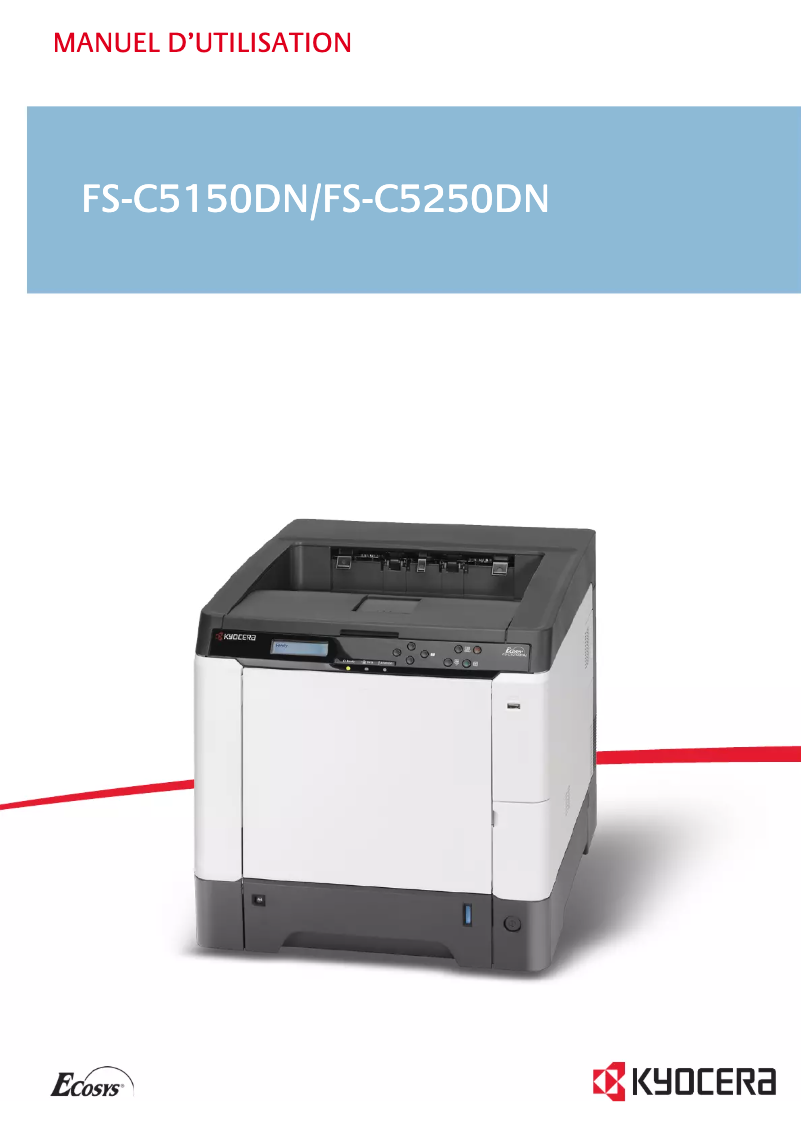
Editorial note
The Kyocera FS-C5150DN/KL3 printer stands out for its remarkable performance and exceptional print quality. With a printing speed of 21 pages per minute, both in black and white and in color, it is perfectly suited for demanding work environments. Its maximum resolution of 9600 x 600 DPI ensures sharp prints, ideal for professional and personal documents. Additionally, its duplex printing feature helps save paper, thus contributing to a more eco-friendly resource management. However, this device has some notable drawbacks. Its incompatibility with Mac operating systems limits its use for some users. Furthermore, its weight of 29.3 kg can make handling difficult, especially in offices where space is tight. The lack of Wi-Fi connectivity also limits printing flexibility, and the 250-sheet paper capacity may prove insufficient in high-volume printing environments. Finally, a warm-up time of 32 seconds may be seen as a disadvantage for those seeking immediate printing. In summary, although the Kyocera FS-C5150DN/KL3 offers excellent performance and superior print quality, it is important to consider its limitations in terms of compatibility and capacity before making a choice.Score details
User experience
The user experience is generally satisfactory, with a fast print speed of 21 ppm and exceptional print quality thanks to the resolution of 9600 x 600 DPI.
Performance
The performance is excellent, with a maximum duty cycle of 50,000 pages per month, making it suitable for demanding work environments.
Battery life
The sleep mode reduces power consumption to only 57 W, contributing to savings on electricity bills.
Features
The duplex printing feature is a plus, but the lack of Wi-Fi connectivity limits usage flexibility.
Value for money
Although the price is justified by its performance, the 250-sheet paper capacity may be insufficient for high-volume environments.
Usability
The weight of 29.3 kg makes handling difficult, and the incompatibility with Mac systems limits its use.
Advantages
Fast printing at 21 pages per minute
Print quality of 9600 x 600 DPI
Double-sided printing to save paper
Sleep mode to reduce energy consumption
Duty cycle of up to 50,000 pages per month
Disadvantages
Not compatible with Mac
Weight of 29.3 kg, difficult to move
No Wi-Fi connectivity
Paper capacity limited to 250 sheets
Preheating time of 32 seconds
Technical Specifications FS-C5150DN/KL3
General Information
-
ModelFS-C5150DN/KL3
-
Brand
-
Category
-
Type
-
SKU21092
-
MPN21092
Print speed
-
Double-sided printingYes
-
Maximum resolution9600 x 600 DPI
-
Double-sided printingYes
-
Print speed (color, normal quality, A4/US Letter)21 ppm
-
Preheating time32 s
-
Print speed (color, normal quality, A4/US Letter)21 ppm
-
Copy time for the first page (color, normal)12 s
-
Copy time for the first page (Black, normal)10.5 s
-
Double-sided printingYes
-
Printing technologyLaser
Representation / realization
-
Processor frequency667 MHz
-
Processor model464
-
Internal memory256 MB
-
Type of memoryDDR2
-
Maximum internal memory1280 MB
-
Sound power level (standby)30 dB
-
Sound pressure level (impression)50 dB
-
Processor familyPowerPC
-
Integrated into the processorYes
Other features
-
Toner cartridgeTK-580C
-
Standard average formatsTK-580M
-
Network featuresTK-580Y
-
Included fontsTK-580K
-
Compatible operating systems140 x 210 mm - 216 x 356 mm
-
Type of power supply105 x 148 mm - 216 x 356 mm
-
Power requirements70 x 148 mm - 216 x 356 mm
-
SecurityFast Ethernet
-
Included fontsYes
-
Compliance with industry standardsMac OS X v10.2+
-
EmulationsWindows
-
Included fontsLinux
-
Thickness of the supportUnix
-
Sector
-
220 - 240V, 50/60Hz
-
GS, TÜV, CE
-
Yes
-
IEEE 802.3, IEEE 802.3u
-
PCL 6 (5c, XL), KPDL 3 (PostScript 3), XPS, PDF
-
Yes
-
0.11 mm
Features
-
Number of print cartridges4
-
Printing colorsBlack, Cyan, Magenta, Yellow
-
Service cycle (Maximum)50000 pages per month
-
Service cycle (recommended)2800 pages per month
Input and output capacity
-
Total output capacity250 sheets
-
Input capacity of multi-purpose trays50 sheets
-
Total output capacity250 sheets
-
Multifunctional trayYes
Paper management
-
ISO, Format Series A (A0...A9)A4
-
ISO, Formats Series-B (B0...B9)A5
-
Type of paper tray supportA6
-
Maximum print formatB5
-
Weight/Grammage of the support, bin 1B6
-
Weight of the multifunctional tray supportPlain paper
-
Non-ISO print support sizes216 x 356 mm
-
Maximum ISO A series paper size60 - 163 g/m²
-
60 - 220 g/m²
-
Letter
-
A4
Connectivity
-
Direct printingYes
Network
-
Ready-to-use network-
-
Ethernet/LANYes
-
Management protocolsSNMP
-
WifiNo
-
Wiring technology10/100Base-T(X)
-
LAN Ethernet: data transfer rate10, 100 Mbit/s
Power
-
Energy consumption (standby mode)57 W
-
Average power consumption in Print mode360 W
Weight and dimensions
-
Dimensions (LxWxH)390 x 523 x 370 mm
-
Weight29300 g
Design
-
Screen-
Sustainability
-
Sustainability certificatesENERGY STAR
Frequently Asked Questions
What is the weight of the Kyocera FS-C5150DN/KL3 printer?
What is the recommended method for removing jammed paper from the printer?
Why does my printer not recognize original cartridges?
What are the possible causes of poor print quality?
What is the difference between a laser printer and an inkjet printer?
Why does my inkjet printer leave black streaks on prints?
What does the acronym DPI mean?
How many cartridges can be installed in the Kyocera FS-C5150DN/KL3?
Is the manual for the Kyocera FS-C5150DN/KL3 available in French?
Similar products


More product categories from brand Kyocera
Phones Kyocera
Other Kyocera
More product types from brand Kyocera


Presentation of product FS-C5150DN/KL3 specifications from brand Kyocera
General Information
The model Kyocera FS-C5150DN/KL3, manufactured by the renowned brand Kyocera, stands out for its performance and innovation in the field of printers. Identified by the code EAN 0632983931707, this device is designed to provide an enhanced user experience, thus meeting the demands of professional environments.
Print Speed
This color printer allows for high-quality prints with a maximum resolution of 9600 x 600 DPI, ensuring sharp and professional results. With a print speed of up to 21 pages per minute in both black and color, it is perfectly suited for daily printing needs. Additionally, its duplex printing option helps save paper, contributing to a more eco-friendly resource management. The warm-up time is 32 seconds, and the first copy times are 10.5 seconds for black and 12 seconds for color.
Performance / Execution
Equipped with a 667 MHz processor and 256 MB of internal memory, the Kyocera FS-C5150DN/KL3 ensures smooth execution of printing tasks. Its memory can be expanded up to 1280 MB, allowing for the management of larger files. The noise levels in standby and printing are 30 dB and 50 dB, respectively, ensuring quiet operation.
Other Features
Compatible toner cartridges include TK-580C, TK-580M, TK-580Y, and TK-580K, ensuring quality printing. Connectivity is facilitated by Fast Ethernet network features, although the device is not compatible with Mac systems. Its standby power consumption is 57 W, which helps reduce energy consumption.
Specifications
The Kyocera FS-C5150DN/KL3 uses a total of 4 cartridges (black, cyan, magenta, yellow) and is capable of handling up to 50,000 pages per month, with a recommended service cycle of 2800 pages per month.
Input and Output Capacity
The total paper capacity is 250 sheets, with an input capacity of 50 sheets for multi-purpose trays. This configuration allows for a significant printing volume without frequent interruptions.
Paper Management
Compatible with standard paper sizes such as A4, A5, and B5, the Kyocera FS-C5150DN/KL3 is capable of printing on various types of media. The maximum print size is 216 x 356 mm, and it handles paper weights ranging from 60 to 220 g/m².
Connectivity
This printer includes a direct printing feature, allowing for quick and efficient use from your devices.
Network
The Kyocera FS-C5150DN/KL3 is equipped with Ethernet/LAN connectivity and supports the SNMP protocol for simplified network management. It does not have Wi-Fi connectivity, which limits its wireless use.
Power
Its power consumption in print mode is 360 W, while it is reduced to 57 W in standby mode, contributing to better energy efficiency.
Weight and Dimensions
With dimensions of 390 x 523 x 370 mm and a weight of 29.3 kg, this device is designed to fit efficiently into your workspace, although its weight may make it more difficult to move.
Durability
The Kyocera FS-C5150DN/KL3 is ENERGY STAR certified, ensuring that it meets high standards for energy efficiency and environmental sustainability.


