

Manual of product FS-C5150DN
Editorial note
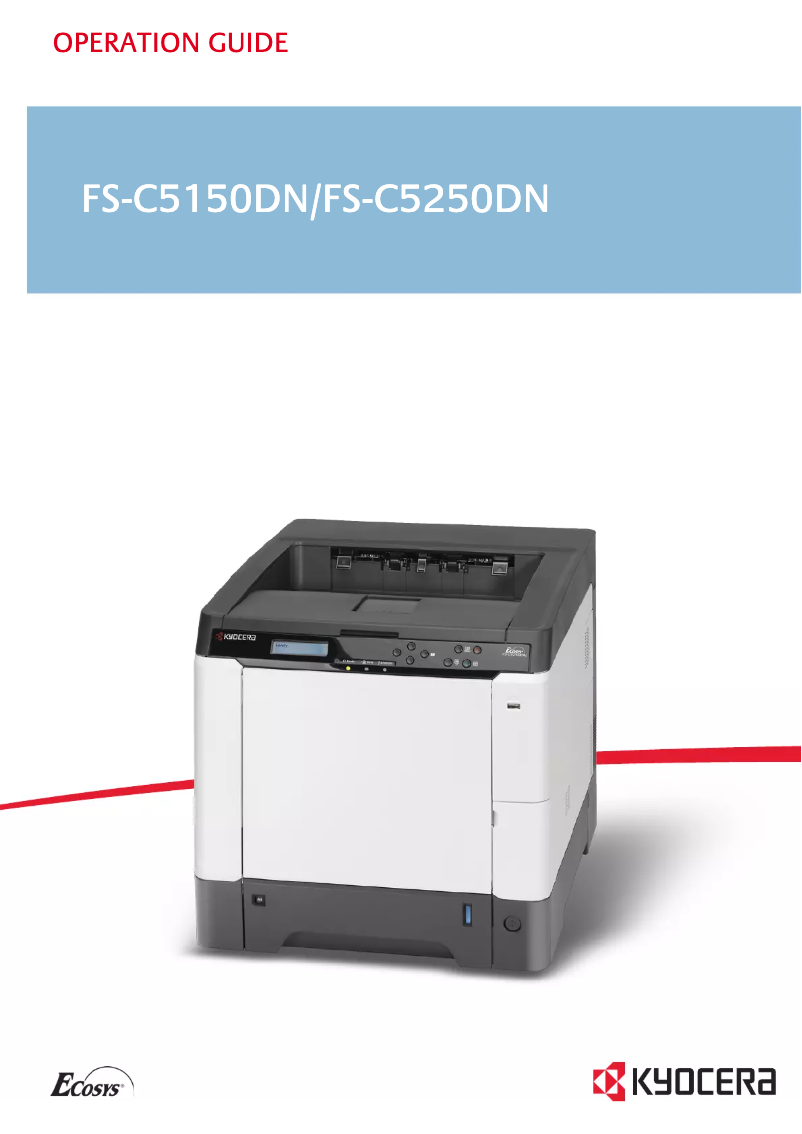
The Kyocera FS-C5150DN printer stands out for its impressive performance, offering a printing speed of 23 pages per minute, both in black and color. This speed is ideal for demanding work environments where the print volume is high. Additionally, the built-in duplex printing feature helps reduce paper consumption, contributing to savings on printing costs and a more eco-friendly use of resources. However, some drawbacks deserve to be highlighted. The lack of Wi-Fi connectivity limits usage flexibility, making a connection via Ethernet/LAN necessary. Furthermore, with a weight of 29.3 kg, transporting and installing it can be challenging, especially in tight spaces. The maximum resolution of 600 x 600 DPI may not satisfy users looking for superior print quality for highly detailed documents, and the lack of compatibility with Mac systems may restrict access for some users. Despite these limitations, the product offers good value for money, especially for businesses with a maximum service cycle of 50,000 pages per month. Features like Ethernet connectivity and a 250-sheet paper capacity are appreciated. The provided documentation, including a comprehensive user manual, facilitates the installation and use of the printer, although compatibility issues with certain operating systems may pose challenges. In summary, the Kyocera FS-C5150DN is a high-performing and robust printer, suited to the needs of demanding users, but it may not be suitable for everyone due to certain limitations in connectivity and compatibility.Score details
User experience
The user experience is generally positive due to an intuitive interface and practical features, although the lack of Wi-Fi limits usage flexibility.
Performance
The performance is excellent with a print speed of 23 ppm, both in black and color, ideal for demanding work environments.
Design
The design is functional, but the weight of 29.3 kg can make transport and installation difficult.
Value for money
With a maximum service cycle of 50,000 pages per month, the product offers good value for money for businesses, although this may be excessive for occasional users.
Features
Features like duplex printing and Ethernet connectivity are appreciated, but the lack of compatibility with Mac systems limits its appeal.
Support
The user manual is available, but the lack of compatibility with certain operating systems may pose support issues for some users.
Documentation
The provided documentation is comprehensive, with a 197-page user manual that covers essential features.
Advantages
Fast printing: 23 pages per minute
Built-in duplex printing
250-sheet capacity, 50,000 pages/month
Ethernet/LAN network connectivity
Laser print quality, 600 x 600 DPI
Disadvantages
No Wi-Fi connectivity
Weight of 29.3 kg difficult to transport
Resolution limited to 600 x 600 DPI
Incompatible with Mac systems
Excessive duty cycle for small businesses
Technical Specifications FS-C5150DN
General Information
-
ModelFS-C5150DN
-
Brand
-
Category
-
Type
-
SKU21089
-
MPN21089
Network
-
Ethernet/LANYes
-
Ethernet/LANYes
-
WifiNo
Print speed
-
Double-sided printingYes
-
Double-sided printingYes
-
Printing technologyLaser
-
Maximum resolution600 x 600 DPI
-
Print speed (color, normal quality, A4/US Letter)23 ppm
-
Print speed (color, normal quality, A4/US Letter)23 ppm
Features
-
Service cycle (Maximum)50000 pages per month
-
Number of print cartridges4
Representation / realization
-
Internal memory256 MB
-
Maximum internal memory1280 MB
-
Memory locations1
-
Type of memoryDDR
-
Processor frequency667 MHz
-
Processor modelPowerPC 464
-
Sound power level (standby)50 dB
Design
-
Screen-
Input and output capacity
-
Total power capacity250 sheets
-
Input capacity of multi-purpose trays50 sheets
-
Total output capacity- sheets
-
Multifunctional trayYes
Paper management
-
Maximum print format216 x 356 mm
-
Type of paper tray supportBond paper, Photo paper, Pre-Printed, Recycled paper
-
Types of multi-purpose binsBond paper, Letterhead, Recycled paper
-
ISO, Format Series A (A0...A9)A4, A5, A6
-
ISO, Formats Series-B (B0...B9)B5, B6
-
Non-ISO print support sizesLetter
-
Maximum ISO A series paper sizeA4
Connectivity
-
Standard interfacesEthernet, USB 2.0
-
Quantity of USB 2.0 Ports2
Minimum system requirements
-
Support for the Windows operating systemWindows 2000
-
Support for the Mac operating systemWindows 2000 Professional
-
Support for the Linux operating systemWindows 7 Home Premium
-
Support for the server operating systemWindows 7 Professional
-
Windows 7 Professional x64
-
Windows 7 Starter
-
Windows 7 Starter x64
-
Windows 7 Ultimate
-
Windows 7 Ultimate x64
-
Windows Vista Business
-
Windows Vista Business x64
-
Windows Vista Home Basic
-
Windows Vista Home Basic x64
-
Windows Vista Home Premium
-
Windows Vista Home Premium x64
-
Windows Vista Ultimate
-
Windows Vista Ultimate x64
-
Windows XP Home
-
Windows XP Home x64
-
Windows XP Professional
-
Windows XP Professional x64
-
Mac OS X 10.2 Jaguar
-
Mac OS X 10.3 Panther
-
Mac OS X 10.4 Tiger
-
Mac OS X 10.5 Leopard
-
Mac OS X 10.6 Snow Leopard
-
Yes
-
Windows Server 2003
-
Windows Server 2003 x64
-
Windows Server 2008 R2
-
Windows Server 2008 x64
Power
-
Average power consumption in Print mode- W
-
AC input voltage220 - 240 V
-
AC input frequency50 - 60 Hz
Weight and dimensions
-
Dimensions (LxWxH)391 x 523 x 371 mm
-
Weight29302 g
Other features
-
Mac CompatibilityYes
-
CD/DVD PrintingNo
Packaging contents
-
Drivers includedYes
Frequently Asked Questions
What is the weight of the Kyocera FS-C5150DN model?
What is the recommended method for removing jammed paper from the printer?
Why is my printer refusing to accept original cartridges?
What are the possible reasons for poor print quality?
What is the difference between a laser printer and an inkjet printer?
Why is my inkjet printer producing black streaks?
What does the acronym DPI mean?
How many cartridges are compatible with the Kyocera FS-C5150DN?
Is the manual for the Kyocera FS-C5150DN available in French?
Similar products


More product categories from brand Kyocera
Phones Kyocera
Other Kyocera
More product types from brand Kyocera


Presentation of product FS-C5150DN specifications from brand Kyocera
General Information
The Kyocera FS-C5150DN printer is a model recognized for its reliability and efficiency, designed by the Kyocera brand, known for its innovations in the printing device sector. This model, identified by the code FS-C5150DN | 1102KT3NL0, offers optimal performance for demanding work environments. The EAN code, 5711045441776, 632983017166, 6329830171662, and 0632983017166, allows for unique identification of the product in the distribution network.
Network
The printer is ready to use with Ethernet/LAN connectivity, facilitating immediate connection to the network. However, it should be noted that it does not have Wi-Fi functionality, which may limit usage flexibility for some users.
Print Speed
The Kyocera FS-C5150DN is capable of printing in color, with a print speed of 23 pages per minute, for both black and color documents. It is equipped with a duplex printing function, allowing for reduced paper consumption. The laser printing technology ensures high quality, with a maximum resolution of 600 x 600 DPI, making it suitable for professional documents.
Features
This printer can handle a maximum service cycle of 50,000 pages per month, making it suitable for users with high printing needs. It operates with four print cartridges, ensuring consistent quality throughout the printing process.
Performance / Execution
The printer's internal memory is 256 MB, expandable up to 1280 MB, allowing for the storage of a considerable volume of data and applications. The PowerPC 464 processor, with a frequency of 667 MHz, ensures smooth operation. In sleep mode, the noise level is 50 dB, promoting discreet use.
Design
The printer does not have a display screen, which may limit direct interaction with the user.
Input and Output Capacity
The total paper capacity of the Kyocera FS-C5150DN is 250 sheets, providing efficient document management. Its multifunction tray can hold 50 sheets, ideal for various types of paper and prints.
Paper Management
The maximum print size is 216 x 356 mm, making the printer versatile for different types of documents. It is compatible with various media such as plain paper, photo paper, pre-printed paper, and recycled paper, thus facilitating the management of your prints.
Connectivity
The Kyocera FS-C5150DN is equipped with several ports, including two USB 2.0 ports, allowing for quick connection with other devices. This ensures smooth integration into your work environment.
Minimum System Requirements
Compatible with a wide range of operating systems, including Windows (from Windows 2000 to Windows 7) and Linux, this printer does not support Mac systems, limiting access for some users.
Power
The required AC input voltage is 220 - 240 V, with a frequency of 50 - 60 Hz, ensuring compatibility with standard electrical systems. The power consumption in print mode is suitable for efficient use.
Weight and Dimensions
With dimensions of 391 x 523 x 371 mm and a weight of 29.3 kg, the printer can be relatively heavy, making its transport and installation potentially difficult in tight spaces.
Other Features
It is important to note that the Kyocera FS-C5150DN does not support printing on CD/DVD, limiting certain customization options. However, drivers are included in the packaging, facilitating installation.
Package Contents
The Kyocera FS-C5150DN comes with all the necessary drivers for installation, ensuring a quick and hassle-free process.


