

Manual of product FS-C5250DN
Editorial note
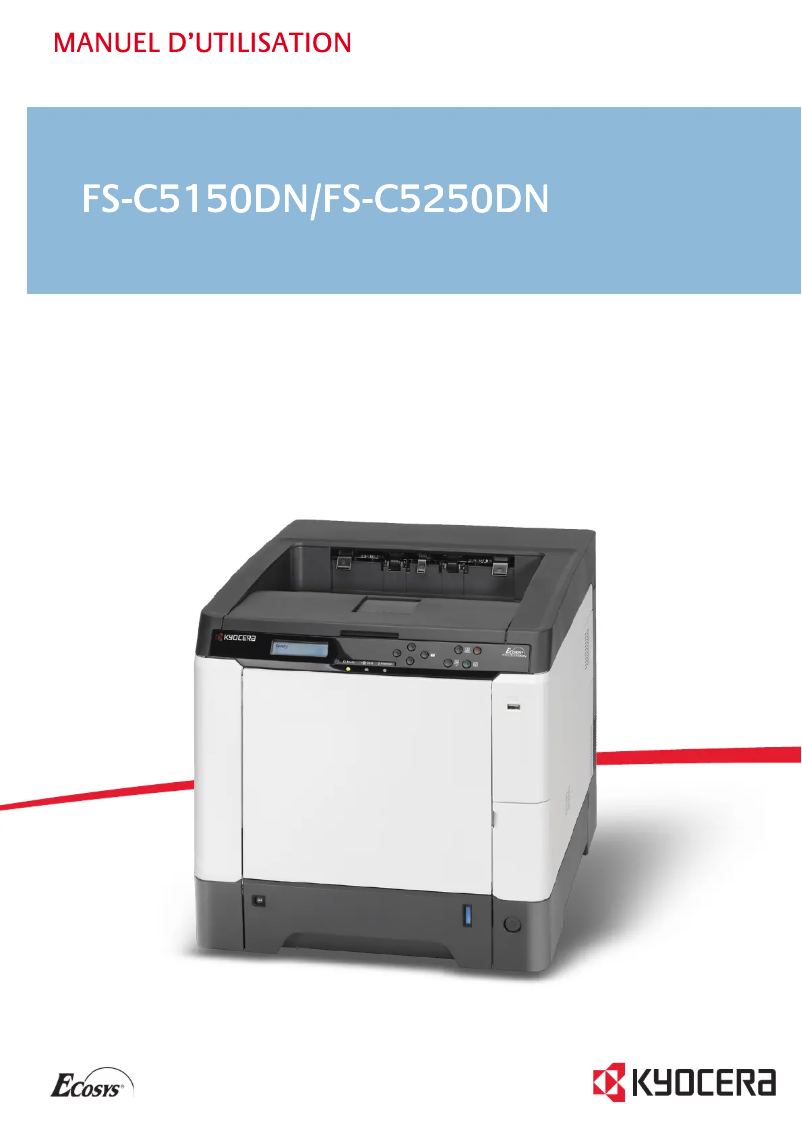
The Kyocera FS-C5250DN printer stands out for its solid performance, offering a fast printing speed of 26 pages per minute and an exceptional resolution of 9600 x 600 DPI, ensuring documents of remarkable clarity. Additionally, its built-in duplex printing feature and a maximum input capacity of 2050 sheets make it an ideal choice for dynamic work environments that require efficient management of large print volumes. Compliance with ENERGY STAR standards also highlights its energy efficiency, helping to reduce electricity costs. However, some drawbacks are worth mentioning. The Kyocera FS-C5250DN is not compatible with Mac operating systems, which may limit its use for some users. Furthermore, its weight of 30.2 kg can complicate transport and installation, especially in environments where mobility is required. Although the printing speed is satisfactory, the power consumption in printing mode of 428 W is relatively high, which can lead to additional costs for intensive use. Finally, the warm-up time of 29 seconds may be a disadvantage for those seeking immediate printing. In summary, the Kyocera FS-C5250DN is a high-performing and functional printer that meets the printing needs of professional environments, although it has some limitations in terms of compatibility and usage flexibility.Score details
User experience
The user experience is generally positive due to the fast printing speed and clarity of documents, but limited compatibility with Mac systems is a drawback.
Performance
Performance is solid, with a printing speed of 26 ppm and a resolution of 9600 x 600 DPI, although the power consumption of 428 W in printing mode is relatively high.
Battery life
Although the product meets ENERGY STAR standards for energy efficiency, the consumption in printing mode can lead to significant electricity costs for heavy use.
Design
The weight of 30.2 kg can make handling the printer difficult, and the lack of Wi-Fi connectivity limits usage flexibility.
Features
The printer offers impressive features, such as built-in duplex printing and a large input capacity of 2050 sheets, but the warm-up time of 29 seconds may be a drawback for some users.
Usability
Network connectivity is easy thanks to support for various protocols, but the lack of Wi-Fi may limit direct access from mobile devices.
Advantages
Fast printing: 26 pages per minute
Print resolution of 9600 x 600 DPI
Built-in duplex printing to save paper
Input capacity of 2050 sheets
ENERGY STAR compliant
Easy network connectivity and various protocols
Disadvantages
Incompatible with Mac systems
Weight of 30.2 kg, difficult to transport
High power consumption during printing
Preheating time of 29 seconds
No Wi-Fi connectivity
Technical Specifications FS-C5250DN
General Information
-
ModelFS-C5250DN
-
Brand
-
Category
-
Type
-
SKU21090
-
MPN21090
Print speed
-
Double-sided printingYes
-
Maximum resolution9600 x 600 DPI
-
Print speed (color, normal quality, A4/US Letter)26 ppm
-
Preheating time29 s
-
Print speed (color, normal quality, A4/US Letter)26 ppm
-
Copy time for the first page (color, normal)10.5 s
-
Copy time for the first page (Black, normal)9 s
-
Double-sided printingYes
-
Printing technologyLaser
Representation / realization
-
Processor frequency667 MHz
-
Processor modelPowerPC464
-
Internal memory256 MB
-
Maximum internal memory1250 MB
-
Sound power level (standby)30 dB
-
Sound pressure level (impression)50 dB
Features
-
Number of print cartridges3
-
Service cycle (Maximum)65000 pages per month
Input and output capacity
-
Maximum input capacity2050 sheets
-
Total power capacity500 sheets
-
Input capacity of multi-purpose trays50 sheets
-
Total output capacity250 sheets
-
Multifunctional trayYes
Paper management
-
ISO, Format Series A (A0...A9)A4
-
ISO, Formats Series-B (B0...B9)A5
-
Type of paper tray supportA6
-
Maximum print formatB5
-
Support weight supported in duplex modeB6
-
Non-ISO print support sizesPlain paper
-
Maximum ISO A series paper size216 x 356 mm
-
60 - 163 g/m²
-
Folio (media size), Letter (media size)
-
A4
Connectivity
-
Direct printingYes
Network
-
Ethernet/LANYes
-
Ethernet/LANYes
-
WifiNo
-
Wiring technology10/100Base-T(X)
-
Support for network protocols (IPv4)TCP/IP, TCP/IP (IPv6), NetWare, AppleTalk, IPP, SSL Server, IPSec
-
LAN Ethernet: data transfer rate10, 100 Mbit/s
Other features
-
Network featuresFastEthernet
-
Standby LEDYes
-
Compatible operating systemsMicrosoft Windows, Mac OS X 10.2 +, UNIX, LINUX
-
Power requirementsAC 220 - 240V@50/60 Hz
-
Internal modemNo
-
Compliance with industry standardsIEEE 802.3, IEEE 802.3u
-
EmulationsPCL 6 (5e/XL), PCL 5c, KPDL3, PDF, XPS
-
Supported support weight60 - 220 g/m²
-
Supported media size in duplex modeA4, A5, B5, Letter, Legal, 140x210mm - 216x356mm
-
Standby LEDYes
Sustainability
-
Sustainability certificatesENERGY STAR
Power
-
Energy consumption (standby mode)58 W
-
Average power consumption in Print mode428 W
Weight and dimensions
-
Dimensions (LxWxH)390 x 523 x 397 mm
-
Weight30200 g
Design
-
CertificationGS
-
TÜV
-
CE
Frequently Asked Questions
What is the weight of the Kyocera FS-C5250DN model?
What is the best method to remove paper jammed in the printer?
Why does my printer not recognize the original cartridges?
What could be the reasons for poor print quality?
What is the difference between a laser printer and an inkjet printer?
Why is my inkjet printer printing black streaks?
What does the acronym DPI mean?
What certifications does the Kyocera FS-C5250DN have?
How many cartridges can be installed in the Kyocera FS-C5250DN?
Is the manual for the Kyocera FS-C5250DN available in French?
Similar products


More product categories from brand Kyocera
Phones Kyocera
Other Kyocera
More product types from brand Kyocera


Presentation of product FS-C5250DN specifications from brand Kyocera
General Information
The Kyocera FS-C5250DN printer is a model from the Kyocera brand, known for its reliability and innovation in the office equipment sector. This model, referenced FS-C5250DN | 1102KV3NL0, offers optimal performance, ensuring an enhanced user experience. Its EAN code, which includes several variants, allows for unique identification in the distribution system.
Print Speed
The Kyocera FS-C5250DN is designed for high-quality color printing, with a maximum resolution of 9600 x 600 DPI, ensuring results of exceptional clarity. It achieves a print speed of 26 pages per minute (ppm) in both black and color, allowing for quick processing of daily documents. The warm-up time is limited to 29 seconds, ensuring efficient use. Additionally, the built-in duplex printing feature optimizes paper usage, contributing to resource savings.
Performance / Execution
Equipped with a PowerPC464 processor running at a frequency of 667 MHz, the Kyocera FS-C5250DN ensures rapid task execution. Its internal memory of 256 MB can be expanded up to 1250 MB, providing sufficient storage capacity for professional use. In terms of acoustic performance, the printer emits a noise level of 30 dB in standby and 50 dB during printing, ensuring a pleasant working environment.
Features
This printer uses three cartridges for quality output, with a maximum service cycle of 65,000 pages per month, thus meeting the needs of heavy users.
Input and Output Capacity
The maximum input capacity of the Kyocera FS-C5250DN is 2050 sheets, reducing the frequency of reloading. Its paper tray can hold up to 500 sheets, and it also has a 50-sheet multifunction tray, allowing for great flexibility in print management. The output capacity is 250 sheets, ensuring efficient performance for a large volume of documents.
Paper Management
Compatible with ISO paper formats, including A4, A5, and A6, as well as B5 and B6 formats, this printer handles various types of media, including plain paper. Its maximum print size is 216 x 356 mm, and it supports a wide range of paper weights, from 60 to 220 g/m², thus offering great versatility for different printing needs.
Connectivity
The Kyocera FS-C5250DN allows for direct printing from various devices, facilitating its use within an office environment. Its network connectivity is immediate and hassle-free, compatible with several protocols for optimal print management.
Network
Ready to use, this printer supports an Ethernet/LAN connection, while Wi-Fi connectivity is not available. The data transfer rate reaches up to 100 Mbit/s, ensuring a fast and efficient connection.
Other Features
Although the Kyocera FS-C5250DN is not compatible with Mac systems, it works with a range of Windows operating systems. This model meets safety and performance standards, as evidenced by its GS, TÜV, and CE certifications. Additionally, it includes an internal modem for fast Internet connection.
Durability
Certified ENERGY STAR, the Kyocera FS-C5250DN is designed to minimize energy consumption, thus contributing to a reduced ecological footprint.
Power
In standby mode, this printer consumes 58 W, while the consumption in print mode is 428 W, allowing for an assessment of its energy efficiency during regular use.
Weight and Dimensions
The dimensions of the Kyocera FS-C5250DN are 390 x 523 x 397 mm, making it easy to integrate into various workspaces. With a weight of 30.2 kg, handling it may require special attention during installation.
Design
The design of the Kyocera FS-C5250DN is intended to combine functionality and compliance with safety standards, thus ensuring reliable and secure use.


