

Manuals of product FS-C8100DN
Editorial note
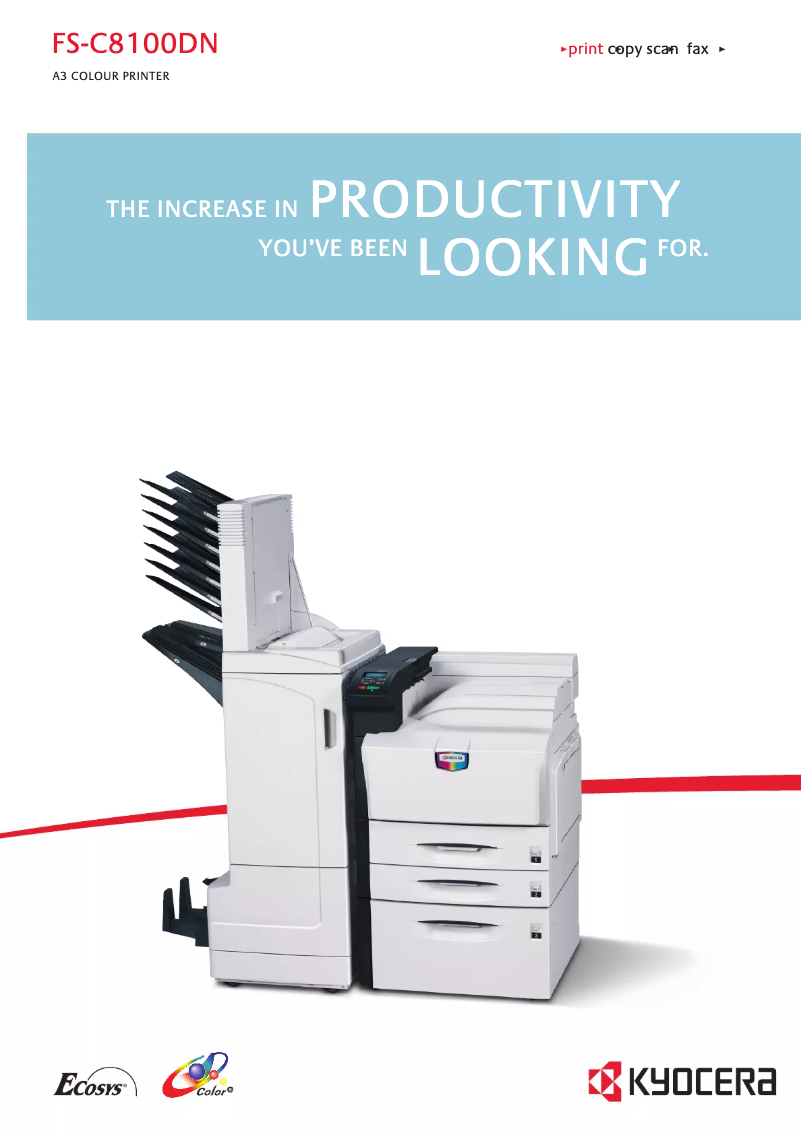
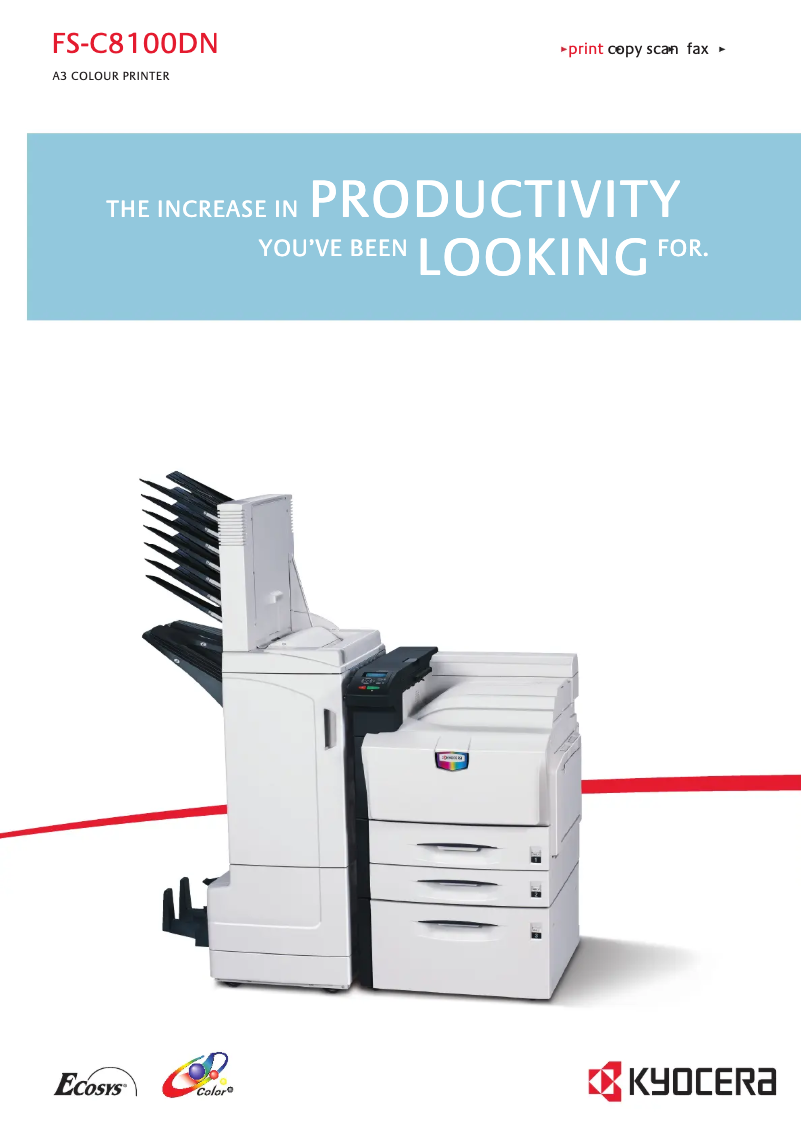
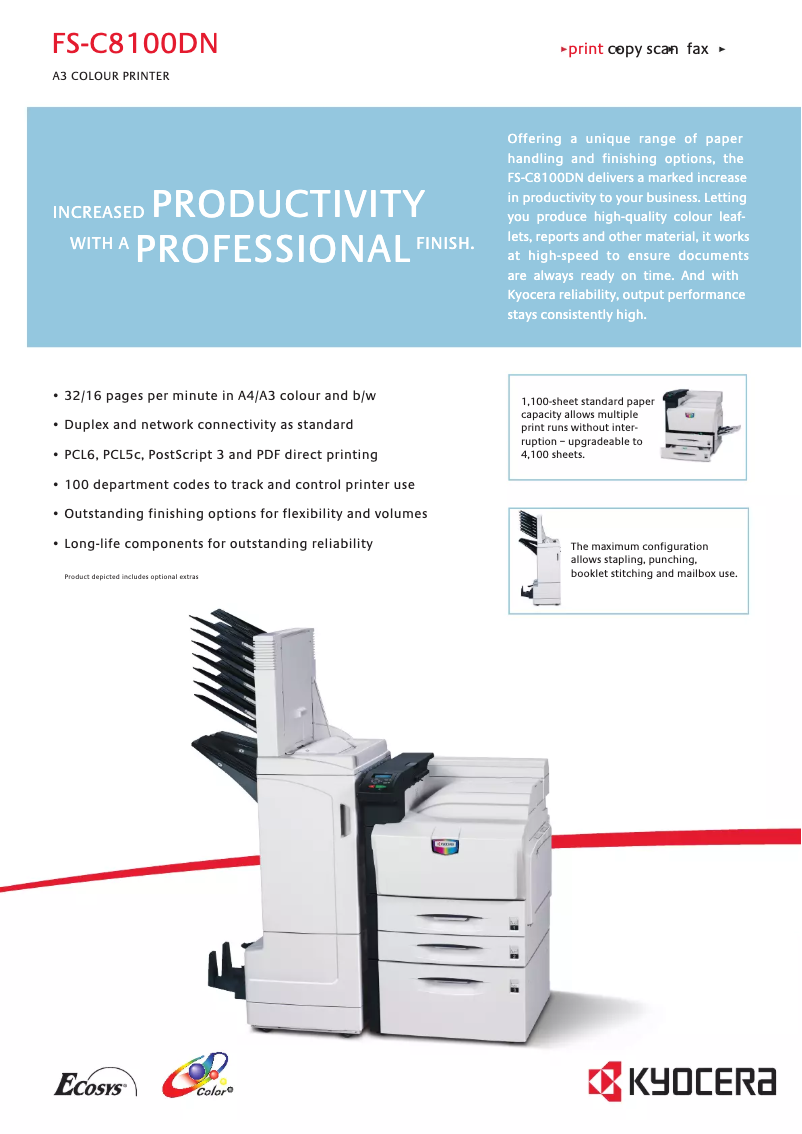
The Kyocera FS-C8100DN is a printer that stands out for its impressive performance and features tailored to professional needs. With a printing speed of 32 pages per minute and laser technology offering a maximum resolution of 600 x 600 DPI, it ensures quality prints, ideal for office environments. Additionally, its maximum input capacity of 4100 sheets and its built-in duplex printing functionality allow for managing a large volume of documents while optimizing resource use. However, some drawbacks are worth noting. Its weight of 87 kg can make installation and handling difficult, especially in tight spaces. Furthermore, the power consumption in printing mode, reaching 840 W, could incur additional costs for users printing large volumes. The warm-up time of 45 seconds can also delay the start of prints, which can be problematic for those seeking maximum efficiency. Regarding user experience, the Kyocera FS-C8100DN benefits from out-of-the-box network connectivity, facilitating its integration into existing infrastructure. Although the total paper capacity of 1000 sheets may require frequent reloading, the cost of the device remains justified by its performance and features. In summary, the Kyocera FS-C8100DN positions itself as a solid choice for professionals looking for a fast and efficient printer, despite a few points to consider.Score details
User experience
The user experience is positive thanks to ready-to-use network connectivity, facilitating integration into office environments.
Performance
The printing performance is excellent, with a speed of 32 pages per minute and laser technology ensuring good print quality.
Battery life
Energy consumption in economy mode is optimized, but consumption in print mode is high, which can impact costs for high-volume users.
Design
The design is functional, but the weight of 87 kg makes installation and handling difficult in tight spaces.
Features
Features such as a maximum input capacity of 4100 sheets and duplex printing functionality are major assets for professional users.
Value for money
The cost is justified by the performance and features, but the total feed capacity of 1000 sheets may require frequent reloading.
Usability
The usage is generally smooth, although the 45-second warm-up time may delay the start of prints in demanding environments.
Advantages
Fast printing at 32 pages per minute
Laser resolution of 600 x 600 DPI
Input capacity of 4100 sheets
Built-in duplex printing
Easy network connectivity
Optimized energy consumption
Disadvantages
High weight, difficult installation
High power consumption during printing
Long preheating time
Frequent paper refills needed
Limited resolution for detailed prints
Technical Specifications FS-C8100DN
General Information
-
ModelFS-C8100DN
-
Brand
-
Category
-
Type
-
SKU859945
-
MPN859945
Print speed
-
Double-sided printingYes
-
Maximum resolution600 x 600 DPI
-
Print speed (black, normal quality, A4/US Letter)32 ppm
-
Preheating time45 s
-
Copy time for the first page (color, normal)7.9 s
-
Copy time for the first page (Black, normal)5.9 s
-
Printing technologyLaser
-
Double-sided printingYes
Representation / realization
-
Processor modelPowerPC 750GL
-
Processor frequency800 MHz
-
Internal memory256 MB
-
Maximum internal memory1 MB
-
Sound power level (standby)43.8 dB
-
Sound pressure level (impression)53.7 dB
-
Integrated into the processorYes
Input and output capacity
-
Maximum input capacity4100 sheets
-
Total power capacity1000 sheets
-
Paper tray 2 feed capacity100 sheets
-
Total output capacity500 sheets
Paper management
-
Maximum print format297 x 420 mm
-
Weight/Grammage of the support, bin 160-105 g/m²
-
Type of paper tray supportEnvelopes
-
Non-ISO print support sizesFolio (media size), Letter (media size)
-
Maximum ISO A series paper sizeA3
Network
-
Ready-to-use networkYes
Other features
-
Network featuresFast Ethernet 10/100Base-TX
-
EmulationsPCL6/PCL5e/PCL5c, KPDL 3, KC-GL (HP-GL7550A)
-
Included fontsYes
-
Support weight, bin 260-220g/m²
-
Power requirementsAC 220 ~ 240 V, 50/60 Hz
Weight and dimensions
-
Dimensions (LxWxH)605 x 670 x 680 mm
-
Weight87000 g
Features
-
Service cycle (Maximum)120,000 pages per month
-
Printer fontsBarcode, PCL, PostScript
Power
-
Energy consumption (eco mode)15 W
-
Energy consumption (standby mode)210 W
-
Average power consumption in Print mode840 W
Design
-
CertificationTÜV/GS
-
CE
-
PTS
Frequently Asked Questions
What is the weight of the Kyocera FS-C8100DN?
What is the best method to remove paper jammed in the printer?
Why does my printer not recognize the original cartridges?
What are the reasons if my prints are of poor quality?
How does a laser printer differ from an inkjet printer?
Why does my inkjet printer leave black streaks on prints?
What does the acronym DPI mean?
What certifications does the Kyocera FS-C8100DN have?
Is the manual for the Kyocera FS-C8100DN available in French?
Similar products


More product categories from brand Kyocera
Phones Kyocera
Other Kyocera
More product types from brand Kyocera


Presentation of product FS-C8100DN specifications from brand Kyocera
General Information
The model Kyocera FS-C8100DN is manufactured by the brand Kyocera, known for its commitment to quality and innovation in the office equipment sector. This model, identified by the code FS-C8100DN | 1102HP3NL0, ensures optimal performance for a smooth user experience. The EAN code 6329830094374 allows for unique identification of the product in the distribution network.
Print Speed
This laser printer offers color printing, with a maximum resolution of 600 x 600 DPI, ensuring remarkably clear results, suitable for both professional and personal needs. The print speed reaches 32 pages per minute in black and white, making it particularly efficient for daily use. The warm-up time of 45 seconds should be considered, although it may slightly delay the start of prints. For color prints, the first page copy delay is 7.9 seconds, while for black, it is 5.9 seconds. Additionally, the built-in duplex printing feature optimizes paper usage, thereby reducing printing costs.
Performance / Execution
The PowerPC 750GL processor operates at a frequency of 800 MHz, ensuring quick task execution. With 256 MB of internal memory, this printer can effectively handle a large amount of data. The noise level in standby is 43.8 dB, ensuring discreet use, while the sound pressure level during printing is 53.7 dB, guaranteeing relatively quiet operation. The integrated technology ensures smooth and efficient performance.
Input and Output Capacity
The maximum input capacity of this device is 4100 sheets, making it an ideal choice for high-volume document environments. The total feed capacity is 1000 sheets, while paper tray 2 can hold 100 sheets. For output, the capacity is 500 sheets, ensuring efficient print management.
Paper Management
The maximum supported print size is 297 x 420 mm, making it suitable for large documents. The recommended media weight ranges from 60 to 105 g/m², ensuring compatibility and print quality. This printer supports various types of media, including envelopes. Additionally, it is capable of printing on non-standard formats such as Folio and Letter, while being compatible with the A3 format of the ISO A series.
Network
The model FS-C8100DN is designed to be network ready, facilitating quick integration into existing infrastructures without complications.
Other Features
It has network features such as Fast Ethernet 10/100Base-TX, ensuring a stable and fast connection. The emulation mode is compatible with PCL6/PCL5e/PCL5c, KPDL 3, and KC-GL (HP-GL7550A), offering great flexibility of use. Additionally, printer fonts are included, ensuring immediate usability. The power requirements are AC 220-240 V and 50/60 Hz.
Weight and Dimensions
The dimensions of the printer are 605 x 670 x 680 mm, allowing it to fit into various workspaces. Its weight of 87 kg may make installation and handling more challenging.
Specifications
The maximum service cycle is 120,000 pages per month, meeting the demands of heavy users. The available fonts include options for barcode, PCL, and PostScript, thus offering a wide variety for your prints.
Power
In economy mode, the power consumption is 15 W, helping to reduce energy costs. In standby, it reaches 210 W, while the consumption in print mode is 840 W, which can represent a significant cost for high-volume printing users.
Design
The Kyocera FS-C8100DN is certified by TÜV/GS, CE, and PTS, ensuring its compliance with required safety and performance standards.


