

Manual of product FS-C8520MFP/KL3
Editorial note
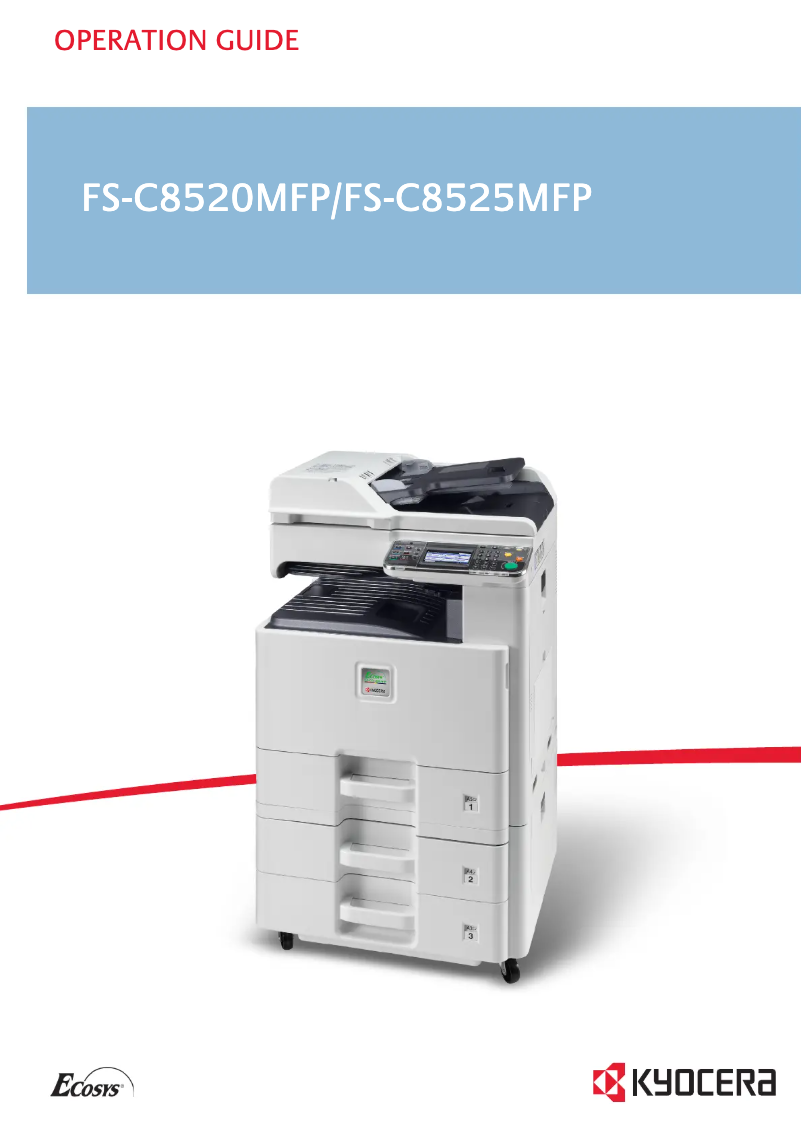
The Kyocera FS-C8520MFP/KL3 is a multifunction printer that stands out for its fast printing speed of 20 pages per minute, both in black and color, making it an ideal choice for demanding work environments. Its laser printing technology ensures exceptional image quality with a maximum resolution of 600 x 600 DPI, providing prints with vibrant and accurate colors. Additionally, the built-in duplex printing feature helps optimize paper usage and reduce printing costs. However, the printer has some limitations. The lack of duplex scanning may restrict efficiency when scanning double-sided documents. While the printing speed is adequate, it may be insufficient for environments with very high printing needs. Furthermore, the absence of Wi-Fi connectivity limits usage flexibility for users wishing to print wirelessly from mobile devices. Finally, with a weight of 80 kg, transport and installation can be challenging, especially in tight workspaces. Regarding connectivity, the Kyocera FS-C8520MFP/KL3 offers USB and Ethernet ports, ensuring smooth integration with various devices. However, the cost of print cartridges may affect the total cost of ownership in the long run, an aspect to consider when purchasing. Overall, the Kyocera FS-C8520MFP/KL3 is a high-performing product with a modern and functional design. It provides a satisfactory user experience, but some improvements would be beneficial to fully meet the expectations of professionals.Score details
User experience
The user experience is generally satisfactory thanks to well-thought-out features, such as the built-in duplex printing. However, the lack of duplex scanning may limit efficiency.
Performance
The performance is acceptable with a printing speed of 20 ppm, although this may be insufficient for very demanding work environments with high volumes.
connectivity
Connectivity is satisfactory thanks to USB and Ethernet ports, but the lack of Wi-Fi limits usage flexibility for mobile devices.
Design
The design is modern and functional, but the weight of 80 kg can make transport and installation complicated in tight spaces.
Value for money
Although the print quality is high, the cost of ink cartridges can influence the total cost of ownership, which may be a long-term disadvantage.
Advantages
Fast printing at 20 pages per minute
Laser print quality up to 600 x 600 DPI
Built-in duplex printing
Input capacity of 1600 sheets
USB and Ethernet connectivity
Disadvantages
No duplex scanning
Insufficient print speed of 20 ppm
Lack of Wi-Fi connectivity
Weight of 80 kg difficult to move
High cost of ink cartridges
Technical Specifications FS-C8520MFP/KL3
General Information
-
ModelFS-C8520MFP/KL3
-
Brand
-
Category
-
Type
-
SKU163576
-
MPN163576
Print speed
-
Printing technologyLaser
-
PrintingColor printing
-
Maximum resolution600 x 600 DPI
-
Print speed (color, normal quality, A4/US Letter)20 ppm
-
Print speed (color, normal quality, A4/US Letter)20 ppm
-
Print speed (color, normal quality, A3)10 ppm
-
Print speed (color, normal quality, A3)10 ppm
-
Copy time for the first page (Black, normal)11 s
-
Copy time for the first page (color, normal)14 s
-
Preheating time55 s
-
Double-sided printingYes
Copier
-
CopyColor copy
-
Max. resolution of copies- DPI
-
Maximum number of copies999 copies
-
Resizing copy25 - 400 %
-
Release time of the first print (black, normal)11.7 s
-
Release time of the first print (color, concept)13.6 s
-
Duplex copyYes
Digitization
-
DigitizationColor scanning
-
Optical scanning resolution600 x 600 DPI
-
Scan toE-mail, File, FTP, USB
-
Scanning speed (color)40 ppm
-
Supported image formatsJPG, TIF
-
Support for text formatsPDF
-
Double-sided scanningYes
Fax
-
Fax-
-
Fax transmission speed3 sec/page
-
Modem speed33.6 Kbit/s
-
Fax coding methodsJBIG, MH, MMR (Fax coding method), MR
-
Duplex faxYes
Features
-
Digital sender-
-
Service cycle (Maximum)- pages per month
-
Number of print cartridges4
-
Languages of the page descriptionPCL 6, PostScript 3
-
Printing colorsBlack, Cyan, Magenta, Yellow
Input and output capacity
-
Total power capacity600 sheets
-
Maximum input capacity1600 sheets
-
Input capacity of multi-purpose trays100 sheets
-
Total output capacity280 sheets
-
Multifunctional trayYes
Paper management
-
ISO, Format Series A (A0...A9)A3
-
Maximum print formatA4
-
Type of paper tray supportA5
-
ISO, Formats Series-B (B0...B9)A6
-
Non-ISO print support sizes297 x 432 mm
-
Weight of the multifunctional tray supportOrdinary paper
-
Weight of the multifunctional tray supportB5
-
Support weight supported in duplex modeFolio
-
Maximum ISO A series paper size60 - 256 g/m²
-
60 - 256 g/m²
-
60 - 220 g/m²
-
A3
Design
-
ScreenLCD
-
Built-in screenYes
-
Product colorBlack, Grey
-
Built-in screenYes
-
Market positionProfessional
-
Order typeTouchscreen
Connectivity
-
USB portYes
-
Standard interfacesEthernet, USB 2.0
-
Quantity of USB 2.0 Ports2
-
USB portYes
Network
-
Ethernet/LANYes
-
WifiNo
-
Mobile printing technologiesNot supported
Representation / realization
-
Internal memory1536 MB
-
Built-in memory card readerNo
-
Maximum internal memory2048 MB
-
Processor frequency800 MHz
-
Processor familyPowerPC
-
Processor model464
-
Sound pressure level (impression)47 dB
-
Sound power level (standby)35 dB
-
Sound pressure level (impression)47 dB
-
Integrated into the processorYes
Power
-
Electricity consumption (average operation)557 W
-
Electricity consumption (stop)0.9 W
-
Energy consumption (standby mode)121 W
-
AC input frequency50 - 60 Hz
-
AC input voltage220 - 240 V
Weight and dimensions
-
Depth590 mm
-
Depth590 mm
-
Height748 mm
-
Weight80000 g
Minimum system requirements
-
Support for the Linux operating systemYes
-
Support for the Mac operating systemMac OS X 10.4 Tiger, Mac OS X 10.5 Leopard, Mac OS X 10.6 Snow Leopard, Mac OS X 10.7 Lion, Mac OS X 10.8 Mountain Lion
-
Support for the Linux operating systemYes
Sustainability
-
Sustainability certificatesENERGY STAR
Certificate
-
CertificationTÜV/GS
-
CE
Frequently Asked Questions
What is the weight of the Kyocera FS-C8520MFP/KL3 printer?
What is the recommended method for removing paper jammed in the printer?
Why does my printer not recognize the original cartridges?
What are the possible reasons for poor print quality?
What is the difference between a laser printer and an inkjet printer?
Why does my inkjet printer leave black streaks on prints?
What does the acronym DPI mean?
What certifications does the Kyocera FS-C8520MFP/KL3 have?
How many cartridges can be installed in the Kyocera FS-C8520MFP/KL3?
What is the height of the Kyocera FS-C8520MFP/KL3 printer?
What is the width of the Kyocera FS-C8520MFP/KL3 printer?
What is the depth of the Kyocera FS-C8520MFP/KL3 printer?
Is the manual for the Kyocera FS-C8520MFP/KL3 available in French?
Similar products


More product categories from brand Kyocera
Phones Kyocera
Other Kyocera
More product types from brand Kyocera


Presentation of product FS-C8520MFP/KL3 specifications from brand Kyocera
General Information
The model Kyocera FS-C8520MFP/KL3 is a multifunction device from the brand Kyocera, known for its innovation and reliability in the field of printing solutions. This model is designed to deliver optimal performance, ensuring an enhanced user experience. The EAN code, which uniquely identifies this product, is 632983932308, 0632983932308, 4053162312265.
Print Speed
Equipped with Laser printing technology, the Kyocera FS-C8520MFP/KL3 ensures exceptional print quality with a maximum resolution of 600 x 600 DPI. Its print speed is 20 pages per minute for black and color documents in A4/US Letter format, and 10 ppm for A3 formats, making it suitable for work environments requiring increased efficiency. Additionally, the device offers a duplex printing feature, allowing for optimized paper usage.
Copier
The integrated copier of the FS-C8520MFP/KL3 allows for high-quality color copies. It can produce up to 999 copies at a time, with resizing from 25 to 400 % as needed. The time to first print is 11.7 seconds for black prints and 13.6 seconds for color prints.
Scanning
The model FS-C8520MFP/KL3 allows for color scanning with an optical resolution of 600 x 600 DPI. The scanning speed is 40 ppm, ensuring efficiency when scanning documents. Supported formats include JPG, TIF for images, and PDF for text documents. However, it is worth noting that the product does not offer a duplex scanning function.
Fax
The Kyocera FS-C8520MFP/KL3 also integrates an efficient fax machine, capable of transmitting documents at a speed of 3 seconds per page. The modem speed is 33.6 Kbit/s, providing a fast connection for sending and receiving faxes. However, the device does not support sending faxes in duplex mode.
Features
Designed for heavy use, the FS-C8520MFP/KL3 has a maximum duty cycle suitable for demanding users. It uses 4 toner cartridges to produce quality prints in Black, Cyan, Magenta, and Yellow.
Input and Output Capacity
The total paper capacity of the device is 600 sheets, with a maximum input capacity of 1600 sheets, facilitating the management of large volumes of documents. It is equipped with a multifunction tray for versatile use.
Paper Management
The FS-C8520MFP/KL3 is compatible with standard paper sizes such as A3, A4, A5, and A6, and supports various types of paper ranging from 60 to 256 g/m². The maximum supported print size is 297 x 432 mm.
Design
Featuring an LCD screen, the Kyocera FS-C8520MFP/KL3 offers an intuitive user interface thanks to its touchscreen. With a finish in Black and Gray, it adds a modern touch to your work environment.
Connectivity
This model supports direct printing via USB ports, with 2 USB 2.0 ports for quick connection. It is also equipped with an Ethernet interface for optimal network integration, although it does not have Wi-Fi connectivity.
Network
The FS-C8520MFP/KL3 is compatible with Ethernet/LAN networks, allowing for a stable and efficient connection. It offers various mobile printing technologies for increased usage flexibility.
Performance and Efficiency
The internal memory of the device is 1536 Mo, expandable up to 2048 Mo, and its processor operates at a frequency of 800 MHz. The noise level during operation is 47 dB, making it suitable for noise-sensitive work environments.
Power
In terms of energy consumption, the FS-C8520MFP/KL3 consumes 557 W in normal operation, and only 0.9 W in sleep mode, contributing to energy efficiency.
Weight and Dimensions
The dimensions of the Kyocera FS-C8520MFP/KL3 are 590 mm wide, 590 mm deep, and 748 mm high, with a total weight of 80 kg, which may require special attention during installation.
Minimum System Requirements
The product is compatible with Windows, Mac (versions from Mac OS X 10.4 to 10.8), and Linux operating systems, ensuring broad compatibility for various users.
Durability
The Kyocera FS-C8520MFP/KL3 is ENERGY STAR certified, ensuring that it meets high standards for energy efficiency and environmental sustainability.
Certifications
This model is also TÜV/GS and CE certified, ensuring that it meets the required safety and performance standards.


