

Manual of product FS-C8525MFP
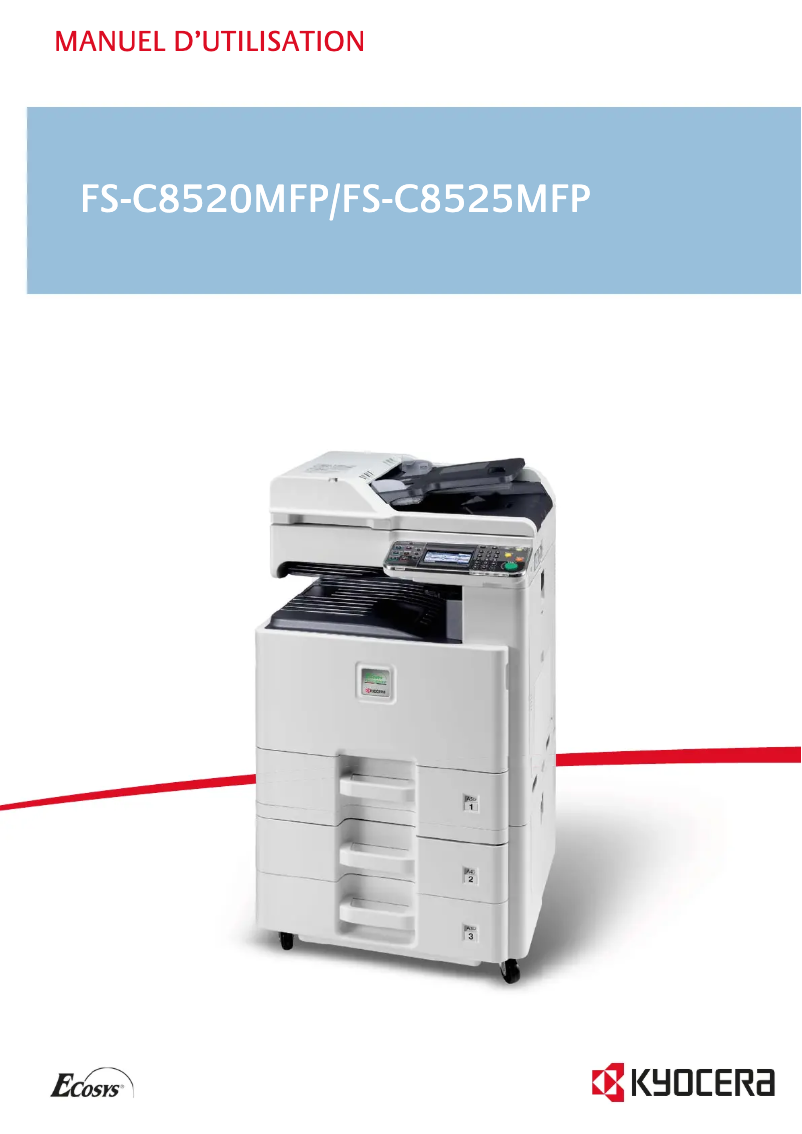
Editorial note
The Kyocera FS-C8525MFP is a multifunction printer that stands out for its fast printing performance and exceptional quality. With a printing speed of up to 25 pages per minute in black and color, this device is ideal for work environments requiring high productivity. Additionally, its all-in-one features, including printing, copying, scanning, and faxing, offer great versatility to meet various office needs. However, the product has some drawbacks. The lack of a duplex scanning function may limit its effectiveness for users needing to scan double-sided documents. Furthermore, the 45-second warm-up time may seem long in an environment where speed is crucial. The missing Wi-Fi connectivity also restricts usage flexibility, particularly for wireless printing from mobile devices. Finally, with a weight of 80 kg, the device can be difficult to move, which poses a problem in offices with changing work configurations. The writing scores reflect an overall positive user experience, with a score of 78 for user experience and a good value for money at 80. Printing performance is rated as acceptable, although it may not be sufficient for very demanding environments (score of 75). The design is functional, but the high weight is a notable drawback (score of 70). The all-in-one features are highly appreciated (score of 85), while compatibility with multiple operating systems is a major asset, receiving a score of 90. Finally, the user manual is considered comprehensive and helpful for quick onboarding (score of 88). In summary, the Kyocera FS-C8525MFP is a powerful and versatile printer, suitable for professionals, but it could benefit from improvements in connectivity and scanning features.Score details
User experience
The user experience is generally positive thanks to all-in-one features that meet various needs, although the lack of duplex scanning may limit its effectiveness.
Performance
The printing performance is good with a speed of 25 pages per minute, but this may not be sufficient for very demanding work environments.
Design
The design is functional, but the weight of 80 kg makes the device difficult to move.
Value for money
The value for money is good, with exceptional print quality and great flexibility in paper management.
Features
The all-in-one features are a major asset, although the lack of Wi-Fi connectivity may restrict usage flexibility.
Support
Compatibility with multiple operating systems (Windows, Mac, Linux) offers great flexibility for all users.
Documentation
The user manual is comprehensive and makes it easy to get started with the device.
Advantages
Fast printing up to 25 pages per minute
All-in-one features: printing, copying, scanning, faxing
Print quality of 600 x 600 DPI
Input capacity of up to 1600 sheets
Compatible with Windows, Mac, and Linux
Disadvantages
No duplex scanning
Preheating time too long
Lack of Wi-Fi connectivity
High weight of 80 kg
Insufficient printing speed
Technical Specifications FS-C8525MFP
General Information
-
ModelFS-C8525MFP
-
Brand
-
Category
-
Type
-
SKU24863
-
MPN24863
Print speed
-
Printing technologyLaser
-
Maximum resolution600 x 600 DPI
-
Print speed (color, normal quality, A4/US Letter)25 ppm
-
Print speed (color, normal quality, A4/US Letter)25 ppm
-
Print speed (color, normal quality, A3)13 ppm
-
Print speed (color, normal quality, A3)13 ppm
-
Copy time for the first page (Black, normal)10 s
-
Copy time for the first page (color, normal)12 s
-
Preheating time45 s
-
PrintingColor printing
Other features
-
All-in-one functionsCopy
-
All-in-one color functionsFax
-
Formats of scanned filesPrint
-
Scan
-
-
copy
-
print
-
scan
-
-
JPG
-
PDF
-
TIFF
-
XPS
Features
-
Service cycle (Maximum)- pages per month
-
Languages of the page descriptionMicrosoft XPS, PCL 5c, PCL 6, PCL XL, PostScript 3
-
Digital senderNo
Copier
-
Max. resolution of copies- DPI
-
Maximum number of copies999 copies
-
Resizing copy25 - 400 %
-
Release time of the first print (black, normal)11.7 s
-
Release time of the first print (color, concept)13.6 s
-
CopyColor copy
-
All-in-one function (N=)2, 4
-
Duplex copyYes
Digitization
-
Optical scanning resolution600 x 600 DPI
-
Maximum scan areaA3 (297 x 420) mm
-
Scan toE-mail, FTP, USB
-
Gray levels256
-
DigitizationColor scanning
-
Scanning speed (color)40 inches/minute
-
Scanning speed (color)40 inches/minute
-
Supported image formatsJPG, TIF
-
Double-sided scanningYes
Fax
-
Fax transmission speed3 sec/page
-
Modem speed33.6 Kbit/s
-
Fax coding methodsJBIG, MH, MMR (Fax coding method), MR
-
FaxSimple fax
Input and output capacity
-
Total power capacity600 sheets
-
Maximum input capacity1600 sheets
-
Input capacity of multi-purpose trays100 sheets
-
Total output capacity280 sheets
-
Paper feed typeCassette, Paper tray
-
Multifunctional trayYes
Paper management
-
ISO, Format Series A (A0...A9)A3
-
Maximum print formatA4
-
Type of paper tray supportA5
-
ISO, Formats Series-B (B0...B9)A6
-
Non-ISO print support sizes297 x 420 mm
-
Weight of paper tray supportOrdinary paper
-
Support width customizationB5
-
Customization of support lengthFolio
-
Maximum ISO A series paper size60 - 256 g/m²
-
98 - 297 mm
-
148 - 432 mm
-
A3
Design
-
Product color-
-
ScreenLCD
-
Built-in screenYes
-
Market positionProfessional
Connectivity
-
USB portYes
-
Standard interfacesEthernet, USB 2.0
-
Quantity of USB 2.0 Ports2
-
USB portYes
Network
-
Mobile printing technologies-
-
Ethernet/LANYes
-
WifiNo
Representation / realization
-
Built-in memory card reader-
-
Internal memory1536 MB
-
Maximum internal memory2048 MB
-
Processor frequency800 MHz
-
Processor familyPowerPC
-
Sound pressure level (impression)49 dB
-
Sound pressure level (impression)49 dB
Power
-
Electricity consumption (average operation)597 W
-
AC input frequency50 - 60 Hz
-
AC input voltage220 - 240 V
-
Electricity consumption (stop)0.9 W
-
Energy consumption (standby mode)125 W
Weight and dimensions
-
Depth590 mm
-
Depth590 mm
-
Height748 mm
-
Weight80000 g
Minimum system requirements
-
Support for the Windows operating systemYes
-
Support for the Windows operating systemYes
-
Support for the Windows operating systemYes
Packaging contents
-
Drivers includedYes
Sustainability
-
Sustainability certificatesENERGY STAR
Frequently Asked Questions
What is the weight of the Kyocera FS-C8525MFP?
What is the best method to remove paper jammed in the printer?
Why does my printer not recognize original cartridges?
What are the possible reasons for poor print quality?
How does a laser printer differ from an inkjet printer?
Why is my inkjet printer producing black streaks?
What does the acronym DPI mean?
What is the height of the Kyocera FS-C8525MFP?
What is the width of the Kyocera FS-C8525MFP?
What is the depth of the Kyocera FS-C8525MFP?
Is the manual for the Kyocera FS-C8525MFP available in French?
Similar products


More product categories from brand Kyocera
Phones Kyocera
Other Kyocera
More product types from brand Kyocera


Presentation of product FS-C8525MFP specifications from brand Kyocera
General Information
The Kyocera FS-C8525MFP model is an innovative multifunction device from the Kyocera brand, known for its quality and technological advancements in office equipment. This model, identified by the code FS-C8525MFP | 1102MY3NL1, ensures optimal performance thanks to advanced features. The product is identifiable through various EAN codes, facilitating its integration into distribution systems.
Print Speed
Equipped with Laser printing technology, the Kyocera FS-C8525MFP offers a maximum resolution of 600 x 600 DPI, ensuring prints of exceptional clarity. It achieves a print speed of 25 pages per minute in both black and color for A4/US Letter formats, and 13 ppm for A3 formats. With a first page copy time of only 10 seconds for black and 12 seconds for color, it is designed to meet the demands of dynamic work environments. The warm-up time is 45 seconds, which may be a drawback for users seeking immediate responsiveness.
All-in-One Features
The Kyocera FS-C8525MFP combines several essential functions: printing, copying, scanning, and faxing, thus providing a versatile solution for the office. It allows for document scanning in various formats such as JPG, PDF, TIFF, and XPS, facilitating their storage and sharing. However, it does not support duplex scanning, which limits certain functionalities.
Input and Output Capabilities
This model has a total paper capacity of 600 sheets and can handle up to 1600 sheets in input, making it suitable for heavy use. The output capacity is 280 sheets, and it is equipped with a multifunction tray for flexible use. The paper feeding type includes cassettes and trays, ensuring efficient paper management.
Paper Management
The Kyocera FS-C8525MFP is compatible with various paper sizes, including A and B series (A3, A4, B5). It supports paper weights ranging from 60 to 256 g/m², offering flexibility for different types of printing.
Connectivity
This model includes standard interfaces for easy integration with various devices. It offers two USB 2.0 ports for quick connection but lacks Wi-Fi connectivity, which may restrict its wireless use.
Network and Compatibility
The Kyocera FS-C8525MFP features Ethernet/LAN connectivity, allowing for efficient network integration. It is compatible with several operating systems, including Windows, Mac, and Linux, making it accessible to a wide range of users.
Power and Durability
The power consumption in operation mode is 597 W, while in standby, it is reduced to 0.9 W, contributing to energy savings. The product is certified ENERGY STAR, ensuring it meets high standards for energy efficiency.
Dimensions and Weight
With dimensions of 590 x 590 x 748 mm and a weight of 80 kg, the Kyocera FS-C8525MFP is designed for stable use, although its weight may pose challenges in terms of mobility.


