
Manuals of product KM-8030


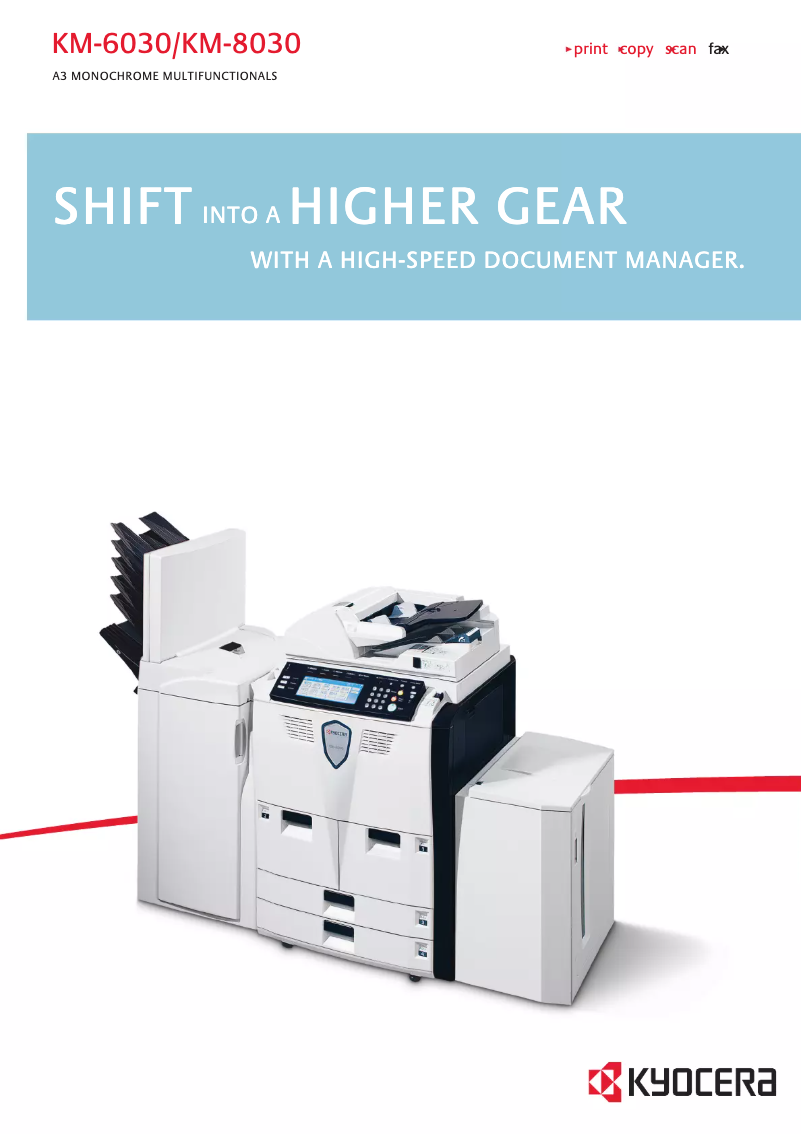


Editorial note
The Kyocera KM-8030 stands out for its exceptional print quality, producing sharp text and precise images, making it an ideal choice for professional users. Its robust design ensures reliable and durable performance, thereby minimizing the risks of frequent breakdowns. Additionally, the printer comes with support documents, such as the user manual and a FAQ, making its installation and use easier, even for those who are not very tech-savvy. However, several drawbacks are worth mentioning. The purchase cost of the KM-8030 can be high, which may pose a barrier for small businesses or individuals. Its weight and size can also create issues in tight work environments. Furthermore, the relatively high energy consumption can lead to additional costs for budget-conscious users. Finally, the startup time can be long, which may slow down workflow when quick prints are needed. In terms of performance, the Kyocera KM-8030 receives very good ratings, particularly for its robustness and versatility. However, the variability of after-sales service and the availability of spare parts depending on the regions can pose problems for certain repairs. Overall, while the KM-8030 is a high-performing and quality printer, its cost and energy consumption should be considered before purchase.Score details
User experience
The user experience is enhanced by the presence of support documents such as the manual and FAQ, making installation and use simple even for novices.
Performance
The printer's performance is reliable and optimal, with exceptional print quality that meets the expectations of professional users.
Value for money
Although the Kyocera KM-8030 offers high-quality performance, its purchase cost can be high, which could be a barrier for small businesses.
Robustness
The printer's robust design ensures durability and reduces the risk of frequent breakdowns, thus increasing its long-term reliability.
Usability
The printer's versatility allows for printing various types of documents, which meets the diverse needs of users.
Support
After-sales service and the availability of spare parts can vary by region, which could pose a problem for certain repairs.
Features
The printer's features include technologies aimed at reducing energy consumption, reflecting Kyocera's commitment to the environment.
Advantages
High-quality printing
Reliable and durable performance
Easy and intuitive to use
Versatile for different documents
Eco-friendly and sustainable commitment
Disadvantages
High purchase cost for small businesses
Difficulty of moving in tight spaces
High energy consumption, additional costs
Long startup time
After-sales service varies by region
Technical Specifications KM-8030
General Information
-
ModelKM-8030
-
Brand
-
Category
-
Type
-
SKU1340112
-
MPN1340112
Frequently Asked Questions
What is the best method to remove paper jammed in the printer?
Why does my printer not recognize original cartridges?
What are the possible reasons for poor print quality?
How does a laser printer differ from an inkjet printer?
Why does my inkjet printer leave black streaks on prints?
What does the acronym DPI mean?
Is the manual for the Kyocera KM-8030 available in French?
Similar products


More product categories from brand Kyocera
Phones Kyocera
Other Kyocera
More product types from brand Kyocera


Presentation of product KM-8030 specifications from brand Kyocera
General Information
The Kyocera KM-8030 is a printer from the Kyocera brand, known for its commitment to quality and innovation in the office equipment sector. This model is designed to deliver exceptional performance and an enhanced user experience, meeting the diverse needs of professionals.
Advantages
Remarkable print quality: The Kyocera KM-8030 produces prints with exceptional clarity, featuring sharp text and precise images, ideal for high-level professional documents.
Reliable performance: Thanks to its robust design and high-quality components, this printer ensures consistent and durable performance, minimizing the risk of frequent breakdowns.
Ease of use: The KM-8030 model includes support documents such as a user manual and FAQs, making its installation and use easier, even for less experienced users.
Versatility: Capable of printing a variety of document types, the Kyocera KM-8030 easily adapts to the different needs of users, whether for standard prints or specialized documents.
Environmental commitment: Kyocera takes pride in integrating technologies that promote sustainability, thus contributing to reduced energy consumption and waste.
Disadvantages
High initial cost: The purchase price of the Kyocera KM-8030 can be relatively high, representing a significant investment for small businesses or individual users.
Weight and bulk: Its dimensions and weight can make it difficult to move, which may pose challenges in restricted workspaces.
Energy consumption: This printer may have high energy consumption, leading to additional costs for budget-conscious users.
Startup time: The time required to start the printer can be long, which could slow down workflow in situations requiring quick prints.
Variable after-sales service: Although Kyocera is a reputable brand, the availability of spare parts and after-sales service may vary by region, making repairs sometimes more complex.


