
Manuals of product TASKalfa 2200



Editorial note
The Kyocera TASKalfa 2200 is a printer known for its quality and reliability. With its user-centered design, it offers a pleasant experience with a user-friendly interface, even for those who are not familiar with printing technologies. Users also appreciate its performance, which ensures fast and high-quality printing, although the speed may be lower than that of some competitors for complex documents. However, it is important to note that the purchase cost of the printer can be a barrier for small businesses or individual users. Additionally, the high price of toner cartridges can increase long-term expenses. Its weight and dimensions, which can complicate installation and movement, are aspects to consider, especially in tight spaces. In terms of support and documentation, the Kyocera TASKalfa 2200 excels, with a wealth of resources available to help users maximize their experience. Overall, this printer is a solid choice for those looking for a durable and high-performing machine, provided that associated costs and practical aspects related to its installation are taken into account.Score details
User experience
The user experience is very satisfactory thanks to a user-friendly interface, allowing for quick onboarding, even for less experienced users.
Performance
Performance is generally good with fast and high-quality printing, but the printing speed may be lower than that of some competing models, especially for complex documents.
Value for money
The purchase cost of the printer can be a barrier for small businesses, and the high cost of toner cartridges increases the long-term operating cost.
Design
The design of the printer is functional, but its weight and dimensions can make installation and movement difficult, especially in tight spaces.
Support
Support and documentation are excellent, with several documents available, such as the user manual and the technical sheet, making access to useful information easier.
Advantages
Quality and reliability of the Kyocera brand
Fast and high-quality printing
Comprehensive documentation and user support
User-friendly and easy-to-use interface
Versatility for various types of documents
Disadvantages
High purchase cost for small businesses
Difficult installation in tight spaces
Expensive toner cartridges to replace
Printing speed lower than some competitors
Waiting time for complex documents
Technical Specifications TASKalfa 2200
General Information
-
ModelTASKALFA 2200
-
Brand
-
Category
-
Type
-
SKU1340138
-
MPN1340138
Frequently Asked Questions
What is the recommended method for removing jammed paper from the printer?
Why is my printer not recognizing the original cartridges?
What are the possible reasons for poor print quality?
What are the differences between a laser printer and an inkjet printer?
Why is my inkjet printer printing black lines?
What does the acronym DPI mean?
Is it possible to obtain the manual for the Kyocera TASKalfa 2200 in French?
Similar products


More product categories from brand Kyocera
Phones Kyocera
Other Kyocera
More product types from brand Kyocera


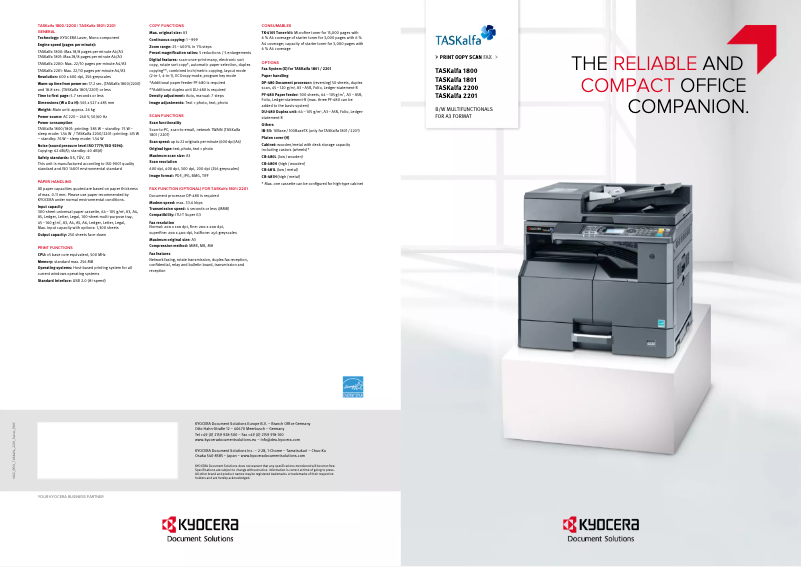
Presentation of product TASKalfa 2200 specifications from brand Kyocera
General Information
The Kyocera TASKalfa 2200 printer is a flagship model from the Kyocera brand, renowned for its commitment to quality and innovation in the office equipment sector. This model is specifically designed to deliver optimal printing performance, ensuring a smooth and efficient user experience.
Advantages
The Kyocera TASKalfa 2200 stands out for its reliability and durability, characteristics that make it a preferred choice for many users. It is capable of quickly printing high-quality documents, making it particularly suitable for demanding work environments. Additionally, the printer comes with comprehensive documentation, including a detailed user manual and a technical sheet, thus facilitating the onboarding process for users, whether they are novices or experienced.
Its versatility is another major asset, allowing it to handle various types of documents, from simple prints to more complex reports.
Disadvantages
However, the Kyocera TASKalfa 2200 has some disadvantages to consider. Its acquisition cost can be relatively high, which may pose a barrier for small businesses or individual users. Furthermore, its weight and dimensions can complicate its installation and movement, especially in tight spaces.
It is also important to note that the cost of toner cartridges can be significant, leading to long-term usage expenses. Finally, although this printer is efficient, its printing speed may be lower than that of some competing models, and wait times may occur when printing complex documents, which could slow down workflow in a busy office.


