
Manuals of product TASKalfa 2420w

Editorial note
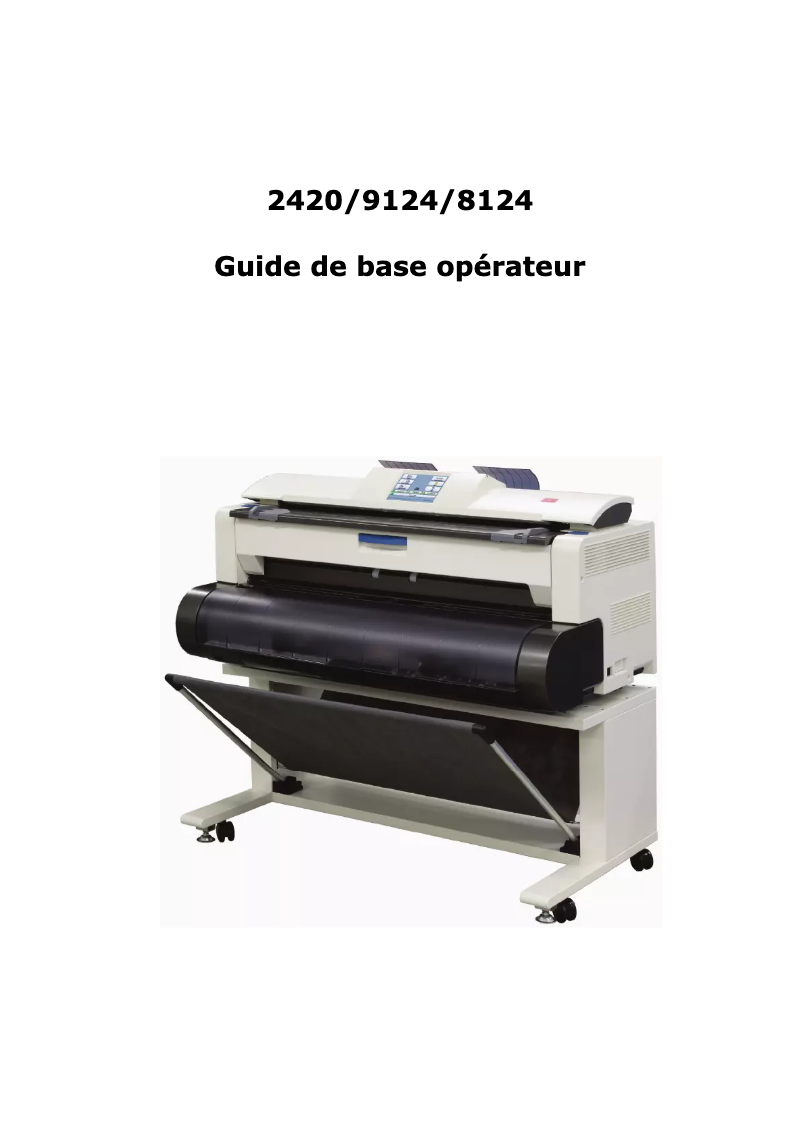
The Kyocera TASKalfa 2420w stands out for its superior print quality, perfectly suited to the needs of professionals and presentations. Its versatility allows for the use of different paper sizes and types of media, making it a wise choice for a variety of applications. Additionally, user-friendliness is enhanced by a comprehensive user manual and a FAQ, making the device accessible even to novice users. However, it is important to consider some drawbacks. The initial purchase cost is relatively high, which can represent a significant investment for small businesses or individual users. Furthermore, the printer can be bulky, which may pose space issues in small offices or at home. Setup and installation can also prove complex for some users, while toner cartridges, often expensive to replace, can increase long-term operating costs. Finally, the operating noise can be high, which could be disruptive in a quiet work environment. Overall, although the Kyocera TASKalfa 2420w presents an initial cost and installation challenges, its performance, durability, and energy efficiency make it an interesting choice for those seeking a reliable and high-performing printer.Score details
User experience
The handling of the printer is simplified thanks to a comprehensive user manual and an available FAQ, which is appreciated by novice users.
Performance
The print quality is superior, ideal for professional documents. The versatility of the device allows for the use of various paper formats and types of media.
Value for money
Although the initial purchase cost is high, the durability and energy efficiency of the printer can offset this investment in the long run.
Design
The printer can be relatively bulky, which poses space issues in small offices or at home.
Usability
The setup and installation can be complex for some users, but once installed, the use is smooth.
Robustness
Built by a brand known for its reliability, the model promises a long lifespan and reduced maintenance.
Support
The availability of documents such as the user manual and FAQ contributes to good support for users.
Performance
The operating noise can be relatively high, which could be disturbing in a quiet work environment.
Advantages
Exceptional print quality
Supports various formats and media
Ease of use for everyone
Optimal energy savings
Guaranteed durability and reliability
Disadvantages
High purchase cost for small businesses
Bulky, requires a lot of space
Complex installation for novice users
Expensive toner cartridges to replace
Disturbing operating noise in silence
Technical Specifications TASKalfa 2420w
General Information
-
ModelTASKALFA 2420W
-
Brand
-
Category
-
Type
-
SKU1340104
-
MPN1340104
Frequently Asked Questions
What is the recommended method for removing paper jammed in the printer?
Why is my printer not accepting original cartridges?
Why is the quality of my prints poor?
What are the differences between a laser printer and an inkjet printer?
Why is my inkjet printer producing black streaks?
What does the acronym DPI mean?
Is the manual for the Kyocera TASKalfa 2420w available in French?
Similar products


More product categories from brand Kyocera
Phones Kyocera
Other Kyocera
More product types from brand Kyocera


Presentation of product TASKalfa 2420w specifications from brand Kyocera
General Information
The Kyocera TASKalfa 2420w is a multifunction printer designed by the Kyocera brand, known for its commitment to quality and innovation in the printing device sector. This model is specifically developed to provide reliable performance and an enhanced user experience, thus meeting the varied needs of professional work environments.
Advantages
This printer stands out for its superior print quality, ensuring impeccable results for professional documents and presentations. Its versatility allows it to support different paper sizes and types of media, making the device suitable for multiple applications. Furthermore, the ease of use is a major asset, thanks to a comprehensive user manual and an accessible FAQ, which simplify the handling even for beginners.
The Kyocera TASKalfa 2420w is also designed to be energy-efficient, helping to reduce operating costs. Its durability makes it a reliable choice, promising appreciable longevity and requiring little maintenance.
Disadvantages
However, it is worth noting some disadvantages. The initial cost of acquisition may seem high, representing a significant investment for small businesses or individual users. Additionally, the printer can be relatively bulky, which may pose space issues in restricted offices or at home.
The setup and installation of the printer can be complex for some, especially those who are not familiar with printing technologies. Moreover, replacing the toner cartridges can be expensive, thus increasing long-term usage costs. Finally, the operating noise can be relatively high, which could be disruptive in work environments where quiet is preferred.


