
Manuals of product TASKalfa 300ci


Editorial note
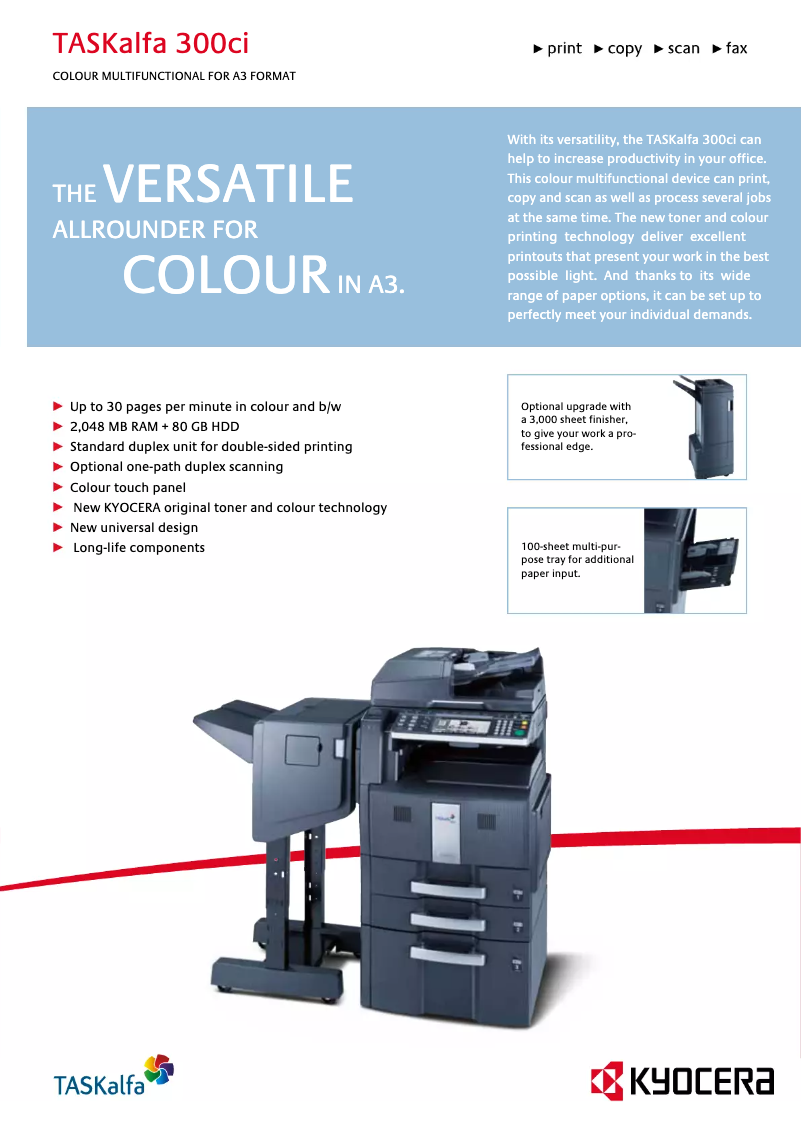
The Kyocera TASKalfa 300ci is a printer that stands out for its optimal performance, offering fast and high-quality printing, making it particularly suitable for demanding work environments. Its versatility, which includes printing, copying, and scanning functions, makes it a highly sought-after all-in-one solution for offices. Additionally, the reputation of the Kyocera brand for durability ensures a safe investment with reduced maintenance costs. The user-friendly interface and accompanying documents, such as the user manual and FAQ, make it easy to use the printer, even for those who are not familiar with technology. However, it is essential to note that the initial cost of the device may be a barrier for small businesses or budget-conscious users. Furthermore, its weight and bulkiness can pose installation issues in tight spaces. Regarding energy consumption, the Kyocera TASKalfa 300ci can incur significant operating costs in the long run. Finally, while its advanced features are an asset, they can also complicate its use for some users, sometimes requiring training or an adjustment period. In summary, the Kyocera TASKalfa 300ci is a solid option for those seeking a high-performance printer, but it is crucial to consider the financial and logistical implications before purchase.Score details
Performance
The Kyocera TASKalfa 300ci offers optimal performance with fast, high-quality printing, ideal for demanding work environments.
Usability
The user-friendly interface and accompanying documents make the printer accessible even for less experienced users.
Robustness
The Kyocera brand is recognized for the durability of its products, ensuring longevity and reduced maintenance costs.
Value for money
Although the printer represents a high initial cost, its quality and versatility partly justify this investment, but it may be a barrier for small businesses.
Features
The Kyocera TASKalfa 300ci offers advanced features such as printing, copying, and scanning, but this may complicate its use for some users.
Battery life
The printer's energy consumption can be significant, which could increase long-term operating costs.
Design
Although the design is functional, the weight and bulk of the device can pose installation issues in tight spaces.
Advantages
Fast and high-quality printing
All-in-one solution for offices
Durability and reduced maintenance costs
User-friendly interface for all users
Safety instructions included for protection
Disadvantages
High purchase cost
Bulky weight and size
High energy consumption
Complex usage for beginners
High cost of consumables
Technical Specifications TASKalfa 300ci
General Information
-
ModelTASKALFA 300CI
-
Brand
-
Category
-
Type
-
SKU1340116
-
MPN1340116
Frequently Asked Questions
How can I remove paper jammed in the printer?
Why does my printer not recognize the original cartridges?
What are the possible reasons for poor print quality?
What is the difference between a laser printer and an inkjet printer?
Why does my inkjet printer leave black streaks on prints?
What does the acronym DPI mean?
Is the manual for the Kyocera TASKalfa 300ci available in French?
Similar products


More product categories from brand Kyocera
Phones Kyocera
Other Kyocera
More product types from brand Kyocera


Presentation of product TASKalfa 300ci specifications from brand Kyocera
General Information
The Kyocera TASKalfa 300ci model is a multifunction printer from the Kyocera brand, known for its commitment to quality and innovation in the office equipment sector. This model is designed to deliver high performance, ensuring fast and high-quality printing, making it an ideal choice for demanding work environments.
Advantages
Optimal performance: The Kyocera TASKalfa 300ci excels in speed and print quality, thus meeting the needs of busy offices.
Versatility: This all-in-one device allows for printing, copying, and scanning, simplifying operations within offices and reducing the need for additional equipment.
Reliability: With a well-established reputation, Kyocera ensures the durability and longevity of its products, thus offering a wise investment and reduced maintenance costs.
Ease of use: With a user-friendly interface and accompanying documents such as a user manual and a FAQ, this device is accessible even for less experienced users.
Security options: Built-in safety instructions ensure safe use, protecting both the printer and its users.
Disadvantages
High initial cost: Purchasing the Kyocera TASKalfa 300ci printer represents a significant investment, which can be a barrier for small businesses or users with a limited budget.
Weight and bulk: This model is relatively heavy and bulky, which can pose challenges when installing it in tight workspaces.
Energy consumption: The printer may require a significant amount of energy, potentially increasing operating costs for users.
Complexity of use: Some advanced features may be difficult to master for users less familiar with technology, thus requiring a learning period.
Cost of consumables: Acquiring compatible ink or toner cartridges can be expensive, increasing the total cost of use over the long term.


