
Manuals of product TASKalfa 3212i


Editorial note
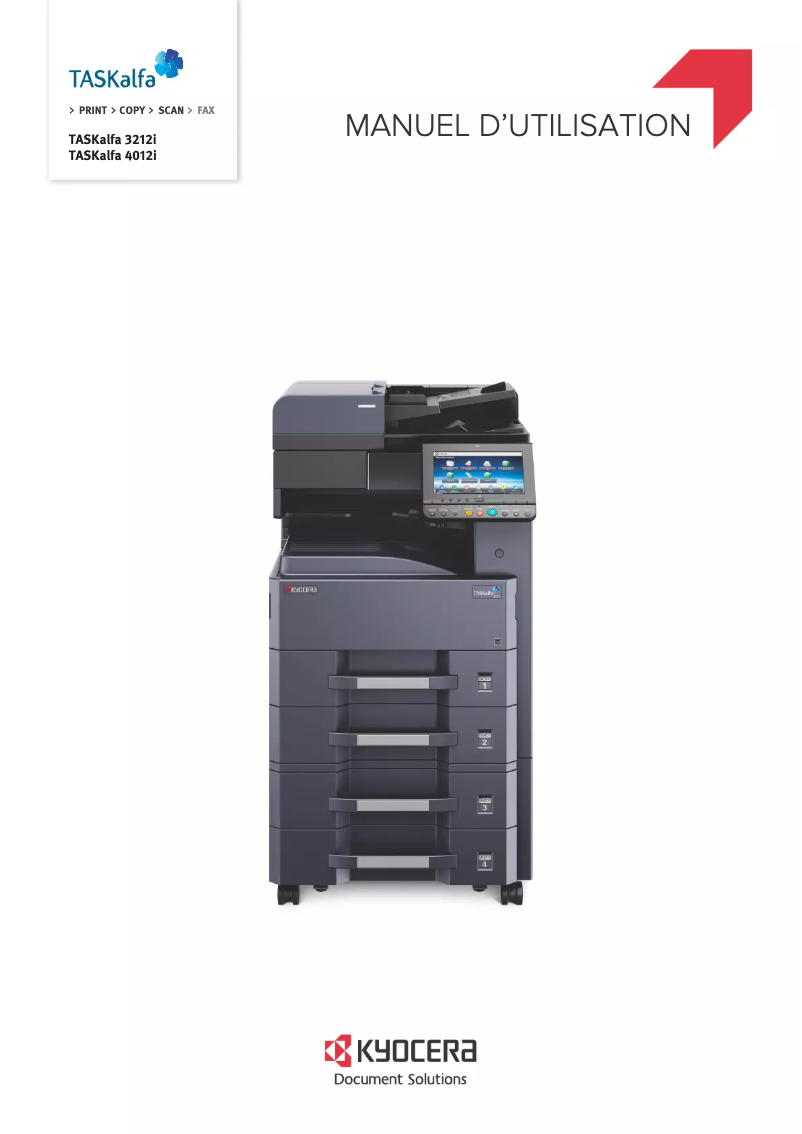
The Kyocera TASKalfa 3212i stands out for its exceptional print quality, delivering professional documents with remarkable clarity. Its versatility makes it a multifunction device appreciated by offices, capable of printing, copying, scanning, and sending faxes, thus meeting various needs. Additionally, this device is designed to be energy-efficient, helping to reduce operating costs while minimizing its environmental impact. However, the initial purchase cost can be a barrier for small businesses or individuals, representing a significant investment. Its size and weight can also complicate installation and relocation, especially in tight workspaces. While the print speed is acceptable, it may not meet the demands of high-volume environments. Furthermore, some users may find the interface slightly complex at first, requiring an adjustment period for optimal use. Regarding support, the provided documentation is comprehensive, including a manual and a FAQ, thus facilitating the handling of the printer. The combination of these features makes the Kyocera TASKalfa 3212i a solid choice for those seeking a quality multifunction printer, despite a few considerations to keep in mind.Score details
User experience
The ease of use is a major asset thanks to a user-friendly interface, but some users may find the interface a bit complex at first.
Performance
The print quality is exceptional, but the printing speed may not be sufficient for high-volume environments.
Value for money
The initial purchase cost is high, which could be a barrier for small businesses or individuals, despite the quality of the device.
Support
The comprehensive documentation, including a manual and FAQ, makes it easier to get started and use the printer optimally.
Design
Although the printer is functional, its size and weight can make installation and moving difficult, especially in tight spaces.
Features
The versatility is remarkable, with printing, copying, scanning, and faxing functions, meeting various office needs.
Advantages
Clear and precise prints
Multifunction: printing, copying, scanning, faxing
Energy-efficient and cost-effective
User-friendly and intuitive interface
Complete documentation available
Disadvantages
High initial purchase cost.
Difficult installation in tight spaces.
Expensive consumables in the long run.
Insufficient printing speed for large volumes.
Complex user interface to master.
Technical Specifications TASKalfa 3212i
General Information
-
ModelTASKALFA 3212I
-
Brand
-
Category
-
Type
-
SKU1340105
-
MPN1340105
Frequently Asked Questions
What is the best method to remove paper jammed in the printer?
Why is my printer refusing to accept original cartridges?
What are the causes of poor print quality?
What are the differences between a laser printer and an inkjet printer?
Why is my inkjet printer producing black streaks?
What does the acronym DPI mean?
Why won't my printer turn on?
How can I troubleshoot paper jams on the Kyocera TASKalfa 3212i printer?
What should I do if the print quality is unsatisfactory?
How do I connect my printer to a Wi-Fi network?
What should I do if my printer displays error codes?
Is the manual for the Kyocera TASKalfa 3212i available in French?
Similar products


More product categories from brand Kyocera
Phones Kyocera
Other Kyocera
More product types from brand Kyocera


Presentation of product TASKalfa 3212i specifications from brand Kyocera
General Information
The Kyocera TASKalfa 3212i printer is a versatile device designed to meet the varied demands of modern office environments. Known for its reliability and innovation, the Kyocera brand has established itself as a leader in the field of printing equipment. This model, referenced as TASKalfa 3212i | TK-7129, is designed to provide an optimal user experience and high-quality performance.
Advantages
The Kyocera TASKalfa 3212i stands out with several attractive features:
- Exceptional print quality: Producing sharp and precise prints, it ensures high-level professional documents.
- Versatility: This multifunction device allows printing, copying, scanning, and faxing, thus adapting to various office needs.
- Energy efficiency: Designed to be eco-friendly, the TASKalfa 3212i helps reduce operating costs while minimizing environmental impact.
- Ease of use: Its user-friendly interface and intuitive features make the device accessible, even for less experienced users.
- Comprehensive support: The availability of varied documentation, including the user manual and FAQs, facilitates onboarding and optimal use of the printer.
Disadvantages
However, some aspects may pose challenges for users:
- Initial purchase cost: The acquisition price can be high, which may represent a significant investment for small businesses or individuals.
- Size and weight: Its dimensions may complicate installation and movement, especially in tight workspaces.
- Maintenance costs: Replacing consumables, such as toners, can incur long-term expenses, affecting the printing budget.
- Print speed: Although satisfactory, the print speed may not meet the needs of high-volume work environments.
- Complexity of the interface: Some users may find the interface complex, requiring an adjustment period to master all its features.


