
Manuals of product TASKalfa 4820w


Editorial note
The Kyocera TASKalfa 4820w stands out for its exceptional print quality, delivering sharp and precise documents that meet professional standards. Its versatility allows it to handle various paper sizes and types of documents, making it an ideal choice for diverse office environments. Additionally, its energy efficiency helps reduce operational costs while being environmentally friendly. However, the initial purchase cost of the printer can be high, which may pose a potential barrier for small businesses or individual users. Furthermore, its size and weight can make moving and installing it difficult in tight spaces. While the print quality is impressive, maintenance costs, such as toner replacements, can add up quickly. Wireless connectivity may also face instabilities, which can detract from the user experience. In terms of usability, the clear user manual and comprehensive FAQ make it easy to use, although some less experienced users may encounter difficulties during the initial setup. The robustness and durability of Kyocera products enhance the printer's reliability, but it is important to consider all these aspects before making an investment.Score details
User experience
The handling of the printer is facilitated by a clear user manual and a comprehensive FAQ, although some less experienced users may encounter difficulties during the initial setup.
Performance
The print quality is exceptional, providing sharp and precise documents, although high maintenance costs may affect long-term profitability.
Value for money
The initial purchase cost is high, which can be a barrier for small businesses or individual users, but the performance and durability partly justify this investment.
Design
Although the printer is robust and durable, its size and weight can pose problems for mobility and installation in tight spaces.
Support
The availability of a manual and a detailed FAQ contributes to good user support, even if wireless connectivity issues may affect the overall experience.
Features
The versatility of the printer, capable of handling various paper formats and types of documents, makes it an ideal tool for diverse office environments.
Robustness
The Kyocera brand is recognized for the robustness of its products, ensuring increased longevity and reliability.
Advantages
Clear and professional prints
Management of various paper formats
Reduced energy consumption
Intuitive and simplified use
Guaranteed robustness and longevity
Disadvantages
High purchase cost for small users
Bulky size, difficult to move
Expensive maintenance for toners and parts
Sometimes unstable wireless connectivity
Complex initial setup for beginners
Technical Specifications TASKalfa 4820w
General Information
-
ModelTASKALFA 4820W
-
Brand
-
Category
-
Type
-
SKU1340143
-
MPN1340143
Frequently Asked Questions
What is the recommended method for removing paper jammed in the printer?
Why does my printer not recognize original cartridges?
What could be the reasons for poor print quality?
How does a laser printer differ from an inkjet printer?
Why does my inkjet printer leave black streaks on prints?
What does the acronym DPI mean?
Is the manual for the Kyocera TASKalfa 4820w available in French?
Similar products


More product categories from brand Kyocera
Phones Kyocera
Other Kyocera
More product types from brand Kyocera


Presentation of product TASKalfa 4820w specifications from brand Kyocera
General Information
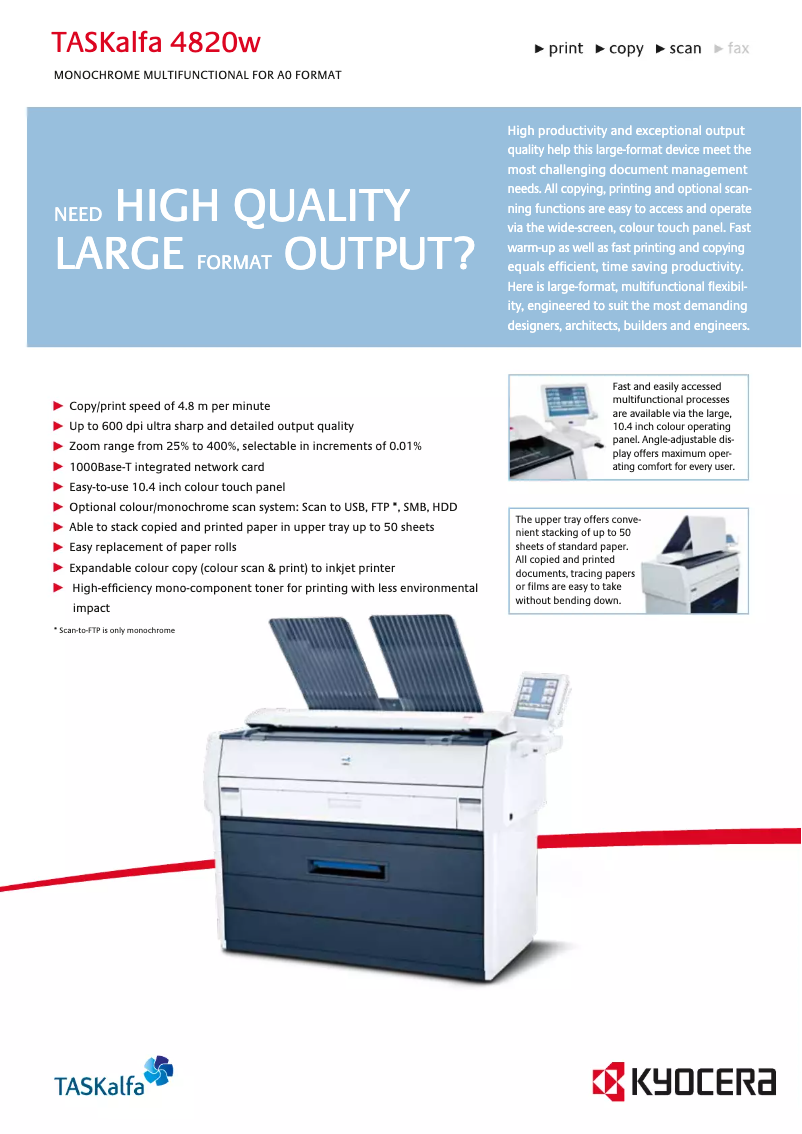
The Kyocera TASKalfa 4820w is a multifunction printer that stands out for its efficiency and reliability. Known for its innovation, the Kyocera brand offers with this model a solution tailored to the varied needs of office environments. The TASKalfa 4820w is designed to deliver optimal performance, ensuring a smooth and satisfying user experience.
Advantages
This printer is distinguished by several strengths:
- Exceptional print quality: The TASKalfa 4820w produces sharp and precise prints, ideal for professional documents.
- Versatility: It is capable of handling a variety of paper formats and document types, making it a wise choice for different office needs.
- Energy efficiency: Designed to minimize energy consumption, this printer helps reduce operational costs while being environmentally friendly.
- Ease of use: With a clear user manual and a comprehensive FAQ, setup and maintenance are simplified, allowing for intuitive use.
- Durability: The robustness of Kyocera products ensures increased longevity and reliability for the TASKalfa 4820w.
Disadvantages
However, there are a few drawbacks to consider:
- Initial cost: The initial investment to acquire the TASKalfa 4820w can be high, which may deter small businesses or individual users.
- Dimensions: Its size and weight can make installation and relocation difficult in tight spaces.
- Maintenance costs: Although high-performing, the costs associated with replacing toners and other parts can quickly add up.
- Wireless connectivity: The wireless connection can sometimes be unstable, leading to communication issues with certain devices or networks.
- Initial setup: Setting up the printer can be complex for less experienced users, requiring some adjustment time.


