
Manuals of product TASKalfa 5002i

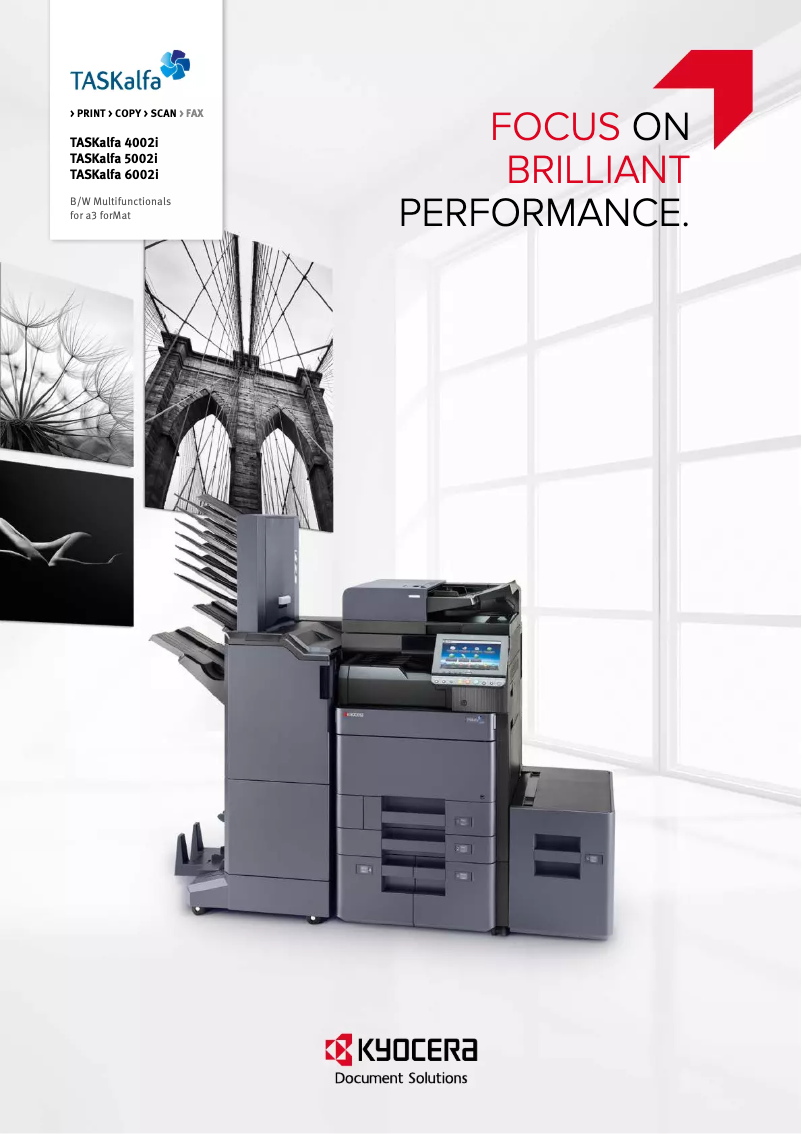


Editorial note
The Kyocera TASKalfa 5002i stands out for its exceptional print quality, delivering professional and sharp documents thanks to its high resolution. Its energy efficiency helps reduce operational costs, which is an asset for environmentally conscious offices. Additionally, with advanced features such as printing, scanning, and copying, this printer perfectly meets the varied needs of modern users. The user-friendly interface and support documents, such as the user manual and FAQ, also make it easy to get started, making daily use enjoyable. However, it is worth noting that the initial cost of the printer can be high, which may be a barrier for small businesses. Furthermore, the bulky size of the device requires adequate workspace for installation. Although its energy efficiency is a positive point, the startup time can be long, which could slow down productivity during the initial uses. Maintenance costs, particularly for toners and replacement parts, can also accumulate over time, impacting the overall value for money. In summary, the Kyocera TASKalfa 5002i is a wise choice for those seeking a robust and versatile printer, but it is important to consider the initial and maintenance investments before making a decision.Score details
User experience
The user-friendly interface and support documents, such as the user manual and FAQ, make it easy to get started and use daily.
Performance
The exceptional print quality and optimal performance ensure professional and sharp documents, meeting the varied needs of modern offices.
Battery life
Although the printer is energy-efficient, the warm-up time can be long, which may slow down productivity.
Design
The model is quite bulky, requiring adequate workspace for installation, but its design is modern and suitable for office environments.
Value for money
Its initial cost may be high for small businesses, and maintenance and consumable costs can accumulate over time.
Robustness
Kyocera's reputation for the durability and longevity of its devices ensures a reliable long-term investment.
Features
The versatility with advanced features such as printing, scanning, and copying meets the varied needs of users, although some functions require training.
Advantages
High-quality prints
Significant energy savings
Multifunctional features
User-friendly interface
Sturdy and durable
Varied connectivity
Disadvantages
High initial cost for small businesses
Bulky printer requiring a lot of space
Long setup time
High maintenance and consumable costs
Advanced features requiring additional training
Technical Specifications TASKalfa 5002i
General Information
-
ModelTASKALFA 5002I
-
Brand
-
Category
-
Type
-
SKU1340134
-
MPN1340134
Frequently Asked Questions
How can I remove paper jammed in the printer?
Why does my printer not recognize the original cartridges?
What are the possible reasons for poor print quality?
How does a laser printer differ from an inkjet printer?
Why does my inkjet printer leave black streaks on my prints?
What does the acronym DPI mean?
Is it possible to obtain the manual for the Kyocera TASKalfa 5002i in French?
Similar products


More product categories from brand Kyocera
Phones Kyocera
Other Kyocera
More product types from brand Kyocera


Presentation of product TASKalfa 5002i specifications from brand Kyocera
General Information
The Kyocera TASKalfa 5002i printer is an iconic model from the Kyocera brand, known for its commitment to quality and innovation in the office equipment sector. Designed to deliver reliable performance, the TASKalfa 5002i stands out for its ability to meet the diverse demands of modern professional environments.
Advantages
This printer is characterized by its exceptional print quality, producing documents with remarkable precision, ideal for professional presentations. Its energy efficiency helps reduce operating costs while minimizing environmental impact, making it a wise choice for companies concerned about their ecological footprint.
With its versatility, the Kyocera TASKalfa 5002i integrates printing, scanning, and copying functions, thus adapting to the varied needs of users. Additionally, its user-friendly interface and the availability of support documents facilitate daily use.
The durability of this device is also a major asset, thanks to Kyocera's reputation for the robustness of its products, ensuring a long-term investment. Finally, the advanced connectivity, including Wi-Fi and Ethernet options, allows for seamless integration into collaborative work systems.
Disadvantages
Despite its many advantages, the Kyocera TASKalfa 5002i has some drawbacks. Its initial cost can be high, representing a significant investment, especially for small businesses or individual users. Moreover, its size may require adequate workspace for installation.
The startup time can also be lengthy, which may affect productivity during initial uses. Furthermore, the maintenance and consumable costs, such as toners and replacement parts, can accumulate over time. Some advanced features may require training or adjustment, which may not suit all users.


