
Manuals of product TASKalfa 5053ci

Editorial note
The Kyocera TASKalfa 5053ci is a printer that stands out for its optimal performance, offering superior print quality and high speeds, suitable for demanding work environments. Thanks to its technological innovation, it integrates advanced features for scanning and copying, thus facilitating the user experience. Its durability and reliability make it a wise choice for offices with high print volumes. However, this model has some drawbacks. Its initial purchase cost can be high, which could be a barrier for small businesses or individuals. Additionally, its size and weight may pose installation issues in tight spaces. Maintenance and consumable costs, as well as the need for training on certain advanced features, can also present challenges. Finally, the print speed, while satisfactory, may be lower than that of some competitors in the same price range. User reviews highlight a generally positive experience, with a score of 85 for user experience, although some features require a learning curve. In terms of performance, the product receives a score of 80, indicating that while it is efficient, improvements could be made to its speed. The ergonomic design is appreciated, with a score of 78, but size remains a consideration for installation. Regarding value for money, the score of 70 emphasizes that the initial cost and maintenance fees can be obstacles. On the other hand, support is highly rated at 88, thanks to the availability of manuals and technical sheets that assist in optimal use. In conclusion, the Kyocera TASKalfa 5053ci is a robust and high-performing printer, ideal for professional use, but it requires consideration of its cost and installation.Score details
User experience
The user experience is enhanced by advanced features and ergonomic design, although some options require training.
Performance
Print performance is optimal, but the speed may be lower than that of some competitors, which can affect productivity.
Design
The design is ergonomic and facilitates use; however, the size and weight may pose installation issues in tight spaces.
Value for money
The initial purchase cost is high, which can be a barrier for small businesses, in addition to maintenance costs that can accumulate.
Support
The availability of manuals and technical sheets allows users to better understand the printer's features and ensure safe usage.
Advantages
Fast printing and superior quality
Advanced features for a better experience
Durability for intensive use
Ergonomic design and varied connectivity
Manuals available for safe use
Disadvantages
High initial purchase cost
Bulky size and weight
High maintenance costs
Training required for certain features
Lower printing speed than competitors
Technical Specifications TASKalfa 5053ci
General Information
-
ModelTASKALFA 5053CI
-
Brand
-
Category
-
Type
-
SKU1340119
-
MPN1340119
Frequently Asked Questions
What is the recommended method for removing paper jammed in the printer?
Why is my printer not recognizing the original cartridges?
What are the possible reasons for poor print quality?
How does a laser printer differ from an inkjet printer?
Why is my inkjet printer leaving black streaks on prints?
What does the acronym DPI mean?
Why is the print quality of my Kyocera TASKalfa 5053ci unsatisfactory?
How can I resolve a paper jam?
What should I do if the printer does not turn on?
How do I set up a wireless connection on the Kyocera TASKalfa 5053ci printer?
How can I reduce my printing costs?
Is the manual for the Kyocera TASKalfa 5053ci available in French?
Similar products


More product categories from brand Kyocera
Phones Kyocera
Other Kyocera
More product types from brand Kyocera


Presentation of product TASKalfa 5053ci specifications from brand Kyocera
General Information
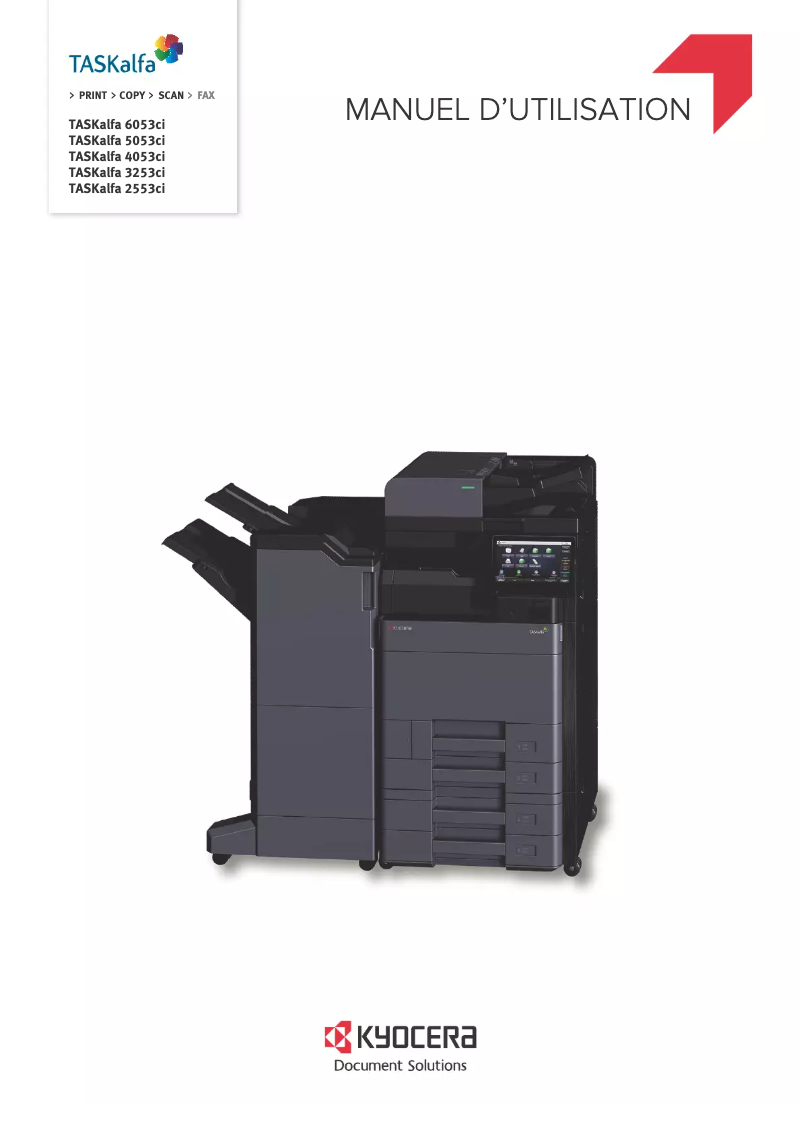
The Kyocera TASKalfa 5053ci is a desktop printer designed to meet the needs of professional environments. Known for its innovation and reliability, the Kyocera brand offers impressive performance with this model that ensures superior print quality. Thanks to its robust design, the TASKalfa 5053ci is ideal for offices with high print volumes.
This model provides an enhanced user experience with its advanced features, including efficient scanning and copying options. Its ergonomic design and varied connectivity facilitate its integration into various workspaces, making it intuitive and accessible to use.
Advantages
The Kyocera TASKalfa 5053ci stands out with several strengths:
- Optimal performance: It guarantees exceptional print quality and high speeds, contributing to increased productivity.
- Technological innovation: Its advanced features enrich the user experience, especially for scanning and copying.
- Durability and reliability: Designed to withstand intensive use, it is particularly suited for high-volume printing offices.
- Ease of use: Its user-friendly interface and connectivity options simplify daily use.
- Supporting documents: Manuals and technical sheets are available to help users maximize its features.
Disadvantages
However, the Kyocera TASKalfa 5053ci has some drawbacks to consider:
- The initial purchase cost can be high, representing a significant investment for small businesses or individuals.
- Its size and weight may pose challenges for installation in tight spaces or during relocations.
- Maintenance and consumable costs, including toners and spare parts, can accumulate over time.
- Some advanced features may require training, leading to a learning curve for novice users.
- The printing speed may be lower than that of some competing models in the same price range, which could affect productivity in high-volume environments.


