
Manuals of product TASKalfa 552ci



Editorial note
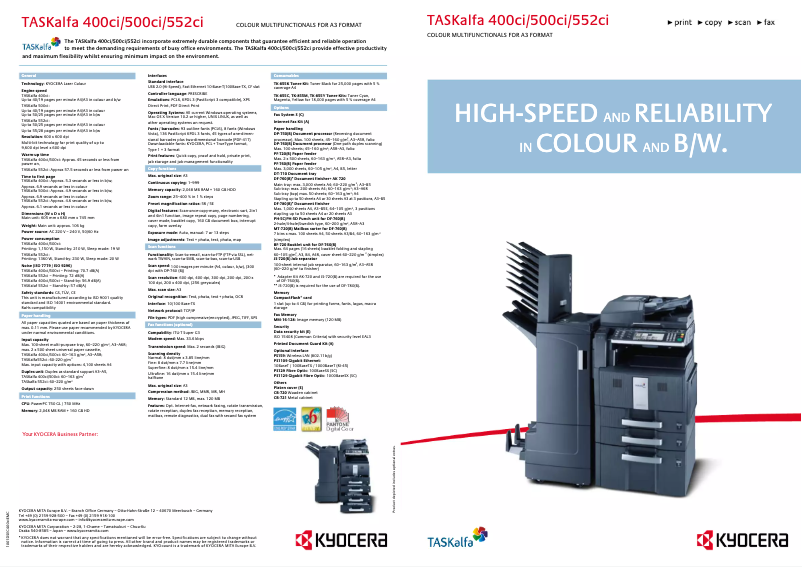
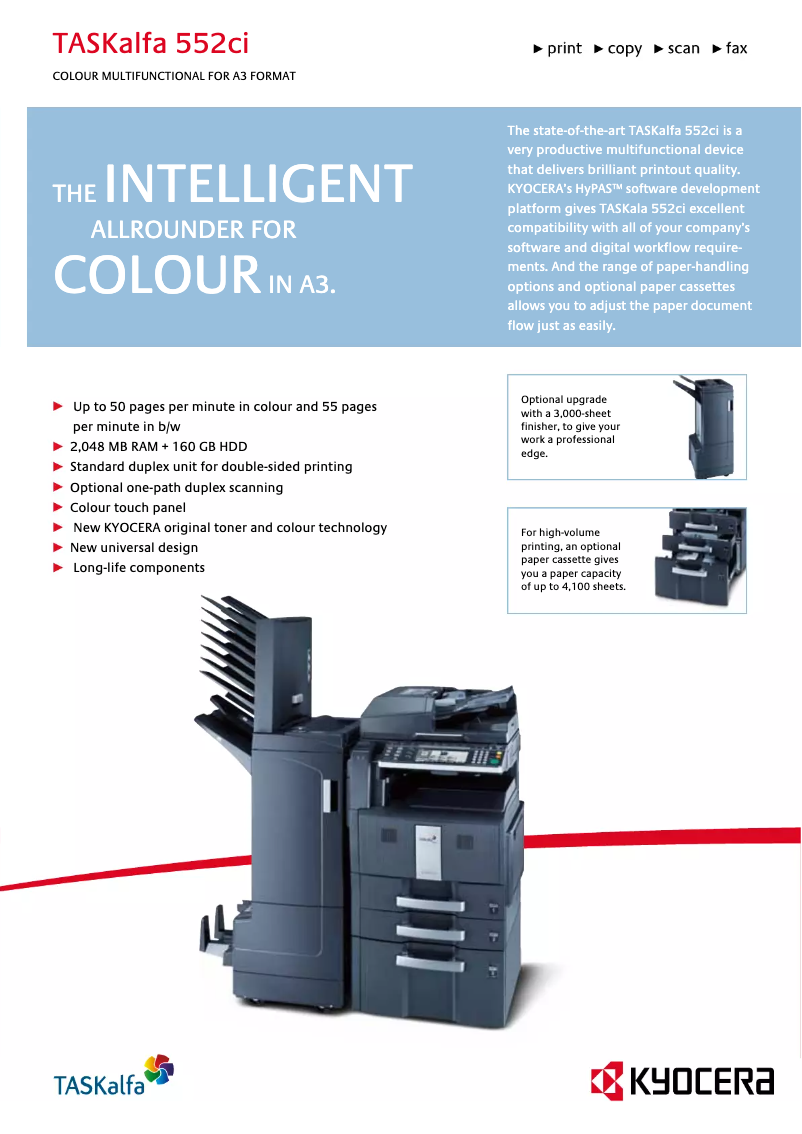
The Kyocera TASKalfa 552ci stands out for its exceptional print quality, offering a high resolution that ensures sharp and professional documents. Its functional versatility, as a printer, copier, scanner, and fax, makes it an ideal choice for various work environments. Additionally, it is designed to be energy-efficient, which helps reduce operating costs while being environmentally friendly. Its user-friendly interface and accompanying documents, such as the manual and FAQ, make it easy to use, even for beginners. However, it is important to note that the initial acquisition cost can be a barrier for small businesses or individual users, and its size and weight may make installation difficult in tight spaces. Maintenance and consumable costs can quickly add up, and some users may find the interface complex, requiring an adjustment period. Finally, although the print quality is remarkable, the printing time for large documents may be longer, which could affect efficiency in a professional setting. In summary, the TASKalfa 552ci is a robust and reliable device, suitable for intensive office use. Its multitude of features and durability make it a wise choice, despite some drawbacks related to cost and complexity of use.Score details
User experience
The user-friendly interface is an asset, but some users may find it complex to use at first, requiring a learning curve.
Performance
The print quality is exceptional, but the printing time may be longer for large documents, which can affect workplace efficiency.
Design
The size and weight make the printer difficult to move, which can be a disadvantage for some office setups.
Value for money
The initial acquisition cost is high, which can be a barrier for small businesses, although the versatility partly justifies this investment.
repairability
Maintenance costs can add up, but the durability of the printer is a positive point that contributes to its longevity.
Robustness
Designed for heavy use, the TASKalfa 552ci is robust and reliable, making it an ideal choice for offices.
Features
The versatility of the printer, which combines printing, copying, scanning, and faxing, offers a multitude of highly appreciated features in a professional environment.
Support
Accompanying documents like the manual and FAQ are helpful, although the complexity of the interface may require additional support.
Documentation
The 476 pages of available documentation provide comprehensive and detailed information for users.
Advantages
High-quality printing
Multiple features: printer, copier, scanner, fax
Energy-saving and environmentally friendly
User-friendly interface, easy to use
Sturdy and durable for heavy use
Disadvantages
High initial acquisition cost
Size and weight difficult to move
High maintenance and consumables costs
Complex user interface to master
Slow printing time for large volumes
Technical Specifications TASKalfa 552ci
General Information
-
ModelTASKALFA 552CI
-
Brand
-
Category
-
Type
-
SKU1340114
-
MPN1340114
Frequently Asked Questions
What is the recommended method for removing a jammed paper from the printer?
Why is my printer refusing to accept original cartridges?
What could be the reasons for poor print quality?
How does a laser printer differ from an inkjet printer?
Why is my inkjet printer leaving black streaks on prints?
What does the abbreviation DPI mean?
Is the manual for the Kyocera TASKalfa 552ci available in French?
Similar products


More product categories from brand Kyocera
Phones Kyocera
Other Kyocera
More product types from brand Kyocera


Presentation of product TASKalfa 552ci specifications from brand Kyocera
General Information
The Kyocera TASKalfa 552ci printer is a flagship model from the Kyocera brand, known for its commitment to quality and innovation in the office equipment sector. This model is designed to deliver superior performance and an enhanced user experience, making it an ideal choice for demanding work environments.
Advantages
The Kyocera TASKalfa 552ci stands out for its exceptional print quality, offering high resolution that ensures clear and professional documents, whether they are reports, presentations, or marketing materials. Its functional versatility makes it a true all-in-one tool, combining the functions of a printer, copier, scanner, and fax, which is particularly advantageous in offices requiring multiple capabilities in a single device.
Designed to be energy-efficient, this printer helps reduce energy consumption, promoting savings on operating costs while preserving the environment. Its user-friendly interface allows for easy setup and use, even for less experienced users, thanks to accompanying documents such as the user manual and FAQ sections. Finally, the reliability and durability of this model, inherited from Kyocera's expertise, make it a robust piece of equipment capable of withstanding intensive use.
Disadvantages
However, it is important to note that the initial acquisition cost of the Kyocera TASKalfa 552ci may be a barrier for small businesses or individual users. Its size and weight can also complicate moving and installing it in tight spaces. Additionally, the maintenance and consumables costs, such as toners and spare parts, can accumulate over time. Some users may find the user interface complex, requiring a learning period for optimal use. Finally, due to its ability to produce high-quality prints, the print time for large documents may be longer than that of less advanced models.


