
Manuals of product TASKalfa 820


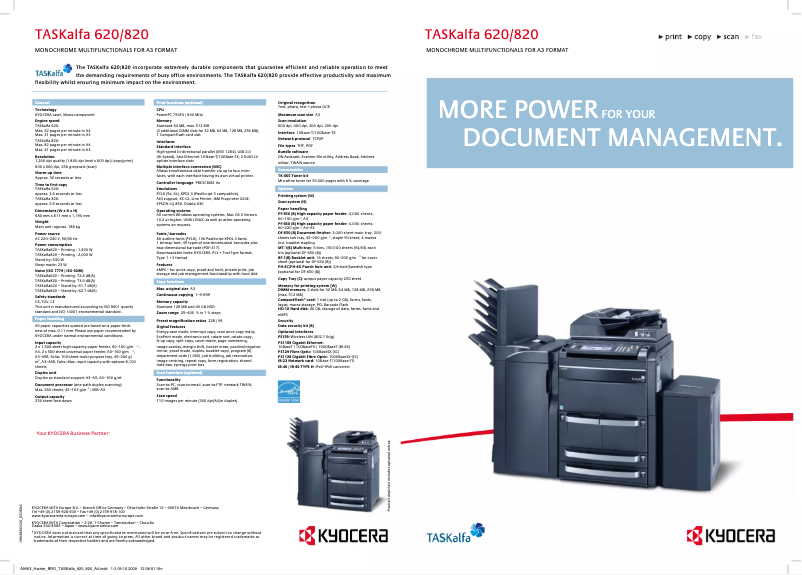


Editorial note
The Kyocera TASKalfa 820 stands out for its optimal performance, delivering high-quality prints that ensure professional and sharp documents. Its versatility is also noteworthy, as it supports various paper formats and printing options, thus meeting diverse needs. Moreover, the robustness of this device makes it a wise choice for intensive long-term use, a strong point often praised by users. However, some drawbacks deserve mention. The initial purchase cost, as well as the price of toners and maintenance, can be high, thus increasing the total cost of ownership. Additionally, its bulkiness may pose space issues in an office. The printing speed, while respectable, may not satisfy users with particularly high demands. Furthermore, the user interface may seem complex for newcomers, requiring an adjustment period. Finally, user support is an asset, with documents such as the user manual and FAQ available to help resolve issues. The energy efficiency of the TASKalfa 820 is also commendable, contributing to reduced operational costs and environmental impact. Overall, this printer is an excellent choice for businesses seeking quality and durability, although it may not suit all budgets or needs.Score details
User experience
The user interface can be complex, requiring an adjustment period for new users.
Performance
The Kyocera TASKalfa 820 offers optimal performance with high-quality prints, ensuring professional and sharp documents.
Robustness
Durability is a strong point, with a robust design that withstands intensive use over the long term.
Value for money
The initial purchase cost and toner costs can be high, which may increase the total cost of ownership.
Features
The printer supports multiple paper formats and printing options, offering versatility for various needs.
Support
User support is comprehensive with available documents such as the user manual and FAQ.
Battery life
Energy efficiency is good, helping to reduce operational costs and environmental impact.
Advantages
High-quality prints
Supports multiple paper formats
Durable for heavy use
Accessible user documentation
Reduced energy consumption
Disadvantages
High initial purchase cost
Bulkiness in the workspace
High maintenance and toner costs
Insufficient printing speed for some
Complex user interface
Advanced features unnecessary for some
Technical Specifications TASKalfa 820
General Information
-
ModelTASKALFA 820
-
Brand
-
Category
-
Type
-
SKU1340117
-
MPN1340117
Frequently Asked Questions
What is the recommended method for removing jammed paper from the printer?
Why does my printer not recognize the original cartridges?
What could be the reasons for poor print quality?
How does a laser printer differ from an inkjet printer?
Why does my inkjet printer leave black marks on prints?
What does the acronym DPI mean?
Is the manual for the Kyocera TASKalfa 820 available in French?
Similar products


More product categories from brand Kyocera
Phones Kyocera
Other Kyocera
More product types from brand Kyocera


Presentation of product TASKalfa 820 specifications from brand Kyocera
General Information
The Kyocera TASKalfa 820 printer is a model recognized for its reliability and efficiency in the field of professional printing. The Kyocera brand, famous for its innovation and the quality of its products, designed this device to provide an optimal user experience. With the TASKalfa 820, users can expect high performance, tailored to the varied needs of modern offices.
Advantages
This printer stands out for its exceptional performance, ensuring prints of superior quality, ideal for creating impeccable professional documents. Its versatility is also a major asset, as it supports various paper formats and printing options, making it suitable for a multitude of applications. Additionally, the durability of the TASKalfa 820 is a strong point, as it is designed to withstand intensive use over time. Users benefit from comprehensive support through resources such as the user manual and FAQ, thus facilitating the resolution of potential issues. Furthermore, this device is energy-efficient, helping to reduce operating costs while minimizing its impact on the environment.
Disadvantages
However, the Kyocera TASKalfa 820 has some drawbacks. Its initial acquisition cost can be high, which may deter purchase by small businesses or individuals. Moreover, its size can be bulky, posing space challenges in some offices. The cost of toners and maintenance can also be high, thus increasing the total cost of ownership in the long term. Although its printing speed is respectable, it may not meet the needs of users with very high printing requirements. Additionally, the user interface may seem complex for new users, requiring an adjustment period. Finally, some advanced features may not be essential for everyone, making the printer potentially oversized for basic printing needs.


