
Manual of product QCP 1900
Editorial note
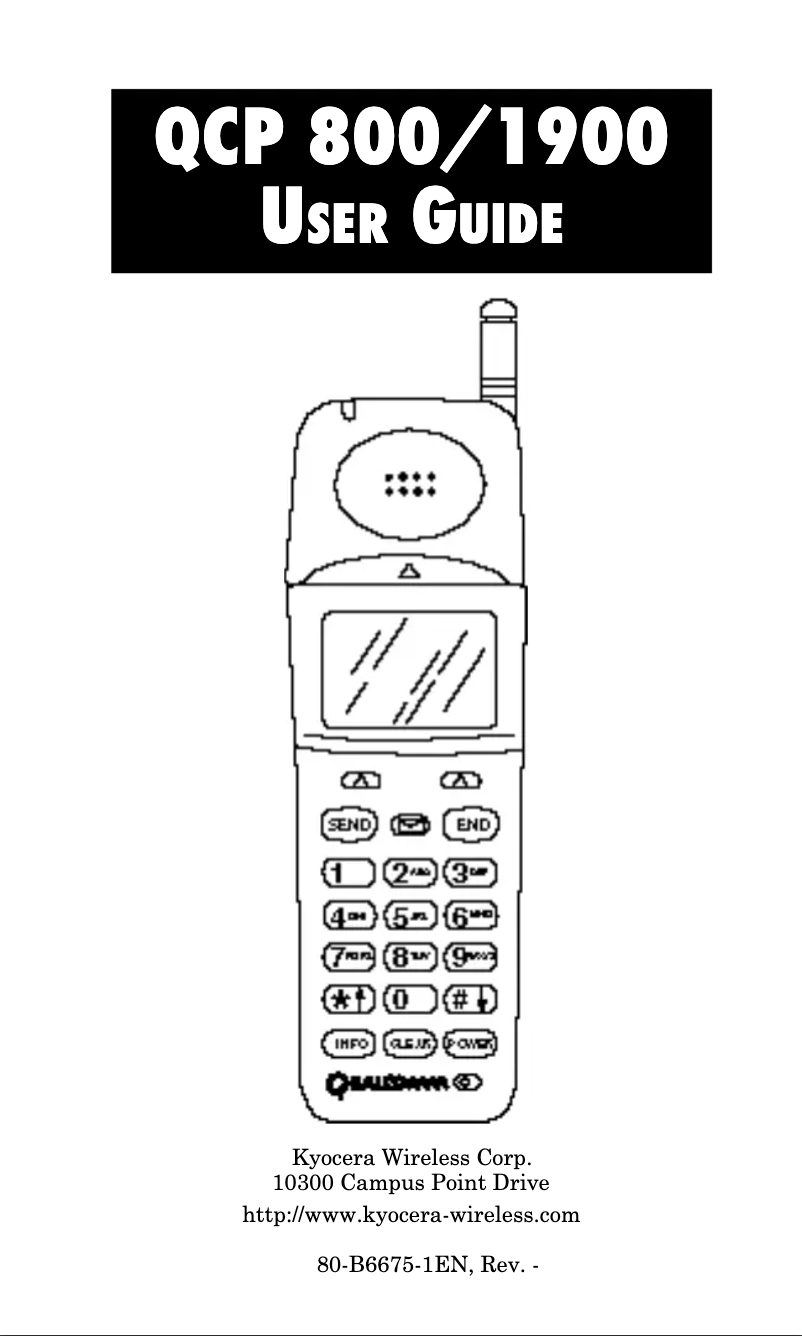
The Kyocera QCP 1900 stands out due to the reputation of the Kyocera brand, known for its quality and innovation. This model offers a pleasant user experience thanks to an intuitive interface and smooth navigation, making it easy to access essential features. Additionally, the product comes with a comprehensive user manual, allowing users to quickly master the various options available. However, several drawbacks must be taken into account. The QCP 1900 lacks modern features such as internet access and applications, making it less useful compared to contemporary smartphones. Furthermore, its size and weight may make it less convenient to carry. The battery life is also a weak point, as it may not satisfy heavy users, requiring frequent recharges. Finally, the small screen may not be optimal for viewing multimedia content, and the lack of software updates could pose security and compatibility issues with other devices. In summary, the Kyocera QCP 1900 is a solid and reliable phone for everyday tasks, but it may disappoint those looking for advanced features and increased portability.Score details
User experience
The user experience is enhanced by an intuitive interface and smooth navigation, making it enjoyable to use.
Performance
Performance is solid for everyday tasks, but may be insufficient for more advanced needs.
Battery life
Battery life may disappoint heavy users, requiring frequent recharges.
Design
The design is functional, but the size and weight may make the phone less convenient to carry.
Documentation
The product comes with comprehensive documentation, making it easier to learn the features.
Features
The lack of modern features like internet access limits its usefulness compared to current smartphones.
Support
The lack of software updates can pose security and compatibility issues.
Advantages
Kyocera reliability and innovation
Intuitive and smooth navigation
Complete user manual included
Solid performance for everyday use
Suitable for all lifestyles
Disadvantages
No internet access or applications
Inconvenient size and weight
Insufficient battery life
Screen too small for multimedia
Lack of software updates
Technical Specifications QCP 1900
General Information
-
ModelQCP 1900
-
Brand
-
Category
-
Type
-
SKU1771557
-
MPN1771557
Frequently Asked Questions
Is the manual for the Kyocera QCP 1900 available in French?
Similar products




More product categories from brand Kyocera
Phones Kyocera
Other Kyocera
More product types from brand Kyocera


Presentation of product QCP 1900 specifications from brand Kyocera
General Information
The Kyocera QCP 1900, designed by the brand Kyocera, stands out for its reputation in quality and innovation in the mobile device sector. This model, the QCP 1900, is designed to provide reliable performance while enhancing the user experience with an intuitive and smooth interface.
This mobile phone proves to be a suitable choice for a variety of lifestyles, whether for professional use or leisure activities. It comes with comprehensive documentation, making it easier to grasp and optimally utilize its features.
Advantages
- Brand reliability: Kyocera is known for its durable products, ensuring consistent performance.
- Intuitive use: The design of the QCP 1900 allows for easy navigation, making access to the phone's functions enjoyable.
- Comprehensive documentation: The user manual provided helps to master the various features without difficulty.
- Solid performance: This model effectively meets the daily needs of users thanks to its well-thought-out technical characteristics.
- Versatility: Suitable for various uses, the QCP 1900 is appropriate for both professionals and casual users.
Disadvantages
- Limited features: The lack of internet access and modern applications may restrict its use compared to contemporary smartphones.
- Size and weight: The QCP 1900 may seem less convenient to carry, especially compared to newer and lighter models.
- Battery life: Heavy users might find that the battery life requires frequent recharges.
- Screen size: The relatively small screen may not be ideal for viewing multimedia content, which could be an issue for some users.
- Lack of updates: The absence of software updates could lead to security and compatibility issues with other devices.


