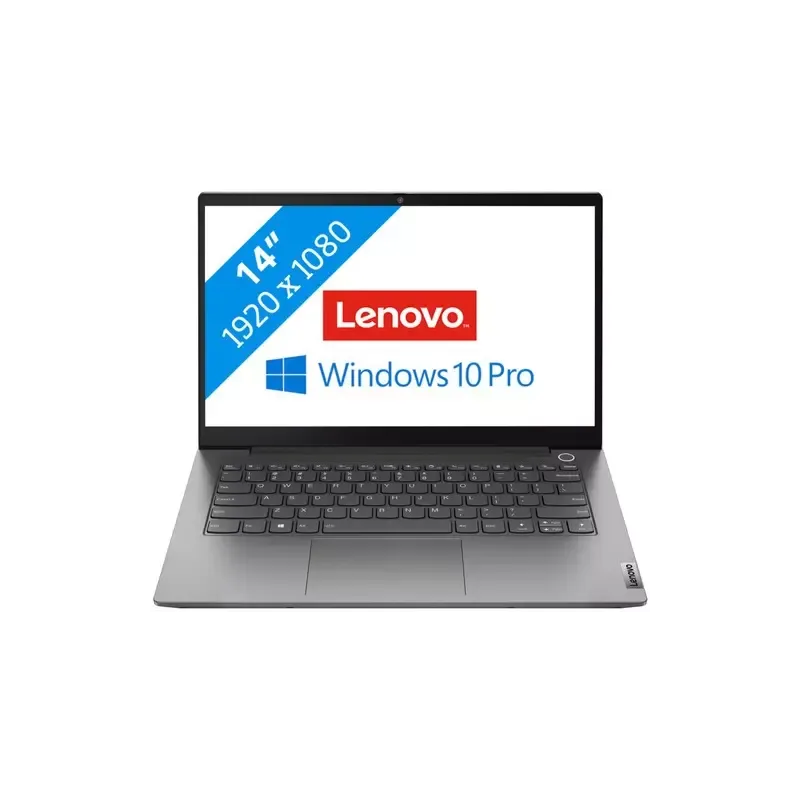

Manual of product ThinkBook 14 G2

Editorial note
The Lenovo ThinkBook 14 G2 stands out for its optimal performance, making this laptop ideal for both professional and personal tasks. Its speed and reliability provide an enhanced user experience, facilitated by a user-friendly interface and intuitive features. However, some aspects deserve to be highlighted. Although its lightweight and compact design makes it easily portable, it may feel a bit heavy for those seeking an ultra-portable option. Additionally, the battery life may prove insufficient for extended work sessions without recharging, which could pose a problem for mobile users. Regarding connectivity, the lack of additional USB-C ports limits options for those using many modern accessories. Furthermore, the quality of the built-in speakers may not meet the expectations of users looking for an immersive audio experience. Finally, while the keyboard is functional, it may lack comfort during prolonged use compared to some competing models. Overall, the Lenovo ThinkBook 14 G2 is a solid choice for those seeking a high-performance laptop, but it is important to consider these potential drawbacks based on your specific needs.Score details
User experience
The user experience is enhanced by a user-friendly interface and intuitive features, making daily use easier.
Performance
Performance is optimal for both professional and personal tasks, offering reliability and speed.
Design
The lightweight and compact design makes the ThinkBook 14 G2 easy to carry, although it may be a bit heavy for an ultra-portable option.
Battery life
Battery life may be insufficient for prolonged use without recharging, which can be problematic for professionals on the go.
Features
Although the features are adequate, the lack of additional USB-C ports limits connectivity for users of modern accessories.
audio_quality
The quality of the built-in speakers may not satisfy users looking for an immersive audio experience.
keyboard
The keyboard is functional, but it may lack comfort for prolonged use compared to some competitors.
Advantages
Fast and reliable performance
User-friendly and intuitive interface
Guaranteed robustness and durability
Lightweight and portable design
User manual included
Disadvantages
Heavy weight for portable use.
Mediocre audio quality of the speakers.
Lack of additional USB-C ports.
Insufficient battery life.
Keyboard less comfortable than the competition.
Technical Specifications ThinkBook 14 G2
General Information
-
ModelTHINKBOOK 14 G2
-
Brand
-
Category
-
Type
-
SKU1312059
-
MPN1312059
Frequently Asked Questions
What factors influence download speed on the Internet?
What are the dimensions of my laptop screen?
What does the acronym HDMI stand for?
What is the best method to clean my laptop?
How can I clean my keyboard?
What is Bluetooth?
Is the manual for the Lenovo ThinkBook 14 G2 available in French?
Similar products


More product categories from brand Lenovo
Computers and accessories Lenovo
Phones Lenovo
Audio Lenovo
Other Lenovo
Interior Lenovo
Software Lenovo
More product types from brand Lenovo


Presentation of product ThinkBook 14 G2 specifications from brand Lenovo
General Information
The Lenovo ThinkBook 14 G2 positions itself as a modern and high-performance laptop, developed by Lenovo, a renowned brand for its commitment to quality and technological innovation. Designed to meet the needs of professionals and everyday users, this model offers an enhanced user experience thanks to its advanced specifications.
Advantages
This device stands out for its optimal performance, allowing for smooth execution of both professional and personal applications. Its user-friendly interface and intuitive features simplify daily use, making every interaction enjoyable.
The build quality of the ThinkBook 14 G2 ensures robustness and durability, reflecting Lenovo's reputation in the industry. Its portability is also a major asset, thanks to a lightweight design that facilitates transport, ideal for professionals on the go. Finally, it comes with a user manual, ensuring a quick and effective setup.
Disadvantages
However, some aspects may be perceived as limitations. The weight of the laptop, while reasonable, may not suit those looking for an ultra-portable option, making daily commutes more cumbersome. Additionally, the quality of the built-in speakers may not satisfy users seeking an immersive audio experience.
The lack of additional USB-C ports could limit connectivity, especially for those using many modern accessories. The battery life may prove insufficient for extended sessions without recharging, which is a drawback for mobile workers. Finally, while functional, the keyboard may not offer the same comfort as some competing models, thus impacting the typing experience over long periods.


