
Manual of product 2580+

Editorial note
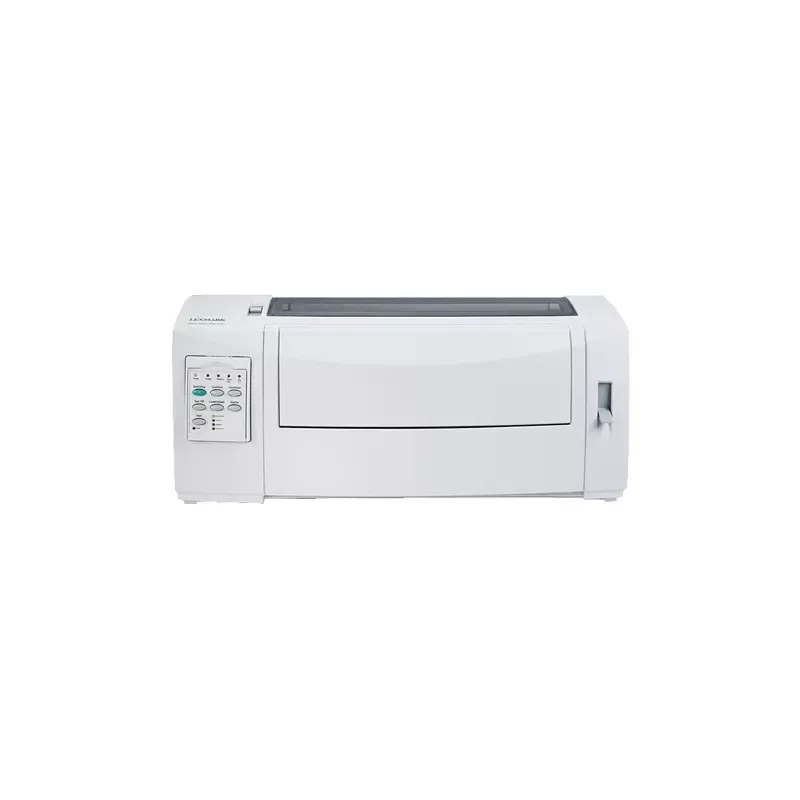
The Lexmark 2580+ printer stands out for its printing speed, reaching up to 400 characters per second in draft mode and 618 characters per second in low quality. This makes it an efficient choice for those who need frequent prints. Its maximum resolution of 240 x 144 DPI ensures clear prints, suitable for both professional and personal use. Additionally, it offers excellent flexibility in paper management, accepting a wide range of formats, which is an asset for various printing projects. However, several drawbacks must be considered. The lack of color printing limits its use for documents requiring an attractive visual presentation. Furthermore, the maximum printing speed of 100 characters per second may seem slow compared to more modern models, which could slow down workflows in high-volume printing environments. Its weight of 8000 g can also make it difficult to move, especially in workspaces requiring flexibility. Finally, the noise level in printing mode can be disruptive in shared or quiet offices. In terms of user experience, compatibility with multiple operating systems is a plus, although some users may face limitations with recent systems. The value for money is satisfactory, especially for those who do not need color. Overall, the Lexmark 2580+ is a robust and durable printer, but it will be better suited for users with simple and regular printing needs.Score details
User experience
The user experience is generally satisfactory, with good compatibility with various operating systems, but the lack of color printing limits its appeal for some users.
Performance
The printing speed is respectable, but may seem slow compared to modern models, and the maximum resolution of 240 x 144 DPI may not be suitable for users requiring high precision.
Design
The weight of 8000 g can make it difficult to move, which can be a disadvantage in work environments requiring flexibility.
Value for money
The value for money is good, especially for users with regular printing needs who do not require color.
Features
The printer offers many interesting features, including good durability and a wide range of supported paper sizes.
Support
The documentation provided is helpful, but limited compatibility with some recent operating systems could pose problems for some users.
noise_level
The noise level reaches 56 dB in printing mode, which can be disruptive in shared or quiet workspaces.
Advantages
Fast printing up to 618 cps
Clear resolution of 240 x 144 DPI
Supports various paper formats
Durability with 4 million characters
Compatible with multiple operating systems
Disadvantages
No color printing available
Print resolution limited to 240 x 144 DPI
Heavy weight, difficult to move
Slow printing speed at 100 cps
Limited compatibility with recent systems
Printing noise at 56 dB disturbing
Technical Specifications 2580+
General Information
-
Model2580+
-
Brand
-
Category
-
Type
-
SKU1048073
-
MPN1048073
Print speed
-
Maximum print width-
-
ColorNo
-
Maximum resolution240 x 144 DPI
-
Maximum printing speed100 characters per second
-
Maximum print speed (draft quality)400 characters per second
-
Maximum print speed (low quality)618 characters per second
-
Measurement of the number of characters per inch12 characters per inch
-
Embedded barcodesCODABAR (NW-7), Code-128 Codabar Library, EAN13, EAN8, Industrial 2/5, Interleaved 2/5, POSTNET, UPC-A, UPC-E
-
Bitmap fontsCourier, Draft, Gothic
Paper management
-
Maximum print format297 x 559 mm
-
Cutting blade width rank105 - 215 mm
-
Cutting leaf length rank139 - 559 mm
-
Continuous paper width range76 - 297 mm
-
Continuous paper length rank76 - 559 mm
-
Average weight continues70 - 90 g/m²
-
Average weight of cutting sheet60 - 90 g/m²
Autonomy
-
Print head9 pins
-
Lifespan of the ribbon4 million characters
-
Mean time between failures12500 h
Features
-
Languages of the page descriptionEpson ESC/P2
-
Buffer sizeEpson FX
-
Sound pressure level (impression)Epson LQ
-
Sound pressure level (silent mode)Epson LX
-
CertificationOKI ML
-
PPDS
-
512 KB
-
56 dB
-
15 dB
-
UL 60950-1, CSA, FCC B, VCCI, CB IEC 60950-1, SEMKO, GS (TÜV), CE B, SMA C-Tick
Connectivity
-
Standard interfacesUSB 2.0
-
Optional connectivityEthernet, Parallel
Minimum system requirements
-
Support for the Windows operating systemWindows 2000
-
Support for the Linux operating systemWindows 2000 Professional
-
Support for the server operating systemWindows 7 Home Basic
-
Windows 7 Home Basic x64
-
Windows 7 Home Premium
-
Windows 7 Home Premium x64
-
Windows 7 Professional
-
Windows 7 Professional x64
-
Windows 7 Starter
-
Windows 7 Starter x64
-
Windows 7 Ultimate
-
Windows 7 Ultimate x64
-
Windows Vista Business
-
Windows Vista Business x64
-
Windows Vista Enterprise
-
Windows Vista Enterprise x64
-
Windows Vista Home Basic
-
Windows Vista Home Basic x64
-
Windows Vista Home Premium
-
Windows Vista Home Premium x64
-
Windows Vista Ultimate
-
Windows Vista Ultimate x64
-
Windows XP Home
-
Windows XP Home x64
-
Windows XP Professional
-
Windows XP Professional x64
-
SuSE Linux 10
-
SuSE Linux 10.2
-
Windows Server 2003
-
Windows Server 2003 x64
-
Windows Server 2008
-
Windows Server 2008 R2
-
Windows Server 2008 x64
Power
-
Typical electricity consumption50 W
-
Energy consumption (standby mode)9 W
Environmental conditions
-
Operating temperature10 - 40 °C
-
Operating relative humidity (H-H)8 - 90 %
Technical details
-
Sustainability certificatesENERGY STAR
Packaging information
-
Package weight10300 g
Other features
-
Dimensions (LxWxH)492 x 290 x 195 mm
-
Package dimensions (LxWxH)609 x 408 x 325 mm
Weight and dimensions
-
Weight8000 g
Frequently Asked Questions
What is the weight of the Lexmark 2580+ printer?
What is the recommended method for removing a paper jam in the printer?
Why is my printer refusing to accept original cartridges?
What are the possible causes of poor print quality?
How does a laser printer differ from an inkjet printer?
Why is my inkjet printer producing black lines?
What does the acronym DPI mean?
What certifications does the Lexmark 2580+ have?
Is the manual for the Lexmark 2580+ available in French?
Similar products


More product categories from brand Lexmark
Other Lexmark
More product types from brand Lexmark


Presentation of product 2580+ specifications from brand Lexmark
General Information
The model Lexmark 2580+ is a product of the brand Lexmark, renowned for its innovation and quality in the printing device sector. This model, identified by the code 11C2974, is designed to deliver high-level performance and an enhanced user experience. Its EAN code, 0734646347549, allows for unique identification in distribution systems.
Print Speed
The Lexmark 2580+ is a monochrome printer. Its maximum resolution reaches 240 x 144 DPI, ensuring prints of satisfactory clarity for both professional and personal use. In terms of speed, it can achieve a maximum print speed of 100 characters per second, with an even improved performance of 400 characters per second in draft mode and 618 characters per second in low quality. The print density is 12 characters per inch, influencing the readability of documents. Additionally, it integrates several types of barcodes, facilitating the reading and processing of information.
Paper Management
The Lexmark 2580+ supports a maximum print format of 297 x 559 mm, ideal for large projects. Its flexibility is manifested through a wide range of paper formats, with a cut sheet width ranging from 105 to 215 mm and a length of 139 to 559 mm. For continuous paper, the dimensions vary from 76 to 297 mm in width and 76 to 559 mm in length. The supported paper weights are 70 to 90 g/m² for continuous and 60 to 90 g/m² for cut sheets.
Longevity
The print head of the Lexmark 2580+ is equipped with 9 pins, allowing for effective print quality. The ribbon has a lifespan of 4 million characters, ensuring prolonged use. Its mean time between failures is 12500 hours, attesting to its reliability.
Features
This model supports several page description languages, such as Epson ESC/P2, Epson FX, and OKI ML, allowing for adaptation to user preferences. It is also equipped with a 512 Ko buffer, optimizing data processing. The sound pressure level during printing is 56 dB, while in silent mode, it reaches 15 dB. Safety certifications include UL 60950-1 and FCC B, ensuring compliance with required standards.
Connectivity
The Lexmark 2580+ is equipped with standard interfaces ensuring effective connectivity with various devices. Optionally, it offers Ethernet and Parallel connections, thus increasing integration possibilities.
Minimum System Requirements
This printer is compatible with several operating systems, including various versions of Windows (from Windows 2000 to Windows 7) as well as Linux (SuSE Linux 10). Its support for modern server systems includes Windows Server 2003 and 2008.
Power
The typical power consumption of the Lexmark 2580+ is 50 W, and in standby mode, it is reduced to 9 W, thus contributing to better energy efficiency.
Environmental Conditions
For optimal operation, this model requires an operating temperature between 10 and 40 °C and can operate in a relative humidity of 8 to 90 %.
Technical Details
The Lexmark 2580+ is certified ENERGY STAR, attesting to its compliance with energy efficiency standards.
Packaging Information
The total weight of the packaging is 10300 g, ensuring adequate protection during transport.
Other Features
The product dimensions are 492 x 290 x 195 mm, while the packaging dimensions are 609 x 408 x 325 mm, ensuring an optimal fit for storage and transport.
Weight and Dimensions
The weight of the Lexmark 2580+ printer is 8000 g, which is suitable for stable use while ensuring reasonable handling.


