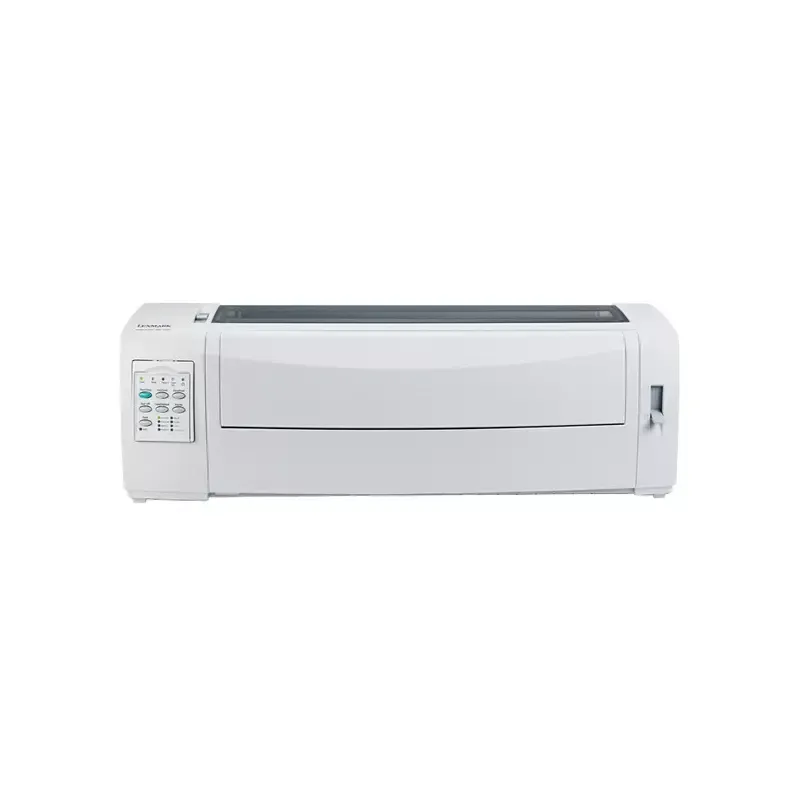

Manual of product 2581n+

Editorial note
The Lexmark 2581n+ printer stands out for several notable advantages. Its maximum printing speed of 400 characters per second in draft quality optimizes productivity for everyday tasks, while its resolution of 240 x 144 DPI ensures clear and readable documents, suitable for both professional needs and personal use. Additionally, its durability is impressive, with a ribbon life of 4 million characters and a mean time between failures of 12,500 hours, thus ensuring reliable long-term use. The flexible connectivity, thanks to standard interfaces and a parallel connection option, facilitates its integration with various devices. Finally, its ENERGY STAR durability certifications attest to its energy efficiency and environmental respect. However, some drawbacks deserve to be highlighted. The maximum resolution of 240 x 144 DPI may not be sufficient for high-quality prints, thus disappointing users who are particular about details. Moreover, its weight of 9800 g makes the printer relatively heavy, which can complicate its installation in tight spaces. Although it offers a parallel connectivity option, the lack of wireless features limits its flexibility of use in modern environments. Furthermore, the maximum printing speed of 100 characters per second may seem slow compared to other contemporary models, impacting productivity during high-volume printing. Lastly, the limited compatibility with certain recent operating systems may pose issues for users looking to integrate the printer into modern computing environments. In summary, the Lexmark 2581n+ offers good value for money, especially due to its durability and printing speed for everyday tasks. However, some aspects, particularly resolution and connectivity, could be improved to better meet the expectations of modern users.Score details
User experience
The user experience is generally positive due to well-thought-out features, but limited compatibility with some recent operating systems can be problematic.
Performance
Performance is satisfactory with a maximum printing speed of 400 characters per second, but the resolution of 240 x 144 DPI may not be sufficient for high-quality prints.
Design
The weight of 9800 g makes the printer relatively heavy, complicating its installation in tight spaces.
Value for money
The value for money is good, especially due to the impressive durability and printing speed for everyday tasks.
connectivity
Although parallel connectivity is available, the lack of wireless features limits its flexibility of use in modern environments.
Support
The product comes with a comprehensive 83-page user manual, but online support could be improved.
Documentation
The documentation is adequate, but additional guides for recent operating systems would be beneficial.
Advantages
Fast printing up to 400 cps
Resolution of 240 x 144 DPI
Durable ribbon: 4 million characters
Mean time between failures: 12,500 hours
Flexible connectivity with standard interfaces
ENERGY STAR certified for energy efficiency
Disadvantages
Maximum resolution insufficient for high quality
Heavy weight complicates movement
No wireless connectivity
Slow printing speed for high volume
Limited compatibility with recent systems
Technical Specifications 2581n+
General Information
-
Model2581N+
-
Brand
-
Category
-
Type
-
SKU680631
-
MPN680631
Print speed
-
Maximum print width-
-
ColorYes
-
Maximum resolution240 x 144 DPI
-
Maximum printing speed100 characters per second
-
Maximum print speed (draft quality)400 characters per second
-
Maximum print speed (low quality)618 characters per second
-
Measurement of the number of characters per inch12 characters per inch
-
Embedded barcodesCODABAR (NW-7), Code-128 Codabar Library, EAN13, EAN8, Industrial 2/5, Interleaved 2/5, POSTNET, UPC-A, UPC-E
-
Bitmap fontsCourier, Draft, Gothic
Autonomy
-
Print head9 pins
-
Lifespan of the ribbon4 million characters
-
Mean time between failures12500 h
Features
-
Languages of the page descriptionEpson ESC/P2
-
Buffer sizeEpson FX
-
Sound pressure level (impression)Epson LQ
-
Sound pressure level (silent mode)Epson LX
-
CertificationOKI ML
-
PPDS
-
512 KB
-
57 dB
-
15 dB
-
UL 60950-1, CSA, FCC B, VCCI, CB IEC 60950-1, SEMKO, GS (TÜV), CE B, SMA C-Tick
Connectivity
-
Standard interfacesEthernet, USB 2.0
-
Optional connectivityParallel
-
Wiring technology10/100Base-T(X)
Power
-
Typical electricity consumption50 W
-
Energy consumption (standby mode)9 W
Technical details
-
Sustainability certificatesENERGY STAR
Paper management
-
Cutting blade width rank105 - 364 mm
-
Cutting leaf length rank139 - 559 mm
-
Continuous paper width range76 - 420 mm
-
Continuous paper length rank76 - 559 mm
-
Average weight continues70 - 90 g/m²
-
Average weight of cutting sheet60 - 90 g/m²
-
Maximum print format420 x 559 mm
Minimum system requirements
-
Support for the Windows operating systemWindows 2000
-
Support for the Linux operating systemWindows 2000 Professional
-
Support for the server operating systemWindows 7 Home Basic
-
Windows 7 Home Basic x64
-
Windows 7 Home Premium
-
Windows 7 Home Premium x64
-
Windows 7 Professional
-
Windows 7 Professional x64
-
Windows 7 Starter
-
Windows 7 Starter x64
-
Windows 7 Ultimate
-
Windows 7 Ultimate x64
-
Windows Vista Business
-
Windows Vista Business x64
-
Windows Vista Enterprise
-
Windows Vista Enterprise x64
-
Windows Vista Home Basic
-
Windows Vista Home Basic x64
-
Windows Vista Home Premium
-
Windows Vista Home Premium x64
-
Windows Vista Ultimate
-
Windows Vista Ultimate x64
-
Windows XP Home
-
Windows XP Home x64
-
Windows XP Professional
-
Windows XP Professional x64
-
SuSE Linux 10
-
SuSE Linux 10.2
-
SuSE Linux 10.3
-
SuSE Linux 11
-
Windows Server 2003
-
Windows Server 2003 x64
-
Windows Server 2008
-
Windows Server 2008 R2
-
Windows Server 2008 x64
Other features
-
Dimensions (LxWxH)634 x 290 x 195 mm
-
Package dimensions (LxWxH)751 x 408 x 325 mm
Weight and dimensions
-
Weight9800 g
Environmental conditions
-
Operating temperature10 - 40 °C
-
Operating relative humidity (H-H)8 - 90 %
Packaging information
-
Package weight12300 g
Frequently Asked Questions
What is the weight of the Lexmark 2581n+ printer?
What is the recommended method for clearing paper jams in the printer?
Why is my printer not recognizing original cartridges?
What could be the causes of poor print quality?
What is the difference between a laser printer and an inkjet printer?
Why is my inkjet printer printing black streaks?
What does the acronym DPI mean?
What certifications does the Lexmark 2581n+ have?
Is the manual for the Lexmark 2581n+ available in French?
Similar products


More product categories from brand Lexmark
Other Lexmark
More product types from brand Lexmark


Presentation of product 2581n+ specifications from brand Lexmark
General Information
The Lexmark 2581n+ is a printer from the Lexmark brand, known for its commitment to quality and innovation in the field of printing equipment. This model, identified by the code 2581n+ | 11C2977, ensures reliable performance while providing an enhanced user experience. The EAN code 734646417952 allows for precise product identification in distribution systems.
Print Speed
The Lexmark 2581n+ is capable of printing in color, thus meeting the aesthetic needs of the user. With a maximum print resolution of 240 x 144 DPI, it guarantees clear and readable documents, suitable for both professional requirements and personal use. Its maximum print speed reaches 400 characters per second in draft quality, allowing for increased productivity for everyday printing tasks. In low-quality mode, the speed can reach 618 characters per second, optimizing the production of less demanding documents. The number of 12 characters per inch determines the print density, influencing the readability of documents. Additionally, it integrates various types of barcodes, such as CODABAR, EAN13, and UPC-A, for effective information reading.
Longevity
Equipped with a 9-pin print head, the Lexmark 2581n+ ensures consistent print quality. Its ribbon has an impressive longevity of 4 million characters, guaranteeing prolonged and reliable use. The average time between failures is 12,500 hours, which attests to its robustness and durability.
Features
This printer supports several page description languages, including Epson ESC/P2 and OKI ML, facilitating its integration according to user needs. With a buffer size of 512 Ko, it optimizes data processing. Its sound level during printing is 57 dB, ensuring relatively quiet operation, while in silent mode, it drops to 15 dB. The certifications of the Lexmark 2581n+ include UL 60950-1 and FCC B, ensuring compliance with safety standards.
Connectivity
For optimal connectivity, the Lexmark 2581n+ is equipped with standard interfaces and a parallel connection option. Its 10/100Base-T(X) cabling technology ensures a stable and fast connection, meeting current network needs.
Power
In terms of energy efficiency, the typical power consumption of the printer is 50 W, while in standby mode, it consumes only 9 W, thus allowing for significant energy savings.
Technical Details
Labeled ENERGY STAR, the Lexmark 2581n+ meets high standards of energy efficiency, making it an environmentally friendly choice.
Paper Management
This printer is versatile in paper management, with a cut sheet width ranging from 105 to 364 mm and a length of 139 to 559 mm. It also supports continuous paper formats, from 76 to 420 mm in width and 76 to 559 mm in length. The weight of the papers used can vary between 60 to 90 g/m² for cut sheets and 70 to 90 g/m² for continuous paper, ensuring optimal management of different formats. The maximum print size is 420 x 559 mm, allowing for the creation of large documents.
Minimum System Requirements
The Lexmark 2581n+ is compatible with various operating systems, including several versions of Windows (2000 to 7) and Linux (SuSE Linux 10 and 11). This allows for smooth integration into diverse computing environments, including modern servers such as Windows Server 2003 and 2008.
Other Features
The dimensions of the printer are 634 x 290 x 195 mm, allowing it to fit easily into different spaces. The printer's package measures 751 x 408 x 325 mm, ensuring adequate protection during transport.
Weight and Dimensions
With a weight of 9800 g, the Lexmark 2581n+ is relatively heavy, which may make its movement or installation more complex.
Environmental Conditions
It operates ideally within a temperature range of 10 to 40 °C and a relative humidity of 8 to 90 %, ensuring effective operation in various environments.
Packaging Information
The total weight of the package is 12300 g, ensuring adequate protection during delivery.


