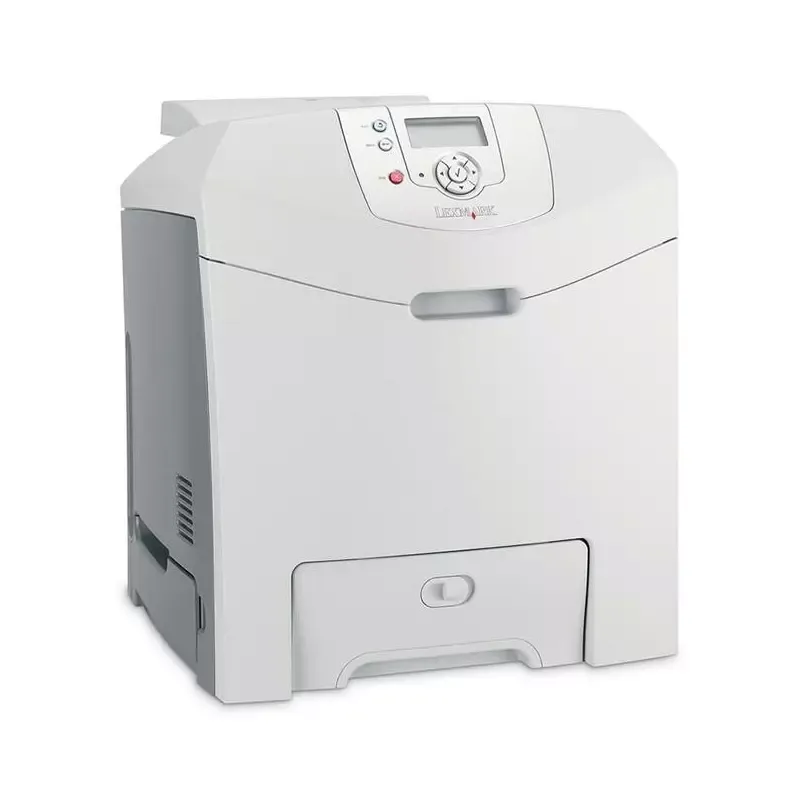

Manual of product C530

Editorial note
The Lexmark C530 printer stands out for its impressive performance and well-thought-out features. With a printing speed of 22 pages per minute in black and 21 pages in color, it is perfectly suited for demanding work environments. Additionally, its maximum resolution of 2400 x 600 DPI ensures prints of remarkable clarity, whether for professional or personal documents. The duplex printing feature also helps save paper, reflecting its commitment to more eco-friendly use. However, some drawbacks are worth noting. Incompatibility with Mac systems may limit its use for a number of users. Furthermore, its weight of 25.9 kg can pose challenges during relocation and installation. The input capacity of 350 sheets and output capacity of 250 sheets, while adequate, may not be sufficient in high-volume printing environments. Finally, the noise level of 53 dB during printing can be disruptive in quiet workspaces, and the costs associated with laser toners and maintenance can lead to additional expenses. Overall, the Lexmark C530 is a printer that offers excellent value for money, with features suitable for a shared office. Its user manual is comprehensive and facilitates onboarding, although the documentation could be improved for advanced users. In summary, it is a wise choice for those seeking a fast and efficient printer, provided that its limitations are taken into account.Score details
User experience
The user experience is generally positive due to an intuitive interface and well-thought-out features; however, incompatibility with Mac systems may limit its use.
Performance
Performance is excellent with a print speed of 22 ppm in black and 21 ppm in color, which is ideal for demanding work environments.
Design
The design is functional, but the weight of 25.9 kg can make moving and installing it more difficult.
Value for money
Although the print quality is exceptional, the costs associated with laser toners and maintenance can lead to additional expenses.
Usability
The input capacity of 350 sheets and output capacity of 250 sheets is adequate, but may be insufficient for high-volume printing environments.
Features
Features like duplex printing and built-in network connectivity are major assets for efficient use in a shared office.
Support
The 110-page user manual is comprehensive and helps users get the most out of the printer.
Documentation
The documentation is adequate but could be improved with additional guides for advanced users.
Advantages
Fast printing: 22 ppm black, 21 ppm color
Print quality: 2400 x 600 DPI
Double-sided printing for paper savings
Input capacity: 350 sheets, output: 250
Built-in network connectivity for shared offices
Disadvantages
Incompatible with Mac systems
Weight of 25.9 kg, difficult to move
Insufficient capacity for large volumes
Noise level of 53 dB is bothersome
High maintenance and toner costs
Technical Specifications C530
General Information
-
ModelC530
-
Brand
-
Category
-
Type
-
SKU1369874
-
MPN1369874
Print speed
-
Double-sided printingYes
-
Maximum resolution2400 x 600 DPI
-
Print speed (black, normal quality, A4/US Letter)22 ppm
-
Print speed (color, normal quality, A4/US Letter)21 ppm
-
Copy time for the first page (color, normal)11 s
-
Copy time for the first page (Black, normal)10.5 s
-
Printing technologyLaser
-
Double-sided printingYes
Representation / realization
-
Processor frequency375 MHz
-
Internal memory128 MB
-
Sound power level (standby)31 dB
-
Sound pressure level (impression)53 dB
-
Maximum internal memory640 MB
Input and output capacity
-
Total power capacity350 sheets
-
Total power capacity350 sheets
-
Total output capacity250 sheets
-
Total output capacity250 sheets
Paper management
-
ISO, Format Series A (A0...A9)A4, A5
-
Envelope sizes7 3/4, 9,10, B5, C5, DL
-
JIS series B format (B0...B9)B5
-
Type of paper tray supportEnvelopes, Labels, Plain paper, Transparencies
-
Non-ISO print support sizesExecutive (184 x 267mm), Folio (media size), Letter (media size), Statement (140 x 216mm), Legal (media size)
-
Maximum ISO A series paper sizeA4
Network
-
Ready-to-use networkYes
-
Support for network protocols (IPv4)TCP/IP IPv4, AppleTalk, TCP/IP IPv6
-
Management protocolsHTTP, SNMPv1, SNMPv2c, WINS, IGMP, APIPA (AutoIP), DHCP, ICMP, DNS
Other features
-
Mac CompatibilityYes
-
Compatible operating systemsMac OS X
-
Package dimensions (LxWxH)Mac OS 9.x
-
Linux
-
Unix
-
Novell
-
Microsoft Windows 2000, NT, Me, XP, Server 2003, 98, Vista
-
633 x 553 x 570 mm
Weight and dimensions
-
Dimensions (LxWxH)440 x 512 x 484 mm
-
Weight25900 g
Features
-
Service cycle (Maximum)65000 pages per month
Packaging information
-
Package weight30600 g
Sustainability
-
Sustainability certificatesENERGY STAR
Environmental conditions
-
Operating altitude0 - 3048 m
-
Operating relative humidity (H-H)8 - 80 %
-
Operating temperature16 - 32 °C
Design
-
CertificationCSA
-
ICES Class B
-
BSMI Class B
-
VCCI Class B
-
FCC Class B
-
UL 60950 3rd
-
IEC 320-1
-
CE Class B
-
CB IEC 60950
-
IEC 60825-1
-
GS (TÜV)
-
SEMKO
-
UL AR
-
CS
-
TÜV Rh
-
C-tick mark Class B
-
CCC Class B
-
CISPIR 22 Class B
-
MIC Mark
Frequently Asked Questions
What is the weight of the Lexmark C530 printer?
What is the recommended method for removing jammed paper from the printer?
Why is my printer not recognizing the original cartridges?
What can cause poor print quality?
What is the difference between a laser printer and an inkjet printer?
Why is my inkjet printer leaving black streaks on prints?
What does the acronym DPI mean?
What certifications does the Lexmark C530 have?
Is the manual for the Lexmark C530 available in French?
Similar products


More product categories from brand Lexmark
Other Lexmark
More product types from brand Lexmark


Presentation of product C530 specifications from brand Lexmark
General Information
The Lexmark C530 printer, manufactured by the brand known for its reliability and innovation, stands out with its model C530 | 34C0150. This model is designed to provide optimal performance, thus enhancing the user experience. The associated EAN code, 0734646030908, 0734646039734, 0734646098663, allows for unique identification in the distribution system.
Print Speed
The Lexmark C530 is a color printer, offering a maximum resolution of 2400 x 600 DPI, ensuring prints of exceptional clarity, both for personal and professional use. Its print speed reaches 22 pages per minute (ppm) in black and 21 ppm in color, allowing for rapid document production. The time required to print the first page is 10.5 seconds for black prints and 11 seconds for color prints. Equipped with laser printing technology, it ensures precise and high-quality results. Additionally, its duplex printing option helps save paper, contributing to a more eco-friendly approach to printing.
Performance and Technical Specifications
The processor of the Lexmark C530 operates at a frequency of 375 MHz, ensuring quick execution of instructions. It has an internal memory of 128 MB, expandable up to 640 MB, facilitating data storage for smooth operation. In standby mode, its noise level is 31 dB, while in printing, it reaches 53 dB, which may be noticeable in very quiet environments.
Input and Output Capacity
This printer features an input capacity of 350 sheets and an output capacity of 250 sheets, allowing for efficient management of large print volumes without the need for frequent reloading.
Paper Management
The Lexmark C530 supports several standard paper sizes, including A4 and A5, as well as various envelope sizes. It is compatible with different types of media, such as labels, plain paper, and transparencies, thus offering flexible usage suited to various printing needs.
Network Connectivity
Prepared for network use, the Lexmark C530 facilitates connectivity through its support for TCP/IP IPv4 and IPv6 protocols, as well as other management protocols. This allows for simplified integration into shared office environments.
Compatibility and Dimensions
This printer is not compatible with Mac systems but operates under Windows XP, Vista, and 7, ensuring effective use with these operating systems. Its dimensions (440 x 512 x 484 mm) and weight of 25.9 kg may pose challenges during installation and relocation.
Durability and Certifications
The Lexmark C530 is ENERGY STAR certified, ensuring its compliance with energy efficiency and environmental sustainability standards. It is designed to operate within a temperature range of 16 to 32 °C and a relative humidity of 8 to 80%, thus providing reliable performance in various conditions.


