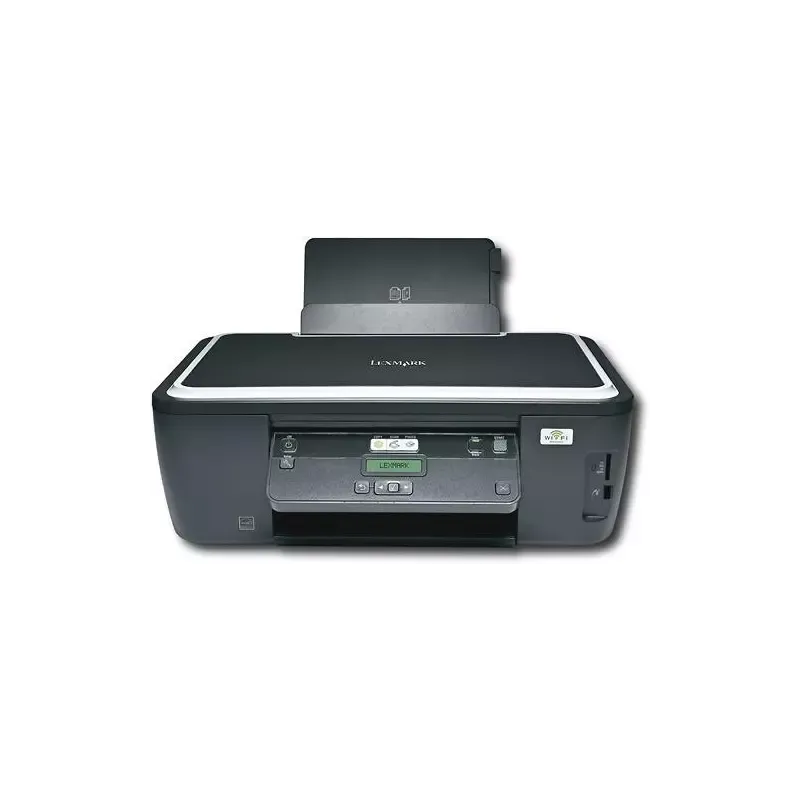

Manual of product Impact S305

Editorial note
The Lexmark Impact S305 stands out for its high-quality printing performance, particularly due to its maximum resolution of 4800 x 1200 DPI, which ensures vibrant colors and precise details. With a printing speed of 33 pages per minute in black and 30 in color, this printer is ideal for daily use and meets the needs of professional environments. Additionally, its all-in-one features, including printing, scanning, and copying, provide valuable versatility for various office needs. However, there are some drawbacks to consider. The Lexmark Impact S305 is not compatible with Mac operating systems, limiting its use for some users. Furthermore, the number of input trays is limited to one, which can lead to interruptions when printing large volumes of documents. The color copying speed, while satisfactory, is relatively slow at 21 copies per minute, which may not suit users with significant color printing needs. The lack of Ethernet/LAN connectivity may also restrict networking options in office environments, and the operating noise level may be perceived as high in a quiet setting. In terms of user experience, the all-in-one features ensure a pleasant use, although the limited compatibility with Mac systems may pose a problem. The compact design of the printer makes it easy to integrate into various workspaces, but it is important to note that the noise level can be a drawback for some users. In summary, the Lexmark Impact S305 offers good value for money for its features, although its compatibility and feeding capacity limitations should be taken into account. The very comprehensive user manual is an asset for a good handling of the device.Score details
User experience
The user experience is positive thanks to the all-in-one features, but the limited compatibility with Mac systems may pose a problem for some users.
Performance
The printing performance is excellent with a maximum resolution of 4800 x 1200 DPI and a printing speed of 33 ppm, although the color copying speed is relatively slow at 21 cpm.
Features
The all-in-one features, including printing, scanning, and copying, offer great versatility, but the limited number of input trays can lead to interruptions when printing large volumes.
Design
The design is compact and suitable for various workspaces, but the lack of Ethernet/LAN connectivity may restrict options for office environments.
Value for money
The product offers good value for money for its features, but the noise level during operation can be a drawback for a quiet environment.
Documentation
The 139-page user manual provides comprehensive and useful information for proper use of the printer.
Advantages
High-quality printing up to 4800 x 1200 DPI.
Print speed of 33 ppm black, 30 ppm color.
All-in-one features: printing, scanning, copying.
Fast scanning with CIS technology.
Compact design for small workspaces.
Disadvantages
Not compatible with Mac systems."
Only one paper tray available."
Slow color copy speed (21 cpm)."
No Ethernet/LAN connectivity."
High noise level during operation.
Technical Specifications Impact S305
General Information
-
ModelIMPACT S305
-
Brand
-
Category
-
Type
-
SKU860062
-
MPN860062
Print speed
-
Maximum resolution2400 x 1200 DPI
-
Color resolution4800 x 1200 DPI
-
Print speed (black, normal quality, A4/US Letter)33 ppm
-
Print speed (color, normal quality, A4/US Letter)30 ppm
-
Printing technologyInkjet
-
PrintingColor printing
Features
-
Number of print cartridges4
-
Service cycle (Maximum)5000 pages per month
-
Digital senderNo
Digitization
-
Type of scannerFlatbed scanning
-
Scanning technologyCIS
-
Maximum scan area216 x 297 mm
-
Input color display depth48 bit
-
DigitizationColor scanning
Copier
-
Copy speed (normal quality, black, A4)25 cpm
-
Copy speed (normal quality, color, A4)21 cpm
-
Release time of the first print (black, normal)10 s
-
Release time of the first print (color, concept)11 s
-
CopyColor copy
Input and output capacity
-
Total number of power supply units1
-
Maximum output capacity25 sheets
-
Total power capacity100 sheets
Design
-
ScreenLCD
-
Screen resolution128 x 32 pixels
-
Touch screenNo
-
Number of lines displayed2 lines
-
Built-in screenYes
-
Market positionDomestic and professional
Representation / realization
-
Internal memory64 MB
-
Built-in memory card readerYes
-
Compatible memory cardsMMC, MS Duo, MS Pro, MS Pro Duo, SD, SDHC, xD
-
Built-in memory card readerYes
-
Sound pressure level (copy)47 dB
-
Sound pressure level (impression)50 dB
-
Sound pressure level (scanning)35 dB
Other features
-
Maximum internal memory0.064 Go
-
PictBridgeYes
-
Compatible operating systemsWindows XP/Vista/2000/7
-
Wireless technologyMac OS X 10.4.4-10.6.x/10.3.9/10.4.4-
-
PictBridge10.5.x
-
Packaging dimensions (L x W x H)Linux
-
Maximum support size (custom)802.11b/g
-
Scale or enlargement change rate of the imageYes
-
Power requirements15.87 x 21.22 x 9.76 "
-
Package dimensions (LxWxH)216 x 432 mm
-
Package dimensions (LxWxH)25 - 400%
-
All-in-one functions100 - 240V
-
All-in-one color functions465 x 338 x 178 mm
-
465 x 338 x 178 mm
-
Copy, Scan
-
copy, print, scan
Paper management
-
Maximum print format210 x 297 mm
-
Envelope sizes6 3/4, 7 3/4, 9,10, B5, C5, C6, DL
-
ISO, Format Series A (A0...A9)A4, A5
-
ISO, Formats Series-B (B0...B9)B5
-
Weight of the media, automatic document feeder75 g/m²
-
Type of paper tray supportCard stock, Envelopes, Iron-On Transfers, Photo paper, Plain paper, Transparencies
-
Non-ISO print support sizes2l, a2 baronial, Executive (184 x 267mm), hagaki card, index card, l,Letter (media size)
-
Maximum ISO A series paper sizeA4
Network
-
Ethernet/LANNo
-
WifiYes
Connectivity
-
Standard interfacesUSB 2.0
-
Quantity of USB 2.0 Ports1
-
USB portYes
Power
-
Electricity consumption (average operation)25 W
Sustainability
-
Sustainability certificatesENERGY STAR
Certificate
-
CertificationEnergy Star
-
CSA
-
c-UL-us
-
ICES Class B
-
Executive Order 132221
-
CE Class B
-
CB IEC 60950 IEC 60825-1
-
GS (TÜV)
-
SEMKO
-
C-tick mark Class B
-
V85
-
CCC Class B
-
BSMI Class B
-
METI(PSE)
-
VCCI Class B
-
FCC Class B
-
UL 60950 3rd Edition
-
CCIB
Logistics data
-
Products by pallet20 piece(s)
Weight and dimensions
-
Weight6510 g
Fax
-
FaxNo
Frequently Asked Questions
What is the weight of the Lexmark Impact S305?
What is the best method to remove paper jammed in the printer?
Why is my printer not accepting original cartridges?
Why is the quality of my prints poor?
What is the difference between a laser printer and an inkjet printer?
Why is my inkjet printer producing black streaks?
What does the acronym DPI mean?
What certifications does the Lexmark Impact S305 have?
How many cartridges can the Lexmark Impact S305 hold?
What is the resolution of the Lexmark Impact S305 screen?
Is the manual for the Lexmark Impact S305 available in French?
Similar products


More product categories from brand Lexmark
Other Lexmark
More product types from brand Lexmark


Presentation of product Impact S305 specifications from brand Lexmark
General Information
The Lexmark Impact S305 is a printer from the Lexmark brand, known for its innovation and quality in the office equipment sector. This model, identified by the code Impact S305 | 90T3005, is designed to deliver optimal performance and a pleasant user experience. The EAN code 0734646318280 allows for unique identification of this product in distribution channels.
Print Speed
With a maximum resolution of 2400 x 1200 DPI, the Lexmark Impact S305 produces prints with remarkable clarity, suitable for both professional needs and personal use. In color, the resolution reaches 4800 x 1200 DPI, ensuring precise details and vibrant colors. The print speed reaches 33 pages per minute (ppm) in black and 30 ppm in color, allowing for quick execution of documents. Thanks to its inkjet printing technology, this printer ensures high print quality, especially for color documents.
Features
The Lexmark Impact S305 uses four print cartridges, optimizing print quality through effective ink management. Its maximum service capacity is 5000 pages per month, which is suitable for demanding users. It is worth noting that this printer does not have a digital faxing function.
Scanning
Equipped with a flatbed scanner, the Lexmark Impact S305 allows for quick and efficient scanning of various documents. Its CIS technology guarantees optimal image quality with a maximum scanning area of 216 x 297 mm. Additionally, it supports color scanning with an input display depth of 48 bits, providing faithful and vibrant reproductions.
Copier
The integrated copier offers a copying speed of 25 copies per minute in black and 21 in color, ensuring satisfactory productivity. The output times for the first print are 10 seconds for black prints and 11 seconds for color prints, allowing for appreciable responsiveness in a work environment.
Input and Output Capacity
The Lexmark Impact S305 has a single paper tray with a capacity of 100 sheets, allowing for the management of large print volumes without interruption. The output capacity is 25 sheets, ensuring adequate performance for daily tasks.
Design
This printer features a 128 x 32 pixel LCD screen, providing a clear interface for the user. Although it does not have a touchscreen, its two-line display facilitates navigation through menus. Designed for home and professional use, it easily integrates into various work environments.
Representation / Performance
The Lexmark Impact S305 has an internal memory of 64 MB, allowing for smooth operation. However, it is important to note that it is not compatible with Mac operating systems. This model supports several memory cards, such as MMC and SD, and has a built-in card reader for direct access to data. The sound pressure levels during operation are 47 dB, and up to 50 dB during printing, which may be a factor to consider in a quiet environment.
Other Features
The maximum internal memory of the product is 0.064 GB, allowing for a reasonable amount of data storage. Compatible with Windows XP, Vista, and 7, the Lexmark Impact S305 is equipped with 802.11b/g wireless connectivity. The PictBridge function allows for direct printing from a digital camera. Its dimensions of 465 x 338 x 178 mm ensure easy integration into various spaces.
Paper Management
The maximum print size is 210 x 297 mm, ideal for standard-sized documents. The Lexmark Impact S305 supports various envelope and paper sizes, including A4 and B5, with a media weight of 75 g/m². This model is capable of handling a variety of media, making its use flexible for different types of printing tasks.
Network
This printer is not equipped with Ethernet/LAN connectivity, but it offers a Wi-Fi option for convenient wireless connections.
Connectivity
The Lexmark Impact S305 includes standard interfaces for optimal connectivity, with a USB 2.0 port for quick connection to other devices.
Power
On average, the power consumption of this printer is 25 W, ensuring efficient use while being environmentally friendly.
Durability
This model is ENERGY STAR certified, attesting to its compliance with energy efficiency standards.
Certificate
The Lexmark Impact S305 complies with several safety and performance standards, including Energy Star, CSA, and CE Class B, ensuring its reliability in various environments.
Logistics Data
This product is packaged on a pallet of 20 units, facilitating stock management.
Weight and Dimensions
With a weight of 6510 g, the Lexmark Impact S305 is designed for easy handling while providing robust performance.
Fax
It is important to note that this printer does not have a fax function, which may limit certain document sending options.


