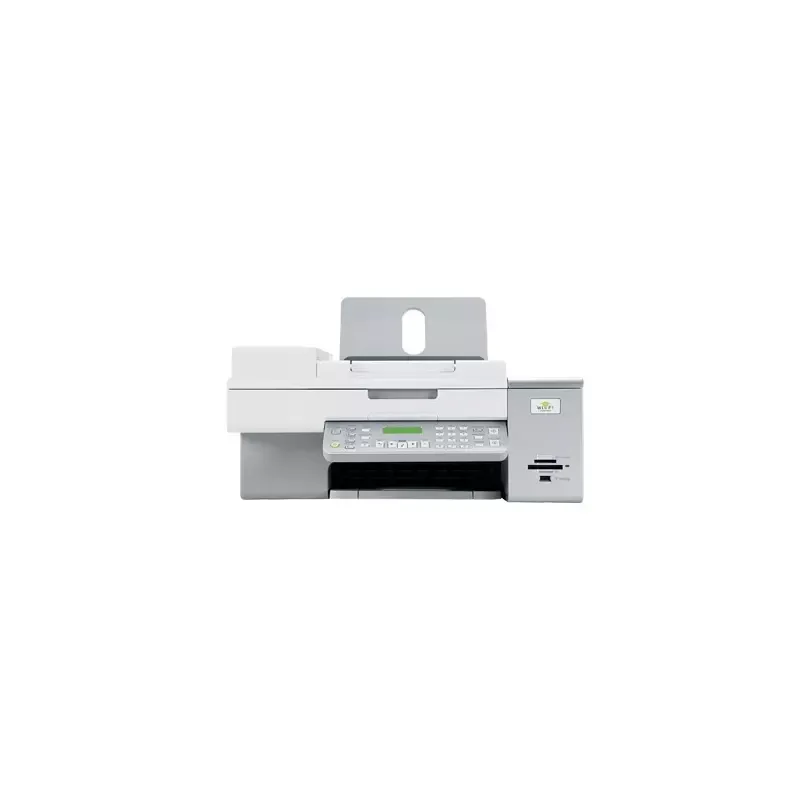

Manual of product X6570

Editorial note
The Lexmark X6570 printer stands out with its maximum resolution of 4800 x 1200 DPI, providing prints of exceptional clarity for both professional and personal documents. Its all-in-one features, including printing, scanning, copying, and faxing, add valuable versatility for various needs. Additionally, wireless connectivity (Wi-Fi) and compatibility with PictBridge make it easy to print directly from mobile devices or cameras, making usage even more convenient. However, there are some drawbacks to consider. The color printing speed of 4 ppm may be too slow for those with frequent color printing needs. Furthermore, with a weight of 8000 g, the printer can be difficult to move, limiting its use in tight spaces. The maximum input capacity of 100 sheets may also require frequent reloading, which could interrupt workflow. Finally, compatibility with older operating systems, such as Windows XP and Vista, may pose issues for modern users who are using recent systems. Regarding scores, the user experience is rated positively due to the features offered, although the lack of a digital sender may limit certain tasks. Print performance is generally good, but the color printing speed could be improved. The functional design of the printer is hindered by its weight, while the value for money is considered excellent, with versatile features. Lastly, although the user manual is helpful, compatibility with outdated systems may hinder support for contemporary users.Score details
User experience
The user experience is generally positive thanks to the all-in-one features and wireless connectivity, although the lack of a digital sender may limit certain tasks.
Performance
The printing performance is good, but the color printing speed (4 ppm) is relatively slow, which can be a disadvantage for users with frequent color printing needs.
Design
The design is functional, but the weight of 8000 g can make the printer difficult to move, thus limiting its use in tight spaces.
Value for money
The product offers good value for money with high print quality and versatile features, although the 100-sheet input capacity may require frequent reloading.
Features
The all-in-one features, including printing, scanning, copying, and faxing, provide optimal versatility to meet various professional and personal needs.
Support
Compatibility with older operating systems may pose problems for modern users, although the 223-page user manual may offer helpful assistance.
Advantages
High-quality printing up to 4800 x 1200 DPI
All-in-one features: printing, scanning, copying, faxing
Wi-Fi connectivity and PictBridge compatible
Fast printing speed: 28 ppm black
ENERGY STAR certified for low consumption
Disadvantages
Slow color print speed (4 ppm)
Heavy weight, difficult to move
Input capacity limited to 100 sheets
Lack of digital sender
Compatibility issues with older systems
Technical Specifications X6570
General Information
-
ModelX6570
-
Brand
-
Category
-
Type
-
SKU860225
-
MPN860225
Print speed
-
Maximum resolution4800 x 1200 DPI
-
Print speed (black, normal quality, A4/US Letter)10 ppm
-
Print speed (color, normal quality, A4/US Letter)4 ppm
-
Printing technologyInkjet
-
Print speed (black, draft quality, A4/US Letter)28 ppm
-
Print speed (color, draft quality, A4/US Letter)24 ppm
-
PrintingColor printing
Digitization
-
Maximum scan area216 x 356 mm
-
Input color display depth48 bit
-
Type of scannerFlatbed scanning
-
DigitizationColor scanning
Copier
-
Copy speed (normal quality, black, A4)8 cpm
-
Copy speed (normal quality, color, A4)2 cpm
-
Free PC copyYes
-
Resizing copy25 - 400 %
-
CopyColor copy
Fax
-
Modem speed33.6 Kbit/s
-
Automatic reminderYes
-
Maximum number of shortcuts for numbers99
-
FaxSimple fax
Input and output capacity
-
Maximum input capacity100 sheets
Paper management
-
Envelope sizes7 3/4
-
ISO, Format Series A (A0...A9)9,10
-
ISO, Formats Series-B (B0...B9)B5
-
Photo paper sizesC5
-
Type of paper tray supportC6
-
Non-ISO print support sizesDL
-
Maximum ISO A series paper sizeA4
-
A5
-
B5
-
4x6
-
4x8
-
5x7 "
-
Card stock
-
Coated paper
-
Envelopes
-
Iron-On Transfers
-
Labels
-
Photo paper
-
Plain paper
-
2l
-
a2 baronial
-
Executive (184 x 267mm)
-
hagaki card
-
index card
-
l
-
Letter (media size)
-
Statement (140 x 216mm)
-
A4
Other features
-
PictBridgeYes
-
Compatible operating systemsMicrosoft Windows XP
-
Wireless technologyMicrosoft Windows XP Professional x64
-
PictBridgeMicrosoft Windows Vista
-
Dimensions (LxWxH)Apple Mac OS X (10.4.4-10.4.x Intel)
-
All-in-one functionsApple Mac OS X (10.3.x-10.4.x Power PC)
-
All-in-one color functionsMicrosoft Windows 2000 5.00.2195 or later
-
Microsoft Windows Vista x64
-
802.11g
-
Yes
-
202 x 454 x 350 mm
-
Copy, Fax, Scan
-
copy, print, scan
Network
-
WifiYes
Connectivity
-
Quantity of USB 2.0 Ports1
Weight and dimensions
-
Weight8000 g
Representation / realization
-
Sound pressure level (impression)50 dB
Packaging contents
-
Provided softwareLexmark Productivity Studio
Sustainability
-
Sustainability certificatesENERGY STAR
Certificate
-
CertificationFCC Class B
-
UL 60950
-
CE Class B
-
CB IEC 60950 IEC 60825-1
-
C-tick Class B
-
CCC Class B
-
CSA
-
ICES Class B
-
GS (TUV)
-
SEMKO
Features
-
Service cycle (Maximum)3000 pages per month
-
Digital senderNo
Design
-
Market positionDomestic and professional
Frequently Asked Questions
What is the weight of the Lexmark X6570 printer?
What is the recommended method for removing a paper jam from the printer?
Why is my printer not recognizing the original cartridges?
What could be the reasons for poor print quality?
What is the difference between a laser printer and an inkjet printer?
Why is my inkjet printer printing black streaks?
What does the acronym DPI mean?
What are the certifications of the Lexmark X6570?
Is it possible to obtain the manual for the Lexmark X6570 in French?
Similar products


More product categories from brand Lexmark
Other Lexmark
More product types from brand Lexmark


Presentation of product X6570 specifications from brand Lexmark
General Information
The Lexmark X6570 is a multifunction printer from the Lexmark brand, known for its innovation and reliability in the field of office equipment. This model, designated by the reference X6570 | 16Y0715, is designed to deliver high-quality performance while simplifying the user experience.
Print Speed
With a maximum resolution of 4800 x 1200 DPI, the Lexmark X6570 ensures prints of exceptional clarity, suitable for both professional environments and personal use. The print speed is 10 ppm for black documents (normal quality, A4/US Letter format) and 4 ppm for color prints. In draft mode, performance improves, reaching 28 ppm in black and 24 ppm in color, optimizing productivity when printing various documents.
Scanning
The maximum scanning area of 216 x 356 mm allows for efficient processing of large documents. The color display depth is 48 bits, ensuring faithful color reproduction. The scanner type is flatbed, which promotes quick and accurate scanning of documents while also offering color scanning options.
Copier
The built-in copier offers a speed of 8 cpm for black copies (normal quality, A4) and 2 cpm for color copies. It also allows resizing from 25 to 400%, providing flexibility to adjust image sizes to your needs. The PC free copy feature enables direct printing from a computer without complex setup.
Fax
The Lexmark X6570 features a modem operating at 33.6 Kbit/s, ensuring a fast connection for your faxing needs. It includes automatic redial for missed calls and allows storing up to 99 shortcuts for fax numbers, making them easier to use.
Input and Output Capacity
The maximum input capacity is 100 sheets, which is suitable for moderate use but may require frequent reloading for intensive tasks.
Paper Management
The Lexmark X6570 accepts several envelope sizes, including 7 3/4, 9, 10, B5, C5, C6, DL, as well as standard paper sizes like A4 and A5. It also supports various media types, including photo paper and various non-ISO formats, offering considerable printing flexibility.
Other Features
This printer is compatible with operating systems such as Windows XP, Vista, and 7. The wireless technology 802.11g allows for easy connection to various devices. Additionally, the PictBridge feature enables direct printing from a camera without going through a computer. The printer dimensions are 202 x 454 x 350 mm, facilitating its integration into different workspaces.
Network
The Lexmark X6570 is equipped with wireless connectivity, ensuring a stable and fast connection for all your devices.
Connectivity
It has a USB 2.0 port, allowing for quick connection to computers and other peripherals.
Weight and Dimensions
Weighing 8000 g, this printer is designed for stable use, although it may be difficult to move due to its weight.
Noise Level
The sound pressure level during printing is 50 dB, ensuring relatively quiet operation, ideal for work environments where noise must be minimized.
Package Contents
The included software, Lexmark Productivity Studio, helps enhance the user experience and the efficiency of the device.
Durability
Certified ENERGY STAR, the Lexmark X6570 meets high energy efficiency standards, thus contributing to environmental protection.
Certification
It complies with various safety and performance standards, including FCC Class B, UL 60950, and CE Class B, ensuring its reliability and compliance.
Features
The maximum service cycle is 3000 pages per month, suitable for moderate to heavy use. However, the lack of a digital sender may limit some features for managing sends.
Design
Designed for home and professional use, the Lexmark X6570 offers features tailored to the varied needs of users.


