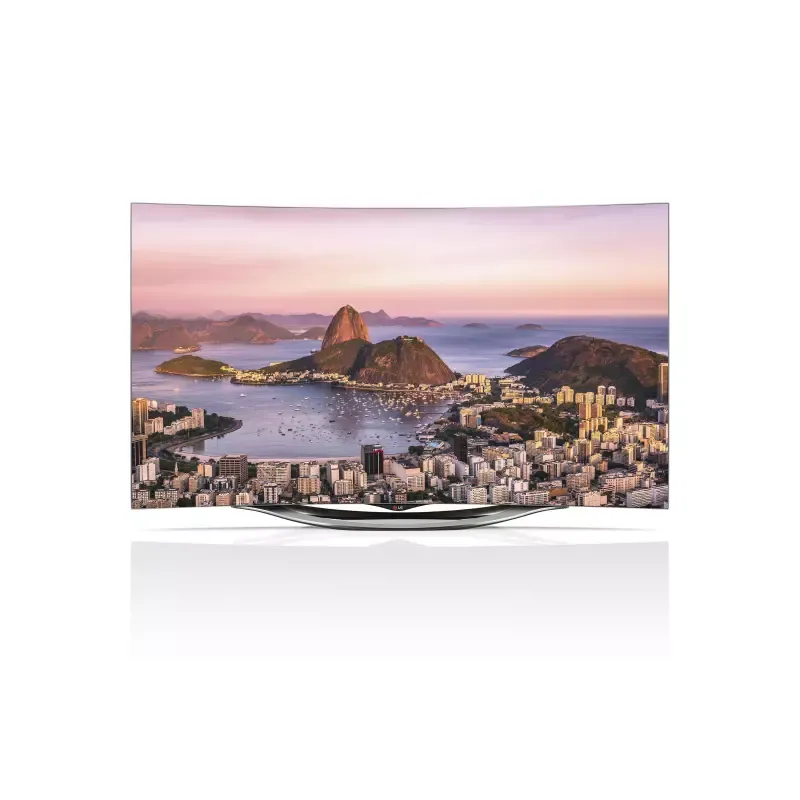
Thumbnail of product 32LT662VBZC from brand LG
Logo of brand LG

Television LG 32LT662VBZC

The LG 32LT662VBZC television is a compact and high-performance model, ideal for those seeking a quality visual experience in a reduced format. With its well-established reputation, the LG brand is committed to providing products that combine innovation and reliability.

This television is designed to deliver optimal performance, ensuring an enhanced user experience through advanced technical features. The 32LT662VBZC model stands out for its ability to seamlessly fit into various spaces, whether in a living room, bedroom, or office.

To assist the user, a user manual is included, providing clear and detailed instructions for simple and effective use of the television. Whether you are a movie buff, a series enthusiast, or a gamer, the LG 32LT662VBZC is a wise choice to fully enjoy your multimedia content.

Manual of product 32LT662VBZC

8 10

Editorial note

The LG 32LT662VBZC television stands out for its recognized quality, the result of LG's constant innovation. With advanced technical performance, it offers a satisfying viewing experience, although its resolution may seem lower than that of newer models, particularly those offering 4K. Its modern and sleek design allows for easy integration into various interior spaces, adding a contemporary touch to your decor. However, this model has some limitations. Its 32-inch screen size may not be suitable for large rooms or for those seeking total immersion during their viewing sessions. Additionally, connectivity is limited, with a restricted number of HDMI ports and advanced wireless features. Users who enjoy online content may find the streaming options and applications somewhat limited, which could reduce the appeal of this television for tech enthusiasts. In summary, the LG 32LT662VBZC is a solid choice for those looking for a quality television in a compact format. However, it is essential to consider its limitations in terms of screen size and connectivity before making a purchase.

Score details

User experience

The user experience is enhanced by intuitive features that facilitate navigation and daily use.

Performance

The technical performance is advanced, offering satisfactory image quality, but the resolution may be lower than that of newer models.

Design

The modern and sleek design of the television easily fits into any type of interior.

Value for money

The value for money is fair, but the limited screen size and restricted Smart features may disappoint some users.

connectivity

Connectivity is limited with a lack of additional HDMI ports and advanced wireless features, which may restrict connection possibilities.


Advantages

Reliability and innovation of the LG brand

Advanced technical performance

Intuitive and easy navigation

User manual included

Sleek and modern design

Disadvantages

Screen size too small

Resolution lower than 4K

Limited connectivity, few ports

Restricted Smart features

Narrow viewing angle

Technical Specifications 32LT662VBZC

General Information

Frequently Asked Questions

What is the recommended viewing distance for my LG TV?
For your LG TV, the optimal viewing distance varies depending on the screen size. Generally, it is advised to sit about 2.4 times the diagonal size of the screen.
What should I do if my TV is no longer receiving a signal?
If your TV is not receiving a signal, check the following: - Ensure your TV is set to the correct source. - Check the connections of your TV via the HDMI or SCART input.
What are the dimensions of my TV screen?
The size of your TV is typically measured in inches, where 1 inch equals 2.54 centimeters. This size corresponds to the diagonal of the screen, measured from the bottom left corner to the top right corner.
What does the acronym HDMI stand for?
HDMI stands for High-Definition Multimedia Interface. An HDMI cable allows for the transmission of audio and video signals between different devices.
Is it possible to connect Bluetooth devices from different brands?
Yes, Bluetooth technology is universal and allows for connection between various Bluetooth devices, regardless of their manufacturer.
How can I check if the remote control for my LG 32LT662VBZC TV is working properly?
To diagnose a faulty remote control, follow these steps: 1. Check the remote sensor on the TV and ensure it is not obstructed. 2. Check the batteries for proper function and installation. 3. If that does not resolve the issue, replace the batteries with new ones. 4. Point the remote at the sensor while pressing the buttons, ensuring a clear path. 5. If the problem persists, reset the remote by removing the batteries and pressing each button several times to discharge any residual energy, then reinsert the batteries. These steps should help you identify and resolve issues with the remote control.
What should I do if my LG 32LT662VBZC TV displays no image?
To troubleshoot the issue of no image on your LG 32LT662VBZC TV, try the following steps: 1. Ensure the TV is turned on and the power indicator is lit. 2. Check that the power cord is properly connected and plugged into a working outlet. 3. Test the wall outlet with other devices. 4. Verify that the selected input source is correct. 5. If an external device is connected, ensure it is powered on and properly connected. 6. Adjust the brightness and contrast settings. 7. If the problem persists, reset the TV to factory settings. These steps should help you diagnose and resolve the display issue.
How can I resolve the issue of my LG 32LT662VBZC TV suddenly turning off?
To address the issue of your LG 32LT662VBZC TV suddenly turning off, follow these steps: 1. Check the power control settings to ensure no automatic shut-off feature is enabled. 2. Ensure the TV is plugged into a stable power source. 3. Adjust the settings to prevent automatic shut-off in the absence of a signal. By following these tips, you should be able to resolve the issue.
What should I do if the LG 32LT662VBZC TV does not detect a signal when connected to a PC?
To resolve the issue of no signal detection when your LG 32LT662VBZC TV is connected to a PC, proceed as follows: 1. Turn off both the TV and the PC. 2. Check that the HDMI cable is properly connected. 3. Turn both devices back on. 4. Select the correct HDMI input source on the TV. 5. If the problem persists, disconnect and then reconnect the HDMI cable. 6. Restart the PC while leaving the TV on. These steps should help establish a proper connection.
How do I update the software on my LG 32LT662VBZC TV?
To update the software on your LG 32LT662VBZC TV, follow these steps: 1. Connect your TV to the Internet. 2. Access the settings menu by pressing the 'Settings' button on the remote. 3. Go to the 'General' or 'System' section. 4. Look for the 'Software Update' option and select it. 5. Click on 'Check for Updates' to search for available updates. 6. If an update is found, follow the instructions to download and install it. 7. Do not unplug the TV during the process. Once the update is complete, the TV will automatically restart.
What should I do if my LG 32LT662VBZC TV is flickering when turned on?
If your LG 32LT662VBZC TV is flickering, try these steps: 1. Check the power connection. 2. Test different input sources to see if the problem persists. 3. Adjust the picture settings by reducing brightness or contrast. 4. If the problem continues, reset the picture settings to default. 5. If that does not help, contact LG customer service for further assistance.
How can I resolve the issue of small black dots or bright colors on the screen of my LG 32LT662VBZC TV?
To address the issue of black dots or bright colors on your LG 32LT662VBZC TV, proceed as follows: 1. Turn off the TV and unplug it. 2. Clean the screen with a soft cloth. 3. Check for any damage. If there is damage, contact customer support. 4. If the dots persist, perform a pixel refresh via the settings menu. 5. If the problem continues, contact customer support for further assistance.
What should I do if the brightness and color of the LG 32LT662VBZC TV change depending on the viewing position?
If you notice variations in brightness and color depending on the viewing position, try these solutions: 1. Adjust your viewing angle. 2. Check the ambient lighting in the room. 3. Enable the ambient light sensor feature. 4. If the problem persists, contact LG customer support for additional advice.
How can I resolve the issue of a frozen image on the LG 32LT662VBZC TV after displaying a still image?
To resolve the issue of a frozen image after a still image on your LG 32LT662VBZC TV, follow these steps: 1. Avoid displaying a still image for too long. 2. Turn off the TV and let it rest. 3. If the image remains frozen, try a pixel refresh via the settings menu. 4. If the problem persists, contact customer support for assistance.
What should I do if my LG 32LT662VBZC TV makes a cracking noise while watching?
If your LG 32LT662VBZC TV is making a cracking noise, try these steps: 1. Check the power connection. 2. Test the sound at different volume levels. 3. If the noise comes from external audio devices, check their connections. 4. If the problem persists, consider a factory reset. 5. Contact customer service if necessary.
How can I resolve an electrical buzzing or crackling sound on the LG 32LT662VBZC TV?
To resolve an electrical buzzing or crackling sound on your LG 32LT662VBZC TV, follow these steps: 1. Check the power connection. 2. Test the sound at different volume levels. 3. If the noise comes from interference, move nearby electronic devices away. 4. Try a different power outlet or a surge protector. 5. If the problem persists, contact customer service for assistance.
What precautions should I take when cleaning my LG 32LT662VBZC TV?
When cleaning your LG 32LT662VBZC TV, take the following precautions: 1. Turn off and unplug the TV before cleaning. 2. Use a soft, lint-free cloth for cleaning. 3. Lightly dampen the cloth with water or a mild solution. 4. Gently wipe the screen without applying too much pressure. 5. For stubborn stains, consult the manual or customer service for advice. 6. Allow the TV to dry before plugging it back in.
How do I adjust the display options on the LG 32LT662VBZC TV?
To adjust the display options on your LG 32LT662VBZC TV, follow these steps: 1. Press the 'Settings' button on the remote. 2. Go to the 'Picture' or 'Display' section. 3. Adjust settings such as brightness, contrast, and color. 4. Use the remote buttons to modify the values according to your preferences. 5. Make gradual adjustments to optimize your viewing experience.
What is the Automatic Power Save (APS) mode on the LG 32LT662VBZC TV and how do I activate it?
The Auto Power Save (APS) mode on the LG 32LT662VBZC TV reduces energy consumption by adjusting the screen brightness according to ambient lighting. To activate it: 1. Access the settings menu by pressing 'Settings'. 2. Go to the 'Picture' or 'Display' section. 3. Look for the 'Auto Power Save' option and enable it. 4. The TV will automatically adjust the brightness to optimize energy consumption.
How does the ambient light sensor work on the LG 32LT662VBZC TV?
The ambient light sensor on the LG 32LT662VBZC TV adjusts the screen brightness according to the room's lighting. Here’s how it works: 1. The built-in sensor detects ambient light. 2. It adjusts the screen brightness in real-time to provide a better viewing experience. 3. In bright conditions, the screen brightens; in dark conditions, it dims to prevent eye strain.
Is the manual for the LG 32LT662VBZC available in French?
We are sorry, but the manual for the LG 32LT662VBZC is not available in French. It is only offered in English.

Similar products


Discover the technical sheet of 55LED1600 from Salora and its manuals...
Available manuals:
Discover the technical sheet of 43UF6809 from LG and its manuals...
Available manuals:
Discover the technical sheet of 55EC900V from LG and its manuals...
Available manuals:
Discover the technical sheet of 28LED1600 from Salora and its manuals...
Available manuals:
Discover the technical sheet of 43LED1600 from Salora and its manuals...
Available manuals:
Discover the technical sheet of 55UF6809 from LG and its manuals...
Available manuals:
Discover the technical sheet of 65UF6809 from LG and its manuals...
Available manuals:
Discover the technical sheet of 20LED1600 from Salora and its manuals...
Available manuals:
Discover the technical sheet of 22LED1600 from Salora and its manuals...
Available manuals:
Discover the technical sheet of 55UJ7750 from LG and its manuals...
Available manuals:
Discover the technical sheet of 32LED1600 from Salora and its manuals...
Available manuals:
Discover the technical sheet of 65SJ8500 from LG and its manuals...
Available manuals:

Presentation of product 32LT662VBZC specifications from brand LG

General Information

The LG 32LT662VBZC television is a creation of the LG brand, known for its commitment to innovation and quality in the electronics sector. This model, with its modern and elegant design, fits seamlessly into various environments, whether in a living room or a bedroom. It is designed to provide optimal technical performance, promising an enjoyable viewing experience.

Advantages

Brand reliability: LG is synonymous with trust, offering products of recognized and durable quality.

Technical performance: The 32LT662VBZC model is equipped to deliver a smooth and pleasant viewing experience, enhanced by intuitive features that facilitate its use.

Easy handling: An included user manual allows for quick installation and effective use from the start.

Modern aesthetics: Its contemporary design adapts to all interior styles, making this television not only a functional device but also a decorative element.

Disadvantages

Screen size: With a 32-inch screen, it may not be suitable for spacious rooms or users seeking total immersion.

Resolution: Although performing well, this model does not offer 4K resolution, which may not satisfy those who prioritize exceptional image quality.

Limited connectivity: The television may lack additional HDMI ports or more advanced wireless features, restricting connection options to other devices.

Restricted Smart features: Compared to other smart televisions, its streaming and application capabilities may be limited, which could disappoint users eager for online content.

Viewing angle: Image quality may decrease if not facing the screen, which can be problematic during group viewings.