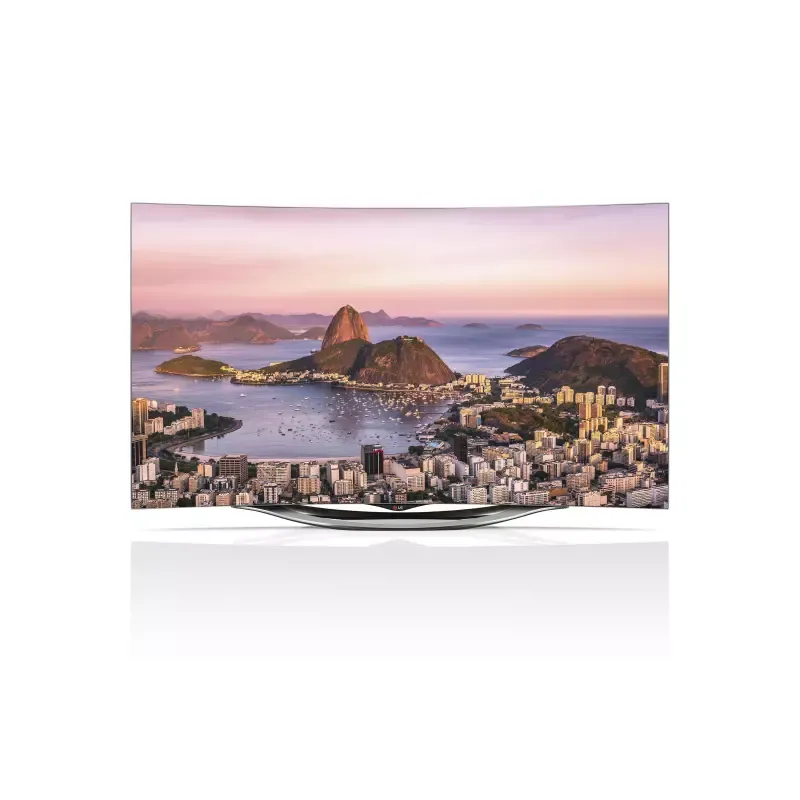
Thumbnail of product 32LV3500 from brand LG
Logo of brand LG

Television LG 32LV3500

Discover the LG 32LV3500 television, a model that embodies the quality and innovation of the LG brand. This 32-inch television offers an optimal viewing experience, thanks to reliable performance and advanced technology designed to enhance your viewing pleasure.

The LG 32LV3500 is perfect for modest living spaces while ensuring exceptional image clarity and vibrant colors. Whether you're watching your favorite series, movies, or sporting events, this television will meet your expectations.

Additionally, it comes with a user manual, allowing you to make the most of its features. With the LG 32LV3500, enjoy a rewarding multimedia experience that combines aesthetics and performance. Ideal for television enthusiasts, it easily fits into any interior.

Manual of product 32LV3500

7 10

Editorial note

The LG 32LV3500 is a television that stands out for its high image quality, thanks to LG's display technology that offers vibrant colors and deep contrasts. Its compact and lightweight design makes it a wise choice for small spaces such as bedrooms or kitchens. Additionally, it comes with a user manual that facilitates installation and setup, enhancing the user experience. However, this model has some drawbacks. The 32-inch screen size may be insufficient for large viewing rooms, and the 720p resolution may seem limited compared to newer models offering higher resolutions like 1080p or 4K. Connectivity options are also limited, which can pose challenges for connecting multiple modern devices. Finally, the built-in sound may lack power, requiring the addition of an external audio system for a satisfactory sound experience. In terms of value for money, LG's reputation for innovation and durability ensures long-term reliability, making this model an interesting choice for those looking for an affordable and functional television. Nevertheless, for users wanting to access streaming services or apps directly from their television, the lack of smart features may be a drawback.

Score details

User experience

The user experience is enhanced by the presence of a user manual, allowing for simple installation and configuration.

Performance

The image quality is high thanks to LG's display technology, but the 720p resolution may seem limited compared to newer models.

Design

The 32LV3500 model is compact and lightweight, ideal for small spaces, but the 32-inch screen size may be insufficient for large rooms.

Features

The built-in multimedia features are convenient, but the lack of smart features and limited connectivity options may restrict the user experience.

sound

The built-in sound may lack power and clarity, which may require the addition of an external audio system for a better sound experience.

Value for money

LG's reputation for innovation and durability ensures long-term reliability, offering good value for money.


Advantages

Sharp image quality and vibrant colors

Compact, ideal for small spaces

Simple installation with user manual

Reputable brand for durability and innovation

Integrated multimedia features

Disadvantages

32-inch screen too small.

Limited 720p resolution for HD.

Restricted connectivity for modern devices.

Weak and unclear built-in sound.

No smart features available.

Technical Specifications 32LV3500

General Information

Frequently Asked Questions

What is the recommended viewing distance for my LG TV?
The recommended viewing distance for your LG TV depends on the screen size. Generally, it is advised to sit about 2.4 times the diagonal of the screen.
What should I do if my television is no longer receiving a signal?
If your television is not receiving a signal, check the following: - Make sure your television is set to the correct source. - Check that the connections are properly established via the HDMI or SCART input.
What are the dimensions of my television screen?
The size of your television is usually given in inches, with 1 inch equaling 2.54 centimeters. This size refers to the diagonal of the screen, measured from the bottom left corner to the top right corner.
What does the acronym HDMI stand for?
HDMI stands for High-Definition Multimedia Interface. An HDMI cable allows for the transmission of audio and video signals between various devices.
Is it possible to connect devices from different brands via Bluetooth?
Yes, Bluetooth is a universal technology that facilitates the connection between different compatible devices.
How do I properly assemble and set up the LG 32LV3500 television?
To assemble and set up the LG 32LV3500 television, follow these steps: 1. Place the television screen down on a flat surface, protecting the screen with a soft cloth. 2. Assemble the body of the stand with the base and ensure they fit together correctly. 3. Secure the television to the stand with the provided screws, being careful not to overtighten. 4. Connect the necessary cables, such as the power cord and audio/video cables. 5. Plug in the power cord and turn on the television. 6. Follow the on-screen instructions to complete the initial setup, including selecting the language and scanning for channels.
What accessories and items can be purchased for the LG 32LV3500 television?
The accessories and items available for the LG 32LV3500 television include: 1. Remote control with batteries (AAA), 2. User manual, 3. Cleaning cloth (not included with all models), 4. Ferrite core (depending on the model, not included with all), 5. Power cable (not included with all models), 6. Cable management clip, 7. Power cord holder, 8. Assembly screws, 9. Protective cover, 10. Protective adhesive tape, 11. 3D glasses (AG-S230, AG-S250, AG-S270 for 3D models). Availability of these items may vary by model. Check with your retailer for any missing or additional items.
How can I reduce the energy consumption of my LG 32LV3500 television?
To reduce the energy consumption of your LG 32LV3500 television, follow these steps: 1. Lower the brightness and contrast via the picture settings menu. 2. Activate energy-saving mode to decrease consumption. 3. Set up automatic shut-off after a period of inactivity. 4. Disable unnecessary features that consume energy. 5. Use the sleep timer. 6. Completely turn off the television when not in use. 7. Unplug the television when it will not be used for an extended period.
What are the recommendations for handling and maintaining the TV stand of the LG 32LV3500?
To handle and maintain the stand of the LG 32LV3500, follow these tips: 1. Move the television in its original box and unplug all cables before lifting it. 2. Hold the television by the frame, avoiding contact with the screen. 3. For larger televisions, get help from another person. 4. Transport the television in an upright position and avoid shocks. 5. Do not touch the screen to prevent damage. 6. To secure the stand, place the television screen down on a flat surface and assemble the stand parts. 7. Tighten the screws to secure the television without forcing.
How can I use and troubleshoot compatibility issues with 3D glasses on the LG 32LV3500 television?
To use 3D glasses with the LG 32LV3500 television and troubleshoot compatibility issues, follow these steps: 1. Use LG-branded 3D glasses for best results. Other brands may not work properly. 2. Allow the television to calibrate after turning it on. 3. If you look away, wait a moment to see the 3D images. 4. Avoid obstacles between the television and the glasses. 5. Do not place the television near other electronic equipment. 6. Remove the 3D glasses when watching 2D images. 7. The optimal viewing distance for 3D is between 2 and 10 meters. 8. 3D glasses are sold separately; refer to the manual for instructions. 9. Do not replace your prescription glasses with 3D glasses. 10. Store the glasses in a suitable place and clean them with a soft cloth.
Is the manual for the LG 32LV3500 available in French?
Yes, the manual for the LG 32LV3500 is available in French.

Similar products


Discover the technical sheet of 55LED1600 from Salora and its manuals...
Available manuals:
Discover the technical sheet of 43UF6809 from LG and its manuals...
Available manuals:
Discover the technical sheet of 55EC900V from LG and its manuals...
Available manuals:
Discover the technical sheet of 28LED1600 from Salora and its manuals...
Available manuals:
Discover the technical sheet of 43LED1600 from Salora and its manuals...
Available manuals:
Discover the technical sheet of 55UF6809 from LG and its manuals...
Available manuals:
Discover the technical sheet of 65UF6809 from LG and its manuals...
Available manuals:
Discover the technical sheet of 20LED1600 from Salora and its manuals...
Available manuals:
Discover the technical sheet of 22LED1600 from Salora and its manuals...
Available manuals:
Discover the technical sheet of 55UJ7750 from LG and its manuals...
Available manuals:
Discover the technical sheet of 32LED1600 from Salora and its manuals...
Available manuals:
Discover the technical sheet of 65SJ8500 from LG and its manuals...
Available manuals:

Presentation of product 32LV3500 specifications from brand LG

General Information

The LG 32LV3500 television is a model from the renowned brand LG, known for its commitment to quality and innovation in the home appliance sector. With the 32LV3500 model, LG offers a television that provides reliable performance and a pleasant viewing experience, suitable for various living environments.

Advantages

This television stands out for its high image quality, thanks to LG's display technology, which ensures vibrant colors and deep contrasts. Compact and lightweight, the 32LV3500 model is perfectly suited for small spaces, such as bedrooms or kitchens. Its ease of use is also a plus, with a clear user manual that simplifies installation and setup.

The reputation of LG for innovation and durability ensures long-term reliability, while the integrated multimedia features allow for enjoying a variety of content without the need for additional devices.

Disadvantages

However, it is important to note a few limitations. The 32-inch screen size may not be suitable for large rooms or for those seeking an immersive viewing experience. Additionally, the 720p resolution may seem insufficient compared to newer models offering 1080p or 4K resolutions, thus impacting image quality when watching high-definition content.

Connectivity options are also limited, restricting the ability to connect multiple modern devices, such as gaming consoles or media players. Finally, the built-in sound may lack power and clarity, which could necessitate the addition of an external audio system for an optimal sound experience. The absence of smart features may also disappoint users looking to access streaming services or apps directly from their television.