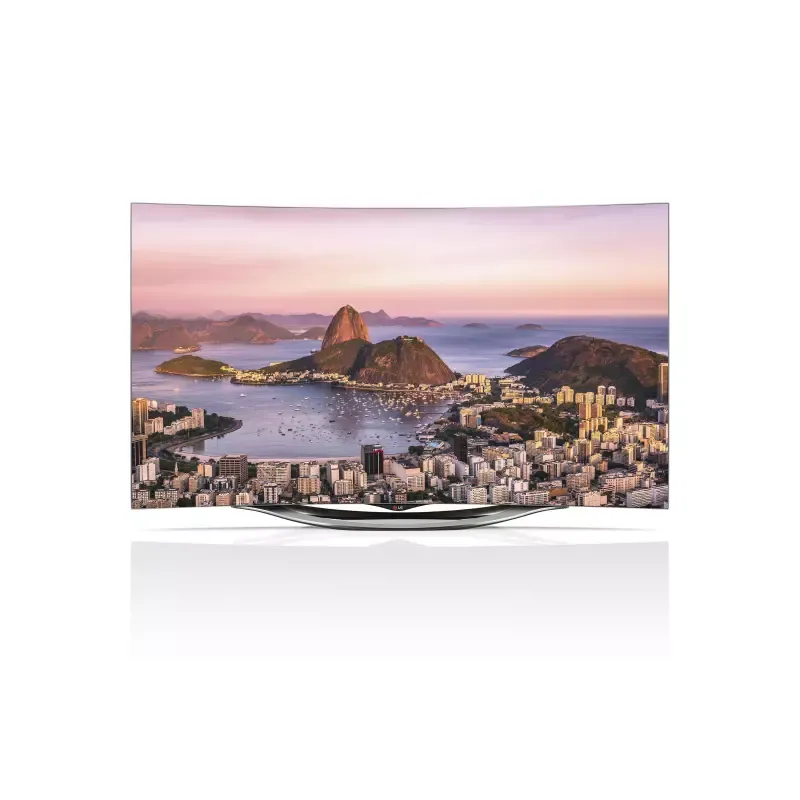
Thumbnail of product QNED MiniLED 90 from brand LG
Logo of brand LG

Television LG QNED MiniLED 90

The LG QNED MiniLED 90 television is an innovative model that combines cutting-edge technology and elegant design. Thanks to its MiniLED technology, it offers exceptional picture quality with deep contrasts and vibrant colors, ensuring an immersive viewing experience.

This television is designed for multimedia enthusiasts, with optimal performance for watching movies, series, or playing video games. Its 4K resolution ensures remarkable clarity, while its smart features make it easy to access your favorite content.

The LG brand is recognized for its commitment to innovation and quality, and the QNED MiniLED 90 model is no exception. It also comes with a user manual to help you get the most out of your device.

In summary, the LG QNED MiniLED 90 is a television that stands out for its visual performance and advanced features, perfect for enhancing your home entertainment experience.

Manual of product QNED MiniLED 90

8 10

Editorial note

The LG QNED MiniLED 90 television stands out for its MiniLED technology, offering exceptional picture quality with deep blacks and vibrant colors, making it an ideal choice for viewing enthusiasts. Its modern and sleek design allows for seamless integration into any type of interior, adding a touch of sophistication to your space. However, this model has some drawbacks. Its relatively high price may make it less accessible for some consumers. Additionally, the complexity of the settings and advanced features can be confusing for novice users, requiring an adjustment period. The increased energy consumption due to MiniLED technology could also lead to higher electricity bills. In terms of user experience, the smooth navigation between apps and content is appreciated, although some smart features may lack responsiveness compared to the competition. Nevertheless, the LG QNED MiniLED 90 benefits from LG's reputation for innovation and durability, ensuring users a high-quality viewing experience.

Score details

User experience

The user experience is enhanced by smooth navigation between applications and content, although the complexity of the settings may be confusing for some.

Performance

The image quality is exceptional thanks to MiniLED technology, offering deep blacks and vibrant colors, well-suited for viewing performance.

Design

The modern and sleek design of the television integrates harmoniously into any type of interior, adding a touch of sophistication.

Value for money

The price is relatively high compared to other models, which may make the television less accessible for some consumers.

Features

The advanced features are enriching, but some may lack responsiveness compared to competing models.

Battery life

Energy consumption is higher due to MiniLED technology, which can lead to higher electricity bills.

Usability

The complexity of the advanced features may require an adjustment period for less experienced users.

Robustness

As a product of the LG brand, the QNED MiniLED 90 benefits from a strong reputation for innovation and durability.


Advantages

Image quality thanks to MiniLED technology

Strong reputation for innovation and sustainability

Smooth navigation between apps and content

Sleek and modern design for all interiors

Smart features for easy access

Disadvantages

Relatively high price for some consumers

Complex settings for novice users

Higher energy consumption

Limited viewing angles

Less responsive smart features

Technical Specifications QNED MiniLED 90

General Information

Frequently Asked Questions

What is the recommended viewing distance for my LG TV?
The recommended viewing distance for your LG TV varies depending on the screen size. Generally, it is advised to sit about 2.4 times the diagonal of the screen.
What should I do if my TV is not receiving a signal?
If your TV is not receiving any signal, check the following: - Make sure the TV is set to the correct source. - Ensure that the TV is properly connected via the HDMI or SCART input.
What are the dimensions of my TV screen?
The size of your TV is usually given in inches, with one inch equivalent to 2.54 centimeters. The dimension corresponds to the diagonal of the screen, measured from the bottom left corner to the top right corner.
What does the acronym HDMI stand for?
HDMI stands for High-Definition Multimedia Interface. An HDMI cable is used to transmit audio and video signals between different devices.
Is it possible to connect devices from different brands via Bluetooth?
Yes, Bluetooth technology is universal and allows for connection between various compatible devices.
How can I ensure the safety of the LG QNED MiniLED 90 TV during use?
To ensure the safety of your LG QNED MiniLED 90 TV, follow these recommendations: 1. Read and keep the safety instructions in the manual, as they contain crucial information for safe use. 2. Avoid using the TV near water or in humid places, such as bathrooms. 3. Keep the TV away from heat sources, such as radiators and stoves, to prevent fire hazards. 4. Do not block ventilation openings to avoid overheating. Install the TV according to the manufacturer's instructions to ensure proper airflow. 5. Use only the mounts and accessories recommended by the manufacturer to avoid risks. 6. Unplug the power cord before moving the TV and avoid damaging it. 7. Do not expose the TV to direct sunlight, rain, or wind. Avoid placing objects containing liquids on the TV. 8. Be cautious of ventilation openings, which may heat up during prolonged use. 9. For any repairs, contact a qualified technician and do not attempt to open the TV yourself to avoid risks of electric shock or damage. By following these guidelines, you will ensure safe use of the LG QNED MiniLED 90 TV.
How can I access the user manual for the LG QNED MiniLED 90 TV?
To view the user manual for your LG QNED MiniLED 90 TV, follow these steps: 1. Visit the official LG website, accessible from your computer or mobile device. 2. Go to the support section of the site. Look for a link or tab titled 'Support' on the homepage. 3. Find the user manual for the LG QNED MiniLED 90 TV, which contains detailed information on installation, use, and troubleshooting. 4. Click on 'User Guide,' which may be found in a submenu depending on the model. 5. The guide will open in a new tab or window, allowing you to view the necessary information. Note that the availability and location of the guide may vary slightly depending on the specific model of the LG QNED MiniLED 90 TV.
What should I do if the screen of the LG QNED MiniLED 90 TV is not functioning properly?
If the screen of your LG QNED MiniLED 90 TV is not working as expected, try these solutions: 1. Ensure there is no obstruction between the remote control and the TV. Remove any objects that may block the receiver. 2. Check that the TV is turned on and that the power cord is properly plugged in. Also, test other devices on the same outlet to rule out a power issue. 3. Confirm that the power settings are correct and that the automatic power-off feature is disabled in the settings menu. The TV may turn off automatically after a period of inactivity or in the absence of a signal. 4. If the screen shows flickering spots or pixel defects, this may be normal due to the advanced panel technology. Avoid touching the screen or displaying a static image for too long to prevent temporary distortions. 5. Crackling or buzzing noises from the panel are common and do not affect the TV's performance. These tips are general recommendations and may vary depending on the specific issue encountered with the screen.
How can I adjust the LED backlit LCD screen settings on the LG QNED MiniLED 90 TV?
To adjust the LED backlit LCD screen settings on your LG QNED MiniLED 90 TV, follow these steps: Press the 'Settings' or 'Menu' button on the remote to access the settings menu. Go to the 'Picture' or 'Display' section, which may be found in various submenus depending on the model. In this section, you will find options to adjust several settings related to the LCD screen and LED backlighting, such as: a. Color: Change the screen color according to your preferences. b. Tint: Adjust the tint for more accurate color reproduction. c. Sharpness: Set the image sharpness. d. Color temperature: Modify the color temperature for optimal image quality. e. Other options: Depending on the model, additional settings may be available, such as ISM Method (for Plasma TVs) or audio settings (treble, bass, balance). Use the arrow keys on the remote to navigate through the options and press 'Enter' or 'OK' to select and modify each setting. Feel free to experiment with different values to find your preferred settings. Once adjustments are complete, exit the menu by pressing 'Back' or 'Menu' on the remote.
Is the manual for the LG QNED MiniLED 90 available in French?
Yes, the manual for the LG QNED MiniLED 90 is available in French.

Similar products


Discover the technical sheet of 55LED1600 from Salora and its manuals...
Available manuals:
Discover the technical sheet of 43UF6809 from LG and its manuals...
Available manuals:
Discover the technical sheet of 55EC900V from LG and its manuals...
Available manuals:
Discover the technical sheet of 28LED1600 from Salora and its manuals...
Available manuals:
Discover the technical sheet of 43LED1600 from Salora and its manuals...
Available manuals:
Discover the technical sheet of 55UF6809 from LG and its manuals...
Available manuals:
Discover the technical sheet of 65UF6809 from LG and its manuals...
Available manuals:
Discover the technical sheet of 20LED1600 from Salora and its manuals...
Available manuals:
Discover the technical sheet of 22LED1600 from Salora and its manuals...
Available manuals:
Discover the technical sheet of 55UJ7750 from LG and its manuals...
Available manuals:
Discover the technical sheet of 32LED1600 from Salora and its manuals...
Available manuals:
Discover the technical sheet of 65SJ8500 from LG and its manuals...
Available manuals:

Presentation of product QNED MiniLED 90 specifications from brand LG

General Information

The LG QNED MiniLED 90 is a television from the LG brand, known for its innovation and quality in the electronics sector. This model stands out due to its MiniLED technology, which significantly enhances image quality by providing precise control over brightness and contrasts. This results in deep blacks and vibrant colors, ensuring an immersive viewing experience.

Advantages

The LG QNED MiniLED 90 has many strengths:

  • MiniLED Technology: This technological advancement allows for exceptional image quality, making scenes more realistic.
  • Innovation and Reliability: As an LG product, it benefits from a strong reputation for durability and performance.
  • Improved User Experience: The television offers smooth navigation between apps and content, making it enjoyable to use.
  • Modern Design: Its contemporary aesthetic fits harmoniously into any type of interior, adding a touch of sophistication.
  • Advanced Features: It is equipped with smart technologies that facilitate access to your favorite content, enriching your multimedia experience.

Disadvantages

However, the LG QNED MiniLED 90 also has some drawbacks:

  • Price: This model can be relatively expensive, which may make it less accessible for some consumers.
  • Complexity of Settings: The advanced features may seem confusing for less experienced users, requiring an adjustment period.
  • Energy Consumption: The MiniLED technology may lead to higher energy consumption, impacting electricity bills.
  • Viewing Angles: The viewing angles may be limited, affecting the viewing experience for multiple people sitting in different positions.
  • Responsiveness of Smart Features: Some of these features may not be as smooth as those offered by other competing brands.