

Manual of product La Tab 105 P
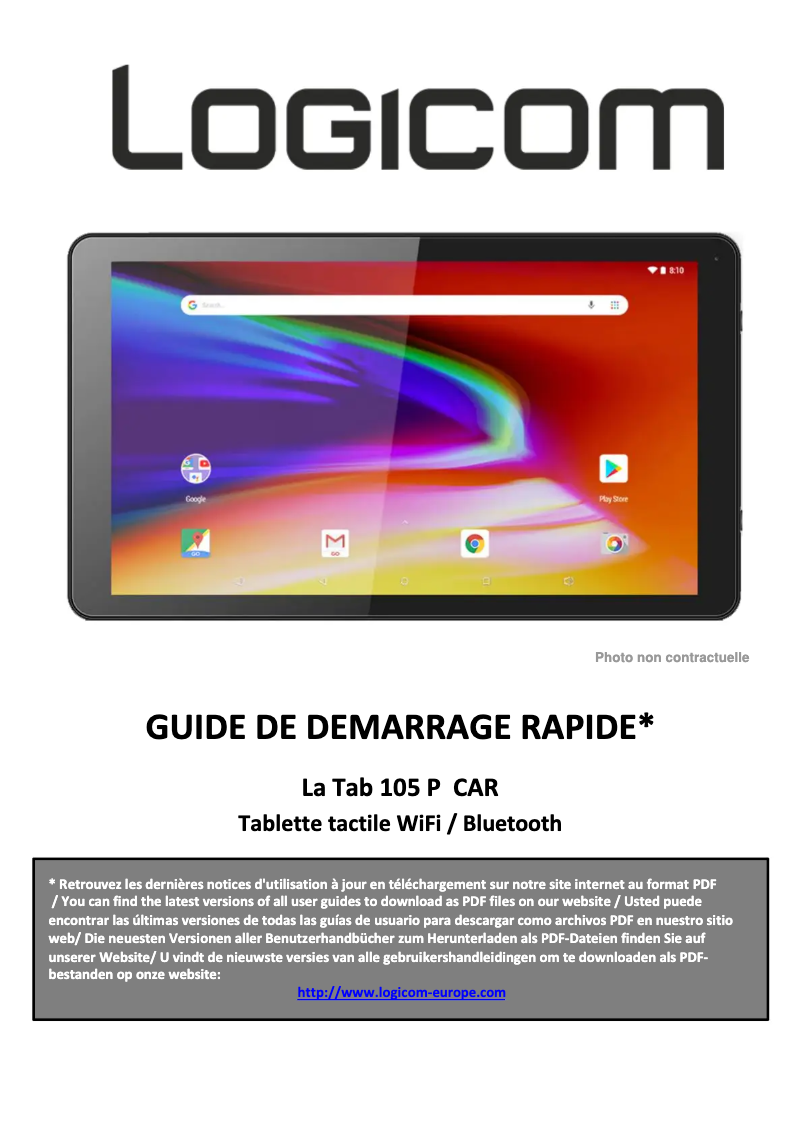
Editorial note
The Logicom La Tab 105 P stands out for its optimal performance for everyday tasks, such as browsing the Internet and watching videos. Its user-friendly and intuitive interface enhances the user experience, making this tablet accessible to all ages. Additionally, its lightweight and compact design make it an ideal device for on-the-go use. However, this tablet has some drawbacks. The internal storage capacity may be limited, which might not suit users who need a lot of space for their apps and files. The battery life is also a weak point, requiring frequent recharges for extended use. Furthermore, the screen may lack brightness, making it difficult to use in very well-lit environments. In terms of value for money, the Logicom La Tab 105 P is backed by the brand's reputation, known for its quality and innovation. The included user manual makes it easy to get started and allows new users to quickly familiarize themselves with the tablet's features. Overall, the Logicom La Tab 105 P is a solid option for those looking for a portable and high-performing tablet for daily use, despite some limitations in performance and durability.Score details
User experience
The user experience is enhanced by a user-friendly and intuitive interface, making navigation easier for all ages.
Performance
Although the tablet offers smooth performance for everyday tasks, it may be less efficient when running multiple applications simultaneously.
Battery life
The battery life is insufficient for prolonged use, requiring frequent recharges.
Design
The lightweight and compact design of the Logicom La Tab 105 P is ideal for portability, although the quality of the materials may seem basic.
Value for money
The tablet represents good value for money, backed by the Logicom brand's reputation for quality and innovation.
Documentation
The included user manual allows for quick familiarization and facilitates use from the start.
Advantages
Smooth performance for everyday tasks
Intuitive interface for easy navigation
Reliable and well-known brand
Lightweight and portable design
User manual for quick setup
Disadvantages
Limited internal storage for applications.
Insufficient battery life.
Dim screen in direct sunlight.
Performance below that of competitors.
Basic quality materials, low durability.
Technical Specifications La Tab 105 P
General Information
-
ModelLA TAB 105 P
-
Brand
-
Category
-
Type
-
SKU1507055
-
MPN1507055
Frequently Asked Questions
What influences the download speed on the Internet?
What are the dimensions of my tablet's screen?
How do I quickly set up the Logicom La Tab 105 P tablet?
What precautions and warnings should I consider when using the Logicom La Tab 105 P tablet?
Can you describe the features and components of the Logicom La Tab 105 P tablet?
Is the manual for the Logicom La Tab 105 P available in French?
Similar products


More product categories from brand Logicom
More product types from brand Logicom








Presentation of product La Tab 105 P specifications from brand Logicom
General Information
The Logicom La Tab 105 P is a tablet from the Logicom brand, known for its commitment to quality and innovation in the electronics sector. This model has been designed to provide an optimal user experience, allowing for various everyday tasks to be performed with ease.
Advantages
The Logicom La Tab 105 P stands out for its smooth performance, ideal for browsing the internet, watching videos, and working on documents. Its intuitive interface simplifies access to applications, making it enjoyable and accessible for everyone, regardless of age.
As a product from a reputable brand, it ensures appreciable reliability and durability, accompanied by responsive customer service. Moreover, its lightweight and compact design makes it a wise choice for users on the go, whether for professional or recreational purposes. A user manual is also provided, facilitating the understanding of features from the first use.
Disadvantages
However, the Logicom La Tab 105 P has some limitations. The internal storage capacity may seem limited for those who require significant space for their applications and files. Additionally, the battery life may not be sufficient for extended sessions, leading to frequent recharges.
The screen may sometimes lack brightness and contrast, making it difficult to use in direct sunlight or very bright environments. Furthermore, overall performance may be inferior to that of some competing models, especially when using multiple applications simultaneously. Finally, the quality of materials used may give an impression of simplicity, which could affect the device's long-term durability.


