

Manual of product Luna 150
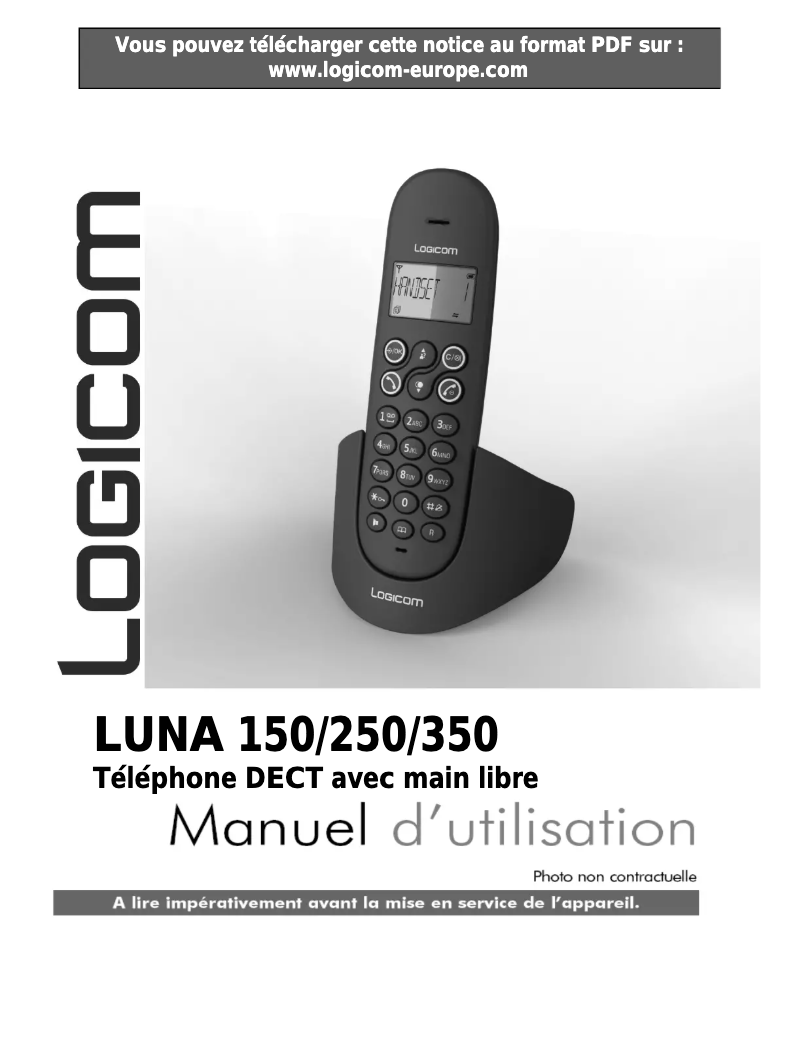
Editorial note
The Logicom Luna 150 stands out for its extensive communication range, reaching up to 300 meters outdoors and 50 meters indoors, making it a flexible choice for various environments. Its use is facilitated by a cordless handset and a desk mount, ensuring easy installation and appreciated freedom of movement during conversations. Additionally, the five adjustable volume levels allow users to customize the ringtone according to their preferences, thus guaranteeing an optimal experience. However, some aspects may pose problems. The lack of a built-in answering machine may disappoint those who wish to manage their missed calls effectively. Furthermore, the directory capacity, limited to 20 entries, may prove insufficient for users with a large number of contacts. The absence of advanced features, such as intercom and options for elderly people, also limits its appeal to certain customer segments. Finally, the indoor range of 50 meters, while adequate, may not suit larger spaces, and the screen, with its 3 lines of display, may reduce the clarity of information. Regarding scores, the user experience is rated satisfactory with a score of 80, while performance, although acceptable, receives a score of 70, highlighting the indoor range. Battery management is efficient, with a score of 85, thanks to practical indicators and impressive standby time. The product design is rated at 75, reflecting a modern aesthetic, but the screen limitation could pose visibility issues. Finally, the value for money is evaluated at 78, highlighting useful features, although the absence of certain options may disappoint some users, with a score of only 65 for features. In summary, the Logicom Luna 150 is a practical and functional phone, but it could benefit from improvements in certain characteristics to appeal to a broader audience.Score details
User experience
The user experience is satisfactory due to the ease of use, especially with the cordless handset and the desktop mount that ensure simple installation.
Performance
The performance is adequate for daily use, but the indoor range of 50 m may be insufficient for larger spaces.
Battery life
Battery management is efficient with capacity indicators and a standby time of 100 hours, allowing for prolonged use.
Design
The design is modern with an elegant color, but the screen limited to 3 lines may reduce the clarity of information display.
Value for money
The product offers good value for money with useful features, but the lack of a built-in answering machine and advanced features may disappoint some users.
Features
Although the Logicom Luna 150 offers practical features like caller ID, the absence of intercom and functions for the elderly limits its appeal.
Advantages
Large range of 300 m outdoors
Simple and practical installation
Five adjustable volume levels
Built-in caller ID
Battery indicator and low charge
Disadvantages
No built-in answering machine
Directory limited to 20 contacts
Lack of advanced features
Indoor range of only 50 m
Screen limited to 3 lines displayed
Technical Specifications Luna 150
Representation / realization
-
Intercom-
-
TypeDECT phone
-
Built-in answering machineNo
-
Type of handsetCordless handset
-
Maximum indoor range50 m
-
Maximum outdoor range300 m
-
Number of manually adjustable volume levels5
-
Number of manually adjustable volume levels5
-
On/off switchYes
Design
-
Mounting typeOffice
-
Product colorBlack, Grey
-
Elderly people's phoneNo
-
Integrated antennaYes
-
Quantity of programmable buttons21
Phone features
-
SpeakerYes
-
Directory capacity20 entries
Call management
-
Quick numberingYes
-
Call log10
-
Quick numberingYes
-
Quick numberingYes
Management features
-
Volume orderDigital
Indication
-
Low battery indicatorYes
-
Low battery indicatorYes
-
Low battery indicatorYes
Screen
-
Built-in screenYes
-
Number of lines displayed3 lines
Connectivity
-
Plug and PlayYes
-
Plug and PlayYes
Power
-
Communication time10 h
-
Standby autonomy100 h
-
Battery technologyNickel-metal hydride (NiMH)
-
Number of supported batteries2
-
Battery typeAAA
Packaging contents
-
Number of included bundles-
-
Base stationYes
Frequently Asked Questions
Does the Logicom Luna 150 include an answering machine?
Is the Logicom Luna 150 a cordless phone?
What is the maximum range of the Logicom Luna 150 indoors?
Can the Logicom Luna 150 be installed on a desk?
Does the Logicom Luna 150 come with a speaker?
How do you activate the hands-free mode on the Logicom Luna 150?
What should I do if the Logicom Luna 150 encounters operational issues?
How can I check that the Logicom Luna 150 meets essential requirements?
What safety measures should be followed when using the Logicom Luna 150?
How can I prevent interference when using the Logicom Luna 150?
Is the manual for the Logicom Luna 150 available in French?
Similar products


More product categories from brand Logicom
More product types from brand Logicom








Presentation of product Luna 150 specifications from brand Logicom
General Information
The Logicom Luna 150 is a cordless phone from the brand Logicom, known for its innovation and reliability in the communication device sector. This model, identified by the code EAN 3483070026519, ensures efficient performance and an intuitive user experience.
Representation / Realization
Designed in a island style, the Logicom Luna 150 offers a solution that is both functional and aesthetic for your interior. This model does not have a built-in answering machine, which may be a disadvantage for those who wish to manage their missed calls. Its cordless handset allows for great freedom of movement, and its maximum indoor range reaches 50 m, while the outdoor range is 300 m, thus ensuring flexible use. With 5 adjustable volume levels, you can customize the ringtone according to your preferences, and the presence of an On/off button makes it easy to control the device.
Design
The Logicom Luna 150 is designed for desk mounting, allowing for easy installation. Its black and gray color gives it a modern look. This model is not specifically aimed at elderly people, but it features a built-in antenna for better reception. It also includes 21 programmable buttons, offering customization options tailored to your needs.
Phone Features
This phone is equipped with a quality speaker, ensuring a pleasant listening experience. Its directory can hold up to 20 entries, allowing for a reasonable number of contacts to be stored.
Call Management
The Logicom Luna 150 offers caller ID, which enhances the management of your communications by allowing you to recognize your interlocutors. It also includes a call log of 10 entries to track your interactions, as well as redial and speed dial features for easy access to your favorite contacts.
Management Features
The volume control is digital, providing precise management of sound levels.
Indication
The Logicom Luna 150 has a battery capacity indicator, as well as a full charge light and a low charge warning, allowing for optimal management of the device's autonomy.
Screen
This model is equipped with a built-in screen, displaying up to 3 lines for clear information viewing.
Connectivity
The Logicom Luna 150 supports wireless connections, simplifying the connection, as well as a Plug and Play system for quick and hassle-free installation.
Power
It offers a talk time of 10 hours, with a standby time of 100 hours. It uses nickel-metal hydride (NiMH) hybrid batteries, ensuring durability and performance. This model supports 2 batteries of type AAA, ensuring prolonged use.
Package Contents
The Logicom Luna 150 comes with a base station, ensuring a stable connection for all your devices, although the number of handsets included is not specified.


