

Manual of product Luxia 150
Editorial note
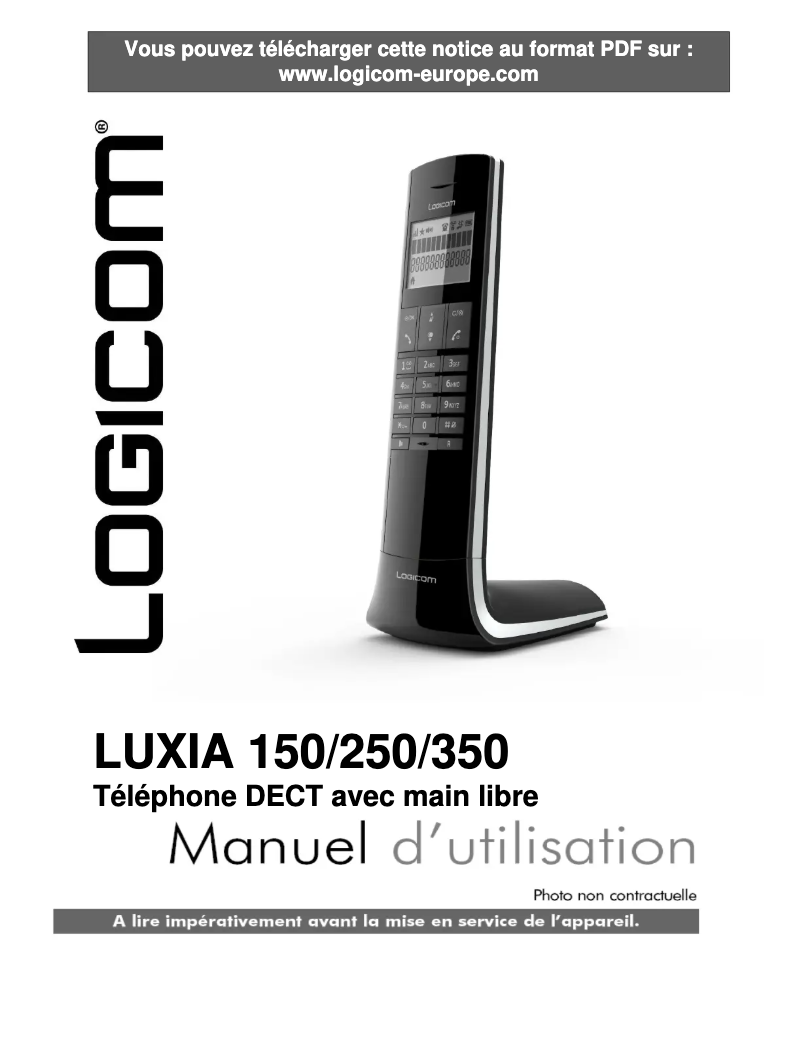
The Logicom Luxia 150 presents itself as a modern and functional phone, ideal for daily use. Its cordless handset offers great freedom of movement during conversations, enhancing user comfort. Additionally, its 50-entry directory allows for sufficient contact storage for quick access, while the caller ID function contributes to effective management of incoming calls. The built-in 3-line screen ensures clear visibility of information, making usage intuitive. However, the product has some drawbacks. The lack of a built-in answering machine may frustrate users who wish to manage their missed calls effectively. Furthermore, the Logicom Luxia 150 is not specifically designed for elderly people, which may complicate its use for that age group. The directory capacity, while sufficient for many, may prove limited for those with a large number of contacts. Finally, the screen with only 3 lines may restrict the visibility of information, which can hinder navigation. In terms of performance, the Logicom Luxia 150 offers a communication time of 10 hours and a standby time of 100 hours, which is satisfactory for daily use. Its nickel-metal hybrid battery technology ensures remarkable longevity. In terms of design, its gray color gives it a modern look, although the screen could be improved for better visibility. Overall, the Logicom Luxia 150 represents good value for money, with useful features for daily use, although some shortcomings may not suit all users.Score details
User experience
The user experience is generally satisfactory, thanks to features such as caller ID and a built-in screen, although the lack of a built-in answering machine may pose a problem.
Performance
The performance is good for daily use, with a talk time of 10 hours and a standby time of 100 hours, but heavy users may find the directory capacity limited.
Battery life
The nickel-metal hybrid (NiMH) battery technology ensures excellent longevity, allowing for prolonged use without frequent recharging.
Design
The design is modern with a sleek gray color, but the screen with only 3 lines may restrict the visibility of information and make navigation less smooth.
Usability
The use is facilitated by the cordless handset, but the lack of specific features for elderly people and the absence of a built-in answering machine may make the experience less smooth.
Value for money
The Logicom Luxia 150 offers good value for money with useful features for daily use, although some shortcomings may disappoint certain users.
Advantages
Cordless handset for more freedom
Directory of 50 contacts available
Built-in caller ID
Clear display with 3 lines shown
NiMH battery for long battery life
Disadvantages
No built-in answering machine
Interface not suitable for seniors
Directory limited to 50 contacts
3-line screen hard to read
Limited range for large houses
Technical Specifications Luxia 150
Representation / realization
-
TypeDECT phone
-
Built-in answering machineNo
-
Type of handsetCordless handset
-
Number of ringtone volume levels5
-
Number of ringtone volume levels5
-
Silent modeYes
Design
-
Mounting typeOffice
-
Product colorGray
-
Elderly people's phoneNo
-
Keyboard LockYes
Phone features
-
SpeakerYes
-
Directory capacity50 entries
Call management
-
Caller IDYes
Management features
-
Volume orderButtons
Screen
-
Built-in screenYes
-
Number of lines displayed3 lines
Connectivity
-
RJ-11 connectorYes
Power
-
Battery typeAAA
-
Number of supported batteries2
-
Battery technologyNickel-metal hydride (NiMH)
-
Communication time10 h
-
Standby autonomy100 h
Packaging contents
-
Number of included bundles1
-
Base stationYes
Frequently Asked Questions
How do I perform the initial setup of my Logicom Luxia 150?
What should I do if I forgot my phone's access code?
How do I transfer files between my phone and my computer?
Any tips to extend the battery life of my phone?
What is the method to take a screenshot on my Logicom Luxia 150?
Does the Logicom Luxia 150 have an answering machine function?
What type of handset is the Logicom Luxia 150?
How many volume levels are available on the Logicom Luxia 150?
Can the Logicom Luxia 150 be placed on a desk?
Does the Logicom Luxia 150 have a speakerphone function?
Is the manual for the Logicom Luxia 150 available in French?
Similar products


More product categories from brand Logicom
More product types from brand Logicom








Presentation of product Luxia 150 specifications from brand Logicom
General Information
The Logicom Luxia 150 is a cordless phone designed by the Logicom brand, known for its commitment to quality and innovation in the communication device sector. This model, referenced as Luxia 150 | LUXIA_150_FR_B+G, is designed to ensure efficient performance while enhancing the user experience. The EAN code, 3483076805316, allows for precise identification in distribution systems.
Representation / Realization
The Logicom Luxia 150 features an island-type design, providing an aesthetic and functional solution to optimize space in your home. Although it is not equipped with a built-in answering machine, this cordless phone allows for great freedom of movement, making daily use more comfortable. It has 5 manually adjustable volume levels, allowing you to adjust the sound according to your preferences, as well as a silent mode for discreet use.
Design
This model is designed for desk mounting, facilitating quick and efficient installation. Its gray color gives it a modern and elegant look. Although it is not specifically intended for elderly people, it offers a keypad lock, ensuring protection against accidental manipulations.
Phone Features
The Logicom Luxia 150 is equipped with a speaker that provides top-notch sound quality for an enjoyable listening experience. Its directory can hold up to 50 entries, allowing for sufficient contact storage for quick access.
Call Management
One of the key features of this phone is caller identification, which allows for easy recognition of the caller's identity and thus improves communication management.
Management Features
The volume control is digital, offering precise management of sound levels.
Screen
The Logicom Luxia 150 is equipped with a built-in screen that facilitates the use of the device. With the ability to display up to 3 lines, it allows for clear and organized viewing of information.
Connectivity
This model is equipped with an RJ-11 connector, essential for establishing reliable telephone and data connections.
Power
The Logicom Luxia 150 operates with two AAA hybrid nickel-metal (NiMH) batteries, ensuring durable performance. It offers a talk time of up to 10 hours and a standby time of 100 hours, allowing for prolonged use without frequent recharges.
Package Contents
The product includes a handset and a base station, ensuring a stable and efficient connection for all your communication needs.


