Thumbnail of product Retro 70 from brand Logicom
Logo of brand Logicom

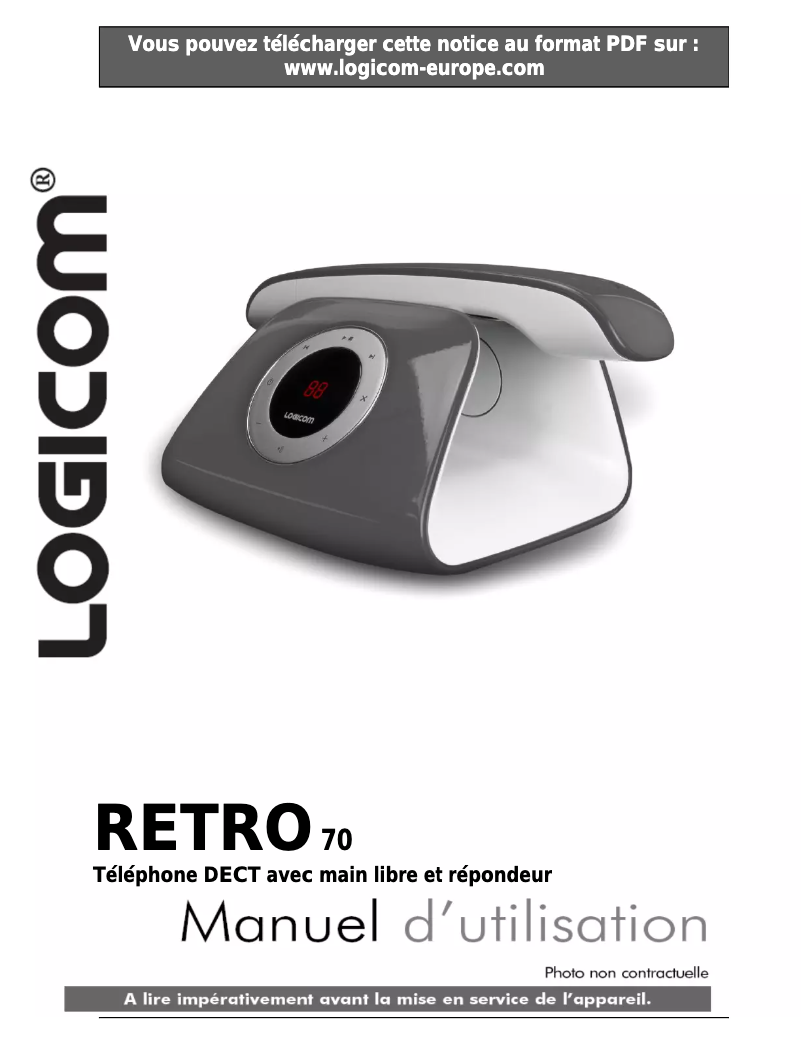
Phone Logicom Retro 70

The Logicom Retro 70 is a vintage-designed phone that combines simplicity and practicality. Manufactured by the brand Logicom, known for its quality and innovation, this model offers an intuitive and optimized user experience.

Equipped with a user-friendly interface, the Logicom Retro 70 is ideal for those looking for an easy-to-use device, without the complications of modern smartphones. Its features include reliable performance that ensures smooth and effective communication.

To assist you in its use, a user manual is available, allowing you to discover all the functionalities of this phone. Whether for making calls or sending messages, the Logicom Retro 70 will perfectly meet your daily needs.

In summary, the Logicom Retro 70 is a functional phone that embodies simplicity and efficiency, perfect for those who prioritize the essentials.

Manual of product Retro 70
7 10

Editorial note

The Logicom Retro 70 is a phone that stands out for its attractive retro design, evoking nostalgia for classic devices. This model is ideal for those seeking a simple and intuitive user experience, without the distractions of modern smartphones. The build quality of Logicom ensures durability and reliability, and the included user manual facilitates quick handling. However, this phone has some limitations. Its design, while charming, may not suit everyone, especially younger generations. Additionally, the features are limited compared to current smartphones, which may restrict the user experience for those looking for advanced options. The battery life may also pose a problem for intensive use, requiring frequent recharges. Finally, the lack of advanced internet connectivity limits access to certain applications and online services. In summary, the Logicom Retro 70 is perfectly suited for those who appreciate simplicity and vintage style, but may not satisfy users in search of modern features and robust battery life.

Score details

User experience

The use is simple and intuitive, ideal for those looking for a phone without complex features. However, the retro design may not appeal to all users.

Performance

The performance is optimal for basic functions like calls and messages, but the limited features compared to modern smartphones may restrict the user experience.

Battery life

The battery life may be insufficient for intensive use, requiring frequent recharges.

Design

The retro design is attractive and evokes nostalgia for classic phones, although it may not suit younger generations.

Usability

The build quality of Logicom ensures durability and reliability, and the included user manual makes it easy to get started and learn the features.

Features

The lack of advanced internet connectivity limits access to certain applications and online services, which may disappoint users looking for modern features.


Advantages

Attractive and nostalgic retro design

Simple and intuitive use

Guaranteed durability and reliability

Optimal performance for calls and messages

Manual included for easy handling

Disadvantages

Retro design not appreciated by some users

Limited features compared to modern smartphones

Insufficient battery life for heavy use

Low-quality screen, difficult to read in sunlight

Lack of advanced internet connectivity available

Technical Specifications Retro 70

General Information

Frequently Asked Questions

How can I change the display settings such as date and time format on the Logicom Retro 70 phone?
To change the display settings on your Logicom Retro 70 phone, follow these steps: 1. Press the 'ALARM' button. 2. Use the navigation keys to select 'DATE & TIME'. 3. Press the key to access the 'DATE FORMAT' setting. 4. Select a date format using the navigation keys. 5. Confirm your choice by pressing the key. 6. Return to the previous menu by pressing the key. 7. For the time format, select 'SET COMB' using the navigation keys. 8. Access 'DATE & TIME' and choose 'TIME FORMAT'. 9. Opt for the 24-hour format (e.g., 23H14) or 12-hour format (e.g., 11H14 P for 23:14). 10. Confirm your selection with a beep. 11. Hold the key for 2 seconds to return to the main screen.
What steps should I take to customize the display settings, including date and time format, on the Logicom Retro 70 phone?
To customize the display settings on your Logicom Retro 70, proceed as follows: 1. Press the 'ALARM' button. 2. Select 'DATE & TIME' using the navigation keys. 3. Access 'DATE FORMAT' by pressing the key. 4. Choose a date format using the navigation keys. 5. Confirm your choice by pressing the key. 6. Return to the previous menu by pressing the key. 7. For the time format, press 'LOG'. 8. Select 'SET COMB' using the navigation keys. 9. Access 'DATE & TIME', then 'TIME FORMAT'. 10. Choose between the 24-hour or 12-hour format. 11. Validate your choice by pressing a key. 12. Hold the key for 2 seconds to return to the main screen. These steps will allow you to customize the display settings on your Logicom Retro 70 phone.
How can I choose the display type on the Logicom Retro 70 phone?
To select the display type on the Logicom Retro 70, follow these instructions: 1. Press the 'LOG' button. 2. Use the arrows to select 'SET COMB.' 3. Press the corresponding button. 4. Choose 'DISPLAY' with the arrows. 5. Press the button again. 6. Select between 'Handset Name' or 'Time' for the display type. 7. Confirm your selection by pressing the button. 8. Hold the button for 2 seconds to exit and return to the main screen.
What display type options are available on the phone and how can I change them?
To change the display type on your Logicom Retro 70 phone, follow these steps: 1. Ensure the phone is idle (no tone). 2. Press the 'LOG' key. 3. Select 'SET COMB.' using the navigation keys. 4. Press the key. 5. 'ALARM' will appear on the screen. 6. Choose 'DISPLAY' using the navigation keys. 7. Press the key. 8. 'TIME' will appear on the screen. 9. Select the desired display type using the navigation keys. 10. Confirm your choice by pressing the key. 11. A beep will confirm the display change. 12. Hold the key for 2 seconds to return to idle mode.
What is the method for cleaning the handset and base without damaging the phone?
To clean the handset and base of the Logicom Retro 70 without risking damage to the device, follow these tips: 1. Use a slightly damp cloth or an anti-static wipe. 2. Avoid cleaning products that could damage the phone. 3. Do not clean with a dry cloth to prevent static charge. 4. Avoid exposing the device to direct sunlight. 5. Do not place the device on old or veneered wood to prevent damage. 6. Do not place it on carpets or fibrous surfaces, and keep it away from drafts. 7. Avoid immersing the device in water and using it in humid environments like bathrooms. 8. Keep the device away from heat sources, explosive materials, or hazardous situations.
What should I do if my handset heats up during charging or prolonged use?
If your Logicom Retro 70 phone heats up during charging or prolonged use, here are some tips to avoid damage: 1. Avoid direct sunlight exposure. 2. Do not place the phone on old or veneered wood to prevent damage. 3. Do not put it on carpets or fibrous surfaces, and keep it away from drafts. 4. Avoid placing it near heat sources, explosive materials, or in risky environments. 5. In case of a storm, unplug the power and telephone cable to prevent damage. 6. Keep in mind that it is normal for the phone to heat up during charging or prolonged use.
Is the user manual for the Logicom Retro 70 available in French?
Yes, the user manual for the Logicom Retro 70 is available in French.

Similar products


Discover the technical sheet of ME6051 from Motorola and its manuals...
Available manuals:
Discover the technical sheet of D114 from Motorola and its manuals...
Available manuals:
Discover the technical sheet of D112 from Motorola and its manuals...
Available manuals:
Discover the technical sheet of GT 502 from Logicom and its manuals...
Available manuals:
Discover the technical sheet of D103 from Motorola and its manuals...
Available manuals:
Discover the technical sheet of Soly 300 from Logicom and its manuals...
Available manuals:
Discover the technical sheet of D113 from Motorola and its manuals...
Available manuals:
Discover the technical sheet of Manta 150 from Logicom and its manuals...
Available manuals:
Discover the technical sheet of Soly 100 from Logicom and its manuals...
Available manuals:
Discover the technical sheet of D210 from Motorola and its manuals...
Available manuals:
Discover the technical sheet of Soly Plus from Logicom and its manuals...
Available manuals:
Discover the technical sheet of Soly 200 from Logicom and its manuals...
Available manuals:

Presentation of product Retro 70 specifications from brand Logicom

General Information

The Logicom Retro 70 phone embodies the charm of classic devices while adding a touch of modernity. Designed by the Logicom brand, known for its commitment to quality and innovation, this model combines reliable performance with a simplified user experience. The Retro 70 is ideal for those looking for a functional phone without the complexities of contemporary smartphones.

Advantages

This model stands out for its attractive retro design, reminiscent of phones from the past and evoking a certain nostalgia. Its ease of use makes it perfect for users wanting a simple device, without superfluous features. The build quality of Logicom ensures durability and reliability that are appreciated. Moreover, the Retro 70 offers optimal performance for essential functions such as calls and SMS, while avoiding unnecessary distractions. A user manual is included, making it easier to get started and learn about the various features.

Disadvantages

However, the retro design, while appealing to some, may not attract all users, particularly younger ones. Additionally, the limited features compared to modern smartphones may restrict the user experience, especially for those seeking more connectivity. The battery life could also be an issue with intensive use, leading to frequent recharges. Furthermore, the low-quality screen may affect readability, especially in bright sunlight or during prolonged use. Finally, the lack of advanced internet connectivity limits access to certain applications and online services.

