

Manual of product Sculpt Comfort Keyboard

Technical Specifications Sculpt Comfort Keyboard
General Information
-
ModelSCULPT COMFORT KEYBOARD
-
Brand
-
Category
-
Type
-
SKU20881
-
MPN20881
Keyboard
-
Device interfaceWireless RF
-
Keyboard form factorActual size (100%)
-
Keyboard layoutQWERTZ
-
Frequency band2.4 GHz
-
Windows keysYes
-
Connectivity technologyWireless
-
Windows keysYes
-
CertificationAES-128
-
GOST
-
MIC
-
IC
-
ISO 9001
-
WHQL
-
NTRA
-
VCCI
-
KCC
-
CB
-
ACA
-
WEEE
-
BSMI
-
FCC
-
ISO 14001
-
RSS-210
-
ANATEL
-
TELEC
-
cUL
-
URSEC
-
UkrSEPRO
-
UL
Design
-
Keyboard styleCurved
-
IndicatorsYes
-
IndicatorsYes
-
Product colorBlack
-
Surface coloringMonochromatic
-
IndicatorsYes
Mouse
-
Mouse includedNo
Features
-
Wireless router range10 m
Packaging contents
-
Wireless reception interfaceUSB Type-A
-
Receiver typeNano receiver
-
Number of products included1 piece(s)
-
User GuideYes
Other features
-
InternalNo
-
Compatible operating systemsWindows 8, Windows 7, Windows Vista
-
Depth191.7 mm
-
Width454.9 mm
Minimum system requirements
-
USB requiredYes
-
USB requiredYes
Power
-
Power supply typeBattery
-
Battery technologyAlkaline
-
Number of supported batteries2
-
Keyboard battery typeAAA
Environmental conditions
-
Operating temperature0 - 40 °C
-
Temperature out of operation-20 - 60 °C
-
Operating relative humidity (H-H)0 - 90 %
Similar products


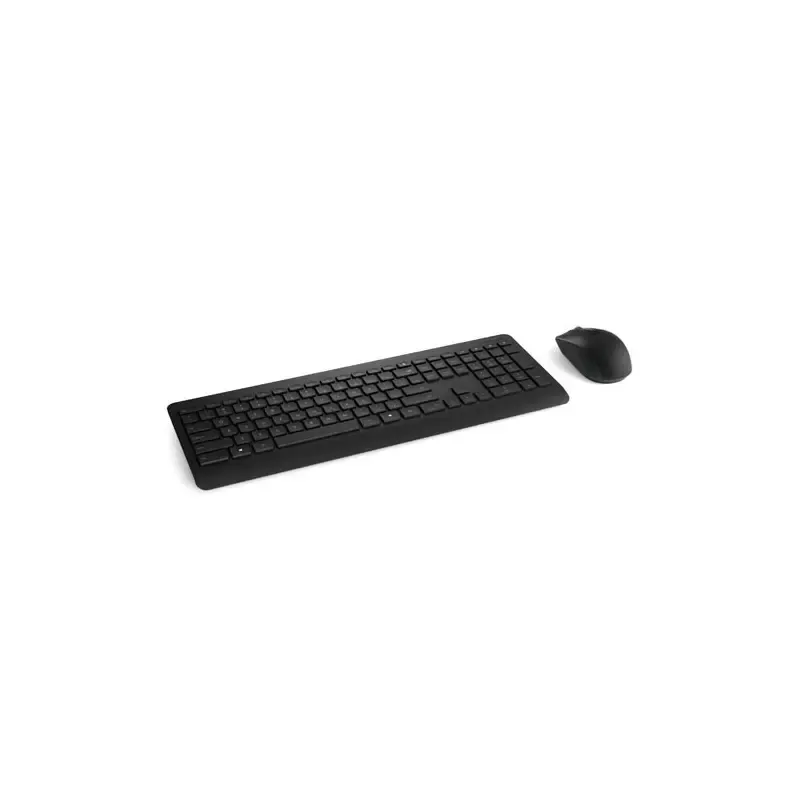


More product categories from brand Microsoft
More product types from brand Microsoft


Presentation of product Sculpt Comfort Keyboard specifications from brand Microsoft
Mouse
Does the product Microsoft Sculpt Comfort Keyboard come with a mouse included? Non. This feature allows for immediate and convenient use right out of the box.
Generalities
The EAN code of the product Microsoft Sculpt Comfort Keyboard is 885370409796, 885370410068, 0885370409666. This code allows for the unique identification of the product in the distribution system. The brand of the product Microsoft Sculpt Comfort Keyboard is Microsoft. This brand is known for its quality and innovation in the field of household appliances. The product model Microsoft Sculpt Comfort Keyboard is Sculpt Comfort Keyboard | V4S-00008. This model ensures optimal performance and an enhanced user experience.
Design
Does the product Microsoft Sculpt Comfort Keyboard have a full Keyboard? Oui. This keyboard provides an optimal typing experience, perfect for work and gaming. Does the product have a Wrist Rest? Oui. This wrist rest provides ergonomic support for optimal comfort during your work or gaming sessions. The color of the product Microsoft Sculpt Comfort Keyboard is Noir. This shade gives it a modern and elegant look. The keyboard style of the product Microsoft Sculpt Comfort Keyboard is straight. This style provides a comfortable and ergonomic typing experience. The product Microsoft Sculpt Comfort Keyboard has a surface coloration Monochromatique. This coloration provides a unique and personalized aesthetic to each piece. Does the product Microsoft Sculpt Comfort Keyboard have indicators? Oui. These indicators allow you to visualize the operating status of the device.
Features
The wireless range of the Microsoft Sculpt Comfort Keyboard router is 10 m. This range ensures a stable and efficient connection in your space.
Keyboard
The form factor of the keyboard of the product Microsoft Sculpt Comfort Keyboard is full size (100%). This format ensures an optimal and familiar typing experience for all users. The device interface of the product Microsoft Sculpt Comfort Keyboard contains RF sans fil. This interface allows for easy and quick connection with other devices. The layout of the keyboard keys of the product Microsoft Sculpt Comfort Keyboard is QWERTZ. This layout is designed to provide an optimal and intuitive typing experience. The frequency band of the product Microsoft Sculpt Comfort Keyboard is 2.4 GHz. This feature allows for effective communication within the specified frequency range. Does the product Microsoft Sculpt Comfort Keyboard have a numeric keypad? No. This product does not have this feature. The product Microsoft Sculpt Comfort Keyboard features a Sans fil connectivity technology. This functionality allows for practical and flexible use without the constraints of cables. Does the product Microsoft Sculpt Comfort Keyboard have Windows Keys? Oui. These keys make it easier to access Windows features, thereby enhancing your user experience. The certification of the product Microsoft Sculpt Comfort Keyboard contains AES-128\nGOST\nMIC\nIC\nISO 9001\nWHQL\nNTRA\nVCCI\nKCC\nCB\nACA\nWEEE\nBSMI\nFCC\nISO 14001\nRSS-210\nANATEL\nTELEC\ncUL\nURSEC\nUkrSEPRO\nUL. This certification guarantees compliance with the required safety and performance standards.
Packaging contents
The product Microsoft Sculpt Comfort Keyboard has a wireless reception interface: USB Type-A. This interface allows for a simple and quick connection to various devices. The number of products included in the Microsoft Sculpt Comfort Keyboard is 1 pièce(s). This product is ideal for those looking for a practical and comprehensive solution. The type of receiver of the product Microsoft Sculpt Comfort Keyboard is Récepteur nano. This type of receiver offers an immersive audio experience, ideal for movies and music. Does the product Microsoft Sculpt Comfort Keyboard have a User Guide? Oui. This guide will allow you to fully enjoy all the features of the product.
Other features
Does the product Microsoft Sculpt Comfort Keyboard have an Internal? No. This product does not have any internal components. The depth of the product Microsoft Sculpt Comfort Keyboard is 191.7 mm. This dimension allows for optimal integration into your space. The width of the product Microsoft Sculpt Comfort Keyboard is 454.9 mm. This dimension is essential to ensure optimal integration into your space. The compatible operating system for the product Microsoft Sculpt Comfort Keyboard is Windows XP, Windows Vista, Windows 7. These operating systems ensure optimal and smooth use of the product.
Minimum system requirements
Does the product Microsoft Sculpt Comfort Keyboard support the Windows operating system? Oui. This feature ensures optimal compatibility with Windows systems, providing a smooth and uninterrupted user experience. Does the product Microsoft Sculpt Comfort Keyboard require USB? Oui. This specification is essential to ensure compatibility with your devices.
Power
The battery type of the product Microsoft Sculpt Comfort Keyboard is AAA. This specification ensures reliable and long-lasting power for optimal use. The number of batteries supported by the product Microsoft Sculpt Comfort Keyboard is 2. This product offers optimal capacity for extended use. The battery technology of the product Microsoft Sculpt Comfort Keyboard is nickel-metal hydride (NiMH). This technology offers excellent performance and increased durability, ideal for daily use. The type of power source for the product Microsoft Sculpt Comfort Keyboard is Batterie. This type of power supply ensures optimal performance and efficient use of the device.
Environmental conditions
The product Microsoft Sculpt Comfort Keyboard has an operating relative humidity (H-H) of 0 - 90 %. This specification ensures optimal operation in a wide range of ambient humidity. The non-operating temperature of the product Microsoft Sculpt Comfort Keyboard is -20 - 60 °C. This specification ensures that the product can withstand extreme conditions without suffering damage. The operating temperature of the product Microsoft Sculpt Comfort Keyboard is 0 - 40 °C. This specification ensures optimal performance within a temperature range suitable for various environments.


