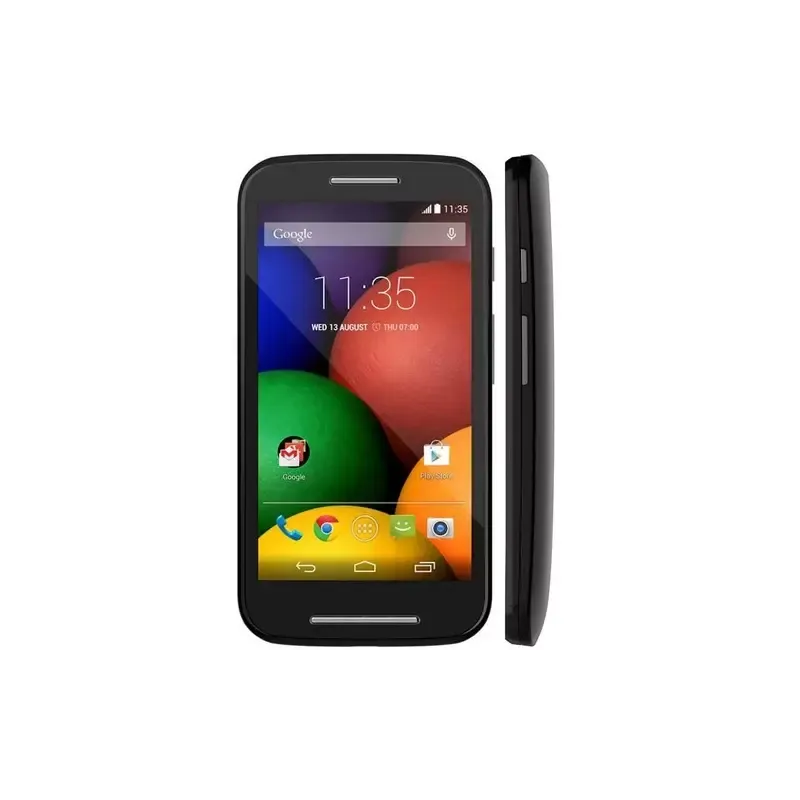
Thumbnail of product Moto E from brand Motorola
Logo of brand Motorola

Smartphone Motorola Moto E

The Motorola Moto E is a compact and convenient smartphone, ideal for everyday use. With its 4.3-inch touchscreen and a resolution of 540 x 960 pixels, it offers a pleasant visual experience for browsing the web, watching videos, and using your favorite apps.

Equipped with a Qualcomm Snapdragon 200 processor at 1.2 GHz and 1 GB of RAM, the Motorola Moto E ensures smooth performance, even when running multiple tasks simultaneously. Its internal storage is expandable via a MicroSD card, allowing you to keep all your important data.

The rear camera of 5 MP, with flash, allows you to capture clear photos, while the front camera is perfect for selfies and video calls. Additionally, the smartphone supports 3G networks and is equipped with connectivity features like Wi-Fi and Bluetooth 4.0.

With a 1980 mAh battery, the Motorola Moto E lets you stay connected throughout the day without needing to recharge frequently. Its lightweight design of 142 g and compact dimensions make it an easy-to-carry device.

In summary, the Motorola Moto E is a smart choice for those looking for a reliable and affordable smartphone, combining performance, essential features, and ease of use.

Manual of product Moto E

7 10

Editorial note

The Motorola Moto E positions itself as an entry-level smartphone offering good value for money. Its 4.3-inch capacitive touchscreen provides a pleasant visual experience, although its resolution of 540 x 960 pixels may seem limited compared to current standards. The modern and lightweight design of the device makes it easy to use on a daily basis. In terms of performance, the Qualcomm Snapdragon 200 processor at 1.2 GHz ensures satisfactory basic functionality, but may show limitations with more demanding applications. The 1 GB RAM capacity may also restrict multitasking, which can affect the smoothness of the user experience when using multiple applications simultaneously. The 1980 mAh battery offers decent autonomy for normal use, but heavy users may require frequent recharges. The 3G connectivity and support for MicroSD cards up to 32 GB are appreciated assets, although the lack of 4G and some advanced features may disappoint certain users. Finally, the Moto E runs on Android 4.4, an outdated operating system that limits support for recent applications, which can impact the overall user experience. Despite these drawbacks, the Motorola Moto E remains a viable option for those seeking a simple and functional smartphone.

Score details

User experience

The user experience is generally acceptable thanks to the capacitive touchscreen, but the RAM limitation can make multitasking less smooth.

Performance

The Qualcomm Snapdragon 200 processor at 1.2 GHz offers satisfactory performance for daily use, but may be limited for more demanding applications.

Battery life

The 1980 mAh battery provides decent autonomy for daily use, but may require frequent recharges with intensive use.

Design

The design is modern with a 4.3-inch touchscreen that ensures a pleasant visual experience, although the resolution of 540 x 960 pixels may seem low.

Value for money

The Motorola Moto E offers good value for money for users looking for an entry-level smartphone with basic features.

Features

Although the Moto E has useful features like 3G connectivity and expandable storage, the lack of 4G and advanced features may disappoint some users.

Support

The Android 4.4 operating system is outdated, which may limit support for some recent applications and affect the user experience.


Advantages

4.3-inch touchscreen

Snapdragon 200 processor at 1.2 GHz

Expandable storage up to 32 GB

3G connectivity and fast Wi-Fi

1980 mAh battery, long-lasting battery life

Disadvantages

Low screen resolution for HD

Limited multitasking with 1 GB of RAM

Insufficient 1980 mAh battery

Lack of 4G for slow browsing

Underperforming 5 MP camera

Outdated and limited Android 4.4

Technical Specifications Moto E

General Information

Screen

  • Screen size
    4.3 "
  • Screen resolution
  • Touch technology
    540 x 960 pixels
  • Touch screen type
    Multiple pressures
  • Capacity

Other features

  • Touch screen
    Yes
  • ROM capacity
    4096 MB

Detectors

  • Orientation sensor
    Yes

Processor

  • Processor frequency
    1.2 GHz
  • Processor family
    Qualcomm Snapdragon
  • Processor model
    200
  • The architecture of the processor
    ARM Cortex-A7
  • Number of processor cores
    2

Storage support

  • RAM capacity
    1 GB
  • Internal storage capacity
    - GB
  • Compatible memory cards
    MicroSD (TransFlash)
  • Maximum memory card size
    32 GB

Camera

  • Auto focus
    -
  • Resolution of the rear camera (digital)
    5 MP
  • Video recording
    Yes
  • Video recording
    Yes
  • Front camera type
    Single camera
  • Front camera type
    Single camera

Network

  • Bluetooth Low Energy (BLE)
    Yes
  • 2G Standards
    EDGE, GPRS, GSM
  • 3G Standards
    HSPA+, UMTS
  • Wifi standards
    802.11b, 802.11g, Wi-Fi 4 (802.11n)
  • Bluetooth Low Energy (BLE)
    Yes
  • Bluetooth model
    4.0
  • 2G band (1st SIM card)
    800,850,900,1800,1900 MHz
  • 3G bands supported
    850,900,1900,2100 MHz
  • SIM card capacity
    Dual SIM
  • SIM card type
    MicroSIM
  • Mobile network generation
    3G
  • Bluetooth Low Energy (BLE)
    Yes

Connectivity

  • Quantity of HDMI ports
    -
  • USB port
    Yes
  • USB connector
    Micro-USB B
  • Headset connection
    3.5 mm

Design

  • Format
    Bar
  • Product color
    White

Software

  • Installed operating system
    Android 4.4
  • Platform
    Android
  • Application distribution platform
    Google Play

Registration

  • Registration type
    -

Navigation

  • Location of position
    Yes
  • Location of position
    Yes
  • Location of position
    Yes
  • Location of position
    Yes

Multimedia

  • RDS tuner included
    Yes
  • RDS tuner included
    Yes
  • Supported audio formats
    AAC, AAC+, AMR-NB, AMR-WB, eAAC+, FLAC, MIDI, MP3, OGG, PCM
  • Supported video format
    DIVX, H.263, H.264, MP4, WMV
  • Supported image formats
    JPG

Messaging

  • E-mail
    Yes
  • E-mail
    Yes
  • E-mail
    Yes

Call management

  • Call timer
    Yes
  • Call timer
    Yes

Representation / realization

  • Alert with vibrator
    Yes

Battery

  • Battery technology
    Lithium-Ion (Li-Ion)
  • Battery capacity
    1980 mAh
  • Waiting time (3G)
    - h
  • Waiting time (3G)
    - h

Weight and dimensions

  • Weight
    142 g
  • Width
    64.8 mm
  • Depth
    12.3 mm
  • Height
    124.8 mm

Packaging contents

  • Quick Start Guide
    Yes

Frequently Asked Questions

How do I reset my Motorola Moto E?
To reset your Moto E, press and hold the volume up, power, and home buttons simultaneously when the device starts up. Q: What should I do if my SIM card is too small for my {brand} phone? A: Use a SIM card adapter that allows you to insert the smaller SIM card. This adapter then fits into the phone. Q: What is the IMEI number? A: IMEI stands for "International Mobile Equipment Identity." It is a unique fifteen-digit identifier that allows you to recognize your Motorola phone among other devices. Q: What are the dimensions of my smartphone's screen? A: The size of your smartphone's screen is typically measured in inches, with 1 inch equal to 2.54 centimeters. This measurement corresponds to the diagonal of the screen, which you should take by measuring from the bottom left corner to the top right corner. Q: Can my smartphone's battery explode? A: Ensure that your smartphone's batteries do not overheat, as there is a very low risk of explosion. Q: What is the operating system of the Motorola Moto E? A: The Motorola Moto E runs on the Android OS. Q: What is the weight of the Motorola Moto E? A: The weight of the Motorola Moto E is 142 grams. Q: What is the size of the Motorola Moto E's screen? A: The screen of the Motorola Moto E measures 4.3 inches. Q: What is the height of the Motorola Moto E? A: The height of the Motorola Moto E is 124.8 mm. Q: What is the resolution of the Motorola Moto E's screen? A: The resolution of the Motorola Moto E's screen is 540 x 960 pixels. Q: What is the width of the Motorola Moto E? A: The width of the Motorola Moto E is 64.8 mm. Q: What is the depth of the Motorola Moto E? A: The depth of the Motorola Moto E is 12.3 mm. Q: What type of USB connection does the Motorola Moto E have? A: The Motorola Moto E is equipped with a Micro-USB B connection. Q: What is the storage capacity of the Motorola Moto E? A: The storage capacity of the Motorola Moto E is - GB. Q: How do I set up my new Motorola Moto E for the first time? A: To set up your Motorola Moto E, turn it on by pressing and holding the power button. Follow the on-screen steps to choose your language, connect to a Wi-Fi network, sign in to your Google account, and complete the setup. Q: How do I take a screenshot on my Motorola Moto E? A: To take a screenshot on your Motorola Moto E, press the power button and the volume down button simultaneously until a screenshot animation appears and you hear a shutter sound. The screenshot will be saved in your gallery for easy access. Q: How can I improve the battery life of my Motorola Moto E? A: To extend the battery life of your Motorola Moto E, turn off unnecessary features like Bluetooth, location services, and Wi-Fi when not in use. Reducing screen brightness, using a dark theme, and enabling battery saver mode can also help save energy. Q: How do I transfer files between my Motorola Moto E smartphone and my computer? A: To transfer files between your Motorola Moto E and your computer, connect them with a USB cable. Swipe down from the top of your phone's screen, tap the USB notification, and choose "File Transfer" or "MTP." Your phone will then appear as a removable drive on your computer, allowing for drag-and-drop file transfers. Q: How do I customize the home screen of my Motorola Moto E? A: To customize the home screen of your Motorola Moto E, long-press on an empty area of the screen to access customization options. You can add widgets, change the wallpaper, rearrange app icons, and create folders for better organization. Q: Does the Motorola Moto E have a 4.3-inch screen? A: Yes, the Motorola Moto E features a 4.3-inch screen. This size is relatively small compared to other smartphones, which may affect the user experience when viewing content or using certain apps. Q: Does the Motorola Moto E have an orientation sensor? A: Yes, the Motorola Moto E is equipped with an orientation sensor, allowing the screen to adjust automatically based on how the user holds the phone, providing a more convenient experience. Q: Does the Motorola Moto E have a capacitive touchscreen? A: Yes, the Motorola Moto E has a capacitive touchscreen, which is more responsive to gestures and offers a smoother experience compared to resistive screens. Q: Is the Motorola Moto E powered by a Qualcomm Snapdragon 200 processor? A: Yes, the Motorola Moto E is equipped with a Qualcomm Snapdragon 200 processor. While it is not the most powerful, it provides sufficient performance for everyday tasks and basic use. Q: Does the Motorola Moto E have a 5 MP rear camera with flash? A: Yes, the Motorola Moto E features a 5 MP rear camera with flash. Although the resolution is not the highest, it can still take reasonably good photos, especially in low-light conditions thanks to the flash. Q: Is the user manual for the Motorola Moto E available in French? A: Yes, the manual for the Motorola Moto E is available in French.
Que faire si ma carte SIM est trop petite pour mon téléphone {de marque} ?
Utilisez un adaptateur de carte SIM qui permet d'insérer la carte SIM de taille réduite. Cet adaptateur se place ensuite dans le téléphone.
Qu'est-ce que le numéro IMEI ?
IMEI signifie « International Mobile Equipment Identity ». C'est un identifiant unique de quinze chiffres qui permet de reconnaître votre téléphone Motorola parmi d'autres appareils.
Quelles sont les dimensions de l'écran de mon smartphone ?
La taille de l'écran de votre smartphone est généralement mesurée en pouces, 1 pouce équivalant à 2,54 centimètres. Cette mesure correspond à la diagonale de l'écran, que vous devez prendre en mesurant du coin inférieur gauche au coin supérieur droit.
La batterie de mon smartphone peut-elle exploser ?
Assurez-vous que les batteries de votre smartphone ne surchauffent pas, car il existe un risque très faible d'explosion.
Quel est le système d'exploitation du Motorola Moto E ?
Le Motorola Moto E fonctionne sous l'OS Android.
Quel est le poids du Motorola Moto E ?
Le poids du Motorola Moto E est de 142 grammes.
Quelle est la taille de l'écran du Motorola Moto E ?
L'écran du Motorola Moto E mesure 4,3 pouces.
Quelle est la hauteur du Motorola Moto E ?
La hauteur du Motorola Moto E est de 124,8 mm.
Quelle est la résolution de l'écran du Motorola Moto E ?
La résolution de l'écran du Motorola Moto E est de 540 x 960 pixels.
Quelle est la largeur du Motorola Moto E ?
La largeur du Motorola Moto E est de 64,8 mm.
Quelle est la profondeur du Motorola Moto E ?
La profondeur du Motorola Moto E est de 12,3 mm.
Quel type de connexion USB possède le Motorola Moto E ?
Le Motorola Moto E est équipé d'une connexion Micro-USB B.
Quelle est la capacité de stockage du Motorola Moto E ?
La capacité de stockage du Motorola Moto E est de - Go.
Comment configurer mon nouveau Motorola Moto E lors de la première utilisation ?
Pour configurer votre Motorola Moto E, allumez-le en maintenant le bouton d'alimentation enfoncé. Suivez les étapes affichées pour choisir votre langue, vous connecter à un réseau Wi-Fi, vous connecter à votre compte Google et finaliser la configuration.
Comment réaliser une capture d'écran sur mon Motorola Moto E ?
Pour capturer un écran sur votre Motorola Moto E, appuyez en même temps sur le bouton d'alimentation et le bouton de volume bas jusqu'à ce qu'une animation de capture d'écran apparaisse et que vous entendiez un son de déclenchement. La capture sera sauvegardée dans votre galerie pour un accès facile.
Comment améliorer la durée de vie de la batterie de mon Motorola Moto E ?
Pour prolonger la durée de vie de la batterie de votre Motorola Moto E, désactivez les fonctions inutiles comme Bluetooth, les services de localisation et le Wi-Fi quand vous ne les utilisez pas. Réduire la luminosité de l'écran, adopter un thème sombre et activer le mode économie d'énergie peut également contribuer à économiser de l'énergie.
Comment transférer des fichiers entre mon smartphone Motorola Moto E et mon ordinateur ?
Pour transférer des fichiers entre votre Motorola Moto E et votre ordinateur, connectez-les avec un câble USB. Faites glisser l'écran vers le bas depuis le haut de votre téléphone, appuyez sur la notification USB et choisissez le mode « Transfert de fichiers » ou « MTP ». Votre téléphone apparaîtra alors comme un lecteur amovible sur votre ordinateur, permettant le glisser-déposer de fichiers.
Comment personnaliser l'écran d'accueil de mon Motorola Moto E ?
Pour adapter l'écran d'accueil de votre Motorola Moto E, pressez longuement une zone vide de l'écran pour accéder aux options de personnalisation. Vous pouvez ajouter des widgets, changer le fond d'écran, réorganiser les icônes d'applications et créer des dossiers pour mieux organiser.
Le Motorola Moto E possède-t-il un écran de 4,3 pouces ?
Oui, le Motorola Moto E est équipé d'un écran de 4,3 pouces. Cette taille est relativement petite comparée à d'autres smartphones, ce qui peut influencer l'expérience utilisateur lors de la consultation de contenu ou de l'utilisation de certaines applications.
Le Motorola Moto E est-il doté d'un capteur d'orientation ?
Oui, le Motorola Moto E est équipé d'un capteur d'orientation, permettant à l'écran de s'ajuster automatiquement selon la façon dont l'utilisateur tient le téléphone, offrant ainsi une expérience plus pratique.
Est-ce que le Motorola Moto E dispose d'un écran tactile capacitif ?
Oui, le Motorola Moto E possède un écran tactile capacitif, qui est plus réactif aux gestes et offre une utilisation plus fluide par rapport aux écrans résistifs.
Le smartphone Motorola Moto E est-il alimenté par un processeur Qualcomm Snapdragon 200 ?
Oui, le Motorola Moto E est équipé d'un processeur Qualcomm Snapdragon 200. Bien qu'il ne soit pas le plus puissant, il offre des performances suffisantes pour les tâches quotidiennes et l'utilisation basique.
Le smartphone Motorola Moto E possède-t-il une caméra arrière de 5 MP avec flash ?
Oui, le Motorola Moto E est doté d'un appareil photo arrière de 5 MP avec flash. Malgré une résolution qui n'est pas la plus élevée, il peut tout de même prendre des photos de qualité correcte, surtout dans des conditions de faible luminosité grâce au flash.
Le manuel d'utilisation du Motorola Moto E est-il disponible en français ?
Oui, le manuel du Motorola Moto E est proposé en français.

Similar products


Discover the technical sheet of Charm from Motorola and its manuals...
Available manuals:
Discover the technical sheet of Cliq from Motorola and its manuals...
Available manuals:
Discover the technical sheet of Electrify from Motorola and its manuals...
Available manuals:
Discover the technical sheet of Cliq 2 from Motorola and its manuals...
Available manuals:
Discover the technical sheet of DEFY XT from Motorola and its manuals...
Available manuals:
Discover the technical sheet of Droid 4 from Motorola and its manuals...
Available manuals:

Presentation of product Moto E specifications from brand Motorola

General Information

The Motorola Moto E is a smartphone from the Motorola brand, renowned for its commitment to quality and technological innovation. This model, identified by the code SM3795AD1E1, is designed to provide a satisfying user experience thanks to its technical features. The EAN code, including 5054230826720, 5054230867594, and 6947681517653, allows for unique identification of this product in distribution systems.

Screen

The Motorola Moto E features a 4.3-inch capacitive touchscreen, providing a pleasant visual experience for a variety of content. Its resolution of 540 x 960 pixels ensures adequate display quality, although it is less performant compared to current standards. Thanks to its touch technology, this screen allows for smooth interaction, making usage intuitive and responsive.

Other Features

This model is equipped with 4096 MB of ROM, sufficient to store a considerable number of applications and data. It also has a touchscreen, facilitating its use.

Sensors

The Motorola Moto E integrates an orientation sensor, allowing for precise determination of the device's orientation for a better user experience.

Processor

The smartphone is powered by a Qualcomm Snapdragon 200 processor running at a frequency of 1.2 GHz. With 2 cores, this processor ensures adequate performance for daily use. The ARM Cortex-A7 architecture optimizes application and task management.

Storage Support

The Motorola Moto E is equipped with 1 GB of RAM, which may limit multitasking when multiple applications are open. Internal memory is expandable via a MicroSD card slot, allowing for an additional 32 GB of storage, ideal for users needing more space.

Camera

The rear camera of the Moto E offers a resolution of 5 MP, capable of capturing satisfactory images for everyday use. It is also equipped with a flash to enhance photo quality in low light. Although video recording is possible, the quality may not satisfy those seeking superior performance. The front camera allows for selfies and video calls with decent quality.

Network

The Moto E supports 2G and 3G connectivity standards, including HSDPA and WCDMA, ensuring a reliable mobile connection. It also features Wi-Fi connectivity with 802.11b/g/n standards for fast Internet access. Bluetooth 4.0 allows for easy connection to compatible devices.

Connectivity

The smartphone is equipped with a Micro-USB port for data transfer and charging, as well as a 3.5 mm headphone jack for standard audio use.

Design

The Motorola Moto E features a bar design, with a white finish that gives it a modern and sleek look. Its compact dimensions make it comfortable to hold.

Software

Running on Android 4.4, the Motorola Moto E offers a smooth and intuitive user interface. This operating system, although outdated, remains compatible with many applications.

Navigation

The Moto E is equipped with GPS (satellite) and A-GPS for precise location, facilitating navigation. It also supports GLONASS for better accuracy in challenging areas.

Multimedia

The Moto E does not have an FM radio, but it supports various audio formats such as AAC, MP3, and FLAC, ensuring a good listening experience. For video, it is compatible with formats like MP4 and H.264.

Messaging

This smartphone supports multimedia messaging service (MMS) and text messages (SMS), facilitating communication. It also allows for sending and receiving emails.

Call Management

The Motorola Moto E integrates a caller ID function and a call timer, thus enhancing the call management experience.

Battery

Equipped with a nickel-metal hydride battery of 1980 mAh, the Moto E offers reasonable battery life for daily use, although this may not be sufficient for intensive usage.

Weight and Dimensions

The smartphone weighs 142 g, making it light and easy to handle. Its dimensions of 64.8 mm in width, 12.3 mm in depth, and 124.8 mm in height make it a compact device, ideal for transport and daily use.

Package Contents

The Motorola Moto E comes with a quick start guide, facilitating its installation and initial setup.

