

Manuals of product Nighthawk MK6W


Editorial note
The Netgear Nighthawk MK6W stands out for its exceptional performance, providing a stable and fast connection for all your connected devices. This model, recognized for its innovation, ensures an enhanced user experience thanks to its advanced features that facilitate the management of your home network. Additionally, the provided documentation, including a user manual and an installation guide, makes the setup and optimization of the device accessible. However, this product has some drawbacks. Its price may seem high compared to other similar models, which could deter some potential buyers. Furthermore, the initial setup can be complex for less experienced users, requiring some understanding of network settings. The signal range may also be limited in environments with many obstacles, and frequent firmware updates may prove necessary. Finally, some users have reported compatibility issues with older devices, which can pose challenges for smooth integration into an existing network. In summary, the Nighthawk MK6W is a solid option for those seeking optimal performance and a seamless user experience, although budget and setup complexity should be taken into account.Score details
Performance
The performance of the Netgear Nighthawk MK6W is exceptional, ensuring a stable and fast connection for all your connected devices.
User experience
The user experience is enhanced by its advanced features, offering intuitive management of the home network.
Value for money
The price of the Nighthawk MK6W may be perceived as high compared to other similar models, which could deter some users.
Documentation
The documentation is comprehensive with a user manual and installation guide, making the setup and optimization of the device easier.
Usability
The initial setup can be complex for less experienced users, requiring a good understanding of network settings.
Robustness
Although the product is generally reliable, some users have reported compatibility issues with older devices.
Advantages
Fast and stable performance
Recognized reliability and durability
Intuitive user experience
Comprehensive installation documentation
Wide compatibility with various devices
Disadvantages
High price compared to the competition
Complex setup for novice users
Limited range with many obstacles
Frequent firmware updates required
Compatibility issues with older devices
Technical Specifications Nighthawk MK6W
General Information
-
ModelNIGHTHAWK MK6W
-
Brand
-
Category
-
Type
-
SKU2008144
-
MPN2008144
Frequently Asked Questions
Is the manual for the Netgear Nighthawk MK6W available in French?
Similar products


More product categories from brand Netgear
More product types from brand Netgear


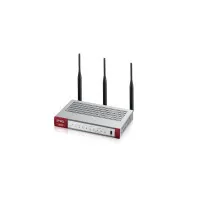




Presentation of product Nighthawk MK6W specifications from brand Netgear
General Information
The Netgear Nighthawk MK6W is a device from the Netgear brand, known for its commitment to innovation and quality in the field of networking technologies. This model is designed to deliver high-level performance, ensuring a fast and stable connection for all your connected devices at home.
With its advanced features, the Nighthawk MK6W significantly enhances the user experience, making the management of your home network both simple and intuitive. Additionally, it comes with useful documents, such as a user manual and an installation guide, thus facilitating the setup and optimization of the device.
This product also stands out for its extensive compatibility with a wide range of devices, making it an ideal choice for households with multiple connected devices.
Advantages
- Optimal performance: designed for fast and stable connections.
- Brand innovation: Netgear ensures reliability and durability.
- Enhanced user experience: smooth and intuitive interface.
- Comprehensive documentation: provides a manual and installation guide for easy setup.
- Extensive compatibility: works with various devices, ideal for multi-device households.
Disadvantages
- High price: may deter some users compared to similar models.
- Complex setup: may require networking knowledge for less experienced users.
- Limited range: connectivity may be affected by obstacles such as thick walls.
- Frequent updates: the need for firmware updates can be a drawback for those seeking a hassle-free solution.
- Compatibility issues: some users have encountered difficulties with older devices.


