

Manual of product Super Coolscan 5000
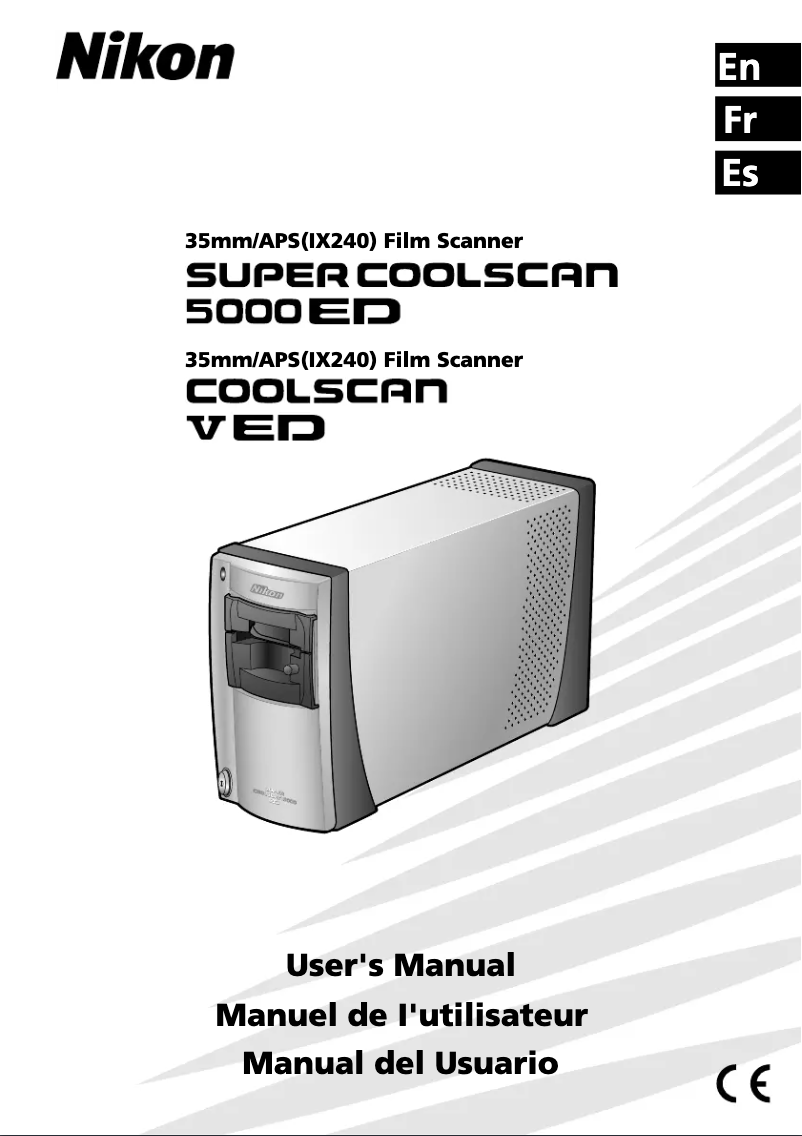
Editorial note
The Nikon Super Coolscan 5000 stands out for its exceptional image quality, offering a high resolution that allows for scanning slides and films with remarkable precision. This scanner is particularly suited for photography professionals and demanding enthusiasts seeking top-notch results. Its user-friendly interface, accompanied by a user manual, makes it easy to use, even for those who are not technology experts. In terms of robustness, the Coolscan 5000 benefits from Nikon's reputation for the durability of its products, ensuring consistent performance over the long term. Additionally, it incorporates advanced technologies, such as dust and scratch reduction, which contribute to sharp and flawless results. However, it is worth noting that the price of the Nikon Super Coolscan 5000 is relatively high compared to other scanners on the market, which may make it less accessible for casual users. Furthermore, its weight and size can be a barrier for those with limited workspace or who are looking for a portable device. Compatibility with certain modern operating systems may also pose challenges, requiring updates for optimal use. Finally, while ease of use is generally present, some advanced features require a certain level of technical skill, which could discourage less experienced users. Additionally, the scanning process can be relatively slow, especially for high-resolution films, which may frustrate users in a hurry. In summary, the Nikon Super Coolscan 5000 is a top choice for those seeking superior image quality and advanced features, while being aware of its limitations in terms of price and ease of use.Score details
User experience
The user experience is overall positive thanks to a user-friendly interface and an included user manual, making the device accessible even for novices.
Performance
The performance of the Nikon Super Coolscan 5000 is exceptional with high image quality, ideal for professionals and demanding amateurs.
Robustness
Durability is a strong point, with Nikon being known for the longevity of its products, offering consistent performance over the long term.
Value for money
The price is high compared to other scanners, which may make it less accessible for casual users.
Usability
Although the device is generally easy to use, it requires a certain level of technical skill to fully utilize its advanced features.
Features
Advanced features like dust and scratch reduction are excellent, but the scanning process can be slow for high-resolution films.
Advantages
Exceptional and precise image quality.
User-friendly and easy-to-use interface.
Advanced technology for sharp results.
Long-term durability and reliability.
Compatibility with various film formats.
Disadvantages
High price for casual users.
Size and weight inconvenient to transport.
Limited compatibility with modern operating systems.
Slow scanning for high resolution.
Requires advanced technical skills.
Technical Specifications Super Coolscan 5000
General Information
-
ModelSUPER COOLSCAN 5000
-
Brand
-
Category
-
Type
-
SKU1301463
-
MPN1301463
Frequently Asked Questions
What is the best method to remove a paper jam from the printer?
Pourquoi mon imprimante refuse-t-elle les cartouches d'origine ?
Quelles pourraient être les raisons de la mauvaise qualité d'impression ?
En quoi une imprimante laser diffère-t-elle d'une imprimante à jet d'encre ?
Pourquoi mon imprimante à jet d'encre laisse-t-elle des rayures noires sur les impressions ?
Que signifie l'acronyme DPI ?
Le manuel du Nikon Super Coolscan 5000 est-il proposé en français ?
Similar products


More product categories from brand Nikon
Camera and photography Nikon
Garden and outdoor Nikon
Other Nikon
Audio Nikon
Tools Nikon
Interior Nikon
Software Nikon
Phones Nikon
More product types from brand Nikon


Presentation of product Super Coolscan 5000 specifications from brand Nikon
General Information
The Nikon Super Coolscan 5000 is a film scanner from the Nikon brand, known for its commitment to quality and innovation in the field of electronic equipment. This model, the Super Coolscan 5000, stands out for its exceptional performance, providing users with an optimal scanning experience.
Advantages
This scanner offers a remarkable image quality, with a high resolution that allows for scanning slides and films with impressive clarity, ideal for both professionals and photography enthusiasts. Additionally, its user-friendly interface and included user manual make it easy to use, even for those who are not technology experts.
The Coolscan 5000 incorporates advanced technologies, such as a dust and scratch reduction system, ensuring sharp and flawless results. Its robustness and reliability are also noteworthy, as the Nikon brand is renowned for the durability of its products. Furthermore, it offers extensive compatibility with various film formats, making it versatile for users with diverse photographic archives.
Disadvantages
However, the Nikon Super Coolscan 5000 has some drawbacks. Its high price compared to other film scanners may make it less accessible for casual users. Its size and weight may also pose issues for those with limited workspace or who are looking for a more portable device.
Moreover, the limited compatibility with certain modern operating systems may require updates or alternative solutions for optimal use. The scanning process, while efficient, can be relatively slow, especially for high-resolution films, which could frustrate hurried users. Finally, to fully enjoy its advanced features, a certain level of technical skill is required, which may discourage less experienced users.


