

Manual of product CX4545
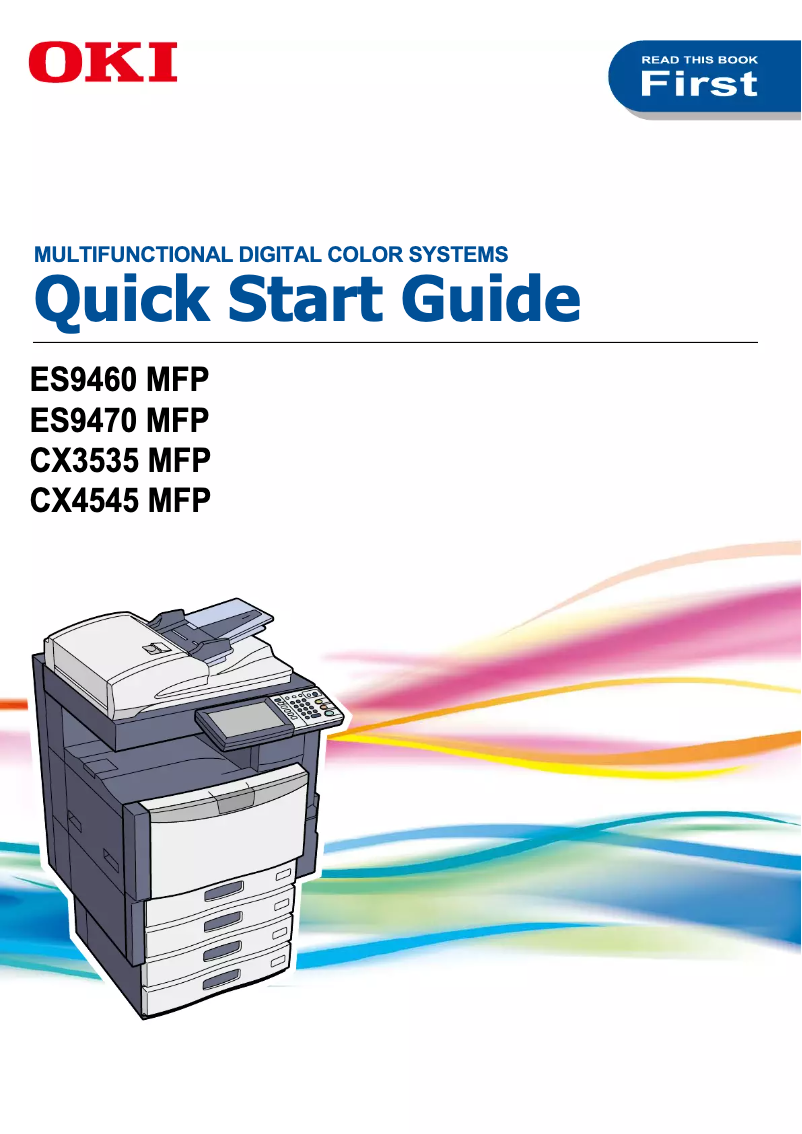
Editorial note
The OKI CX4545 printer stands out for its superior print quality, delivering sharp and professional documents, making it ideal for office use. Its advanced features, which include printing, copying, and scanning, make it a versatile and comprehensive piece of equipment, thus meeting various needs within an office. However, the initial purchase cost is relatively high compared to other similar models, which can be a barrier for some users. Additionally, maintenance costs, particularly regarding toner replacement, can significantly increase the total cost of ownership. Its large size may also pose space issues, especially in restricted work environments. Finally, although the user interface is intuitive, some features may seem complex for less experienced users and require an adjustment period. In terms of ratings, the OKI CX4545 receives good evaluations for user experience and robustness, reflecting the brand's durability. The well-provided documentation makes it easier to get started with the product, while the advanced features and print quality are particularly appreciated. Overall, this device is a solid choice for those seeking a high-performing and reliable printer, despite a few drawbacks to consider.Score details
User experience
The user interface is intuitive, making navigation and access to different functions easy, although some users may need time to adjust.
Performance
The print quality is excellent, producing sharp and professional documents, but the printing speed may not be sufficient in very demanding environments.
Design
The size of the printer can be imposing, which may cause space issues in restricted environments.
Value for money
The initial purchase cost is high compared to other models, and maintenance costs can also be significant, increasing the total cost of ownership.
Robustness
The OKI brand is known for its durability, making it a long-term investment.
Usability
Although the interface is intuitive, some features may seem complex for inexperienced users.
Features
The advanced features allowing printing, copying, and scanning provide a comprehensive solution for office needs.
Support
The user manual is comprehensive, with 84 pages of information, making it easier to get acquainted with the product.
Documentation
The provided documentation is detailed and helpful, which aids in optimizing the use of the printer.
Advantages
Clear and high-quality prints
Integrated printing, copying, and scanning
Energy saving and environmentally friendly
Intuitive and simple user interface
Recognized durability and reliability
Disadvantages
High initial purchase cost
High consumable costs
Large size, requires space
Average printing speed
Complex user interface
Technical Specifications CX4545
General Information
-
ModelCX4545
-
Brand
-
Category
-
Type
-
SKU1368241
-
MPN1368241
Frequently Asked Questions
What is the recommended method for removing paper jammed in the printer?
Why does my printer not recognize original cartridges?
What are the possible reasons for poor print quality?
What is the difference between a laser printer and an inkjet printer?
Why is my inkjet printer producing black streaks?
What does the abbreviation DPI mean?
Is the manual for the OKI CX4545 available in French?
Similar products


More product categories from brand OKI
More product types from brand OKI


Presentation of product CX4545 specifications from brand OKI
General Information
The OKI CX4545 printer is a model from the OKI brand, known for its commitment to quality and innovation in the office equipment sector. This device offers robust performance, combining printing, copying, and scanning in a single efficient solution, tailored to the diverse needs of professional environments.
Advantages
Superior print quality: The OKI CX4545 stands out for its ability to produce exceptionally sharp prints, making your professional documents and presentations very attractive.
Versatility: This all-in-one printer allows for printing, copying, and scanning, thus meeting the multiple demands of users and simplifying office tasks.
Energy efficiency: Designed to minimize energy consumption, the OKI CX4545 helps reduce operating costs while limiting its impact on the environment.
Ease of use: With an intuitive user interface, navigating through the various features of the printer is simplified, allowing for smooth use even for novice users.
Reliability: The reputation of the OKI brand for durability and reliability is reflected in the CX4545 model, making this device a wise choice for a long-term investment.
Disadvantages
Initial purchase cost: The acquisition price of the OKI CX4545 may be high compared to other printers in a similar range, which may deter some users.
Maintenance costs: Expenses related to maintenance and replacement of consumables, such as toners, can accumulate, increasing the total cost of ownership.
Size: Its relatively large design may pose space issues, especially in offices or restricted environments.
Print speed: While the print speed is adequate for many uses, it may not meet the demands of very high-pressure work environments where a large volume of documents needs to be processed quickly.
Complexity of the interface: For some users, the user interface may seem complex, requiring an adjustment period to fully take advantage of the features offered.


