
Manual of product d-Color MF2555
Editorial note
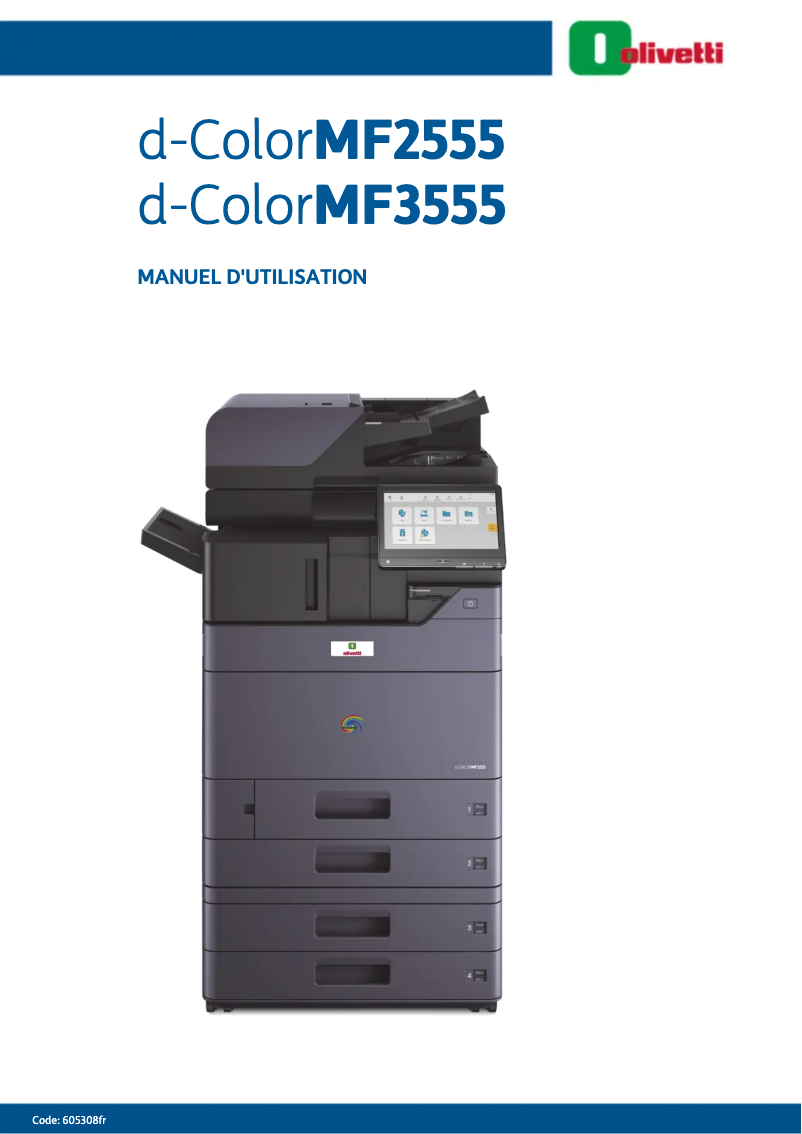
The Olivetti d-Color MF2555 stands out for its remarkable printing performance, delivering high-quality results with readability and vibrant colors. Thanks to its user-friendly interface, the user experience is significantly enhanced, making navigation and management of daily printing tasks easier. Moreover, the reputation of the Olivetti brand ensures appreciable durability and longevity of the device. However, some drawbacks must be taken into account. The purchase cost is relatively high compared to other similar models on the market, which can be a barrier for small budgets. Additionally, the size of the device can be cumbersome, making installation difficult in tight spaces. Maintenance and energy consumption costs may also be higher than those of some competitors, leading to additional expenses in the long run. In terms of features, the d-Color MF2555 offers a variety of options suited to different printing needs, but the complexity of some features may require a learning curve for less experienced users. Finally, connectivity options are limited, which may not satisfy users looking for advanced integration with other devices. Overall, the Olivetti d-Color MF2555 is a solid choice for those seeking optimal performance and reliability, but it is important to consider financial aspects and space constraints before making a purchase.Score details
User experience
The user experience is enhanced by a user-friendly interface, making navigation and task management easier.
Performance
Printing performance is optimal, providing high-quality results with excellent readability and vibrant colors.
Value for money
The purchase cost is high compared to other similar models, which may be a barrier for small budgets.
Design
The size of the device can be cumbersome, making installation difficult in tight spaces.
Features
The d-Color MF2555 offers various features suited to different printing needs, but the complexity may require a learning curve.
Support
A detailed user manual is available, allowing users to quickly familiarize themselves with all the features.
Robustness
Olivetti is recognized for its quality and innovation, ensuring appreciable durability and longevity of the device.
connectivity
Connectivity options may be limited, which might not meet the needs of users looking for advanced integration.
Advantages
High-quality printing
User-friendly and intuitive interface
Brand recognized for its reliability
Detailed user manual included
Versatile features suitable
Disadvantages
High purchase cost for small budgets
Bulky size for limited spaces
Expensive maintenance and energy consumption
Complexity requiring a learning curve
Limited connectivity for advanced integration
Technical Specifications d-Color MF2555
General Information
-
ModelD-COLOR MF2555
-
Brand
-
Category
-
Type
-
SKU1511935
-
MPN1511935
Frequently Asked Questions
Why is the paper not moving correctly in the Olivetti d-Color MF2555?
How can I resolve a paper jam issue in the Olivetti d-Color MF2555?
What should I do if the print quality of the Olivetti d-Color MF2555 is unsatisfactory or low?
How do I establish a wireless connection between the Olivetti d-Color MF2555 and my computer?
How do I scan a document with the Olivetti d-Color MF2555?
Is the manual for the Olivetti d-Color MF2555 available in French?
Similar products


More product categories from brand Olivetti
Other Olivetti
More product types from brand Olivetti


Presentation of product d-Color MF2555 specifications from brand Olivetti
General Information
The d-Color MF2555 is a product from the brand Olivetti, known for its commitment to quality and innovation in the office equipment sector. This model, designated under the reference d-Color MF2555 | B2203, is designed to deliver exceptional printing performance, ensuring results with great clarity and vibrant colors that meet the varied needs of users.
This model stands out for its intuitive interface, which simplifies the management of printing tasks and enhances the user experience. Users will also appreciate Olivetti's reliability, synonymous with durability and longevity for its devices. A detailed user manual is provided, making it easier to familiarize oneself with the various features of the device.
The d-Color MF2555 is versatile and adapts to various printing environments, whether for personal or professional use. This makes it a relevant choice for those looking for equipment capable of meeting diverse requirements.
Advantages
- Optimal performance: Provides high-quality prints with excellent readability.
- Improved user experience: User-friendly interface for easy navigation.
- Brand reliability: A well-established reputation for product durability.
- User manual available: Helps with quick familiarization with the device.
- Versatility: Suitable for various printing needs.
Disadvantages
- High purchase cost: May be a barrier for small budgets compared to other models.
- Bulky size: Difficult to install in tight spaces.
- Maintenance costs: Operating expenses may be higher than some competitors.
- Complexity of features: Requires a certain learning curve for less experienced users.
- Limited connectivity options: May not meet advanced integration needs with other devices.


