

Manual of product M280D
Editorial note
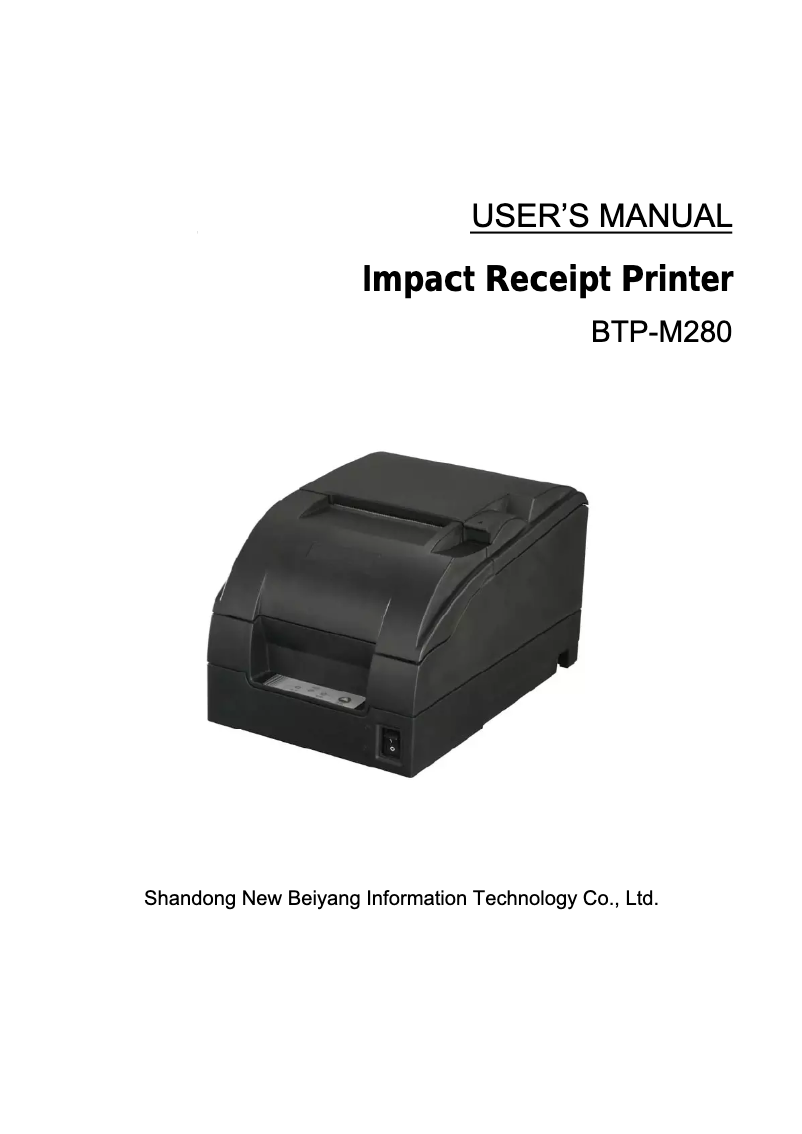
The Orient Technologies M280D printer stands out with its printing speed of 6 lps, making it an efficient choice for those seeking increased productivity. Thanks to its Dot Matrix printing technology, it ensures precise results, although the print quality may be inferior to that of inkjet or laser printers. Its modern design in ivory color adds a touch of elegance and easily integrates into various work environments. Additionally, wireless connectivity allows for practical and flexible use, although some users may encounter compatibility issues with certain devices. However, it is important to note that the printing speed, while respectable for a dot matrix printer, may seem slow compared to newer models. Furthermore, the column capacity may limit flexibility when printing more complex documents. Weighing 2700 g, the printer is relatively heavy, which could pose challenges in tight workspaces or for mobile use. In terms of value for money, while the product offers good features, some users may feel that the print quality does not fully justify the price. Despite these drawbacks, compatibility with various paper formats remains an asset for managing prints. In summary, the Orient Technologies M280D is a functional and aesthetic printer, suited to specific needs, but requires careful evaluation based on expectations regarding print quality and flexibility.Score details
User experience
The user experience is generally positive due to wireless connectivity, but some users may encounter compatibility issues with certain devices.
Performance
The printing speed of 6 lps is respectable for a dot matrix printer, but may seem slow compared to modern printers.
Design
The ivory design is modern and elegant, although it may not suit all work environments.
Features
Dot Matrix printing technology ensures accurate results, but may produce lower print quality than inkjet or laser printers.
Value for money
Although the product offers good features, the print quality may not justify the price for all users.
Usability
Compatibility with various paper formats offers flexibility in managing prints, but the column capacity may limit the printing of complex documents.
Advantages
Fast printing of 6 lps.
Dot Matrix technology for precise quality.
Wireless connectivity for easy use.
Modern design in Ivory color.
Compatibility with various paper formats.
Disadvantages
Print quality inferior to other technologies.
Print speed of 6 lps considered slow.
Weight of 2700 g quite heavy for mobile.
Limited column capacity for complex documents.
Compatibility issues with wireless connectivity.
Ivory design not always aesthetically suitable.
Technical Specifications M280D
General Information
-
ModelM280D
-
Brand
-
Category
-
Type
-
SKU20924
-
MPN20924
Print speed
-
TypePOS Printers
-
Printing technologyDot Matrix
-
Print speed6 lps
Printing technology
-
Column capacity40(7 x 9) / 33(9 x 9)
-
42(7X9) / 35(9 x 9)
Design
-
Product colorIvory
Paper management
-
Max. diameter of the roll83 mm
-
Supported paper width80 ± 0.5, 76 ± 0.5, 69.5 ± 0.5, 57.5 ± 0.5 mm
Connectivity
-
Connectivity technologyWireless
-
Standard interfacesWireless LAN
Other features
-
Dimensions (LxWxH)160 x 245 x 145 mm
Weight and dimensions
-
Weight2700 g
Environmental conditions
-
Operating temperature5 - 45 °C
-
Temperature out of operation-40 - 60 °C
-
Operating relative humidity (H-H)20 - 90 %
-
Relative humidity rate (storage)20 - 93 %
Power
-
AC input voltage100 - 240 V
-
AC input frequency50 - 60 Hz
Network
-
WifiYes
Frequently Asked Questions
What is the weight of the Orient Technologies M280D?
What is the best method to remove a paper jam in the printer?
Why is my printer not recognizing the original cartridges?
What are the reasons for poor print quality?
What is the difference between a laser printer and an inkjet printer?
Why is my inkjet printer leaving black streaks on prints?
What does the acronym DPI mean?
Is the manual for the Orient Technologies M280D available in French?
Similar products




More product categories from brand Orient Technologies
More product types from brand Orient Technologies


Presentation of product M280D specifications from brand Orient Technologies
General Information
The Orient Technologies M280D is a printer model from the brand Orient Technologies, known for its innovation and quality in the home appliance sector. The M280D model, referenced as BTP-M280DIW, is designed to provide reliable performance and a satisfying user experience.
Print Speed
With an island-type design, the M280D printer combines functionality and aesthetics, thus optimizing the workspace. It uses Dot Matrix printing technology, which ensures satisfactory print quality and precise results. Its print speed of 6 lps contributes to increased productivity, allowing for fast and efficient printing.
Printing Technology
The column capacity of the Orient Technologies M280D is 40(7 x 9) / 33(9 x 9); 42(7X9) / 35(9 x 9), allowing for the adaptation of print quality to the specific needs of each user.
Design
The M280D model stands out with its ivory color, bringing a modern and elegant touch that easily integrates into various work environments.
Paper Management
It is equipped with a roll with a maximum diameter of 83 mm, thus ensuring optimal compatibility with paper management systems. The printer supports several paper widths, including 80 ± 0.5, 76 ± 0.5, 69.5 ± 0.5, and 57.5 ± 0.5 mm, providing flexibility for different print formats.
Connectivity
The wireless connectivity of the Orient Technologies M280D facilitates its use without the constraints of cables, thus offering integration flexibility with multiple devices through standard interfaces.
Other Features
The dimensions of the printer are 160 x 245 x 145 mm, allowing it to fit easily into tight spaces.
Weight and Dimensions
Weighing 2700 g, the Orient Technologies M280D is designed for easy handling while remaining robust enough for daily use.
Environmental Conditions
This printer operates within a temperature range of 5 to 45 °C, and can withstand non-operating temperatures ranging from -40 to 60 °C. Additionally, it is operational in a relative humidity of 20 to 90 % and can be stored in a relative humidity of 20 to 93 %, ensuring its durability in various environments.
Power
The printer's AC input voltage is 100 to 240 V, ensuring compatibility with most electrical systems. Its AC input frequency is 50 to 60 Hz, essential for optimal operation.
Network
The product features Wifi functionality, allowing for a fast and reliable wireless connection for integration with your devices.


