
Manual of product NV-GS70
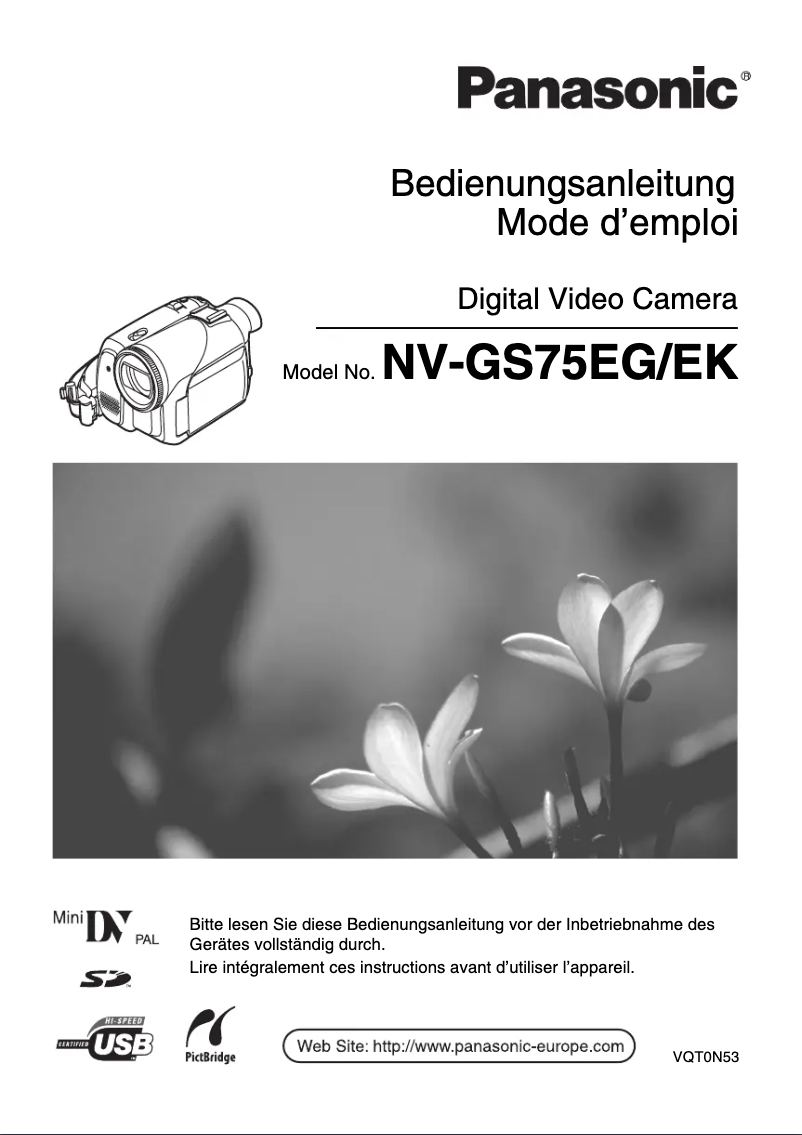
Editorial note
The Panasonic NV-GS70 is a camcorder that stands out for its exceptional image quality, thanks to advanced video processing technologies. Its ergonomic and intuitive design makes it easy to use, even for beginners. Additionally, it offers flexible storage capacity, allowing for long sequences to be captured without interruption. Advanced features such as optical zoom provide great versatility for various types of shooting. However, this model has some drawbacks. Its bulkiness can make it less convenient to carry compared to newer, more compact camcorders. Low-light performance does not match that of contemporary models, which limits its use in dark environments. Furthermore, the lack of Wi-Fi or Bluetooth connectivity restricts options for sharing and transferring videos. Finally, the battery life is relatively short, requiring frequent recharges during extended use. Despite these few limitations, the included user manual is comprehensive and allows for quick learning of the various features, which is a significant advantage for users. Overall, the Panasonic NV-GS70 is a solid choice for those looking for a high-performing camcorder, although some aspects may not meet the expectations of modern users.Score details
User experience
The ergonomic and intuitive design makes it easy to use, but the interface may seem outdated for novice users, which can complicate getting started.
Performance
The image quality is exceptional under normal conditions, but the performance in low light is inferior to that of newer models, limiting its use in dark environments.
Battery life
The battery life is relatively short, requiring frequent recharges during prolonged use.
Features
Although the camcorder offers advanced features like optical zoom, the lack of Wi-Fi or Bluetooth limits options for sharing and transferring videos.
Design
The design is ergonomic, but the product may be considered bulky compared to more compact models, making it less convenient to transport.
Documentation
The included user manual is comprehensive and facilitates quick learning of the camcorder's various features.
Advantages
Sharp and bright image quality
Ergonomic and intuitive design
Flexible storage for long videos
Optical zoom for various shots
User manual included for easy learning
Disadvantages
Bulky compared to recent camcorders
Mediocre image quality in low light
No built-in Wi-Fi or Bluetooth
Limited battery life
Unintuitive user interface
Technical Specifications NV-GS70
General Information
-
ModelNV-GS70
-
Brand
-
Category
-
Type
-
SKU1099034
-
MPN1099034
Frequently Asked Questions
What is a megapixel?
What does the abbreviation "MP" mean?
How do I change the exposure on my Panasonic NV-GS70 camcorder?
Can I zoom while recording a video with my Panasonic NV-GS70 camcorder?
How do I transfer videos from my Panasonic NV-GS70 camcorder to my computer?
What shooting modes are available on the Panasonic NV-GS70 camcorder?
How do I use manual focus on my Panasonic NV-GS70 camcorder?
Is the manual for the Panasonic NV-GS70 available in French?
Similar products





More product categories from brand Panasonic
Home appliances Panasonic
Phones Panasonic
Audio Panasonic
Camera and photography Panasonic
Personal care Panasonic
Other Panasonic
Tools Panasonic
Interior Panasonic
More product types from brand Panasonic








Presentation of product NV-GS70 specifications from brand Panasonic
General Information
The Panasonic NV-GS70 is a camcorder from the renowned brand Panasonic, which is widely recognized for its commitment to quality and innovation in the consumer electronics sector. This model, the NV-GS70, is designed to deliver high-level performance, ensuring an enriching user experience.
Advantages
This camcorder stands out for its exceptional image quality, thanks to advanced video processing technologies that produce sharp and bright images. Its ergonomic design allows for intuitive handling, making it accessible even to beginners. Additionally, it offers a flexible storage capacity, allowing for long video recordings without interruption.
Among its advanced features, there is an optical zoom that provides great versatility for different types of shots. A user manual is included, facilitating quick learning of the various features of the camcorder.
Disadvantages
However, the Panasonic NV-GS70 has some limitations. It may be perceived as bulky compared to newer, more compact models, which can make it less convenient to transport. Furthermore, the low-light image quality may be inferior to that of more modern camcorders, limiting its use in dark environments.
The lack of advanced connectivity such as built-in Wi-Fi or Bluetooth may restrict options for sharing and transferring videos. Also, the battery life can be relatively short, requiring frequent recharges during extended use. Finally, the user interface may seem outdated and less intuitive compared to contemporary camcorders, which could complicate handling for novice users.


