
Manual of product NV-VZ9
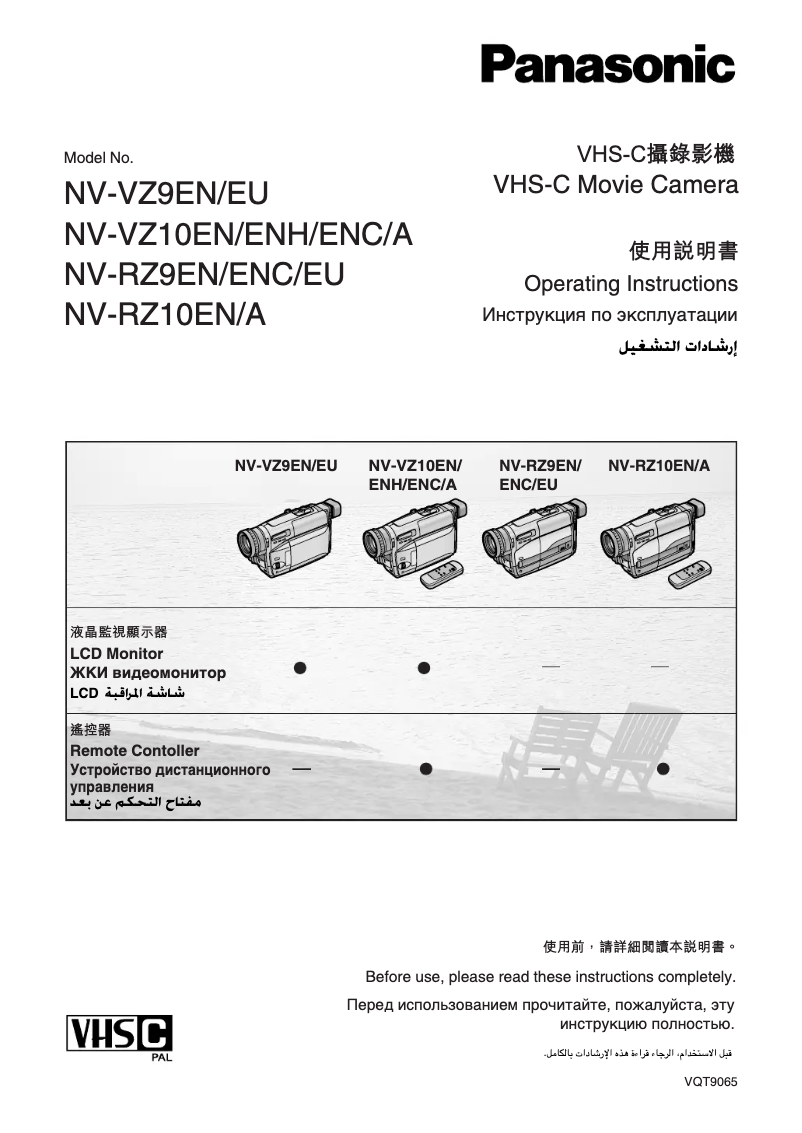
Editorial note
The Panasonic NV-VZ9 is a camcorder that stands out for its build quality, a guarantee of durability and reliability, essential characteristics for users in search of a high-performance device. With superior image quality, it perfectly meets the expectations of photography and video enthusiasts, allowing them to capture precious moments with remarkable precision. The user experience is generally positive thanks to an intuitive design that facilitates handling. However, it should be noted that the interface may seem complex for beginners, which may require a learning curve to master all the available features. Additionally, although the user manual is comprehensive and helpful, battery life can be a weak point, requiring frequent recharges during long recording sessions. Despite its performance and robustness, the NV-VZ9 has some drawbacks. Its weight and bulk make it less practical for extended use or when traveling. Furthermore, the limited connectivity options can complicate the transfer of videos to other devices. Finally, sound quality, especially in noisy environments, may not meet expectations. In summary, the Panasonic NV-VZ9 is a camcorder that offers optimal performance and remarkable build quality, but could benefit from improvements in terms of battery life, portability, and connectivity.Score details
User experience
The user experience is enhanced by an intuitive design, but the interface may seem complex for beginners, requiring a learning curve.
Performance
Performance is optimal with superior image quality, ideal for photography and video enthusiasts wanting to capture moments with precision.
Battery life
Battery life may be insufficient for long recording sessions, requiring frequent recharges.
Design
The camcorder is well-designed but can be relatively heavy and bulky, making it less practical for extended use.
Documentation
The user manual is comprehensive and offers clear advice, allowing users to maximize the use of their device.
Features
The Panasonic NV-VZ9 incorporates advanced features, but connectivity options may be limited, making video transfer more difficult.
Robustness
The build quality is excellent, with Panasonic being known for its durability and reliability.
Advantages
Recognized durability and reliability
Intuitive and simplified use
Superior image quality
Comprehensive user manual
Advanced features for videographers
Disadvantages
Relatively heavy and bulky.
Complex interface for beginners.
Disappointing sound quality in noisy environments.
Limited connectivity for video transfer.
Insufficient battery life.
Technical Specifications NV-VZ9
General Information
-
ModelNV-VZ9
-
Brand
-
Category
-
Type
-
SKU1117740
-
MPN1117740
Frequently Asked Questions
What is a megapixel?
What does the abbreviation "MP" mean?
How can I adjust the zoom level on my Panasonic NV-VZ9 camcorder?
How can I record videos in low-light environments with my Panasonic NV-VZ9 camcorder?
How do I transfer videos from my camcorder to my computer using the Panasonic NV-VZ9?
What is the maximum recording duration of my Panasonic NV-VZ9 camcorder?
How do I take photos with my Panasonic NV-VZ9 camcorder?
Is the manual for the Panasonic NV-VZ9 available in French?
Similar products





More product categories from brand Panasonic
Home appliances Panasonic
Phones Panasonic
Audio Panasonic
Camera and photography Panasonic
Personal care Panasonic
Other Panasonic
Tools Panasonic
Interior Panasonic
More product types from brand Panasonic








Presentation of product NV-VZ9 specifications from brand Panasonic
General Information
The Panasonic NV-VZ9 is a camcorder from the renowned brand Panasonic, known for its durability and innovation in the photography and video sector. This model, the NV-VZ9, stands out for its exceptional performance, providing users with a high-quality image capture experience.
Advantages
Build Quality: The NV-VZ9 camcorder is designed with robust materials, ensuring appreciable longevity, ideal for regular use.
User Experience: Its intuitive interface allows users to focus on capturing their memories without worrying about the complexity of the settings.
Superior Image Performance: This model excels in color reproduction and detail, perfect for enthusiasts wanting to immortalize every moment with precision.
Comprehensive Documentation: The provided user manual offers practical tips, facilitating a quick and effective handling of the device.
Technological Innovation: Equipped with advanced features, the NV-VZ9 meets the demands of contemporary videographers, thus enriching the shooting experience.
Disadvantages
Weight and Bulk: This camcorder may seem relatively heavy, which can make prolonged use or mobility less convenient.
Interface Complexity: For novice users, the interface may appear complex, requiring some adjustment time to master all its advanced features.
Sound Quality: In noisy environments, the audio quality may not meet expectations, which could detract from the viewing experience.
Limited Connectivity Options: The NV-VZ9 has certain restrictions regarding connectivity, which can complicate the quick transfer of videos to other devices.
Battery Life: The battery life may prove insufficient for extended recording sessions, leading to frequent recharges or necessitating the purchase of additional batteries.


