Thumbnail of product Lumix S5 IIX from brand Panasonic
Logo of brand Panasonic

Camera Panasonic Lumix S5 IIX

The Panasonic Lumix S5 IIX is a camera from the Panasonic brand, known for its innovation and quality in the field of photography. This model, the Lumix S5 IIX, is designed to offer optimal performance and an enhanced user experience, making it an ideal choice for both professional and amateur photographers.

This compact and lightweight body allows for capturing images with great precision thanks to its advanced features. With its ability to record high-definition videos, the Lumix S5 IIX perfectly adapts to the varied needs of users, whether in photo or video mode.

Additionally, the product comes with useful documents such as a user manual and a quick start guide, thus facilitating the handling of the device. In summary, the Panasonic Lumix S5 IIX is a versatile camera that meets the demands of photography enthusiasts.

Manuals of product Lumix S5 IIX
8 10

Editorial note

The Panasonic Lumix S5 IIX stands out for its exceptional image quality, thanks to high-performance sensors that allow for capturing precise details even in low-light conditions. Its advanced features, including 4K video recording, offer great flexibility for content creators, making it an ideal choice for both amateur and professional photographers. The ergonomic and intuitive design makes it easy to handle, although the user interface may seem complex for beginners, requiring some learning time. Additionally, the weight of the device can be a drawback for prolonged use, especially without a tripod. In terms of robustness, the device is durable and weather-resistant, ensuring reliable use in various environmental conditions. However, the battery life may prove insufficient during long shooting sessions, and the price, relatively high compared to other models, may deter some buyers. Finally, access to supporting documents such as the user manual and quick start guide facilitates a quick and effective handling, allowing users to make the most of this device.

Score details

User experience

The ergonomic and intuitive design makes it easy to handle, but the user interface may seem complex for beginners, requiring significant learning time.

Performance

The image quality is exceptional thanks to high-performance sensors, but the battery life may be insufficient during long shooting sessions.

Features

Advanced features, such as 4K video recording, offer great flexibility for creating audiovisual content, although some features may not be fully utilized by casual users.

Robustness

The device is durable and weather-resistant, ensuring reliable use in various environmental conditions.

Value for money

The price is relatively high compared to other models on the market, which may deter some buyers.

Documentation

Access to supporting documents, such as the user manual and quick start guide, allows for quick and effective handling.


Advantages

Exceptional image quality in low light

Ergonomic design for easy use

4K video recording for flexibility

Weather resistance for durability

Accompanying manuals for quick start-up

Disadvantages

High weight for prolonged use

Complex interface for beginners

Relatively high price compared to competitors

Limited battery life during long sessions

Advanced features not very useful for casual users

Technical Specifications Lumix S5 IIX

General Information

Frequently Asked Questions

How do I connect standard accessories to my Panasonic Lumix S5 IIX camera?
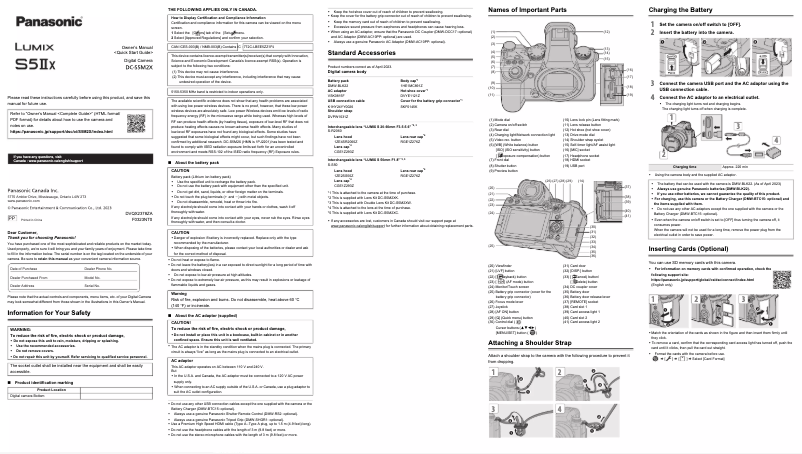
To connect standard accessories to your Panasonic Lumix S5 IIX camera, follow these steps: 1. Ensure all accessories are included before using the camera. Accessories may vary by country or region of purchase. Refer to the 'Quick Start Guide' for more details. 2. Insert the battery into the camera, ensuring it is charged. 3. Plug the power adapter into the camera to recharge and power it. 4. Use the USB cable to connect the camera to a computer or other devices for data transfer. 5. Attach the strap for easier transport. 6. Use the body cap when the lens is not mounted. 7. Put the accessory shoe cover on to protect it if no external flash is used. 8. If you have a battery grip, attach it to extend battery life. Note that some optional accessories, such as a battery grip, remote control, tripod handle, AC adapter/DC coupler, external flash, external microphone, or XLR microphone adapter, may offer additional features, but their use may vary. Q: What are the main features and functions described in the manual for the Panasonic Lumix S5 IIX camera? A: The manual for the Panasonic Lumix S5 IIX camera provides comprehensive explanations of its main features and functions. Here’s how to access it: 1. Open the 'Operating Instructions / Owner's Manual ' document included with the camera. 2. Find the section that details the main features and functions. This section will give you in-depth information about each function and its use. 3. Pay attention to the symbols in the document. Black icons indicate where functions can be used, while gray icons show situations where they cannot. 4. Note the notification symbols present in the document, which provide important information, such as confirmations before use, tips for a better experience, as well as specifications and related information. 5. Keep in mind that the descriptions are based on the interchangeable lens (S-R2060), which may influence certain features. By following these steps, you will be able to access detailed explanations of the main features and functions of the Panasonic Lumix S5 IIX camera. Q: Where can I find a complete manual for using the Panasonic Lumix S5 IIX camera? A: To access the complete manual for the Panasonic Lumix S5 IIX camera, follow these steps: 1. Look for the 'Operating Instructions / Owner's Manual ' document provided with the camera. 2. Open the document and locate the section that offers comprehensive explanations of all functions and operations. 3. Pay attention to the symbols in the document: black icons indicate the conditions for using the functions, while gray icons show the conditions where they cannot be used. 4. Refer to the 'Introduction' chapter for essential information to know before starting to use the camera, such as standard accessories, compatible lenses, and memory cards. By following these steps and consulting the 'Operating Instructions / Owner's Manual ' document, you will have access to a comprehensive guide for using your Panasonic Lumix S5 IIX camera. Q: How do I troubleshoot common issues with the Panasonic Lumix S5 IIX digital camera? A: To troubleshoot common functionality issues with the Panasonic Lumix S5 IIX digital camera, follow these steps: 1. Power and battery issues: - Check if the camera is turning off automatically, which may be due to the {Power Save Mode} being activated, which you can disable in the {Setup} menu. - Ensure the battery is properly charged and inserted. 2. Focus and zoom issues: - Check that the {Focus Ring Lock} function is set to {OFF} to allow focusing and zooming. - If the image is blurry, consider using a tripod and the timer in low light conditions. 3. Image quality and noise: - Lower the ISO sensitivity to reduce noise. - Increase the {Noise Reduction} function in the {Photo Style} settings or adjust other image quality settings. - Enable {Long Exposure NR} to reduce noise during long exposures. - Note that prolonged use of the camera may lead to overheating and degraded image quality. Turn off the camera when not in use. 4. Distorted subjects: - When recording moving subjects, some distortion may occur, especially in video mode with {ELEC.}, due to the CMOS sensor. This is normal and does not indicate a defect. By following these steps, you can troubleshoot common functionality issues with your Panasonic Lumix S5 IIX digital camera. Q: How do I update the firmware of my Panasonic Lumix S5 IIX camera? A: To update the firmware of your Panasonic Lumix S5 IIX camera, follow these steps: 1. Download the firmware update from the official Panasonic website. Visit the following link to access the latest updates: [https://panasonic.jp/support/global/cs/dsc/download/index4.html](https://panasonic.jp/support/global/cs/dsc/download/index4.html). 2. Save the downloaded file to the root of a memory card. The root is the first folder visible when you access the card on your computer. 3. Insert the memory card with the file into your camera. 4. Open the camera menu and go to [Setup]. 5. Select [Firmware Update] from the menu. 6. Follow the on-screen instructions to begin the update. 7. Confirm the update by selecting [Yes] when prompted. 8. Wait for the update to complete. Do not turn off the camera or remove the memory card during the process. 9. Once the update is finished, the camera will restart automatically. By following these steps, you can successfully update the firmware of your Panasonic Lumix S5 IIX camera. Q: Is the manual for the Panasonic Lumix S5 IIX available in French? A: Yes, the manual for the Panasonic Lumix S5 IIX is available in French.
Quelles sont les caractéristiques principales et les fonctions décrites dans le manuel de l'appareil photo Panasonic Lumix S5 IIX ?
Le mode d'emploi de l'appareil photo Panasonic Lumix S5 IIX offre des explications complètes sur ses caractéristiques et fonctions principales. Voici comment y accéder : 1. Ouvrez le document 'Instructions d'utilisation / Manuel du propriétaire ' inclus avec l'appareil. 2. Trouvez la section qui détaille les principales caractéristiques et fonctions. Cette section vous donnera des informations approfondies sur chaque fonction et son utilisation. 3. Faites attention aux symboles dans le document. Les icônes noires indiquent où les fonctions peuvent être utilisées, tandis que les icônes grises montrent les situations où elles ne le peuvent pas. 4. Notez les symboles de notification présents dans le document, qui fournissent des informations importantes, comme des confirmations avant utilisation, des astuces pour une meilleure expérience, ainsi que des spécifications et informations connexes. 5. Gardez à l'esprit que les descriptions se basent sur l'objectif interchangeable (S-R2060), ce qui peut influencer certaines fonctionnalités. En suivant ces étapes, vous pourrez accéder aux explications détaillées des principales caractéristiques et fonctions de l'appareil Panasonic Lumix S5 IIX.
Où puis-je trouver un manuel complet pour l'utilisation de l'appareil photo Panasonic Lumix S5 IIX ?
Pour accéder au manuel complet de l'appareil photo Panasonic Lumix S5 IIX, suivez ces étapes : 1. Recherchez le document 'Instructions de fonctionnement / Manuel du propriétaire ' fourni avec l'appareil. 2. Ouvrez le document et localisez la section qui offre des explications complètes sur toutes les fonctions et opérations. 3. Faites attention aux symboles dans le document : les icônes noires indiquent les conditions d'utilisation des fonctions, tandis que les icônes grises montrent les conditions où elles ne peuvent pas être utilisées. 4. Consultez le chapitre 'Introduction' pour des informations essentielles à connaître avant de commencer à utiliser l'appareil, comme les accessoires standards, les objectifs compatibles et les cartes mémoire. En suivant ces étapes et en consultant le document 'Instructions de fonctionnement / Manuel du propriétaire ', vous aurez accès à un guide exhaustif pour l'utilisation de votre appareil photo Panasonic Lumix S5 IIX.
Comment résoudre des problèmes courants liés à la fonctionnalité de l'appareil photo numérique Panasonic Lumix S5 IIX ?
Pour résoudre les problèmes fréquents de fonctionnalité de l'appareil photo numérique Panasonic Lumix S5 IIX, suivez ces étapes : 1. Problèmes d'alimentation et de batterie : - Vérifiez si l'appareil s'éteint automatiquement, ce qui peut être dû au mode {Power Save Mode} activé, que vous pouvez désactiver dans le menu {Setup}. - Assurez-vous que la batterie est correctement chargée et insérée. 2. Problèmes de mise au point et de zoom : - Vérifiez que la fonction {Focus Ring Lock} est réglée sur {OFF} pour permettre la mise au point et le zoom. - Si l'image est floue, envisagez d'utiliser un trépied et le retardateur dans des conditions de faible luminosité. 3. Qualité d'image et bruit : - Réduisez la sensibilité ISO pour diminuer le bruit. - Augmentez la fonction {Noise Reduction} dans les paramètres du {Photo Style} ou ajustez d'autres paramètres de qualité d'image. - Activez {Long Exposure NR} pour réduire le bruit en cas de longues expositions. - Notez que l'utilisation prolongée de l'appareil peut entraîner une surchauffe et une qualité d'image dégradée. Éteignez l'appareil lorsqu'il n'est pas utilisé. 4. Sujets déformés : - Lors de l'enregistrement de sujets en mouvement, une certaine distorsion peut survenir, en particulier en mode vidéo avec {ELEC.}, en raison du capteur CMOS. Cela est normal et ne signifie pas un défaut. En suivant ces étapes, vous pourrez résoudre les problèmes courants liés à la fonctionnalité de votre appareil photo numérique Panasonic Lumix S5 IIX.
Comment effectuer une mise à jour du firmware de mon appareil photo Panasonic Lumix S5 IIX ?
Pour mettre à jour le firmware de votre appareil photo Panasonic Lumix S5 IIX, suivez ces étapes : 1. Téléchargez la mise à jour du firmware sur le site officiel de Panasonic. Visitez le lien suivant pour accéder aux dernières mises à jour : [https://panasonic.jp/support/global/cs/dsc/download/index4.html](https://panasonic.jp/support/global/cs/dsc/download/index4.html). 2. Enregistrez le fichier téléchargé à la racine d'une carte mémoire. La racine est le premier dossier visible lorsque vous accédez à la carte sur votre ordinateur. 3. Insérez la carte mémoire avec le fichier dans votre appareil photo. 4. Ouvrez le menu de l'appareil photo et accédez à [Configuration]. 5. Sélectionnez [Mise à jour du firmware] dans le menu. 6. Suivez les instructions affichées à l'écran pour commencer la mise à jour. 7. Confirmez la mise à jour en sélectionnant [Oui] lorsque cela vous est demandé. 8. Attendez que la mise à jour soit terminée. Ne pas éteindre l'appareil ou retirer la carte mémoire pendant le processus. 9. Une fois la mise à jour achevée, l'appareil redémarrera automatiquement. En suivant ces étapes, vous pourrez mettre à jour le firmware de votre appareil photo Panasonic Lumix S5 IIX avec succès.
Le manuel du Panasonic Lumix S5 IIX est-il disponible en français ?
Oui, le manuel du Panasonic Lumix S5 IIX est proposé en français.

Similar products


Discover the technical sheet of Lumix DMC-ZS8 from Panasonic and its manuals...
Available manuals:
Discover the technical sheet of Lumix DMC-FZ45 from Panasonic and its manuals...
Available manuals:
Discover the technical sheet of Pixpro AZ251 from Kodak and its manuals...
Available manuals:
Discover the technical sheet of Lumix DMC-TZ8 from Panasonic and its manuals...
Available manuals:
Discover the technical sheet of Snap Touch from Polaroid and its manuals...
Available manuals:
Discover the technical sheet of N90S from Nikon and its manuals...
Available manuals:
Discover the technical sheet of NX30 from Samsung and its manuals...
Available manuals:
Discover the technical sheet of 50F from Samsung and its manuals...
Available manuals:
Discover the technical sheet of Lumix DMC-TZ9 from Panasonic and its manuals...
Available manuals:
Discover the technical sheet of Lumix DMC-LC1PP from Panasonic and its manuals...
Available manuals:
Discover the technical sheet of Lumix DMC-FX55 from Panasonic and its manuals...
Available manuals:

Presentation of product Lumix S5 IIX specifications from brand Panasonic

General Information

The Panasonic Lumix S5 IIX is a high-end camera from the renowned brand Panasonic, known for its expertise in innovation and quality in the photography sector. This model is designed to deliver exceptional performance, ensuring an enriching user experience for both photography enthusiasts and professionals.

Advantages

This model stands out for its remarkable image quality thanks to advanced sensors, allowing for the capture of fine details even in low-light conditions. Its ergonomic design makes it easy to handle, making daily use simple and enjoyable. Advanced features, such as 4K video recording, offer unmatched flexibility for creating diverse audiovisual content. Additionally, its durability and weather resistance ensure reliable use in various environments. Users can also access supporting documents, such as the user manual and the quick start guide, for a quick setup.

Disadvantages

However, some aspects may pose challenges. The weight of the camera can be a drawback during prolonged use, especially without a tripod. Furthermore, the user interface may seem complex for beginners, requiring significant learning time. The price of this model is also relatively high compared to other options on the market, which may deter some buyers. The battery life may prove insufficient during long shooting sessions, leading to frequent recharges. Finally, some advanced features may not be fully utilized by casual users, making this camera less suitable for basic use.

