

Manual of product KX-MB1500
Editorial note
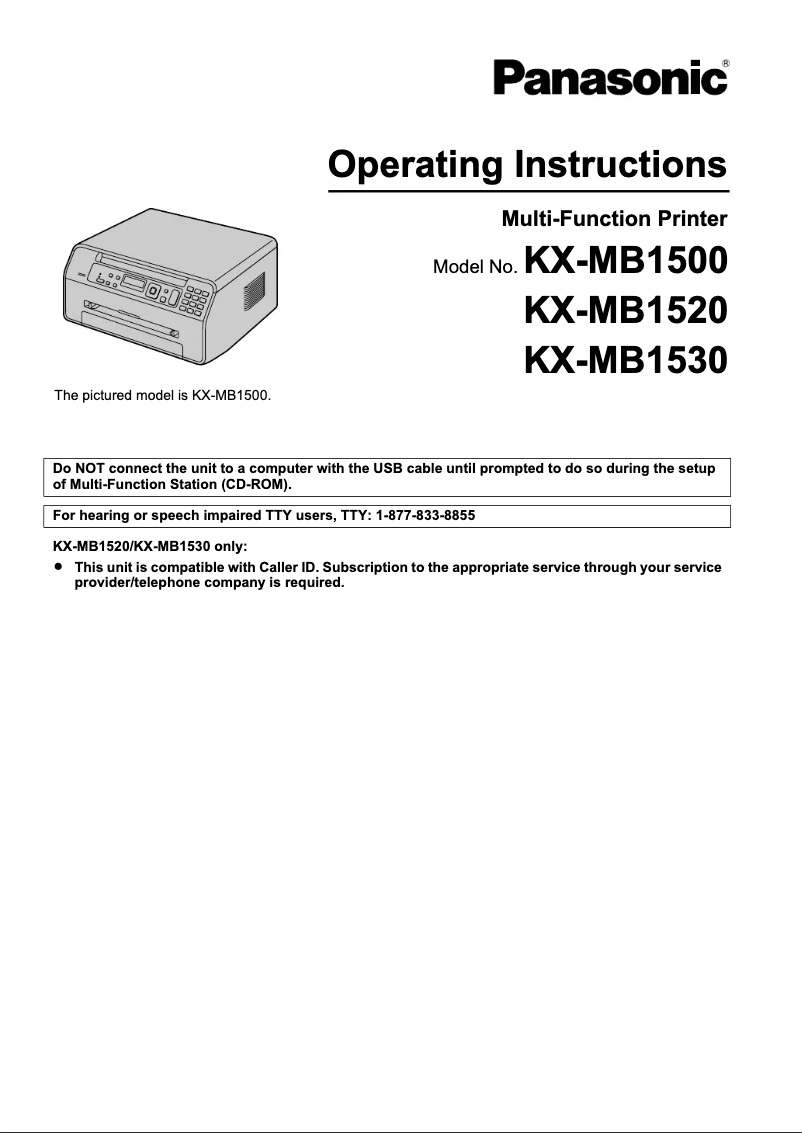
The Panasonic KX-MB1500 printer stands out with its fast printing speed of 18 pages per minute, making it an excellent choice for work environments with high printing needs. Additionally, its all-in-one functions, including printing, copying, and scanning, offer valuable versatility for various professional and personal uses. Its high printing and scanning resolution, up to 600 x 1200 DPI, ensures clear documents and faithful reproductions. Its compact and modern design allows for easy integration into different workspaces. However, there are some drawbacks to consider. The lack of duplex printing functionality may lead to higher paper consumption, which can be problematic for environmentally conscious users. Furthermore, the absence of Ethernet or Wi-Fi network connectivity limits usage flexibility, making it difficult to print from multiple devices without a direct USB connection. The maximum paper capacity of 150 sheets may also be insufficient for high-volume environments, requiring frequent reloads. Finally, the 32 MB internal memory may seem limited for intensive tasks, potentially affecting the speed and efficiency of operations. In summary, the Panasonic KX-MB1500 is a high-performing and versatile printer, ideal for daily printing needs. However, its limitations in connectivity and paper capacity may not suit all users.Score details
User experience
The user experience is enhanced by all-in-one features, although the lack of duplex printing may be a drawback for some.
Performance
The Panasonic KX-MB1500 offers a printing speed of 18 pages per minute, but the 32 MB internal memory may limit its effectiveness for more intensive tasks.
Design
The design is compact and modern, allowing for easy integration into various workspaces.
Value for money
The price is reasonable for the features offered, but the lack of network connectivity and faxing may make it a less attractive choice for some users.
Features
Although the printer offers copying and scanning functions, the absence of wireless connectivity and fax limits its versatility.
Usability
Overall use is simple, but users must manually manage frequent paper reloads due to the limited paper capacity.
Advantages
Fast printing of 18 pages per minute.
All-in-one functions: printing, copying, scanning.
Resolution up to 600 x 1200 DPI.
Paper capacity of 150 sheets.
Compact and modern design.
Disadvantages
No double-sided printing.
No network connectivity.
Limited paper capacity of 150 sheets.
No fax function.
Insufficient internal memory of 32 MB.
Technical Specifications KX-MB1500
General Information
-
ModelKX-MB1500
-
Brand
-
Category
-
Type
-
SKU1104685
-
MPN1104685
Print speed
-
Printing technologyLaser
-
Maximum resolution600 x 600 DPI
-
Print speed (black, normal quality, A4/US Letter)18 ppm
-
PrintingMonochrome printing
-
Double-sided printingNo
Other features
-
All-in-one functionsCopy
-
All-in-one color functionsPrint
-
Scan
-
Scanning
Features
-
Service cycle (Maximum)5000 pages per month
-
Digital senderNo
Copier
-
Max. resolution of copies600 x 600 DPI
-
Copy speed (normal quality, black, A4)18 cpm
-
Maximum number of copies99 copies
-
Resizing copy25 - 400 %
-
CopySingle copy
-
Duplex copyNo
Digitization
-
Optical scanning resolution600 x 1200 DPI
-
Maximum scanning resolution19200 x 19200 DPI
-
Scan toE-mail, File
-
Supported image formatsBMP, JPG, TIF
-
Support for text formatsPDF
-
DigitizationColor scanning
-
Double-sided scanningNo
Input and output capacity
-
Total power capacity150 sheets
-
Total output capacity- sheets
Paper management
-
Maximum print format216 x 356 mm
-
Type of paper tray supportOrdinary paper
-
Maximum ISO A series paper sizeA4
-
JIS series B format (B0...B9)B5
-
Non-ISO print support sizesLegal
-
JIS series B format (B0...B9)B5
-
Support width customization210 - 216 mm
-
Customization of support length279 - 356 mm
-
Maximum ISO A series paper sizeA4
Design
-
ScreenLCD
-
Number of lines displayed2 lines
-
Character display16
-
Product colorBlack
-
Built-in screenYes
-
Market positionDomestic and professional
Connectivity
-
Direct printing-
-
Standard interfacesUSB 1.1, USB 2.0
-
Quantity of USB 1.1 ports1
-
USB portYes
-
Quantity of USB 1.1 ports1
Network
-
WifiNo
-
WifiNo
Representation / realization
-
Internal memory32 MB
-
Built-in memory card readerNo
Power
-
Electricity consumption (average operation)W
Weight and dimensions
-
Width380 mm
-
Depth360 mm
-
Height204 mm
-
Weight8600 g
Minimum system requirements
-
Support for the Windows operating systemWindows 2000
-
Support for the Mac operating systemWindows 2000 Professional
-
Windows 7 Home Basic
-
Windows 7 Home Basic x64
-
Windows 7 Home Premium
-
Windows 7 Home Premium x64
-
Windows 7 Professional
-
Windows 7 Professional x64
-
Windows 7 Starter
-
Windows 7 Starter x64
-
Windows 7 Ultimate
-
Windows 7 Ultimate x64
-
Windows Vista Business
-
Windows Vista Business x64
-
Windows Vista Enterprise
-
Windows Vista Enterprise x64
-
Windows Vista Home Basic
-
Windows Vista Home Basic x64
-
Windows Vista Home Premium
-
Windows Vista Home Premium x64
-
Windows Vista Ultimate
-
Windows Vista Ultimate x64
-
Windows XP Home
-
Windows XP Home x64
-
Windows XP Professional
-
Windows XP Professional x64
-
Mac OS X 10.5 Leopard
-
Mac OS X 10.6 Snow Leopard
-
Mac OS X 10.7 Lion
Fax
-
Duplex faxNo
-
Duplex faxNo
Frequently Asked Questions
What is the weight of the Panasonic KX-MB1500?
What is the best method to remove paper jammed in the printer?
Why does my printer not recognize the original cartridges?
What are the possible reasons for poor print quality?
What is the difference between a laser printer and an inkjet printer?
Why is my inkjet printer producing black streaks?
What does the acronym DPI mean?
What is the height of the Panasonic KX-MB1500?
What is the width of the Panasonic KX-MB1500?
What is the depth of the Panasonic KX-MB1500?
Is the manual for the Panasonic KX-MB1500 available in French?
Similar products


More product categories from brand Panasonic
Home appliances Panasonic
Phones Panasonic
Audio Panasonic
Camera and photography Panasonic
Personal care Panasonic
Other Panasonic
Tools Panasonic
Interior Panasonic
More product types from brand Panasonic








Presentation of product KX-MB1500 specifications from brand Panasonic
General Information
The Panasonic KX-MB1500 printer, manufactured by the renowned brand Panasonic, stands out for its quality and innovation in the office equipment sector. This KX-MB1500 model offers reliable performance and an optimized user experience. Thanks to its unique EAN code, 0885170044555, 5025232617135, it is easily identifiable in distribution systems.
Print Speed
Equipped with laser printing technology, the Panasonic KX-MB1500 ensures high-quality prints. With a maximum resolution of 600 x 600 DPI, it produces documents with remarkable clarity, suitable for both professional and personal needs. Its print speed reaches 18 pages per minute, allowing for efficient daily work. Although it offers color printing, it is worth noting that it does not support duplex printing, which could lead to increased paper usage for double-sided prints.
Additional Features
The Panasonic KX-MB1500 is a versatile device, integrating copying, printing, and scanning functions. These all-in-one capabilities perfectly meet a variety of needs, whether personal or professional. Its color copying function ensures faithful and vibrant reproductions.
Technical Specifications
Designed for heavy use, this printer can handle up to 5000 pages per month, making it ideal for users with high demands. However, it does not have a digital sender function, limiting certain shipping management options.
Copier
The copier of the KX-MB1500 offers a resolution equivalent to that of printing, namely 600 x 600 DPI, ensuring quality copies. With a copying speed of 18 pages per minute and the ability to make up to 99 copies, this device perfectly adapts to the varied needs of users. It also allows resizing from 25 to 400%, adding flexibility and practicality. Nevertheless, it is worth noting that it does not support duplex copying.
Scanning
This printer offers an optical scanning resolution of 600 x 1200 DPI, as well as a maximum resolution of 19200 x 19200 DPI, ensuring precise details in scanned images. Scanning modes include options such as E-mail and File, and it is compatible with various image formats like BMP, JPG, TIF, as well as text formats such as PDF. Color scanning allows for faithful reproductions, although it does not have duplex scanning functionality.
Input and Output Capacity
With a paper capacity of 150 sheets, the KX-MB1500 is designed to handle a considerable volume of documents without requiring frequent reloads. However, the output capacity is not specified, which could limit certain functionalities.
Paper Management
The maximum supported print size is 216 x 356 mm, ideal for large documents. It is compatible with various paper formats, including A4, A5, and B5, thus facilitating a wide range of applications. Custom paper dimensions are also possible, allowing for specific needs to be met.
Design
Featuring a two-line LCD screen, the KX-MB1500 offers a user-friendly interface for simplified use. Its modern black design allows for seamless integration into various environments, whether professional or home-based.
Connectivity
The KX-MB1500 is equipped with a USB 2.0 port, facilitating connection to various devices. However, it does not have Ethernet or Wi-Fi connectivity, which may limit network use.
Performance Features
With an internal memory of 32 MB, this device allows for efficient management of printing and scanning tasks. However, this capacity may seem limited for users with higher needs.
Weight and Dimensions
The dimensions of the printer are 380 mm wide, 360 mm deep, and 204 mm high, with a weight of 8600 g, ensuring easy handling while fitting perfectly into workspaces.
Minimum System Requirements
The Panasonic KX-MB1500 is compatible with a wide range of operating systems, including various versions of Windows and Mac OS, ensuring smooth integration into diverse computing environments.
Fax
It is worth noting that this model does not have fax functionality, which may be a disadvantage for users needing to send or receive documents by fax.


