

Manual of product KX-MB2130
Editorial note
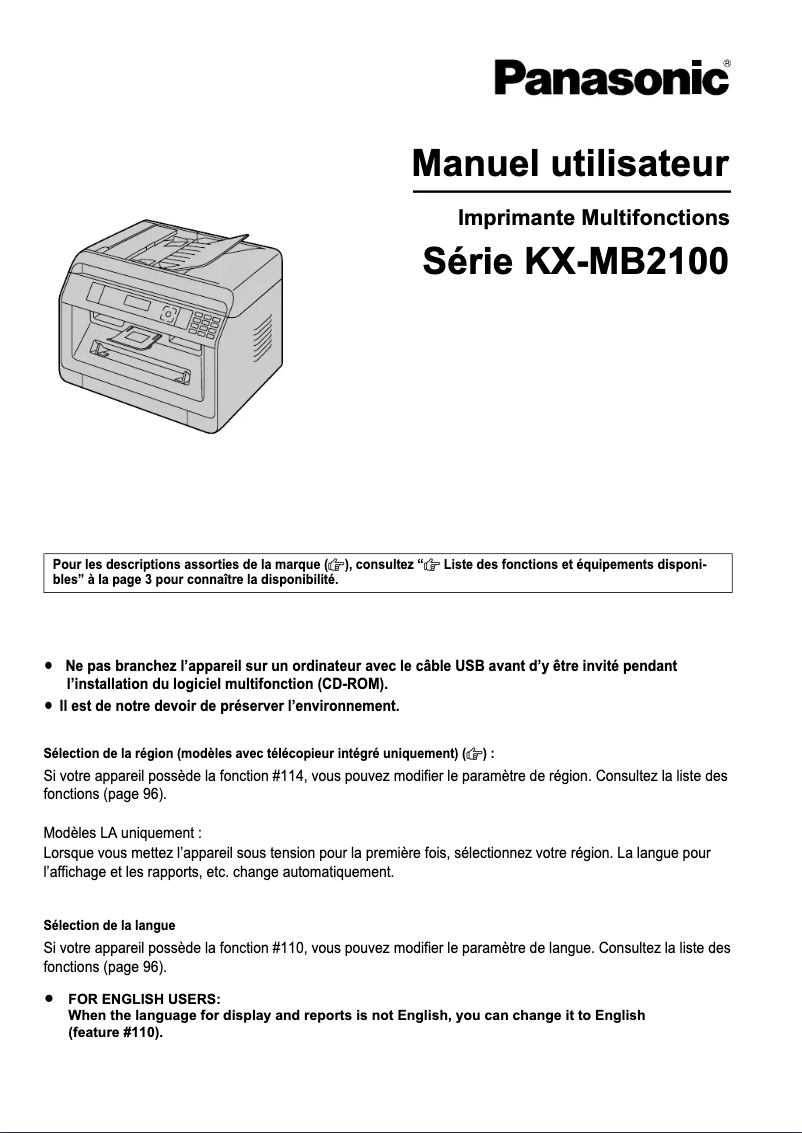
The Panasonic KX-MB2130 is a multifunction printer that stands out for its laser printing technology, offering optimal print quality with a maximum resolution of 600 x 600 DPI. With a printing speed of 26 pages per minute, it proves efficient for handling daily printing volumes. Additionally, its built-in duplex printing function helps optimize paper usage, contributing to a more economical and eco-friendly approach. However, this device has some drawbacks. The lack of Wi-Fi connectivity limits wireless printing options, which may be a drawback for users who prefer a cable-free setup. Furthermore, the fax memory of only 3 MB may not be sufficient for the storage needs of important documents, and the 2-line LCD screen, while functional, can make navigating the menus less intuitive. Finally, with a weight of 12 kg, the printer's mobility may pose a problem for those who wish to move it frequently. In terms of performance, the Panasonic KX-MB2130 scores solidly, notably an 80 for its printing performance. However, its scanning and copying speed, also at 26 ppm, may not satisfy users with very high printing demands. The design of the device is modern and compact, which fits well into various work environments, even if its weight may limit this integration. In summary, the Panasonic KX-MB2130 offers good value for money considering its features, but some limitations such as reduced fax memory and the absence of Wi-Fi may restrict its appeal to certain users.Score details
User experience
The user experience is generally good thanks to a compact and modern design, but the 2-line LCD screen can make navigation less intuitive.
Performance
Print performance is solid with a speed of 26 ppm and laser print quality, but the scanning and copying speed may not be sufficient for very high demands.
Features
Features include built-in duplex printing and good color scanning capability, but the lack of Wi-Fi connectivity limits wireless printing options.
Design
The design is attractive and suitable for modern work environments, but the weight of 12 kg can pose mobility issues.
Value for money
The value for money is acceptable given the features, but limitations like the 3 MB fax memory may restrict its use for some users.
Advantages
Fast printing: 26 pages per minute.
Laser print quality, 600 x 600 DPI.
Built-in duplex printing for savings.
Color scanning, 600 x 1200 DPI.
Ethernet connectivity for network sharing.
Compact design, easily fits anywhere.
Disadvantages
No Wi-Fi connectivity.
Fax memory limited to 3 MB.
2-line LCD screen is not very intuitive.
Weight of 12 kg, difficult to move.
Print speed of only 26 ppm.
Technical Specifications KX-MB2130
General Information
-
ModelKX-MB2130
-
Brand
-
Category
-
Type
-
SKU1229217
-
MPN1229217
Print speed
-
Printing technologyLaser
-
PrintingMonochrome printing
-
Print speed (black, normal quality, A4/US Letter)26 ppm
-
Maximum resolution600 x 600 DPI
-
Double-sided printingYes
Copier
-
CopySimple copy
-
Max. resolution of copies600 x 600 DPI
-
Copy speed (normal quality, black, A4)26 cpm
-
Resizing copy25 - 400 %
-
Maximum number of copies99 copies
-
Release time of the first print (black, normal)10.5 s
Digitization
-
DigitizationColor scanning
-
Optical scanning resolution600 x 1200 DPI
-
Maximum scanning resolution19200 x 19200 DPI
-
Type of scannerADF scanner
-
Scan toE-mail, FTP, SMB
Fax
-
FaxSimple fax
-
Modem speed33.6 Kbit/s
-
Fax Memory3 MB
Features
-
Service cycle (Maximum)12000 pages per month
-
Digital senderNo
-
Printing colorsBlack
-
Languages of the page descriptionGDI
Input and output capacity
-
Maximum input capacity250 sheets
-
Paper feed typePaper bin
-
Maximum input capacity250 sheets
-
Total number of power supply units1
-
Total output capacity100 sheets
-
Automatic Document Feeder (ADF) production capacity35 sheets
-
Manual feedingYes
Paper management
-
Maximum ISO A series paper sizeA4
-
Type of paper tray supportEnvelopes, Plain paper
-
ISO, Format Series A (A0...A9)A4, A5
-
JIS series B format (B0...B9)B5
-
Non-ISO print support sizesChokei 3, Chokei 4, Folio (media size), Legal (media size), Letter (media size), Oficio (media size)
-
JIS series B format (B0...B9)B5
-
Support width customization210 - 216 mm
-
Customization of support length279 - 356 mm
Design
-
ScreenLCD
-
Number of lines displayed2 lines
-
Character display16
-
Product colorBlack, White
-
Built-in screenYes
-
Market positionProfessional
Network
-
Ethernet/LANYes
-
WifiNo
-
LAN Ethernet: data transfer rate10, 100 Mbit/s
-
Mobile printing technologiesGoogle Cloud Print
-
Wiring technology10/100Base-T(X)
Connectivity
-
USB portYes
-
Standard interfacesEthernet, USB 2.0
-
USB portYes
Representation / realization
-
Internal memory64 MB
-
Built-in memory card readerNo
-
Sound pressure level (copy)52 dB
-
Sound power level (standby)25 dB
Power
-
Electricity consumption (average operation)500 W
-
Electricity consumption (stop)3.3 W
-
Energy consumption (standby mode)65 W
Minimum system requirements
-
Support for the Windows operating systemWindows 7 Enterprise
-
Support for the Mac operating systemWindows 7 Enterprise x64
-
Support for the Linux operating systemWindows 7 Home Basic
-
Windows 7 Home Basic x64
-
Windows 7 Home Premium
-
Windows 7 Home Premium x64
-
Windows 7 Professional
-
Windows 7 Professional x64
-
Windows 7 Starter
-
Windows 7 Starter x64
-
Windows 7 Ultimate
-
Windows 7 Ultimate x64
-
Windows 8
-
Windows 8 Enterprise
-
Windows 8 Enterprise x64
-
Windows 8 Pro
-
Windows 8 Pro x64
-
Windows 8 x64
-
Windows 8.1
-
Windows 8.1 Enterprise
-
Windows 8.1 Enterprise x64
-
Windows 8.1 Pro
-
Windows 8.1 Pro x64
-
Windows 8.1 x64
-
Windows Vista Business
-
Windows Vista Business x64
-
Windows Vista Enterprise
-
Windows Vista Enterprise x64
-
Windows Vista Home Basic
-
Windows Vista Home Basic x64
-
Windows Vista Home Premium
-
Windows Vista Home Premium x64
-
Windows Vista Ultimate
-
Windows Vista Ultimate x64
-
Windows XP Home
-
Windows XP Home x64
-
Windows XP Professional
-
Windows XP Professional x64
-
Mac OS X 10.5 Leopard
-
Mac OS X 10.6 Snow Leopard
-
Mac OS X 10.7 Lion
-
Mac OS X 10.8 Mountain Lion
-
Mac OS X 10.9 Mavericks
-
Yes
Weight and dimensions
-
Width410 mm
-
Depth400 mm
-
Height320 mm
-
Weight12000 g
Frequently Asked Questions
What is the weight of the Panasonic KX-MB2130?
What is the recommended method for removing paper jammed in the printer?
Why is my printer not recognizing the original cartridges?
What could be the reasons for poor print quality?
What is the difference between a laser printer and an inkjet printer?
Why is my inkjet printer printing black streaks?
What does the acronym DPI mean?
What is the height of the Panasonic KX-MB2130?
What is the width of the Panasonic KX-MB2130?
What is the depth of the Panasonic KX-MB2130?
Why won't my printer turn on?
How can I resolve paper jams in my printer?
How can I improve print quality if it is too light or blurry?
My computer does not recognize my printer. What should I do?
How do I clear memory full error messages on my Panasonic KX-MB2130 printer?
Does the Panasonic KX-MB2130 use laser printing technology?
Does the Panasonic KX-MB2130 offer a color scanning function?
What is the maximum workload for the Panasonic KX-MB2130?
What is the maximum resolution of the Panasonic KX-MB2130 printer?
Does the Panasonic KX-MB2130 have a high optical scanning resolution?
Is the manual for the Panasonic KX-MB2130 available in French?
Similar products


More product categories from brand Panasonic
Home appliances Panasonic
Phones Panasonic
Audio Panasonic
Camera and photography Panasonic
Personal care Panasonic
Other Panasonic
Tools Panasonic
Interior Panasonic
More product types from brand Panasonic








Presentation of product KX-MB2130 specifications from brand Panasonic
General Information
The Panasonic KX-MB2130 printer, from a renowned brand recognized for its innovation and quality, is designed to deliver optimal performance in the printing field. This model, also referred to as KX-MB2130GB, ensures a smooth and efficient user experience. The EAN code 5025232781393 allows for unique identification of this product in distribution systems.
Print Speed
Equipped with laser printing technology, the Panasonic KX-MB2130 guarantees exceptional quality results. With a print speed of 26 pages per minute (ppm) in black and a maximum resolution of 600 x 600 DPI, it allows for the rapid production of clear and colorful documents. Additionally, its built-in duplex printing function optimizes paper usage, contributing to more economical resource management.
Copier
The copier of the KX-MB2130 offers color copying capability with a maximum resolution of 600 x 600 DPI, ensuring vibrant prints. With a speed of 26 copies per minute (cpm) and resizing from 25 to 400 %, it meets various printing requirements. The first copy output time is 10.5 seconds, allowing for increased efficiency in daily tasks.
Scanning
This printer includes a color scanning function, offering an optical resolution of 600 x 1200 DPI and a maximum resolution of 19200 x 19200 DPI for detailed reproductions. Thanks to its ADF scanner, the KX-MB2130 allows for quick scanning of multiple documents. Various scanning modes, such as E-mail, FTP, and SMB, provide additional flexibility in protocol selection.
Fax
The built-in fax machine of the KX-MB2130 allows for quick document transmission with a modem speed of 33.6 Kbit/s. Its 3 MB memory can store a reasonable number of documents, although this may be limited for some users.
General Features
The maximum service cycle of the printer is 12000 pages per month, suitable for heavy use. Although it does not have a digital sender, the KX-MB2130 ensures high-quality black printing, suitable for various professional needs.
Input and Output Capacity
The paper feed capacity of the KX-MB2130 is 250 sheets, allowing for the management of a large volume of documents without interruption. It is equipped with a paper tray and an automatic document feeder (ADF) with a capacity of 35 sheets, making it easier to process multiple pages at once.
Paper Management
The KX-MB2130 is compatible with various paper sizes, including A4 and A5, ensuring flexibility of use. It supports different types of media, such as envelopes and plain paper, and allows for customization of paper dimensions according to the specific needs of the user.
Design
Its two-line LCD screen facilitates the display of information, while its modern and compact design easily integrates into various work environments. The KX-MB2130 is primarily intended for professional use, offering features tailored to user requirements.
Network and Connectivity
This printer is equipped with Ethernet connectivity, facilitating integration into a professional network. Although it does not have Wi-Fi, it allows for direct printing from various devices through its standard interfaces, including a USB port.
Representation and Performance
With an internal memory of 64 MB, the KX-MB2130 ensures smooth and efficient use. Its noise level of 52 dB during operation and 25 dB in standby guarantees a pleasant working environment.
Power
The average power consumption of the printer is 500 W, while it consumes only 3.3 W when turned off. In standby mode, it uses 65 W, contributing to effective energy management.
Minimum System Requirements
The Panasonic KX-MB2130 is compatible with several operating systems, including various versions of Windows, Mac OS X, and Linux, ensuring optimal integration into different computing environments.
Weight and Dimensions
With dimensions of 410 mm in width, 400 mm in depth, and 320 mm in height, and a weight of 12 kg, this printer is designed for optimal use while remaining relatively easy to move.


