

Manual of product KX-TU110
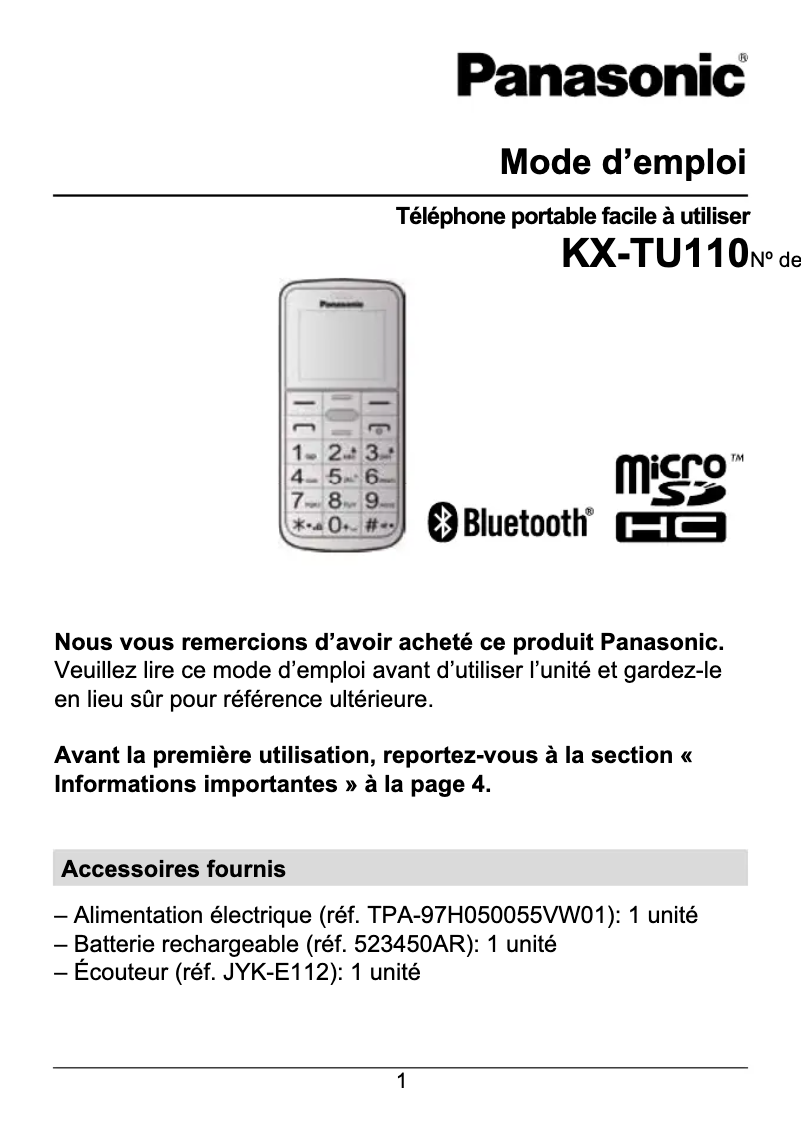
Editorial note
The Panasonic KX-TU110 stands out with its built-in flashlight, a practical feature that proves useful in various situations. With a directory capacity of 300 entries, this smartphone facilitates quick access to important contacts. Additionally, caller ID enhances the user experience by allowing recognition of callers' identities, optimizing communication management. Its compact and lightweight design ensures easy handling, making it easily portable for daily use. The nickel-metal hydride (NiMH) hybrid battery technology guarantees good battery life, allowing for prolonged use without interruption. However, the KX-TU110 has some drawbacks that may limit its appeal. The screen resolution of 128 x 160 pixels is low by current standards, which may make the display unclear for complex content. The lack of support for memory cards limits storage capacity, and the absence of Wi-Fi connectivity restricts access to the Internet and online services. Furthermore, the lack of a front camera limits the possibilities for selfies and video calls, while the 2G mobile network technology may pose connectivity issues in certain areas. Finally, the absence of advanced multimedia features, such as FM radio and MMS, may reduce the product's appeal for users seeking a complete experience. In summary, the Panasonic KX-TU110 is a practical smartphone with useful features, but it suffers from limitations in connectivity and performance that may not meet the expectations of modern users.Score details
User experience
The user experience is enhanced by features like caller ID and a 300-entry directory, but the lack of Wi-Fi and a front camera limits its appeal.
Performance
The performance is sufficient for calls and texts, but the 2G mobile network technology and low screen resolution may cause connectivity and clarity issues.
Battery life
The nickel-metal hybrid (NiMH) battery technology offers good battery life, allowing for prolonged use without interruption.
Design
The compact and lightweight design of the Panasonic KX-TU110 ensures easy handling, making it easily portable for daily use.
Value for money
Although it offers practical features, the lack of support for memory cards and modern connections limits its value for money.
Features
Despite useful features like the built-in flashlight, the absence of Wi-Fi, MMS, and FM radio reduces the overall appeal of the product.
Advantages
Built-in flashlight for dark situations
Directory of 300 contacts for quick access
Caller ID for efficient management
Compact and lightweight design, easy to carry
NiMH hybrid battery for good battery life
Disadvantages
Low-resolution screen
No support for memory cards
No Wi-Fi connection
No front camera
Obsolete 2G technology
Limited multimedia features
Technical Specifications KX-TU110
General Information
-
ModelKX-TU110
-
Brand
-
Category
-
Type
-
SKU1102475
-
MPN1102475
Screen
-
Screen resolution128 x 160 pixels
-
Screen size1.77 "
-
External screenNo
-
Type of panelTFT
-
External screenNo
-
Type of panelTFT
Memory
-
Flash Card SupportNo
-
Compatible memory cardsNot supported
Design
-
Device LockYes
-
Product colorBlack
-
TypeDigital phone
-
Device LockYes
Camera
-
Rear cameraYes
-
Front cameraNo
Network
-
SIM card capacityDual SIM
-
WifiNo
-
2G band (1st SIM card)900,1800 MHz
-
WAPYes
-
Network dataGPRS, GSM
-
Mobile network generation2G
Phone features
-
FormatBar
-
Personal Information Management (PIM)Alarm clock
-
Alert with vibratorCalculator
-
Alert with vibratorYes
-
Directory capacityYes
-
Alert with vibrator300 entries
-
Languages taken into accountYes
-
BUL, CZE, DEU, DUT, ENG, ESP, EST, FRE, GRE, HUN, ITA, LAT, POL, RUM, RUS, SER, SLK, SLV, TUR
Registration
-
Registration typeWithout plan
Technical details
-
Alarm FunctionYes
Weight and dimensions
-
Depth114 mm
-
Height13.5 mm
-
Width51 mm
-
Weight- g
Call management
-
Call on holdYes
-
Call on holdYes
Power
-
Battery technology-
-
Waiting time (2G)225 h
-
Talk time (2G)5 h
-
Battery capacity- mAh
Audio
-
FM RadioNo
Video
-
Video callNo
Data transmission
-
BluetoothYes
Messaging
-
MMS (Multimedia Messaging Service)-
-
Short Message Service (SMS)Yes
Connectivity
-
USB connectorMicro-USB
-
USB portYes
Frequently Asked Questions
How do I reset my Panasonic KX-TU110?
Ma carte SIM est trop petite pour mon téléphone, que dois-je faire ?
Qu'est-ce que le numéro IMEI ?
Quelles sont les dimensions de l’écran de mon smartphone ?
La batterie de mon smartphone peut-elle exploser ?
Quel est le poids du Panasonic KX-TU110 ?
Quelle est la taille de l’écran du Panasonic KX-TU110 ?
Quelle est la hauteur du Panasonic KX-TU110 ?
Quelle est la résolution de l’écran du Panasonic KX-TU110 ?
Quelle est la largeur du Panasonic KX-TU110 ?
Quelle est la profondeur du Panasonic KX-TU110 ?
Quel type de connexion USB possède le Panasonic KX-TU110 ?
Comment procéder à la configuration initiale de mon smartphone Panasonic KX-TU110 ?
Comment ajuster la luminosité de l'écran sur mon Panasonic KX-TU110 ?
Comment connecter mon Panasonic KX-TU110 à un réseau Wi-Fi ?
Puis-je augmenter la capacité de stockage de mon smartphone Panasonic KX-TU110 ?
Comment réaliser une capture d'écran sur mon smartphone Panasonic KX-TU110 ?
Le Panasonic KX-TU110 est-il équipé d’un écran tactile ?
Le téléphone Panasonic KX-TU110 accepte-t-il des cartes mémoire externes ?
Le Panasonic KX-TU110 a-t-il une caméra arrière ?
Le Panasonic KX-TU110 peut-il se connecter au Wi-Fi ?
Quel est le facteur de forme du smartphone Panasonic KX-TU110 ?
Le manuel du Panasonic KX-TU110 est-il disponible en français ?
Similar products


More product categories from brand Panasonic
Home appliances Panasonic
Phones Panasonic
Audio Panasonic
Camera and photography Panasonic
Personal care Panasonic
Other Panasonic
Tools Panasonic
Interior Panasonic
More product types from brand Panasonic








Presentation of product KX-TU110 specifications from brand Panasonic
General Information
The Panasonic KX-TU110 is a smartphone from the Panasonic brand, known for its commitment to quality and innovation in the electronics sector. This model, identified by the references KX-TU110 and KX-TU110EXB, offers reliable performance and a satisfactory user experience. Its EAN code, 4010869282017 and 5025232891856, allows for unique identification in distribution systems.
Screen
The smartphone is equipped with a 1.77-inch screen with a resolution of 128 x 160 pixels. Although this resolution is modest, it ensures a clear display for essential functions. The screen type is TFT, offering vibrant colors, although the lack of a touchscreen and external display limits some modern features.
Memory
The Panasonic KX-TU110 does not support memory cards, which limits storage capacity for applications and files. This can be a disadvantage for users requiring expandable storage space.
Design
This model features a compact and sleek black design, making it easy to handle on a daily basis. It includes a flashlight, a practical feature for illuminating dark areas. Additionally, a device lock system is present for enhanced data security.
Camera
The KX-TU110 is equipped with a rear camera for capturing images, but it does not have a front camera, thus limiting selfie and video call possibilities.
Network
This smartphone uses a single SIM card and operates on 2G bands (900 and 1800 MHz). Although it is not equipped with Wi-Fi, it ensures reliable connectivity via GPRS and GSM, although 2G technology is becoming increasingly obsolete.
Phone Features
The bar format of the KX-TU110 makes it easy to use. It offers personal information management tools such as a calendar and a calculator. The directory capacity is 300 contacts, allowing quick access to your information. Additionally, it is possible to answer a call by pressing any key, simplifying usage. It also supports multiple languages, making the device accessible to a wide audience.
Subscription
This model operates without a plan, thus offering usage flexibility without commitment.
Technical Details
The Panasonic KX-TU110 includes an alarm function that allows for notifications for important events.
Weight and Dimensions
With a depth of 114 mm, a height of 13.5 mm, and a width of 51 mm, this smartphone is designed to fit easily into various spaces. Its lightweight promotes easy handling.
Call Management
The KX-TU110 offers caller identification, allowing users to recognize callers and manage communications effectively. It also includes a call waiting function.
Power
The battery of the Panasonic KX-TU110 offers a standby time of 225 hours and a talk time of 5 hours, ensuring sufficient autonomy for daily use. Its nickel-metal hydride (NiMH) hybrid battery technology ensures lasting performance.
Audio
This model does not include an FM radio, limiting audio listening options.
Video
The Panasonic KX-TU110 does not support video calls, which may be a disadvantage for users wishing to communicate via video.
Data Transmission
The smartphone is equipped with Bluetooth functionality, allowing for wireless connection with other compatible devices.
Messaging
It supports short message service (SMS) for sending and receiving text messages, but it does not support multimedia messaging service (MMS) for multimedia messages.
Connectivity
The USB connector of the KX-TU110 is of the Micro-USB type, facilitating data transfer and device charging. It also has a USB port for quick connection to various devices.


