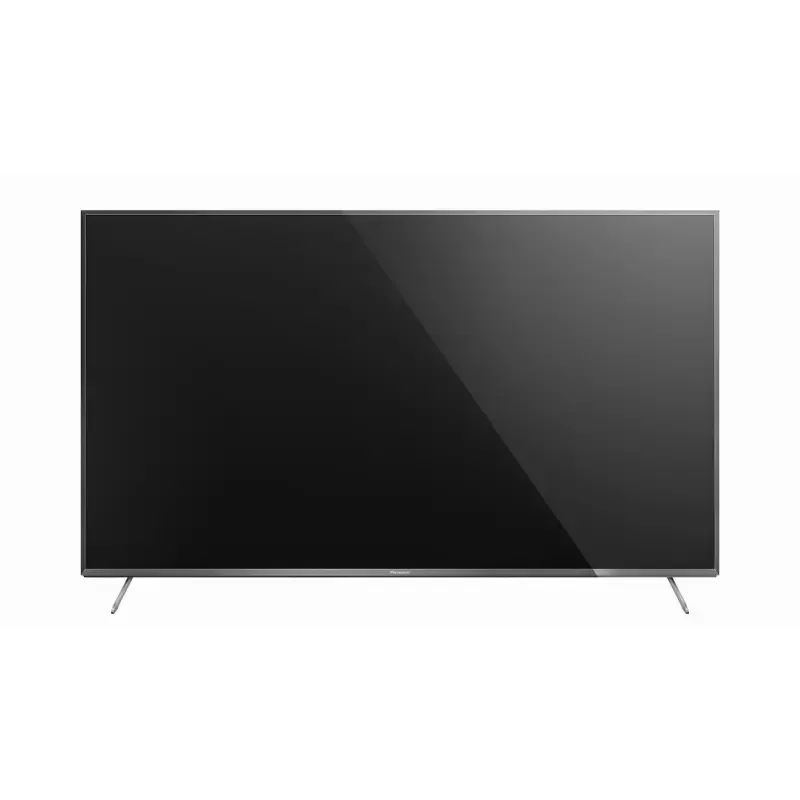

Manual of product TX-50CXW704

Editorial note
The Panasonic TX-50CXW704 is a television that offers exceptional picture quality thanks to its 4K Ultra HD resolution (3840 x 2160 pixels) and LED backlighting technology. With a motion interpolation frequency of 800 Hz, it ensures smooth images and better contrast, making it an excellent choice for movies and sporting events. The 176° viewing angle also allows for optimal viewing from different angles, ideal for family or friend gatherings. Additionally, its built-in speakers, equipped with Dolby Digital decoders, provide an immersive audio experience. However, some drawbacks may limit its appeal. The lack of Smart TV features restricts access to online streaming apps and services, making the multimedia experience less complete. Furthermore, the audio power of 20 W may be insufficient for larger environments, while its energy consumption, although rated A, could be perceived as relatively high compared to other newer models. Finally, with a weight of 17.5 kg, its installation can be challenging, especially for those wishing to mount it on a wall without assistance. In terms of design, the model stands out with its modern silver metal finish, contributing to its aesthetic appeal. Overall, the value for money is good, especially due to the picture quality it offers, but the absence of certain modern features may disappoint some users.Score details
User experience
The user experience is generally positive due to the exceptional image quality and LED backlighting technology, but the lack of Smart TV features limits access to applications.
Performance
The performance is excellent in terms of image quality with a 4K Ultra HD resolution and a motion interpolation rate of 800 Hz, but the audio power of 20 W may be insufficient for large spaces.
Battery life
The energy consumption is rated A, but it could be perceived as relatively high compared to other more energy-efficient models.
Design
The design is modern with a silver metal finish, and the weight of 17.5 kg can make wall mounting a bit difficult without assistance.
Value for money
The value for money is good, especially for the image quality, but the lack of 3D compatibility and Smart TV features may disappoint some users.
Advantages
4K Ultra HD image quality
LED backlighting and 800 Hz for smoothness
Wide viewing angle of 176°
Compatibility with various digital formats
Built-in speakers with Dolby Digital
Disadvantages
No Smart TV features
Lack of 3D compatibility
Audio power of only 20 W
Relatively high energy consumption
Weight of 17.5 kg difficult to install
Technical Specifications TX-50CXW704
General Information
-
ModelTX-50CXW704
-
Brand
-
Category
-
Type
-
SKU864473
-
MPN864473
Screen
-
LED backlighting-
-
LED backlighting-
-
Screen size50 "
-
Type HD4K Ultra HD
-
Screen resolution3840 x 2160 pixels
-
Image format16:9
-
Supported graphic resolutions3840 x 2160,1920 x 1080 (HD 1080)
-
Supported video modes1080p, 2160p
-
Screen brightness- cd/m²
-
Response time- ms
-
Horizontal viewing angle176 °
-
Motion interpolation frequency800 Hz
-
Screen diagonal (cm)126 cm
-
Screen shapeFlat
-
Display technologyLED
-
Image format16:9
-
Screen size50 "
-
Type HD4K Ultra HD
-
Screen resolution3840 x 2160 pixels
-
Image format16:9
-
Supported graphic resolutions3840 x 2160,1920 x 1080 (HD 1080)
-
Screen brightness- cd/m²
-
Response time- ms
-
Horizontal viewing angle176 °
-
Interpolation movement technologyBMR 800 Hz
-
Screen diagonal (cm)126 cm
-
Screen shapeFlat
-
Smart ModesCinema, Dynamic, Standard
-
Display technologyLED
Other features
-
Certified DLNA (Digital Living New-York Alliance)Yes
-
Certified DLNA (Digital Living New-York Alliance)Yes
-
Annual energy consumption129 kWh
-
Energy efficiency class (old)A
-
Certified DLNA (Digital Living New-York Alliance)Yes
-
Certified DLNA (Digital Living New-York Alliance)Yes
-
Certified DLNA (Digital Living New-York Alliance)Yes
-
Certified DLNA (Digital Living New-York Alliance)Yes
-
Annual energy consumption129 kWh
-
Energy efficiency class (old)A
-
Certified DLNA (Digital Living New-York Alliance)Yes
-
Certified DLNA (Digital Living New-York Alliance)Yes
TV Tuner
-
Analog signal format system-
-
Analog signal format system-
-
Tuner typeAnalog and digital
-
Digital signal system formatDVB-C, DVB-S2, DVB-T2
-
Automatic channel searchYes
-
Tuner typeAnalog and digital
-
Digital signal system formatDVB-C, DVB-S2, DVB-T2
-
Automatic channel searchYes
Smart TV / smart TV
-
Internet TV-
-
HbbTV (Hybrid Broadcast Broadband TV)Yes
-
Smart ModesCinema, Dynamic, Standard
-
Installed operating systemFirefox OS
-
HbbTV (Hybrid Broadcast Broadband TV)Yes
-
HbbTV (Hybrid Broadcast Broadband TV)Yes
Audio
-
Number of speakers2
-
Rated power of RMS20 W
-
Integrated audio decodersDolby Digital, Dolby Digital Plus
-
Number of speakers2
-
Rated power of RMS20 W
-
Integrated audio decodersDolby Digital, Dolby Digital Plus
Connectivity
-
Common Interface (CI)-
-
Common Interface (CI)-
-
Quantity of HDMI ports3
-
DVI PortNo
-
Common Interface Plus (Cl+)Yes
-
Common Interface Plus (Cl+)Yes
-
DVI PortNo
-
S-Video Input0
-
Quantity of USB 2.0 Ports2
-
Number of Ethernet LAN ports (RJ-45)1
-
Number of Ethernet LAN ports (RJ-45)1
-
Number of Ethernet LAN ports (RJ-45)1
-
Number of Ethernet LAN ports (RJ-45)1
-
Number of Ethernet LAN ports (RJ-45)1
-
Common Interface Plus (Cl+)Yes
-
S-Video Input0
-
Number of Ethernet LAN ports (RJ-45)1
-
Common Interface Plus (Cl+)Yes
-
Compatible memory cardsSD
-
Consumer Electronics Control (CEC)VIERA Link
-
Common Interface Plus (CI+) Version1.3
-
Quantity of HDMI ports3
-
DVI PortNo
-
DVI PortNo
-
S-Video Input0
-
Quantity of USB 2.0 Ports2
-
Number of Ethernet LAN ports (RJ-45)1
-
Number of Ethernet LAN ports (RJ-45)1
-
Number of Ethernet LAN ports (RJ-45)1
-
Number of Ethernet LAN ports (RJ-45)1
-
Number of Ethernet LAN ports (RJ-45)1
-
Common Interface Plus (Cl+)Yes
-
S-Video Input0
-
Consumer Electronics Control (CEC)VIERA Link
-
Common Interface Plus (CI+) Version1.3
Network
-
BluetoothYes
-
BluetoothYes
-
BluetoothYes
-
Supported browsersFirefox
-
BluetoothYes
-
BluetoothYes
-
BluetoothYes
-
BluetoothYes
-
Supported browsersFirefox
-
BluetoothYes
Management features
-
Basic hotel modeYes
-
Basic hotel modeYes
-
Number of OSD languages27
-
Basic hotel modeYes
-
Basic hotel modeYes
-
Basic hotel modeYes
Representation / realization
-
Internet TV-
-
Backlight dimming technologyLocal Dimming
-
Teletext1500 pages
-
HbbTV (Hybrid Broadcast Broadband TV)Yes
-
HbbTV (Hybrid Broadcast Broadband TV)Yes
-
HbbTV (Hybrid Broadcast Broadband TV)Yes
-
HbbTV (Hybrid Broadcast Broadband TV)Yes
-
Supported video format3GPP, AVI, FLV, H.265, M4V, MKV, MP4, PS, TS, VOB, VRO, WMV
-
Supported audio formatsAAC, FLAC, MP3, RA-Lossless, WAV, WMA
-
Supported image formatsJPG, MPO
-
HbbTV (Hybrid Broadcast Broadband TV)Yes
-
HbbTV (Hybrid Broadcast Broadband TV)Yes
-
HbbTV (Hybrid Broadcast Broadband TV)Yes
-
HbbTV (Hybrid Broadcast Broadband TV)Yes
-
Backlight dimming technologyLocal Dimming
-
Teletext1500 pages
-
HbbTV (Hybrid Broadcast Broadband TV)Yes
-
HbbTV (Hybrid Broadcast Broadband TV)Yes
-
HbbTV (Hybrid Broadcast Broadband TV)Yes
-
Installed operating systemFirefox OS
-
Supported video format3GPP, AVI, FLV, H.265, M4V, MKV, MP4, PS, TS, VOB, VRO, WMV
-
Supported audio formatsAAC, FLAC, MP3, RA-Lossless, WAV, WMA
-
HbbTV (Hybrid Broadcast Broadband TV)Yes
Design
-
Product colorMetallic, Silver
-
Built-in power buttonYes
-
Built-in power buttonYes
-
Product colorMetallic, Silver
-
Built-in power buttonYes
-
Built-in power buttonYes
Power
-
Energy consumption (standby mode)0.5 W
-
Typical electricity consumption93 W
-
AC input voltage220 - 240 V
-
AC input frequency50 - 60 Hz
-
Energy consumption (standby mode)0.5 W
-
Typical electricity consumption93 W
-
AC input voltage220 - 240 V
-
AC input frequency50 - 60 Hz
Weight and dimensions
-
Device width (support included)1121 mm
-
Depth (without support)46 mm
-
Height (without support)650 mm
-
Weight (without support)17500 g
-
Device width (support included)1121 mm
-
Depth (support included)242 mm
-
Height (support included)695 mm
-
Weight (with support)18500 g
-
Device width (support included)1121 mm
-
Depth (without support)46 mm
-
Height (without support)650 mm
-
Weight (without support)17500 g
-
Device width (support included)1121 mm
-
Depth (support included)242 mm
-
Height (support included)695 mm
-
Weight (with support)18500 g
Packaging information
-
Package width1443 mm
-
Package depth124 mm
-
Package height768 mm
-
Package weight23000 g
-
User manualYes
-
Package width1443 mm
-
Package depth124 mm
-
Package height768 mm
-
Package weight23000 g
Packaging contents
-
Desktop supportYes
-
Cables includedSector
-
Desktop supportYes
-
Desktop supportYes
-
Desktop supportYes
-
Cables includedSector
-
Desktop supportYes
Frequently Asked Questions
What is the recommended viewing distance for my Panasonic television?
What should I do if my television is no longer receiving a signal?
What are the dimensions of my television screen?
What does the acronym HDMI stand for?
Is it possible to connect devices from different brands via Bluetooth?
What is the screen size of the Panasonic TX-50CXW704 model?
What is the resolution of the screen on the Panasonic TX-50CXW704?
Does the Panasonic TX-50CXW704 support 3D?
What is the display resolution of the Panasonic TX-50CXW704?
What is the viewing angle of the Panasonic TX-50CXW704?
What is the motion interpolation frequency of the Panasonic TX-50CXW704?
Does the Panasonic TX-50CXW704 come with built-in speakers?
How can I troubleshoot image issues on my Panasonic TX-50CXW704 television?
How do I access the Help menu on my Panasonic TX-50CXW704 television?
How do I enable or disable the auto aspect ratio feature on my Panasonic TX-50CXW704 television?
How do I reduce noise in the image on my Panasonic TX-50CXW704 television?
How do I connect and set up an external device on my Panasonic TX-50CXW704 television?
Is the manual for the Panasonic TX-50CXW704 available in French?
Similar products


More product categories from brand Panasonic
Home appliances Panasonic
Phones Panasonic
Audio Panasonic
Camera and photography Panasonic
Personal care Panasonic
Other Panasonic
Tools Panasonic
Interior Panasonic
More product types from brand Panasonic








Presentation of product TX-50CXW704 specifications from brand Panasonic
General Information
The Panasonic TX-50CXW704 is a television from the renowned brand Panasonic, known for its commitment to quality and innovation in the electronics sector. This model, identified by the EAN code 0502523812516, ensures high-performance and an enhanced user experience.
Screen
Featuring a 50-inch screen, the Panasonic TX-50CXW704 offers a 4K Ultra HD resolution (3840 x 2160 pixels), guaranteeing images of exceptional clarity. With an aspect ratio of 16:9, this television is ideal for enjoying your multimedia content. It supports graphic resolutions up to 3840 x 2160 and 1920 x 1080, providing flexibility for various types of content. The brightness and fast response time ensure a smooth visual experience, while the viewing angle of 176° allows for comfortable viewing from multiple positions in the room. The motion interpolation frequency of 800 Hz contributes to the fluidity of images, making fast scenes more enjoyable to watch.
Other Features
The Panasonic TX-50CXW704 does not support 3D technology, but it is equipped with built-in speakers that deliver immersive sound thanks to Dolby Digital and Dolby Digital Plus decoders. With an annual energy consumption of 129 kWh and rated A, this device is relatively energy-efficient. Additionally, it includes a user manual to facilitate setup and is certified DLNA, ensuring optimal compatibility with other multimedia devices.
TV Tuner
The tuner of the Panasonic TX-50CXW704 is both analog and digital, allowing it to receive various types of signals. It supports DVB-C, DVB-S2, and DVB-T2 formats, and includes an automatic channel search function for simplified tuning.
Connectivity
This model features 3 HDMI ports and 2 USB 2.0 ports, allowing for the connection of multiple devices. It is also equipped with a digital optical audio output and a component input for high-quality audio and video connectivity. In terms of networking, it supports Wi-Fi and Bluetooth for convenient wireless connections.
Design
The Panasonic TX-50CXW704 sports a Metallic Silver finish, giving it a modern aesthetic. It is designed for VESA mounting, making it easy to install on a wall and optimizing space in your living room.
Weight and Dimensions
With a width of 1121 mm, a height of 650 mm, and a depth of 46 mm (without stand), this television weighs approximately 17.5 kg, which is relevant to consider for its installation.
Packaging Information
The product is delivered in a package measuring 1443 mm wide, 124 mm deep, and 768 mm high, with a total weight of 23 kg, ensuring adequate protection during transport.
Contents of the Package
Inside the box, you will find a remote control, a power cable, and a desktop stand to facilitate the installation and immediate use of the television.


