Thumbnail of product TX-58DXM715 from brand Panasonic
Logo of brand Panasonic

Television Panasonic TX-58DXM715

Discover the Panasonic TX-58DXM715 television, a model that embodies the excellence of the Panasonic brand, known for its quality and innovation in the multimedia device sector. With a screen size of 58 inches, this television offers an immersive viewing experience, perfect for enjoying your favorite movies and shows.

The Panasonic TX-58DXM715 is designed to ensure optimal performance, allowing you to benefit from stunning image quality and vibrant colors. Its sleek design fits perfectly into any type of interior while providing an intuitive user interface.

This model also comes with a user manual, allowing you to explore all its features and optimize your viewing experience. In summary, the Panasonic TX-58DXM715 is the ideal choice for those seeking a television that combines performance, aesthetics, and ease of use.

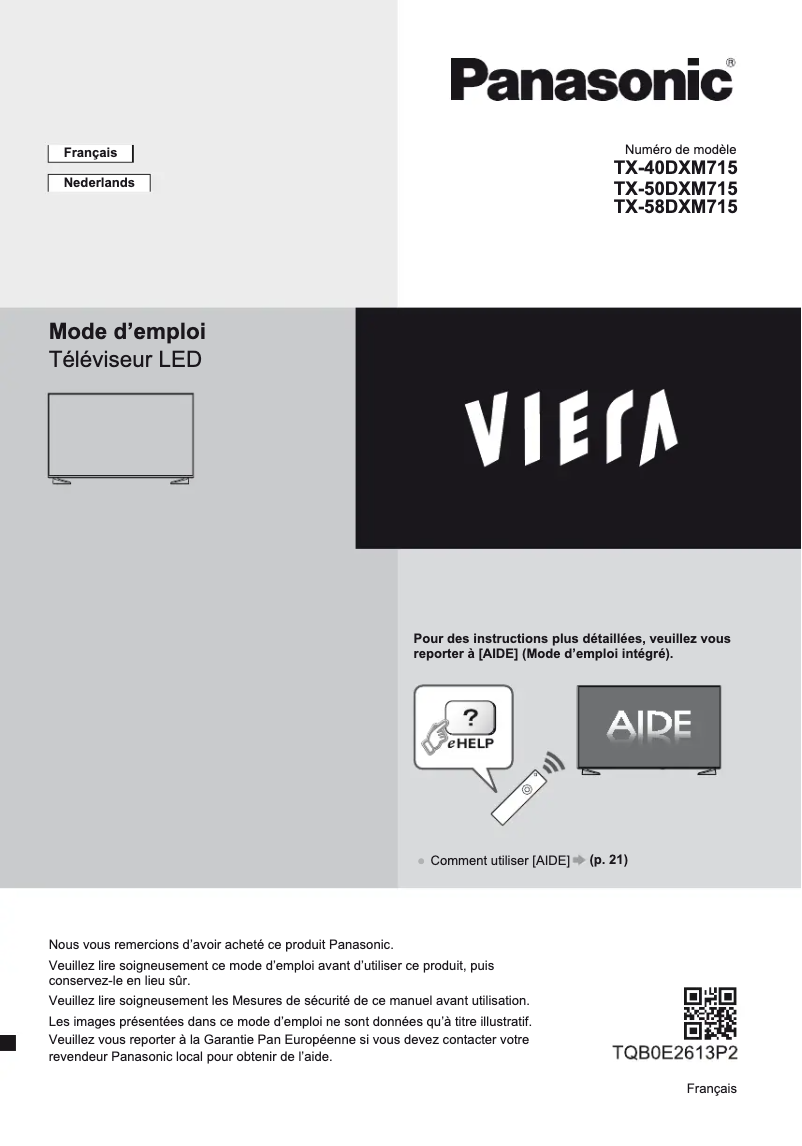
Manual of product TX-58DXM715
7 10

Editorial note

The Panasonic TX-58DXM715 stands out for its exceptional picture quality, offering vibrant colors and deep contrasts that ensure an immersive viewing experience. The reliability of the Panasonic brand also guarantees durability and consistent performance, which is a major asset for users. The user experience is generally positive thanks to a user-friendly interface, although some users may find it somewhat unintuitive. Additionally, the model is designed to be energy-efficient, thus helping to reduce electricity costs while preserving the environment. However, the television has notable drawbacks. Its large size can make it cumbersome, making installation difficult in smaller spaces. Furthermore, its relatively high price compared to other similar models may deter some consumers. Limited connectivity with certain devices or streaming services could also restrict users' multimedia experience. Finally, the built-in sound quality may not meet expectations, necessitating the addition of an external audio system for a better experience. In terms of support, a comprehensive user manual is available, facilitating the setup and use of the product. Overall, the Panasonic TX-58DXM715 is a solid choice for those seeking excellent picture quality and proven reliability, but it is important to consider its dimensions and price before making a purchase.

Score details

User experience

The user experience is generally positive thanks to a user-friendly interface, although some users may find it not very intuitive.

Performance

The image quality is exceptional with vibrant colors and deep contrasts, ensuring an immersive visual experience.

Design

The television is relatively bulky, which can complicate its installation in small spaces.

Value for money

Its price is relatively high compared to other competing models, which may deter some consumers.

Support

A comprehensive user manual is available, making the setup and use of the product easier.

Features

Although the television offers many features, limited connectivity with certain devices or streaming services reduces the multimedia experience.

Robustness

The reliability of the Panasonic brand ensures durability and consistent performance of its products.


Advantages

Exceptional image quality with vibrant colors

Reliable, durable, and high-performing brand

User-friendly interface and intuitive navigation

Energy-saving to reduce costs

User manual for easy use

Disadvantages

Bulky for small spaces

Relatively high price

Limited connectivity with some devices

Non-intuitive user interface

Insufficient built-in sound quality

Technical Specifications TX-58DXM715

General Information

Frequently Asked Questions

What is the recommended viewing distance for my Panasonic television?
The optimal viewing distance for your Panasonic television depends on the screen size. Generally, it is advised to sit about 2.4 times the diagonal size of the screen.
What should I do if my television is no longer receiving a signal?
If your television is not receiving a signal, you should check the following: - Make sure your television is on the correct source. - Check that your television is properly connected via the HDMI or SCART input.
What are the dimensions of my television screen?
The size of your television is usually indicated in inches, with 1 inch equivalent to 2.54 centimeters. This size corresponds to the measurement of the diagonal of the screen, which you measure from the bottom left corner to the top right corner.
What does the acronym HDMI stand for?
HDMI stands for High-Definition Multimedia Interface. An HDMI cable allows for the transmission of audio and video signals between different devices.
Is it possible to connect devices from different brands via Bluetooth?
Yes, Bluetooth technology is universal and allows various compatible devices to connect with each other.
How can I resolve issues with white spots or ghosting on my Panasonic TX-58DXM715 television?
To correct white spots or ghosting on your Panasonic TX-58DXM715 television, follow these steps: 1. Check the position, orientation, and connection of the antenna to ensure optimal reception. 2. Consider weather conditions, as they can affect signal quality. 3. Turn off the television using the power switch, then turn it back on to reset the device. 4. If the problem persists, consult your local retailer or service provider for assistance. These steps are general advice and may not resolve all issues. It is best to consult a professional if necessary.
Why can't I tune certain channels on my Panasonic TX-58DXM715 television?
To tune certain channels on your Panasonic TX-58DXM715 television, follow these steps: 1. Select the appropriate mode using the TV button according to the type of signal (DVB-S, DVB-C, DVB-T, etc.). 2. Open the menu by pressing the MENU button on the remote. 3. Go to the Setup menu and choose the tuning option. Press OK to access the settings. 4. Depending on the TV mode and country, different functions will be available. Select the one that suits you to tune the channels. 5. Follow the on-screen instructions to finalize the tuning. Some options may not be accessible due to network or broadcaster restrictions. For any difficulties, consult your professional retailer.
What should I check if the image on my Panasonic TX-58DXM715 television is in black and white?
If the image on your Panasonic TX-58DXM715 television is in black and white, try these steps: 1. Check that the output of the external device (such as a set-top box or DVD player) matches the input of the television. 2. Press the ASPECT button on the remote to adjust the aspect ratio. 3. Modify the Noise Reduction and MPEG Remastering settings in the Picture Menu to improve image quality. 4. Ensure that no nearby electrical devices are causing interference. If the problem persists, contact your Panasonic retailer for further assistance.
How do I adjust the aspect ratio on my Panasonic TX-58DXM715 television?
To adjust the aspect ratio on your Panasonic TX-58DXM715 television, follow these steps: 1. Press the ASPECT button on the remote. 2. Use the arrows to scroll through the available aspect ratio options. 3. Select the desired ratio by pressing OK. 4. To set a default ratio for all content, go to the Picture menu and look for the Picture Format option. Options may vary depending on the content source.
What settings should I use to reduce noise on my Panasonic TX-58DXM715 television?
To reduce noise on your Panasonic TX-58DXM715 television, follow these steps: 1. Open the menu by pressing the MENU button. 2. Go to the picture settings and select Noise Reduction. 3. Choose the desired level from the available options (Auto, Max, Mid, Min, Off). 4. You can also adjust the MPEG Remastering setting to reduce noise in the image. Note that some settings may not be valid under certain conditions.
How can I resolve the issue of white spots or ghosting on my Panasonic TX-58DXM715 television?
To address white spots or ghosting on your Panasonic TX-58DXM715 television, follow these steps: 1. Check the position and connection of the antenna. 2. Consider weather conditions, which can affect reception. 3. Restart the television by turning it off and then back on. 4. If the problem persists, contact your Panasonic retailer or service provider for assistance. These steps are general guidelines and may vary depending on the issue.
Why can't I tune certain channels on my Panasonic TX-58DXM715 television?
If you are unable to tune certain channels, follow these steps: 1. Access the 'Channel Setup and Editing' menu. 2. Use the 'Manual Tuning' option to manually tune the channels. 3. Adjust the settings according to the type of signal (DVB-S, DVB-C, DVB-T). 4. Start the channel search after adjusting the settings. Note that the availability of certain functions may vary depending on network conditions.
What should I check regarding the position, direction, and connection of the antenna on my Panasonic TX-58DXM715 television?
To check if the position and connection of the antenna are causing issues, follow these steps: 1. Unplug the television from the power outlet before handling the cables. 2. Ensure that the antenna cable is properly connected. 3. Check the type of antenna being used. 4. Position the antenna to optimize reception. 5. Remove terminal covers if necessary. These steps are general and may vary depending on your setup.
How do weather conditions affect the signal reception of my Panasonic TX-58DXM715 television?
Weather conditions, such as heavy rain or snow, can impair the signal reception of your Panasonic TX-58DXM715 television. To understand this impact: 1. Check the position and connection of the antenna. 2. Consider that poor conditions can affect reception even in clear weather. 3. If issues arise, try restarting the television. 4. For further assistance, contact your local retailer.
What should I do if white spots or ghosting persist on my Panasonic TX-58DXM715 television?
If the issues with white spots or ghosting continue, try these steps: 1. Check the antenna connection. 2. Consider weather conditions. 3. Restart the television. 4. If the problem persists, contact your retailer or service provider for assistance. These tips are general guidelines.
How can I correct white spots or ghosting on my Panasonic TX-58DXM715 television?
To correct white spots or ghosting, follow these steps: 1. Check the connection and position of the antenna. 2. Consider the impact of weather conditions. 3. Turn off the television and turn it back on. 4. If the problem persists, consult your retailer or service provider. These steps are general advice and may not resolve all issues.
Why can't I tune certain channels on my Panasonic TX-58DXM715 television?
To tune certain channels, follow these steps: 1. Select the appropriate mode on your television. 2. Open the menu and access the settings. 3. Depending on the selected mode, various options will be available. 4. Follow the on-screen instructions to finalize the tuning. Some functions may not be accessible depending on the network.
What should I do if the image on my Panasonic TX-58DXM715 television is in black and white?
If the image is in black and white, try these steps: 1. Check the output of the external equipment. 2. Change the format using the ASPECT button. 3. Adjust the Noise Reduction settings. 4. Move away any device that may cause interference. If the problem persists, contact your Panasonic retailer.
How do I adjust the picture format on my Panasonic TX-58DXM715 television?
To adjust the picture format, follow these steps: 1. Press the ASPECT button. 2. Scroll through the format options using the arrows. 3. Select the desired format with OK. 4. For a default setting, go to the Picture Menu and choose the Picture Format option. Options may vary depending on the source.
What settings can I apply to reduce noise on my Panasonic TX-58DXM715 television?
To reduce noise, follow these steps: 1. Open the menu with the MENU button. 2. Go to the picture settings and select Noise Reduction. 3. Choose the desired level. 4. Also adjust the MPEG Remastering setting if necessary. Settings may vary depending on usage conditions.
Is the manual for the Panasonic TX-58DXM715 available in French?
Yes, the manual for the Panasonic TX-58DXM715 is available in French.

Similar products


Discover the technical sheet of Viera TX-L55ET5E from Panasonic and its manuals...
Available manuals:
Discover the technical sheet of Viera TX-LF32E30 from Panasonic and its manuals...
Available manuals:
Discover the technical sheet of 55LED1600 from Salora and its manuals...
Available manuals:
Discover the technical sheet of 28LED1600 from Salora and its manuals...
Available manuals:
Discover the technical sheet of 43LED1600 from Salora and its manuals...
Available manuals:
Discover the technical sheet of Viera TX-L47ET5E from Panasonic and its manuals...
Available manuals:
Discover the technical sheet of 20LED1600 from Salora and its manuals...
Available manuals:
Discover the technical sheet of Viera TX-L42ET5E from Panasonic and its manuals...
Available manuals:
Discover the technical sheet of 22LED1600 from Salora and its manuals...
Available manuals:
Discover the technical sheet of Viera TX-L42U2E from Panasonic and its manuals...
Available manuals:
Discover the technical sheet of Viera TX-L55DT65B from Panasonic and its manuals...
Available manuals:
Discover the technical sheet of 32LED1600 from Salora and its manuals...
Available manuals:

Presentation of product TX-58DXM715 specifications from brand Panasonic

General Information

The Panasonic TX-58DXM715 television is a model that embodies innovation and quality, hallmark characteristics of the Panasonic brand, renowned in the field of electronic devices. This 58-inch television is designed to deliver optimal performance, ensuring an enhanced viewing experience thanks to its advanced technologies.

Advantages

This model stands out for its exceptional picture quality, thanks to technologies that provide vibrant colors and deep contrasts, allowing for total immersion in your multimedia content. Additionally, the reliability of the Panasonic brand ensures durability and consistent performance, crucial elements for users concerned about the longevity of their equipment.

The Panasonic TX-58DXM715 is also designed to optimize the user experience with an intuitive and user-friendly interface, making it easy to navigate between different content options. Furthermore, it is characterized by its energy efficiency, thus contributing to lower electricity bills while having a positive impact on the environment.

A user manual is provided, ensuring easy access to information for hassle-free setup and use.

Disadvantages

However, the Panasonic TX-58DXM715 has some drawbacks. Its large size may be perceived as bulky, making installation tricky in tight spaces. Additionally, its price may be considered relatively high compared to other competing models offering similar specifications, which could deter some buyers.

The limited connectivity with certain devices or streaming services may also restrict the multimedia experience, while the user interface might seem unintuitive for users less familiar with modern technology.

Finally, the built-in sound quality may not meet everyone's expectations, potentially requiring the addition of an external audio system for an optimal listening experience.

