

Manual of product Viera TX-32AS500E
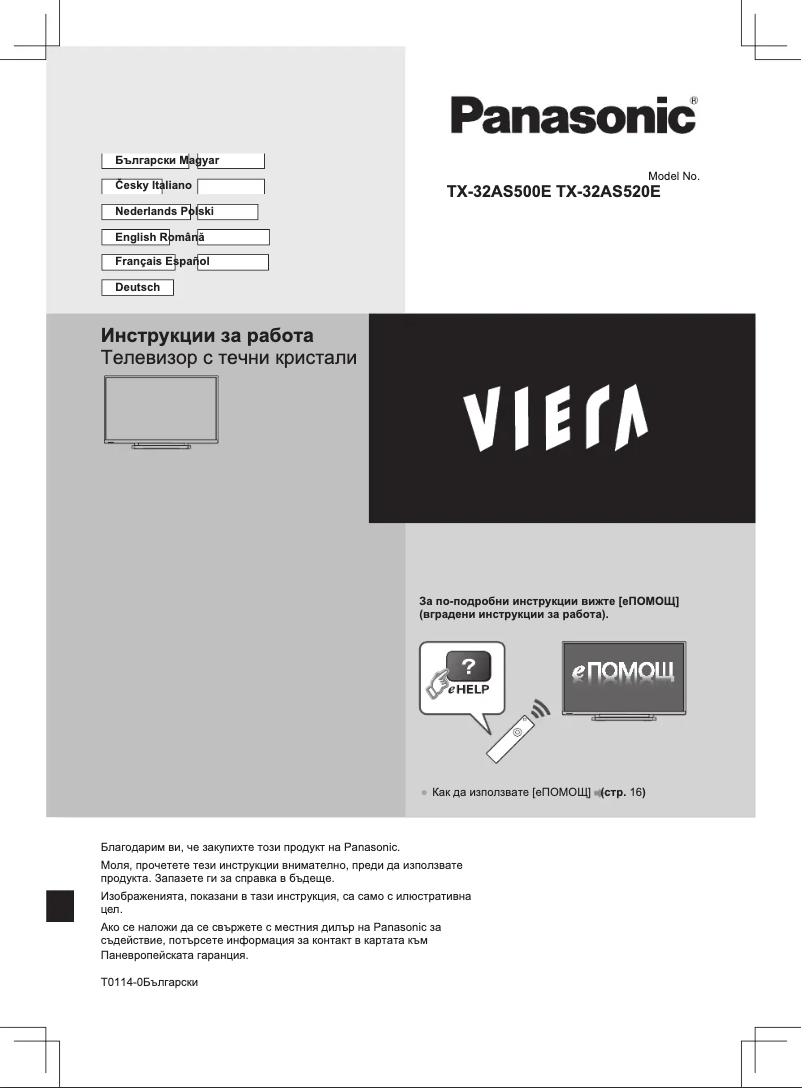
Editorial note
The Panasonic Viera TX-32AS500E is a television that offers a pleasant viewing experience thanks to its HD image quality with a resolution of 1366 x 768 pixels. Although this resolution is satisfactory for many users, it may seem limited compared to current standards, particularly for a 32-inch television. The lack of Smart TV features is a major drawback, as it limits access to streaming apps and the Internet, which could disappoint online content enthusiasts. Additionally, the limited number of HDMI ports (2) may pose a problem for those wishing to connect multiple devices, such as gaming consoles or Blu-ray players. On the audio front, the built-in speakers with Dolby Digital technology provide acceptable sound quality, but the power of 10 W may not be sufficient for a truly immersive audio experience, prompting some users to turn to external audio systems. In terms of design, the Viera TX-32AS500E has a modern and sleek appearance in black, and its VESA mounting makes it easy to integrate into various spaces. Overall, this model represents good value for money, although it may not meet the expectations of some users regarding resolution and connectivity. The strengths of this television lie in its image quality and attractive design, while its limitations in connectivity and smart features should be considered when making a purchase.Score details
User experience
The user experience is good, but the lack of Smart TV features limits access to streaming apps and the Internet.
Performance
The image quality is satisfactory with a resolution of 1366 x 768 pixels, but it may seem insufficient compared to current standards.
audio
The built-in speakers provide quality sound with Dolby Digital technology, but the 10 W power may not be enough for an immersive experience.
Design
The modern and sleek black design is attractive, and the VESA mount allows for seamless integration into different spaces.
connectivity
The limited number of HDMI ports (2) may pose a problem for users with multiple devices to connect, and the lack of support for 3D technology is a drawback.
Value for money
The product offers good value for money considering its features, but higher expectations in terms of resolution and connectivity could disappoint some users.
Advantages
HD image of 1366 x 768 pixels
Built-in Wi-Fi for wireless connection
Refresh rate of 100 Hz
Immersive Dolby Digital sound
Modern design, VESA mountable
Disadvantages
Limited resolution of 1366 x 768 pixels
No Smart TV features available
Only 2 HDMI ports available
No support for 3D
Low power speakers (10 W)
Technical Specifications Viera TX-32AS500E
General Information
-
ModelVIERA TX-32AS500E
-
Brand
-
Category
-
Type
-
SKU864599
-
MPN864599
Screen
-
LED backlighting-
-
LED backlighting-
-
Screen size32 "
-
Type HDHD
-
Screen resolution1366 x 768 pixels
-
Image format16:9
-
Screen brightness- cd/m²
-
Response time- ms
-
Native refresh rate100 Hz
-
Vertical viewing angle176 °
-
Vertical viewing angle176 °
-
Screen diagonal (cm)80 cm
-
Screen shapeFlat
-
Interpolation movement technologyBLB (Back Light Blinking)
-
Screen size32 "
-
Type HDHD
-
Screen resolution1366 x 768 pixels
-
Image format16:9
-
Screen brightness- cd/m²
-
Response time- ms
-
Native refresh rate100 Hz
-
Vertical viewing angle176 °
-
Vertical viewing angle176 °
-
Screen diagonal (cm)80 cm
-
Screen shapeFlat
-
Smart ModesHotel
-
Interpolation movement technologyBLB (Back Light Blinking)
Other features
-
3D CompatibilityNo
-
Certified DLNA (Digital Living New-York Alliance)Yes
-
Certified DLNA (Digital Living New-York Alliance)Yes
-
Annual energy consumption44 kWh
-
Energy efficiency class (old)A+
-
3D CompatibilityNo
-
Certified DLNA (Digital Living New-York Alliance)Yes
-
Certified DLNA (Digital Living New-York Alliance)Yes
-
Annual energy consumption44 kWh
-
Energy efficiency class (old)A+
-
Certified DLNA (Digital Living New-York Alliance)Yes
-
Certified DLNA (Digital Living New-York Alliance)Yes
TV Tuner
-
Analog signal format system-
-
Analog signal format system-
-
Tuner typeAnalog and digital
-
Digital signal system formatDVB-C, DVB-T
-
Tuner typeAnalog and digital
-
Digital signal system formatDVB-C, DVB-T
Smart TV / smart TV
-
Internet TVYes
-
Internet TVYes
-
Apps LifestyleSkype
-
Smart ModesHotel
Audio
-
Number of speakers2
-
Rated power of RMS10 W
-
Sound modesMusic, Standard
-
Integrated audio decodersDolby Digital, Dolby Digital DTS, Dolby Digital Plus
-
Number of speakers2
-
Rated power of RMS10 W
-
Sound modesMusic, Standard
-
Integrated audio decodersDolby Digital, Dolby Digital DTS, Dolby Digital Plus
Connectivity
-
Quantity of HDMI ports2
-
Common Interface (CI)No
-
Common Interface (CI)No
-
S-Video Input0
-
Number of Ethernet LAN ports (RJ-45)1
-
S-Video Input0
-
Number of Ethernet LAN ports (RJ-45)1
-
Number of Ethernet LAN ports (RJ-45)1
-
Number of Ethernet LAN ports (RJ-45)1
-
Number of Ethernet LAN ports (RJ-45)1
-
Common Interface (CI)No
-
Common Interface Plus (Cl+)Yes
-
S-Video Input0
-
Consumer Electronics Control (CEC)VIERA Link
-
Number of Ethernet LAN ports (RJ-45)1
-
Quantity of HDMI ports2
-
Common Interface (CI)No
-
Common Interface (CI)No
-
S-Video Input0
-
Number of Ethernet LAN ports (RJ-45)1
-
S-Video Input0
-
Number of Ethernet LAN ports (RJ-45)1
-
Number of Ethernet LAN ports (RJ-45)1
-
Number of Ethernet LAN ports (RJ-45)1
-
Number of Ethernet LAN ports (RJ-45)1
-
Common Interface (CI)No
-
Common Interface Plus (Cl+)Yes
-
S-Video Input0
-
Consumer Electronics Control (CEC)VIERA Link
Network
-
WifiYes
-
WifiYes
-
WifiYes
-
WifiYes
Management features
-
Basic hotel modeYes
-
Number of OSD languages25
-
Basic hotel modeYes
Representation / realization
-
Backlight dimming technology-
-
Teletext1000 pages
-
Ambient light sensorYes
-
Supported video formatAVI, FLV, MKV, MP4, VOB, WMV
-
Ambient light sensorYes
-
Supported audio formatsAAC, FLAC, MP3, WAV, WMA
-
Supported image formatsJPG
-
Ambient light sensorYes
-
Ambient light sensorYes
-
Ambient light sensorYes
-
Apps LifestyleSkype
-
Ambient light sensorYes
-
Teletext1000 pages
-
Ambient light sensorYes
-
Supported video formatAVI, FLV, MKV, MP4, VOB, WMV
-
Ambient light sensorYes
-
Supported audio formatsAAC, FLAC, MP3, WAV, WMA
-
Ambient light sensorYes
Design
-
Product colorBlack
-
Built-in power buttonYes
-
Built-in power buttonYes
-
Product colorBlack
-
Built-in power buttonYes
-
Built-in power buttonYes
Power
-
Energy consumption (standby mode)0.3 W
-
Typical electricity consumption30 W
-
AC input voltage220 - 240 V
-
AC input frequency50 - 60 Hz
-
Energy consumption (standby mode)0.3 W
-
Typical electricity consumption30 W
-
AC input voltage220 - 240 V
-
AC input frequency50 - 60 Hz
Weight and dimensions
-
Device width (support included)727 mm
-
Depth (without support)67 mm
-
Height (without support)432 mm
-
Weight (without support)5000 g
-
Device width (support included)727 mm
-
Depth (support included)194 mm
-
Height (support included)465 mm
-
Weight (with support)5500 g
-
Device width (support included)727 mm
-
Depth (without support)67 mm
-
Height (without support)432 mm
-
Weight (without support)5000 g
-
Device width (support included)727 mm
-
Depth (support included)194 mm
-
Height (support included)465 mm
-
Weight (with support)5500 g
Packaging information
-
Package width921 mm
-
Package depth140 mm
-
Package height525 mm
-
Package weight8000 g
-
User manualYes
-
User manualYes
-
Package width921 mm
-
Package depth140 mm
-
Package height525 mm
-
Package weight8000 g
Packaging contents
-
Remote control providedYes
-
Remote control providedYes
Frequently Asked Questions
What is the ideal distance to watch my Panasonic television?
What should I do if my television is no longer receiving a signal?
What are the dimensions of my television screen?
What does the acronym HDMI stand for?
Is it possible to connect Bluetooth devices from different brands?
What is the screen size of the Panasonic Viera TX-32AS500E model?
What is the resolution of the screen on the Panasonic Viera TX-32AS500E?
Does the Panasonic Viera TX-32AS500E support 3D?
Does the Panasonic Viera TX-32AS500E have Smart TV features?
What is the display resolution of the Panasonic Viera TX-32AS500E?
What is the native refresh rate of the Panasonic Viera TX-32AS500E?
Are there built-in speakers in the Panasonic Viera TX-32AS500E?
How do I connect the Panasonic Viera TX-32AS500E television to the Internet via the Ethernet port?
Why is my USB device not recognized by the Panasonic Viera TX-32AS500E television?
How do I enable digital audio output on the Panasonic Viera TX-32AS500E television?
Why am I not receiving any channels on the Panasonic Viera TX-32AS500E television?
Is the manual for the Panasonic Viera TX-32AS500E available in French?
Similar products


More product categories from brand Panasonic
Home appliances Panasonic
Phones Panasonic
Audio Panasonic
Camera and photography Panasonic
Personal care Panasonic
Other Panasonic
Tools Panasonic
Interior Panasonic
More product types from brand Panasonic








Presentation of product Viera TX-32AS500E specifications from brand Panasonic
General Information
The Panasonic Viera TX-32AS500E is a television from the Panasonic brand, known for its excellence and innovation in the field of electronic devices. This model, identified by the EAN code 5025232777013, offers optimal performance and an enriching user experience.
Screen
With a screen size of 32 inches, the Panasonic Viera TX-32AS500E provides a captivating visual experience. It features a resolution of 1366 x 768 pixels, ensuring HD image quality. The 16:9 aspect ratio is perfect for movies and TV shows, while its native refresh rate of 100 Hz ensures remarkable fluidity, even during fast-paced action scenes. The viewing angle of 176° allows for a clear image from different angles, and the LED backlighting technology contributes to optimal brightness.
Other Features
The Panasonic Viera TX-32AS500E is equipped with built-in speakers that use Dolby Digital technology, providing an immersive audio experience. It supports a Wi-Fi connection, allowing easy access to your home network. Regarding energy efficiency, it has an energy efficiency class of A+ and an annual energy consumption of 44 kWh.
TV Tuner
This model has an analog and digital tuner, compatible with DVB-C and DVB-T formats, ensuring quality reception for your favorite programs.
Smart TV
Although the Panasonic Viera TX-32AS500E does not have Smart TV features, it includes lifestyle applications that allow interaction with various content.
Audio
The television is equipped with two speakers with a power of 10 W, providing sound quality suitable for everyday use. The available audio modes, such as Music and Standard, allow for sound adjustment based on the type of content being watched.
Connectivity
In terms of connectivity, the Panasonic Viera TX-32AS500E is equipped with 2 HDMI ports to connect various devices, as well as 1 USB 2.0 port. It does not have DVI connectors or USB 3.2 type A ports, but includes a component input and an optical digital audio output for quality audio transmission.
Network
This model supports an Ethernet/LAN connection as well as Wi-Fi, facilitating access to the Internet and online content.
Design
The Panasonic Viera TX-32AS500E features a sleek and modern black finish. It is compatible with VESA mounting, offering the possibility to easily install it on a wall, optimizing your interior space.
Power
This television consumes 30 W in normal operation and only 0.3 W in standby mode, thus helping to reduce energy consumption.
Weight and Dimensions
The dimensions of the Panasonic Viera TX-32AS500E are 727 mm in width, 432 mm in height, and 67 mm in depth (without stand). Its weight is 5000 g, making it easy to handle.
Packaging Information
The package of the Panasonic Viera TX-32AS500E measures 921 mm in width, 140 mm in depth, and 525 mm in height, with a total weight of 8000 g, ensuring proper protection during transport.
Package Contents
The television comes with a remote control for easy operation.


