Thumbnail of product Viera TX-P55VT60 from brand Panasonic
Logo of brand Panasonic

Television Panasonic Viera TX-P55VT60

Discover the Panasonic Viera TX-P55VT60, a television from the renowned brand Panasonic, known for its quality and innovation in the field of multimedia devices. This 55-inch model is designed to provide an immersive viewing experience thanks to its optimal performance.

The Panasonic Viera TX-P55VT60 stands out with its advanced technology that enhances image quality and color rendering, thus ensuring a high-fidelity visual experience. With a sleek and modern design, it easily fits into any type of interior.

This television also comes with a user manual to help you make the most of its features. Whether it's for watching your favorite movies or following your TV shows, the Panasonic Viera TX-P55VT60 is a reliable choice for home entertainment enthusiasts.

In summary, the Panasonic Viera TX-P55VT60 combines innovation, image quality, and modern design to meet users' expectations in television.

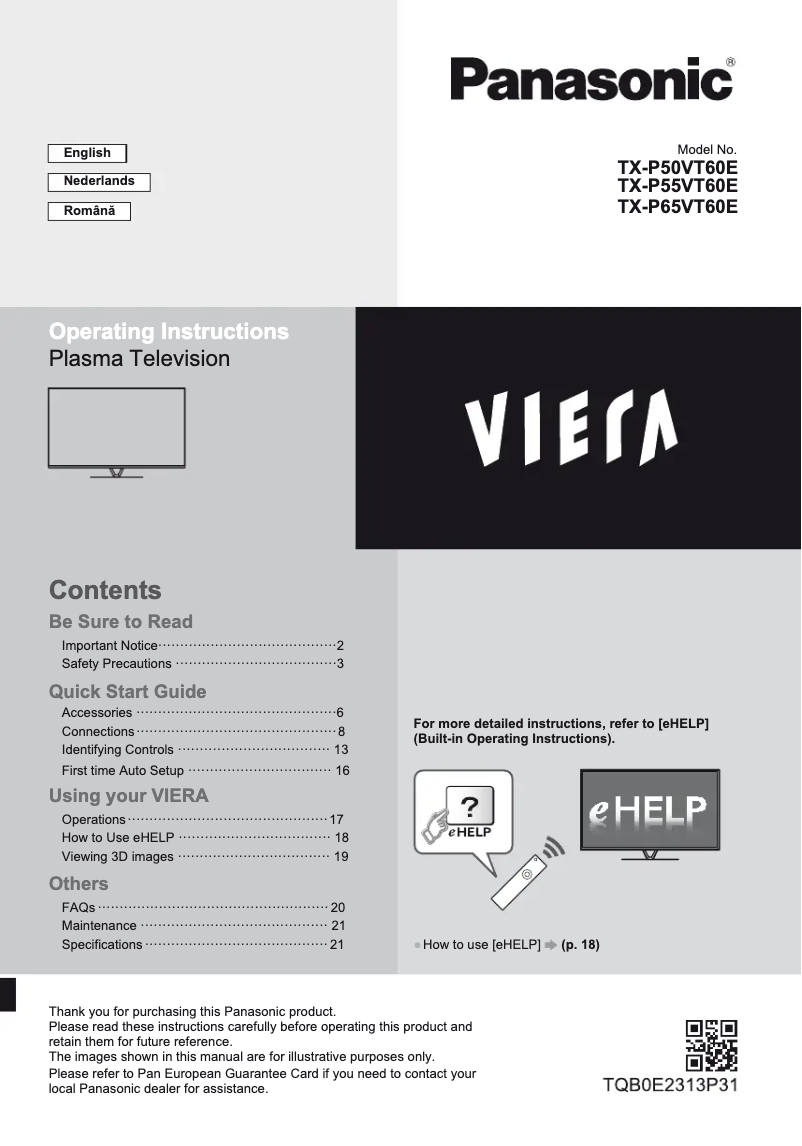
Manual of product Viera TX-P55VT60
8 10

Editorial note

The Panasonic Viera TX-P55VT60 is a television that stands out for its exceptional picture quality, thanks to advanced display technology that offers vibrant colors and deep contrasts. This model fits perfectly into any type of interior with its sleek design, adding a touch of sophistication to your living space. The Panasonic brand, known for its durability, ensures a long-term investment. In terms of user experience, ease of use is facilitated by the included user manual, making the television accessible even for those who are not very tech-savvy. Additionally, the integrated technical innovations enhance the overall experience. However, the Viera TX-P55VT60 has some drawbacks. The plasma technology used can lead to burn-in issues, and the model is relatively heavy, which can complicate its installation or movement. Furthermore, its energy consumption is higher than that of LED or OLED televisions, which can result in additional costs on the electricity bill. Finally, the response time may be slower than that of LCD or OLED models, which could affect the viewing experience during high-speed content, such as video games. Overall, despite some limitations, the Panasonic Viera TX-P55VT60 offers an immersive visual experience and reliability that justify the investment.

Score details

User experience

The user experience is positively marked by ease of use thanks to the included user manual, making the television accessible to everyone, even the less tech-savvy.

Performance

The performance is generally good, particularly due to the exceptional picture quality, but the response time can be a drawback for video games.

Design

The elegant design of the Panasonic Viera TX-P55VT60 fits well into various interiors, adding a touch of sophistication to the living space.

Value for money

The reliability of the Panasonic brand and the picture quality justify the investment, despite higher energy consumption.

Usability

Ease of use is enhanced by integrated technical innovations, although some connectivity limitations may restrict access to modern features.

Robustness

Panasonic's reputation for durability reassures about the product's longevity, even if the weight of the model can pose issues during installation.


Advantages

Exceptional and immersive image quality

Integrated modern technological innovations

Reliable and durable brand

Easy to use for everyone

Elegant and sophisticated design

Disadvantages

Risk of burn-in with plasma technology.

Heavy and bulky model to install.

High energy consumption.

Slower response time.

Limited connectivity compared to recent models.

Technical Specifications Viera TX-P55VT60

General Information

Frequently Asked Questions

What is the optimal viewing distance for my Panasonic television?
The ideal viewing distance for your Panasonic television depends on the screen size. Generally, it is recommended to sit about 2.4 times the diagonal of the screen.
What should I do if my television is no longer receiving a signal?
If your television is not picking up a signal, check the following: - Make sure your television is set to the correct source. - Check that the connections via HDMI or SCART are properly made.
What are the dimensions of my television screen?
The size of your television is usually indicated in inches, where 1 inch equals 2.54 centimeters. The measurement corresponds to the diagonal of the screen, taken from the bottom left corner to the top right corner.
What does the acronym HDMI stand for?
HDMI stands for High-Definition Multimedia Interface, which means high-definition multimedia interface. An HDMI cable transmits audio and video signals between devices.
Is it possible to connect devices from different brands via Bluetooth?
Yes, Bluetooth is a universal technology that allows connection between different compatible devices.
How do I connect external devices to the Panasonic Viera TX-P55VT60 television?
To connect external devices to the Panasonic Viera TX-P55VT60 television, follow these steps: 1. Ensure that the connectors of your external device match those of the television. 2. Use a SCART or HDMI cable for optimal connection. 3. Connect devices such as recorders, Blu-ray players, or set-top boxes to the appropriate ports. Use the provided terminal adapter if necessary. 4. For network services or recordings on a USB hard drive, connect the television to an Ethernet port or use the USB ports. 5. Manage the cables with the provided fasteners and ties to avoid tangling, ensuring not to mix the satellite cable, RF cable, and power cable. For specific instructions, refer to the manual of the device to be connected. Feel free to ask for help if needed.
How can I access the eHELP function on the Panasonic Viera TX-P55VT60 television?
To access the eHELP function on the Panasonic Viera TX-P55VT60 television, proceed as follows: 1. Press the 'Menu' button on your remote to open the main menu. 2. Use the remote arrows to select 'Help' or 'eHELP'. 3. Press 'OK' or 'Enter' to confirm your choice. 4. In the eHELP menu, browse through the different categories using the arrows. 5. Select the category and item you wish to consult, then press 'OK' or 'Enter'. 6. Use the arrows to navigate through the information and press 'OK' to display detailed instructions or troubleshooting tips. 7. To exit eHELP, press 'Exit' or 'Back'. Note that this function provides on-screen instructions to help you utilize your television's features. If you have further questions, feel free to ask.
How can I troubleshoot common issues with my Panasonic Viera TX-P55VT60 television?
To troubleshoot common issues with your Panasonic Viera TX-P55VT60 television, follow these steps: 1. If the television does not turn on, check that the power cable is properly plugged in. 2. If it goes into standby mode, disable the automatic standby function in the settings. 3. If the remote control is unresponsive, check the batteries and point it towards the television receiver, avoiding bright light. 4. If the screen remains black, ensure that the television is on and the correct input mode is selected. 5. For abnormal image, turn the television off and on again. If the problem persists, reset the settings in the system menu. 6. Unusual noises like humming are normal and do not indicate malfunction. 7. If certain parts of the television become warm, this is normal. For more detailed troubleshooting instructions, refer to the manual or use eHELP. If you need further assistance, feel free to ask.
How do I properly clean the screen and casing of my Panasonic Viera TX-P55VT60 television?
To clean the screen and casing of your Panasonic Viera TX-P55VT60 television, follow these steps: 1. Turn off and unplug the television for safety. 2. Use a soft, lint-free cloth to gently wipe the screen and casing. Avoid abrasive cleaners. 3. For stubborn stains, lightly dampen the cloth with water or a mild solution, without spraying directly on the screen. 4. For the casing, a slightly damp cloth is sufficient to remove dust. Ensure the cloth is not too wet. 5. Also clean the ventilation openings at the back with a soft brush or compressed air. 6. Avoid chemical or alcohol-based cleaners. 7. Allow the television to dry completely before plugging it back in. By following these steps, you ensure the cleanliness and integrity of your device. If you have further questions, feel free to ask.
Is the manual for the Panasonic Viera TX-P55VT60 available in French?
Unfortunately, the manual for the Panasonic Viera TX-P55VT60 is not available in French. It is only offered in English.

Similar products


Discover the technical sheet of Viera TX-L55ET5E from Panasonic and its manuals...
Available manuals:
Discover the technical sheet of Viera TX-LF32E30 from Panasonic and its manuals...
Available manuals:
Discover the technical sheet of 55LED1600 from Salora and its manuals...
Available manuals:
Discover the technical sheet of 28LED1600 from Salora and its manuals...
Available manuals:
Discover the technical sheet of 43LED1600 from Salora and its manuals...
Available manuals:
Discover the technical sheet of Viera TX-L47ET5E from Panasonic and its manuals...
Available manuals:
Discover the technical sheet of 20LED1600 from Salora and its manuals...
Available manuals:
Discover the technical sheet of Viera TX-L42ET5E from Panasonic and its manuals...
Available manuals:
Discover the technical sheet of 22LED1600 from Salora and its manuals...
Available manuals:
Discover the technical sheet of Viera TX-L42U2E from Panasonic and its manuals...
Available manuals:
Discover the technical sheet of Viera TX-L55DT65B from Panasonic and its manuals...
Available manuals:
Discover the technical sheet of 32LED1600 from Salora and its manuals...
Available manuals:

Presentation of product Viera TX-P55VT60 specifications from brand Panasonic

General Information

The Panasonic Viera TX-P55VT60 is a television from the Panasonic brand, known for its excellence in the consumer electronics sector. This model promises a high-quality visual experience thanks to its optimized performance and advanced technologies.

Advantages

This television stands out for its exceptional picture quality, thanks to a display technology that offers vibrant colors and striking contrasts, creating a total immersion in your favorite content. Moreover, Panasonic is renowned for its technical innovations, and the Viera TX-P55VT60 incorporates modern features that enhance the user experience.

By choosing this model, you opt for the reliability of a brand that ensures the durability of its products, a long-term investment for your home. Its ease of use is also a major asset, thanks to a clear user manual that simplifies the setup and operation of the television, making it accessible to everyone.

Finally, the elegant design of the Viera TX-P55VT60 allows it to blend harmoniously into various interior styles, adding a touch of sophistication to your living space.

Disadvantages

However, some limitations must be taken into account. The Panasonic Viera TX-P55VT60 uses plasma technology, which is prone to burn-in, where persistent images may appear after prolonged exposure. Additionally, its weight and bulk can complicate its installation or relocation.

In terms of consumption, this model has a higher energy consumption compared to LED or OLED televisions, which can lead to additional costs. The response time may also be slower compared to LCD or OLED models, which could affect the experience when viewing high-speed content, such as video games.

Finally, the connectivity options may be limited compared to newer models, restricting access to certain modern features.

