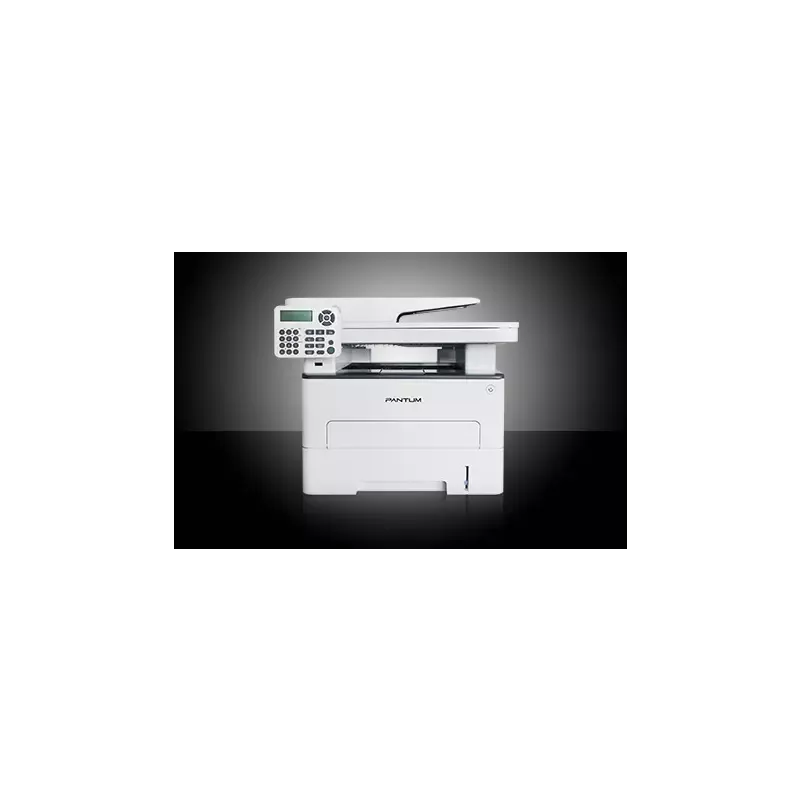

Manuals of product M7202FDW


Editorial note
The Pantum M7202FDW is a printer that stands out for its exceptional print quality, delivering sharp and precise documents, making it an ideal choice for professional or personal environments. Its versatility is a major asset, as it combines printing, copying, scanning, and faxing functions, making this all-in-one device particularly convenient for home offices and small businesses. Additionally, its wireless connectivity allows for easy use from various devices, further enhancing its functional aspect. However, some aspects could be improved. The cost of ink or toner cartridges is relatively high, which can affect the long-term cost of use. Furthermore, although the print speed is reasonable, it may be lower than that of some competing models, which could disappoint users with significant printing needs. The user interface, while functional, may seem unintuitive to some, making the setup and use of the printer more complicated. Moreover, the connectivity options, while present, are limited compared to other printers in the same category, and the operating noise can be disruptive in quiet work environments. Overall, the Pantum M7202FDW offers good value for money, supported by solid user support, particularly through a detailed manual and an accessible FAQ section. Despite some drawbacks, it remains a robust and reliable choice for anyone looking for an efficient and versatile printer.Score details
User experience
The user experience is generally good, although the interface may seem unintuitive for some users, making the setup and use of the printer more complicated.
Performance
The printing performance is excellent with sharp and precise quality, but the printing speed may be lower than that of other models, which can be a disadvantage for users with high demands.
Design
The design of the printer is modern and practical, especially with its all-in-one features that make it suitable for home offices.
Value for money
The cost of ink or toner cartridges can be high, increasing the long-term usage cost, which may affect the perception of value.
Support
The user manual and FAQ section are well provided, allowing users to quickly familiarize themselves with the features and troubleshoot common issues.
Usability
Although the printer is designed to be easy to use, some limitations in connectivity options may restrict usage flexibility.
Robustness
The printer seems robust and suitable for professional use, although the operating noise may be disturbing in quiet work environments.
Advantages
Clear and precise prints
All-in-one functionality: print, copy, scan, fax
Wi-Fi connectivity for wireless printing
Reduced energy consumption
Simplified use with manual and FAQ
Disadvantages
High cost of toner cartridges
Printing speed lower than the competition
Unintuitive user interface
Limited connectivity options
Disturbing operating noise
Technical Specifications M7202FDW
General Information
-
ModelM7202FDW
-
Brand
-
Category
-
Type
-
SKU1454719
-
MPN1454719
Frequently Asked Questions
What is the ideal method for removing jammed paper from the printer?
Why does my printer refuse to accept original cartridges?
What could be the reasons for poor print quality?
What are the differences between a laser printer and an inkjet printer?
Why is my inkjet printer producing black lines?
What does the acronym DPI mean?
Is the manual for the Pantum M7202FDW available in French?
Similar products


More product categories from brand Pantum
More product types from brand Pantum

Presentation of product M7202FDW specifications from brand Pantum
General Information
The Pantum M7202FDW printer is an innovative model from the Pantum brand, known for its quality and performance in the printing device sector. This all-in-one model stands out for its ability to print, copy, scan, and send faxes, making it a wise choice for both home offices and small businesses.
Advantages
The Pantum M7202FDW offers excellent print quality thanks to its advanced technology, ensuring precise and clear results, ideal for both professional and personal documents. Its wireless connectivity allows for easy and quick printing from various devices such as computers, tablets, or smartphones, without the need for cables.
Moreover, this device is designed to be energy efficient, thus helping to reduce operating costs while being environmentally friendly. The ease of use is also a plus, with a manual and a FAQ section available to help users quickly familiarize themselves with its features.
Disadvantages
However, some aspects may be considered disadvantages. The cost of toner cartridges can be high, which could increase the long-term usage cost. Additionally, while the printing speed is reasonable, it may be lower than that of some competing models, which could be an issue for users with intensive printing needs.
The user interface, on the other hand, may seem unintuitive to some people, making the setup and use of the printer more complex. Finally, although connectivity is present, it may be limited compared to other similar printers, which could restrict usage flexibility. The operating noise, especially in quiet environments, can also be a factor to consider.


